
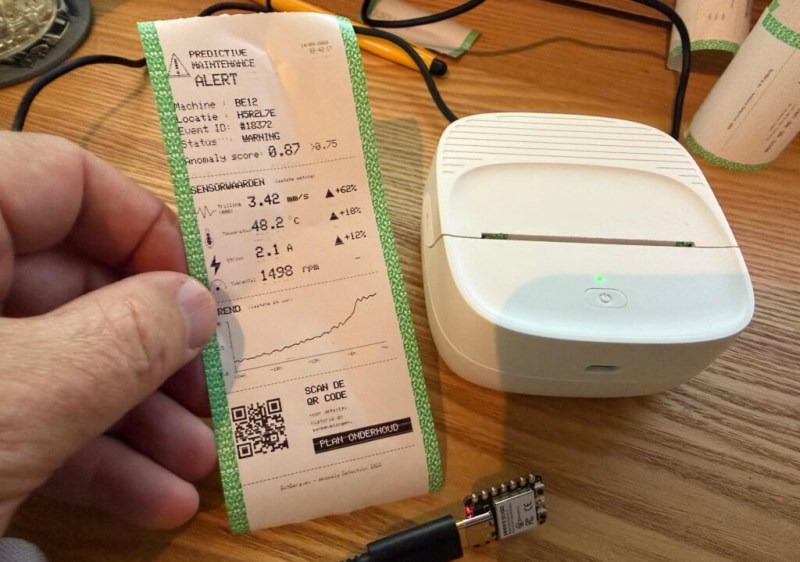
[Bas BotBerg] wanted to use a portable Bluetooth thermal printer to run off reports on sensor data collected by an ESP32-C3 microcontroller. But as is so often the case these days, the only official way to interface with the printer was through a proprietary smartphone application provided by the manufacturer. With no documentation on how the thing works, he set out to reverse engineer the printer’s communications protocol so he could control it from the MCU — but the route he took to get there was a bit different than what we usually see, and is an excellent case study for those who might have similar projects in mind.
 The standard procedure for something like this, if it can be called that, is to use Android’s built-in debugging capability to log Bluetooth communications while running the manufacturer’s application. The resulting file can be fed into Wireshark, and with patience and some educated guesses, you can usually work out the various commands and values that get passed to the hardware.
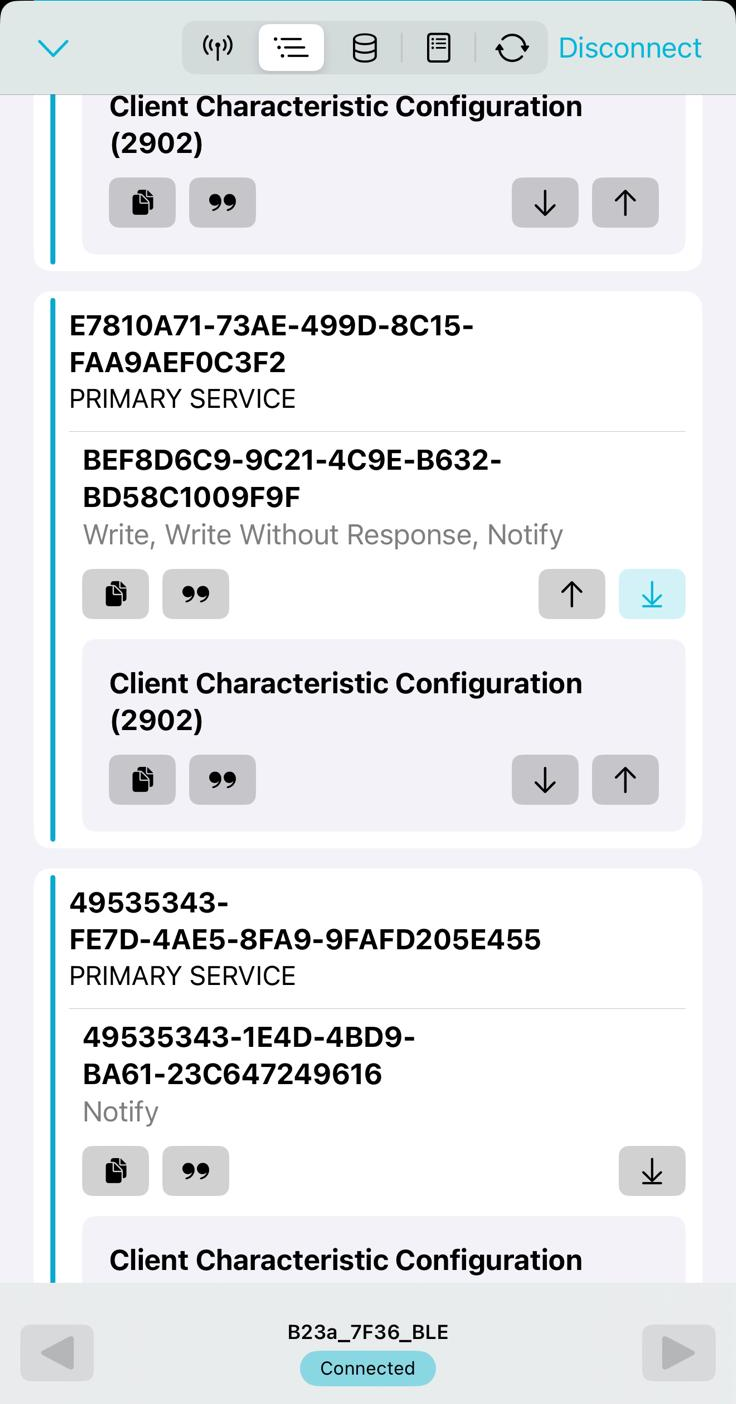
But in this case, [Bas BotBerg] ignored the manufacturer’s software and instead used an application that can query a device and list its Bluetooth Low Energy services and characteristics. Specifically, he looks for services that are marked as writable, and starts pushing data into them to see how the printer responds. For this he uses Python with the Bleak library, as it allows him to rapidly iterate and adapt his code. After a bit of poking and experimentation, he finds the proper incantation to get the printer’s motor to kick on and advance the paper — a critical first milestone that tells him he’s on the right path.
Once [Bas BotBerg] mapped out what data needed to be sent to what endpoints to operate the printer in Python, it was a relatively straightforward process to send those same payloads using C++ code on the ESP32. For extra style points he also brought in the Adafruit GFX library so he could produce icons and more easily format the output of the printer.
It doesn’t look like [Bas BotBerg] has released the code in this case (perhaps if we all ask nicely), but we’ve seen similar efforts to bring open source drivers to these cheap Bluetooth printers for the good of the community.











Of course, now we need voice recognition for a swear-word detector and automatic wordy-dird ticket writer!
Joy joy
I want a bullshit detector for meetings!
“We need to leverage our synergies in the cloud.”
— BEEEP! —
Proactively leverage our synergies, thank you Dogbert.
All printers are Taco Bell now?
Quite a necessity if you don’t know how to use the three shells.
I have an Arduino/ESP32 driver for the Brother QL800 label printer. I co-developed it with ChatGPT. Would that be a useful thing for the community? Any suggestions on how to make it available?
Post it on GitHub then send a tip to Hackaday.
I recently found an unused QL500 printer in its original packaging at a thrift store. It was practically free and came with a few label rolls too. They work great with a CUPS print server and the ghostscript addon.
BUT, my idea with this printer was to make a voice controlled freezer label machine to mark my leftovers. When left in the freezer for a few months it’s sometimes hard to know what dish they are, and I’m too lazy to find a pen and tape to mark it with.
That project could definately benefit from your work. Although, I’m not too keen on llm’s writing code. Put it on something like github, and tip off HAD.
I did consider making something similar a while back, but then I bought a thermal printer that had a UART interface that accepted ESC/POS data. I then connected an ESP8266 as a bridge from port 9100 to the UART.
When the connection is opened the ESP powers the printer, and just forwards any data that comes through to the printer. Once no more data has been received for a minute, the power to the printer is turned off.
The nice part is that the ESP8266 fits nicely inside the printer, so the power jack in the back of the printer is the only cable that comes out.
The printer is ultimately used to automatically printout the ingredients list and brewing instructions for the beer I intend to brew that day, when the brewing software changes the state from planning to brewing.
Node Red picks up the data and formats it for the printer.
I probably should clean up the code and document it for others to use, but it works as is, documenting is boring and I have too many projects I want to work on.