Other Machine Co. Changes Name, Logo, Apparently Nothing Else

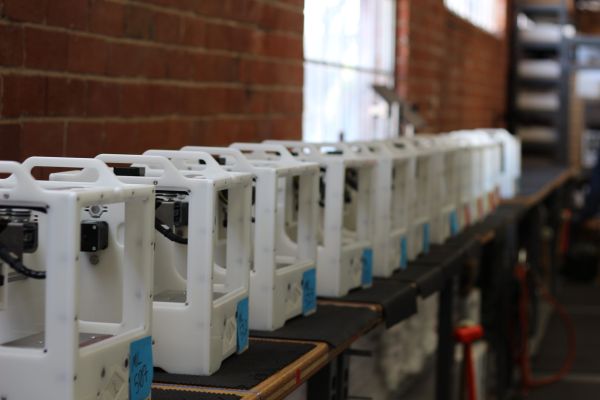
The name Other Machine Co. is now dead. In a post to the company blog, Other Machine Co. is now Bantam Tools. This news comes just months after the announcement that [Bre Pettis], one-third of the founders of MakerBot, investor in Glowforge, and undeservingly the most hated man in the 3D printer community, purchased Other Machine Co.

Over the past few years, the Othermill, Other Machine Co.’s main product, has gained a reputation for being a very, very nice CNC mill capable of producing PCBs with 6 mil trace and space. Additionally, the Othermill was excellent at very fine CNC work including wax carving jewelry, very neat inlay work on wood, and any other CNC task that doesn’t involve anything harder than aluminum and can fit inside the machine itself.
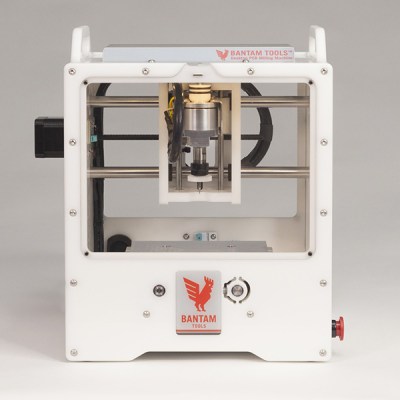
As of right now, the only change to the Othermill is the name — it’s now the Bantam Tools Desktop PCB Milling Machine. According to a Wired press release, this name change also comes with a change in focus. Bantam Tools will not focus on hobbyist makers, but instead to professionals that need PCBs and other small milling jobs done right now. For the record, I cannot recall the Othermill ever being advertised directly to ‘hobbyist makers’ — it has always seemed the target audience was professionals, or at least people who would make money from the stuff produced on their mill.

Other changes to the Othermill have been in the works for months. Since the time of the acquisition, Other Machine Co. / Bantam have introduced a PCB probing system, a desperately needed fine dust collection system, and automated material thickness probing. These new projects for Bantam mills are compatible with the old Othermill.

Teenage Engineering The Raspberry Pi

The Teenage Engineering OP-1 is a tiny, portable synthesizer loaded up with 4-track recording, a sampler, sequencers, and a quite good synthesis engine. It also fits in your pocket and looks like a calculator built in West Germany. As you would expect with a synth/sampler/sequencer, you can save sounds, tracks, and other creations to a computer. [Doug] thought if you can connect it to a laptop, you can also connect it to a Raspberry Pi. He created an all-in-one storage solution for the OP-1 using only a Pi and a small character LCD.

The process of connecting the Pi to the OP-1 is pretty simple. First, plug a USB cable into the OP-1 and the Pi. Then, place the OP-1 into Disk Mode, the synth’s method of transferring files between itself and a computer. The Pi then synchronizes, changes the color of its character display from red to green, and becomes a web server available over WiFi where all the files can be accessed.

This is the bare minimum tech required to get files into and off of the OP-1. All you need is a bit of power and a USB connection, and all the files on the OP-1 can be backed up, transferred, or replaced without any other futzing around. It’s perfect for the minimalist OP-1, and a great example of how handy a WiFi enabled Pi can be.

Thanks [Pator] for sending this one in.

A Floppy Drive For Apple’s Pippin

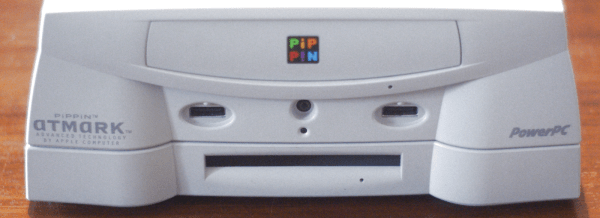
The Pippin was Apple’s first and last foray into gaming consoles. At its heart, the Pippin was a strange ‘multimedia device’ with a CD-ROM, the potential for Internet access, a few neat controllers, and the guts of a very bare-bones PowerPC Macintosh. Think of a cross between a 3DO and WebTV, and you’ll get an idea of what Apple was trying to build here.

The Pippin is rare, and that means the related accessories, ranging from magneto-optical drives to floppy drives, are incredibly hard to come by. Now, one of those peripherals isn’t rare anymore; [Pierre] has cloned the (passive) PCB that allows a Macintosh floppy drive to plug directly into the Pippin.

The expansion capabilities for the Pippin are locked away inside a PCI connector strategically located on the bottom of this set-top box. The official floppy drive accessory injection molded case, a standard Mac floppy drive, and a PCB. After finding one of these rare floppy drive accessories, [Pierre] simply took a meter to all the pins, traced out the circuit, and created a PCB with a PCI connector on one end, and 20-pin connector on the other. The PCB is shared on OSH Park if you want to check this out.

Although recreating this hardware was relatively easy, testing it was not. The first test used the Floppy Emu, a neat device that allows old Macs to read disk images off an SD card. This worked beautifully, but testing it out with a real floppy drive did not. Some disks simply didn’t work, although [Pierre] is chalking that one up to a problem with the USB floppy drive and a Mac running Sierra.

Rolling Around A 4th Axis

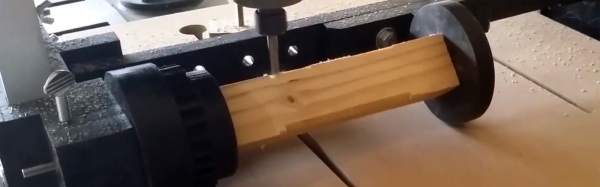
[Perry] was interested in adding a 4th axis to his CNC machine, but not very excited at the prospect of spending hundreds of dollars on the parts and electronics to make it work. There is a very clever and very inexpensive way to add a 4th axis to a CNC machine, though, and after a bit of fabrication, he was able to add a ‘rolling’ 4th axis to his machine.

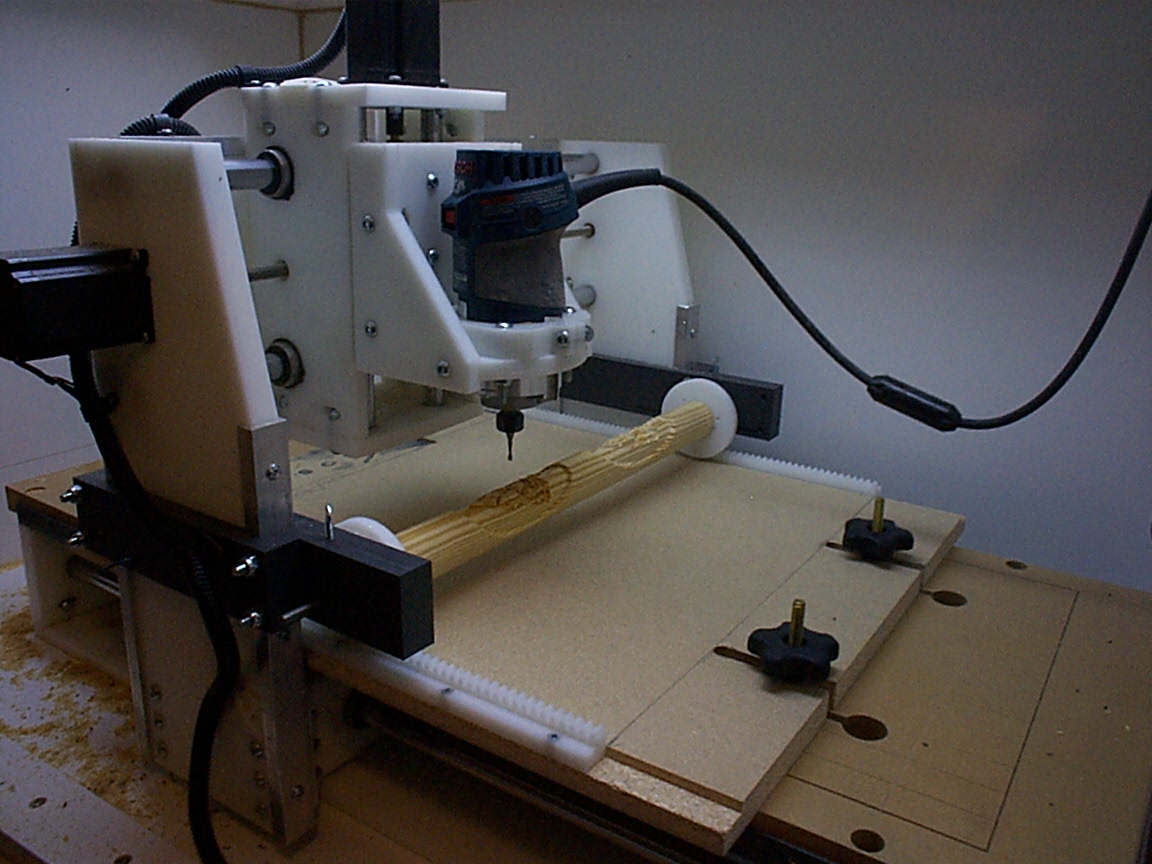
[Bob]’s ‘rolling’ 4th axis.
The idea for this build comes from [Bob] over on the CNC Shark forums. Instead of adding a motor to rotate a work piece around, [Bob]’s build simply mounts it between two jaws, and rolls everything around against the bed of the CNC router. Don’t have a clue what that means? Check out the picture to the right, and you’ll see brilliance built in Delrin and HDPE.  By mounting two rack gears to the bed and two geared jaws to the carriage of the machine, moving the router in the Y axis also rotates the 4th axis. This is far, far too clever; it doesn’t require any additional electronics and the only software tweaks are a bit of G-code hacking.

[Perry] took one look at [Bob]’s project and decided this would be the perfect build to get him a 4th axis. The parts for this build were fabricated out of black HDPE, with the only real change to the design being a ‘variable length’ 4th axis. Instead of two rack gears mounted to the bed of the machine, [Perry]’s build only uses one rack, with the other end simply rolling on the bed.

There are a lot of clever inventions that don’t work, so what’s the verdict with this CNC hack? It actually looks pretty good. [Perry] was able to turn some square stock into round stock, and able to engrave a spiral around a cylinder. You can check out those videos below.

Continue reading “Rolling Around A 4th Axis”

Hackaday Links Column Banner

Hackaday Links: September 3, 2017

The TI-83, TI-84, and TI-86 have been the standard graphing calculators in classrooms for two decades. This is the subject of an xkcd. Now, hopefully, there’s a contender for the throne. Numworks is a graphing calculator that looks like it was designed in at least 2006 (so very modern), and apparently, there’s a huge community behind it.

Juicero is shutting down. No one could have seen this one coming. The Juicero was a $700 press that turned proprietary, DRM’ed juice packs into juice and garbage. It was exquisitely engineered, but it turns out very few people want to spend thousands of dollars per year on DRM’ed juice. Oh, since the Juicero phones home, those $700 presses probably won’t work in the future.

Are you in the Bay area? Do you need test equipment? There’s a gigantic auction happening somewhere around San Jose. [Dave] tipped everyone off to this one, and this auction is pretty freakin’ spectacular. Spectrum analyzers, signal gens, a ‘mega zoom’ oscilloscope, and 4-channel, 500 MHz scopes for $50. There are a thousand lots in this auction. It’s nuts.

Everybody loves PCB art, and [Uri] has a guide for designing custom, functional electronic circuit boards. The toolchain used in this guide is Inkscape and KiCad, with blinky hearts, blinky pandas, and other blinky PCBs.

This one is a little out there even for us. Here’s how you build your own AA batteries. It’s a dozen #10 copper washers, a dozen or so #10 zinc washers, some cardboard, vinegar, salt, and some heat shrink tubing. The assembly of this battery is exactly what you would expect, and yes, it does work. Here’s the thing, though: The very crude tests suggest these batteries have a capacity of about 800-1000 mAh, which is far more than we would expect. Who has a programmable load and wants to do a few experiments? Also, these batteries are ‘rechargeable’ by taking them apart, sanding the crud off each washer, and adding new electrolyte.

[Jan] has made a name for himself stuffing synthesizers into tiny little microcontrollers. The latest project is the Infinity37, a polyphonic synth with MIDI, envelopes, and a whole bunch of cool stuff. Check out the video.

[rctestflight] is building a solar powered aircraft. It’s has a beautiful wing studded with solar panels. The latest flight was four hours, long enough to make piloting a plane through some FatSharks extremely tedious. Future developments will probably include a MPPT charging solution, and probably an autopilot.

New Part Day: Pluggable ESP Modules

Almost exactly four years ago, we came across a really neat module for sale on SeeedStudios. It was a $5 WiFi chip, able to connect your microcontroller project to the Internet with just a handful of wires and a few AT commands. This was the ESP8266, and it has since spawned an entire ecosystem of connected devices.

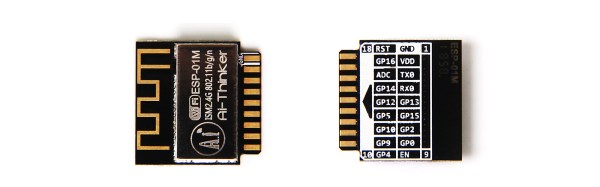
Now, there’s a new version of the ESP8266 that simply showed up on the Seeed website. Officially, it’s called the, ‘ESP8285 01M Wi-Fi SoC Module’, but you might as well start calling it ‘the Pluggable ESP module’. It’s the smallest ESP8266 module yet at 18mm square, and this one is designed to be plugged into a card-edge connector. It’s eighteen pins of wonder and 1MB of Flash, all ready to be stuffed into the next Internet of Things Thing.

The documentation for this module is sparse, and there isn’t even a mention of it on the AI Thinker website. That said, we can make some reasonable assumptions about what’s going on in this chip and what it can do. This module appears to be based on the ESP8285 SoC. Basically, it’s an ESP8266 with built-in 1MB SPI Flash. There are a handful of GPIOs available, and you should be able to build anything with this module that you could with other ESP8266 modules.

The highlight here is, of course, the card-edge connector. This is a module designed to be dropped into an existing product. You can program the module before hand, and assembly is a snap. The problem, though, is sourcing the relevant connector. It doesn’t look like Seeed has bothered to put a link to the right connector in the product description, although sourcing it shouldn’t be that much of a problem. The only question is if the card edge connectors on this module are hard gold (for multiple mating cycles) or just ENIG. Either way, if you’re plugging these modules into connectors dozens of times, you’re probably doing something wrong.

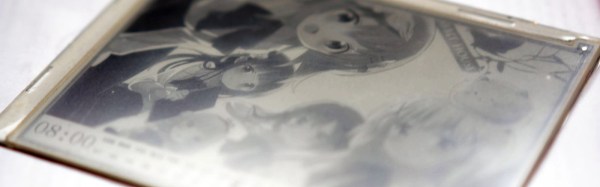
Hackaday Prize Entry: An E-Ink Calendar

E-ink displays are becoming almost common in DIY electronics circles, and now we have very capable, low-power microcontrollers, some of which feature some sort of wireless connectivity. Combine these two, and you have the potential for a basic information screen — a low-power device that always displays some sort of relevant information, whether it’s the date or the weather.

For their Hackaday Prize entry, [Wenting] and [Dong] are building an e-ink calendar. It’s a calendar, it displays bitmaps, it can display the time, and with a little more hacking it can display the weather, current traffic, or train schedule. If this were the 90s, we would have called this an information appliance, and it would have blown everyone’s minds.

The current design of this e-ink calendar uses an 800 x 600 pixel display working in 16-level grayscale mode. The processor is an STM32F4, and in a cost-reducing revision, an external SRAM was thrown out and the frame buffer was moved to the internal RAM. The e-ink display is actually pretty quick, allowing for greater than 10 FPS in 1-bit mode.

As with any e-ink project, driving the display is a minor nightmare, but [Wenting] is able to push a few frames per second to the display. That’s good enough for a device that shouldn’t actually change all that much — this is a calendar, after all.