Not On The Internet

Whenever you need to know something, you just look it up on the Internet, right? Using the search engine of your choice, you type in a couple keywords, hit enter, and you’re set. Any datasheet, any protocol specification, any obscure runtime error, any time. Heck, you can most often find some sample code implementing whatever it is you’re looking for. In a minute or so.

It is so truly easy to find everything technical that I take it entirely for granted. In fact, I had entirely forgotten that we live in a hacker’s utopia until a couple nights ago, when it happened again: I wanted to find something that isn’t on the Internet. Now, to be fair, it’s probably out there and I just need to dig a little deeper, but the shock of not instantly finding the answer to a random esoteric question reminded me how lucky we actually are 99.99% of the time when we do find the answer straight away.

So great job, global hive-mind of über-nerds! This was one of the founding dreams of the Internet, that all information would be available to everyone anywhere, and it’s essentially working. Never mind that we can stream movies or have telcos with people on the other side of the globe – when I want a Python library for decoding Kansas City Standard audio data, it’s at my fingertips. Detailed SCSI specifications? Check.

But what was my search, you ask? Kristina and I were talking about Teddy Ruxpin, and I thought that the specification for the servo track on the tape would certainly have been reverse engineered and well documented. And I’m still sure it is – I was just shocked that I couldn’t instantly find it. The last time this happened to me, it was the datasheet for the chips that make up a Speak & Spell, and it turned out that I just needed to dig a lot harder. So I haven’t given up hope yet.

And deep down, I’m a little bit happy that I found a hole in the Internet. It gives Kristina and me an excuse to reverse engineer the format ourselves. Sometimes ignorance is bliss. But for the rest of those times, when I really want the answer to a niche tech question, thanks everyone!

Raspberry Pi Pico W Adds Wireless

News just in from the folks at Raspberry Pi: the newest version of their Pico has WiFi and is called, obviously, the Pico W. We were going to get our hands on a sample unit and kick its tires, but it’s stuck in customs. Boo! So until it shows up, here’s what we can glean from the press releases and documentation.

The Pico is, of course, the Raspberry Pi microcontroller dev board based on their RP2040 microcontroller. This in turn has two Cortex M0+ cores and a good chunk of onboard RAM, which has made it a popular target for MicroPython. They had some extra real estate on the PCB, so they’ve added an Infineon CYW43439 WiFi chip, and voila: Pico W.

As of now, the WiFi is supported in both the C SDK and the pre-baked MicroPython image. It looks trivially easy to get it working, and it’s based on the time-tested lwIP stack, a classic in the embedded world. The CYW43439 is also Bluetooth capable, but there’s no firmware support for that yet, but we wouldn’t be surprised if it showed up soon.

The price? $6 for the whole shooting match. You can view this two ways: a small $2 premium over the old Pico, or a price increase of 50%. How you see things probably depends on your order quantity. Either way, it’s firmly in the ESP32 module price range, so you’ve got some comparison shopping to do if your project needs a microcontroller and WiFi. And in these days of silicon shortages, it’s nice to have a couple of options.

2022 Hackaday Prize: Reuse, Recycle, Revamp Finalists

The 2022 Hackaday Prize is focused on taking care of the planet. The theme of our second challenge round, “Reduce, Recycle, Revamp” is all about tailoring your projects to make use of existing resources and keeping material out of the landfill rather than contributing to it. Our judges have scrutinized the entries and handed me the sealed envelope. All of these ten projects will receive $500 right now and are eligible for the Grand Prize of $50,000, to be announced in November.

We were looking for two broad types of recycling projects in this round, either projects that incorporate a significant recycled component in their build, or projects that facilitate recycling themselves, and frankly we got a good mix of both!
Continue reading “2022 Hackaday Prize: Reuse, Recycle, Revamp Finalists”

Hacker Diary: Embedded World 2022

Yesterday I went up to the Embedded World trade fair in Nuremburg, Germany. As a lone hacker, you often feel more than a little out of place when you buy chips in single unit quantities and the people you’re talking to are used to minimum order quantities of a million. But what’s heartening is how, once you ask an interesting question, even some of the suit-wearing types flip into full-on kids who like to explain the fun tech. I struck up conversations with more than a couple VPs of global chip behemoths, and they were cool.

But my heart is still with the smaller players, and the hackers. That’s where the innovation is. I met up with Colin O’Flynn, of Chip Whisperer fame — his company is selling fancier chip-glitching tools, but he still had a refined version of the open source, quick-and-dirty zapper circuit from his Remoticon talk last year. There was a small local company producing virtual buttons that were essentially Pepper’s Ghost illusions floating in mid-air, and the button press was detected by reflective IR. Cool tech, but I forgot the company’s name — sorry!

Less forgettable was Dracula Technologies, a French company making inkjet-printable organic solar cells. While they wouldn’t go into deep details about the actual chemistry of what they’re doing, I could tell that it pained them to not tell me when I asked. Anyway, it’s a cool low-power solar tech that would be awesome if it were more widespread. I think they’re just one of many firms in this area; keep your eyes on organic solar.

When talking with a smaller German FPGA manufacturer, Cologne Chip, about their business, I finally asked about the synthesis flow and was happily surprised to hear that they were dedicated to the fully open-source Yosys toolchain. As far as I know, they’re one of the only firms who have voluntarily submitted their chips’ specs to the effort. Very cool! (And a sign of things to come? You can always hope.)

I met a more than a few Hackaday readers just by randomly stumbling around, which also shows that the hacker spirit is alive in companies big and small. All of the companies have to make demos to attract our attention, but from talking to the people who make them, they have just as much fun building them as you or I would.

And last but not least, I ran into Hackaday regular Chris Gammell and my old boss and good friend Mike Szczys who were there representing the IoT startup Golioth, and trying to fool me into using an RTOS on microcontrollers. (Never say never.) We had an awesome walkaround and a great dinner.

If you ever get the chance to go to a trade show like this, even if you feel like you might be out of your league, I encourage you to attend anyway. You’d be surprised how many cool geeks are hiding in the least likely of places.

[Banner image: Embedded World]

Casting Parts In Urethane: Tips From A Master

When you want a couple copies of a thing, you can 3D print ’em. When you want a ton of them, you might consider making a mold. If those are the shoes you’re in, you should check out this video from [Robert Tolone] (embedded below). Or heck, just check out all of his videos.

Even just in this single video from a couple years back, there are a ton of tips that’ll help you when you’re trying to pour resin of just the right color into a silicone mold. Mostly, these boil down to testing everything out in small quantities before pouring it in bulk, because a lot changes along the way. And that’s where [Robert]’s experience shines through — he knows all of the trouble spots that you need to test for.

For instance? Color matching. Resin dyes are incredibly concentrated, so getting the right amount is tricky. Mixing the color at a high concentration first and then sub-diluting it slowly allows for more control. But even then, the dried product is significantly lighter than the mixture, so some experimentation is necessary. [Robert] sneaks up on just the right color of seafoam green and then pours some test batches. And then he pours it in the exact shape of the mold just to be sure.

That’s just one of the tips in this video, which is just the tip of the mold-casting iceberg. Pour yourself a coffee, settle down, and you’ll learn something for sure. If you’re into more technical parts and CNC machining, we still love the Guerilla Guide after all these years.

Much thank to [Zane] for tipping us off to this treasure trove.

Continue reading “Casting Parts In Urethane: Tips From A Master”

Wonderful Foldable Printable Dodecahedron

Debra Ansell of [GeekMomProjects] fame came up with a neat, 3D design that prints flat and then folds up into everyone’s favorite Platonic solid: a D12.

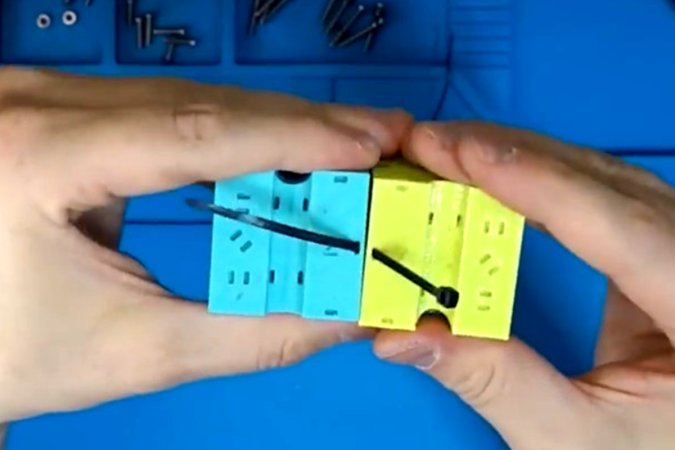
Why would you want to do this? Well, folding up your 3D prints gives you a third dimension “for free” without using all that support material. Here, all of the outside faces of the dodecahedron are printed flat against the build plate, which is probably the nicest side of your prints. And embedding LEDs in the resulting shape would probably be easy because they’re all in plane. And speaking of LEDs, we kinda expected to see them here, given Debra’s motto: “LEDs improve everything” — that part is up to you.

Debra notes that she likes PETG instead of PLA for the extra strength in the thin-printed hinges, and we’d bet that your printer’s tolerances will need to be spot on for the clips that hold the whole thing together. (We’d be tempted to apply a little super-duper glue.)

As always with Debra’s projects, there’s some creative solutions on display here that’ll help you out whether you need a D12 or a D20, so give it a look!

Thanks [Peter] for the tip.

Continue reading “Wonderful Foldable Printable Dodecahedron”

Blinking An Arduino LED, In Julia

The Julia programming language is a horrible fit for a no-frills microcontroller like the ATMega328p that lies within the classic Arduino, but that didn’t stop [Sukera] from trying, and succeeding.

All of the features that make Julia a cool programming language for your big computer make it an awful choice for the Arduino. It’s designed for interactivity, is dynamically typed, and leans heavily on its garbage collection; each of these features alone would tax the Mega to the breaking point. But in its favor, it is a compiled language that is based on LLVM, and LLVM has an AVR backend for C. Should just be a simple matter of stubbing out some of the overhead, recompiling LLVM to add an AVR target for Julia, and then fixing up all the other loose ends, right?

Well, it turns out it almost was. Leaning heavily on the flexibility of LLVM, [Sukera] manages to turn off all the language features that aren’t needed, and after some small hurdles like the usual problems with volatile and atomic variables, manages to blink an LED slowly. Huzzah. We love [Sukera’s] wry “Now THAT is what I call two days well spent!” after it’s all done, but seriously, this is the first time we’ve every seen even super-rudimentary Julia code running on an 8-bit microcontroller, so there are definitely some kudos due here.

By the time that Julia is wedged into the AVR, a lot of what makes it appealing on the big computers is missing on the micro, so we don’t really see people picking it over straight C, which has a much more developed ecosystem. But still, it’s great to see what it takes to get a language designed around a runtime and garbage collection up and running on our favorite mini micro.

Thanks [Joel] for the tip!