Real Life Sonic Screwdriver For Home Automation

sonic

Any Doctor Who fans out there? [Pat] just sent us his project on home automation… using a Sonic Screwdriver!

Ever since he pre-ordered his Raspberry Pi at the beginning of February 2012, he knew he wanted to try his hand at home automation. The easy way was to use X10 outlets, but at $20+ an outlet, it’s not that affordable. Instead, he managed to find a rather cheap system on Amazon — RF controlled outlets. They only cost about $35 for a 5-pack!

It’s a very basic system: five outlets with five buttons on the remote. All he had to do was wire up the Raspberry Pi to simulate the button presses by setting the GPIO pins high, and presto, a simple but effective home automation setup.

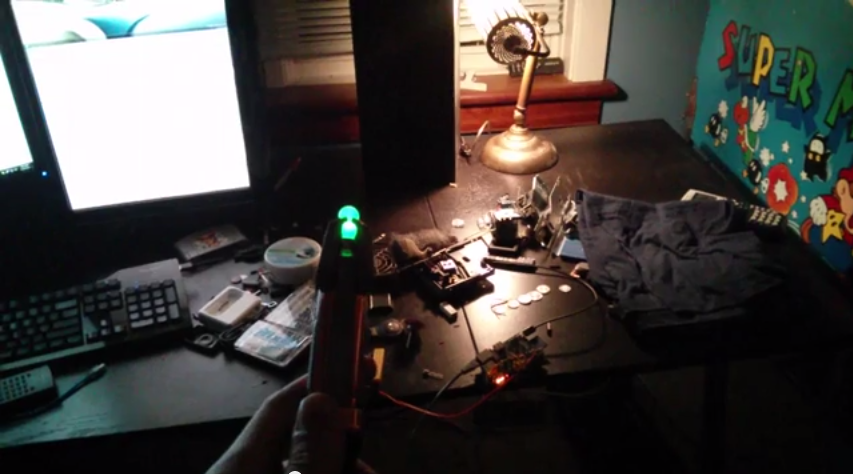
This is where it starts to get fun. Unfortunately, unlike a real Time Lord, [Pat] didn’t build his sonic from scratch. Instead, he found a universal remote control — styled after [Smith]’s sonic. Add another RF receiver to the Pi, a web-based interface to extend the range, and bam, you’ve got one geeky, but awesome, home automation setup.

Stick around after the break to see it in action!

Continue reading “Real Life Sonic Screwdriver For Home Automation”
HDD Driven Table Tennis Robot

12

Need to hone up your ping pong skills? Nobody to play with? That’s okay, you could always build a hard drive powered ping pong ball launcher!

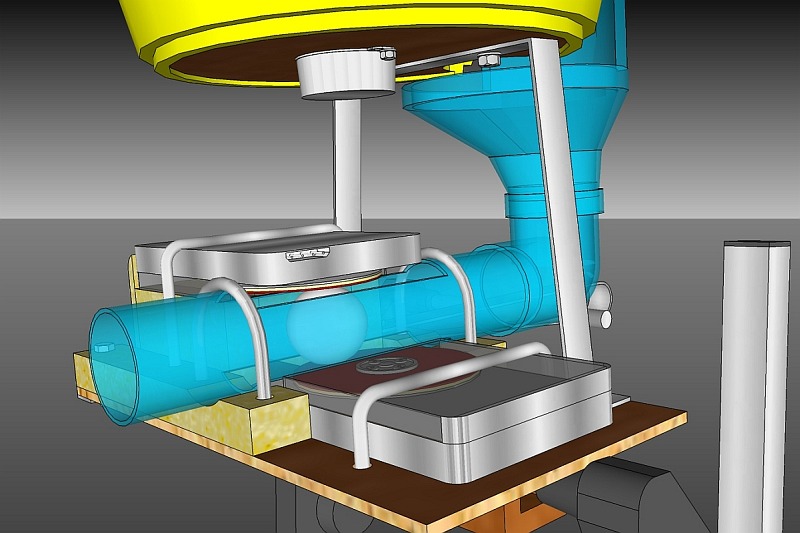
[Vendel Miskei] must like 3D modeling. He’s drawn up his entire project in some kind of 3D CAD program (the textures look vaguely like Sketchup?).  It makes use of two HDDs, a computer power supply, a bunch of PVC pipe, a microwave synchronous motor, and an overhead light projector!

In order for the hard drives to grip the ping pong balls, it looks like [Vendel] removed all but one of the platters, then glued some foam to it, and what looks like the rubber from a table tennis paddle on top. He’s also made use of the original hard drive case by cutting the end off to expose half of the platter. It seems to be pretty effective!

The overhead light projector is actually just used as a convenient weighted stand for the entire project. The recycled microwave motor indexes the balls in a bucket, allowing for a huge number of balls to be queued up! Stick around after the break to see some of the awesome 3D renderings of the project, and the actual table tennis robot playing a game with its master!

Continue reading “HDD Driven Table Tennis Robot”

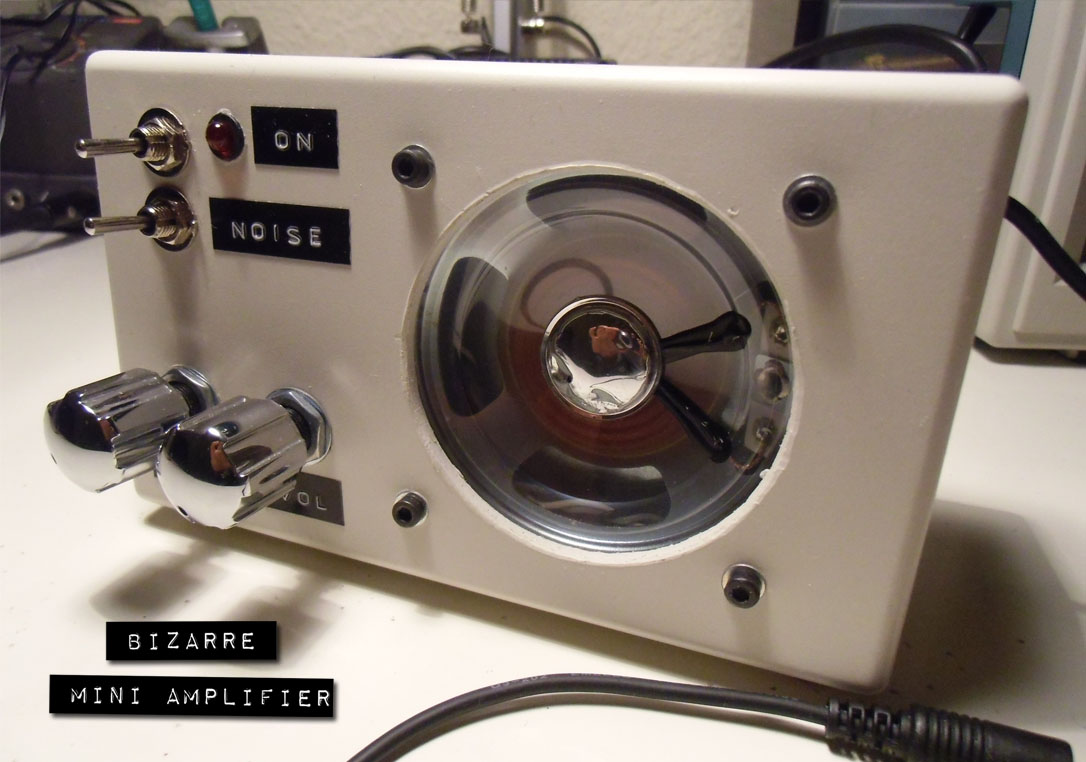
Bizarre Mini Amplifier + White Noise Generator?

bma_finished_a

[Jordi] made this awesome looking mini amplifier which has a rather unusual feature. He’s calling it the Bizarre Mini Amplifier because it also has a white noise generator built right into it! Bizarre right?

Now, most people would just find a suitable amplifier and put it into a nice box, but not [Jordi]! He’s designed the amplifier circuit from the ground up! It features four distinct stages like most typical amplifiers:

  1. Impedance Adapt Stage: Two OPAMPS for both the left and right channels — The high input impedance allows for different audio sources to be connected without affecting the output.
  2. Mixer stage: Combines the left, right and noise signals into one, using a third OPAMP. A potentiometer is the output resistor which allows for the volume control.
  3. Filter Stage: A simple filter stage that uses a R-C low-pass filter, another potentiometer controls the tone.
  4. Power Stage: A final power amplifier to boost the output.

After building the circuit, there was a bit of troubleshooting to get it to work properly, so if you’re interested [Jordi] has done a great write-up of this on his blog.

Finally, he decided to add a white noise generator after he discovered it helps him sleep. This is the one part of the project that he didn’t actually go into detail for! But, considering it’s just white noise, we could probably figure out what he did. Stick around after the break to see the device in action!

Continue reading “Bizarre Mini Amplifier + White Noise Generator?”

Mains Frequency Display

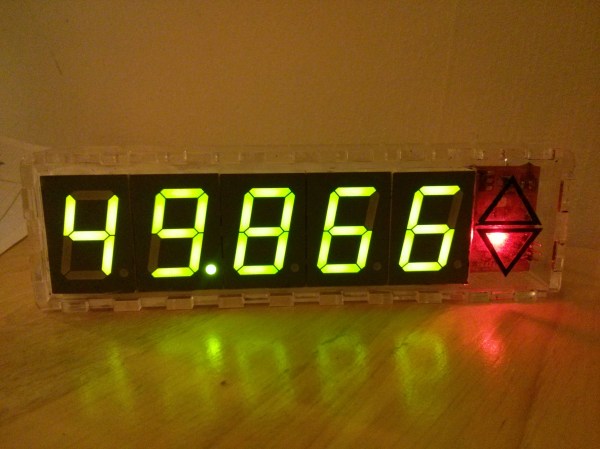
[James] lives in the UK where the frequency of electricity is suppose to be 50Hz, but it tends to fluctuate based on supply and demand. He decided he wanted a display to track this.

Now, the National Grid Website shows a real-time graph of the last 60 minutes. But that’s way too easy. Time to bust out the soldering iron!

Armed with pencil and paper [James] scribbled down some ideas on how to count the frequency — he settled on counting 200 cycles, which means that at 50.000Hz, it would take exactly 4 seconds. The next problem was getting a timing source that was accurate enough for the job. An ATtiny84 wouldn’t do the trick (too inaccurate), nor would an external crystal (too expensive) — But a real-time clock? That’s the ticket! He’s using a DS3231 RTC chip, which at +/- 2ppm 32.768kHz is more than precise enough.

Some math, programming, and soldering later and the display is complete! He’s even added an up/down arrow to show the most recent trend of the electricity.

Nice one [James]! Last year [Ch00f] did a similar project, where he tore down a 194 discrete transistor clock kit to see how it worked — as an aside, he needed to know how accurate the 60Hz coming out of his wall was!

Steampunk Battleship Complete With Steam Engine!

steampunk fortress

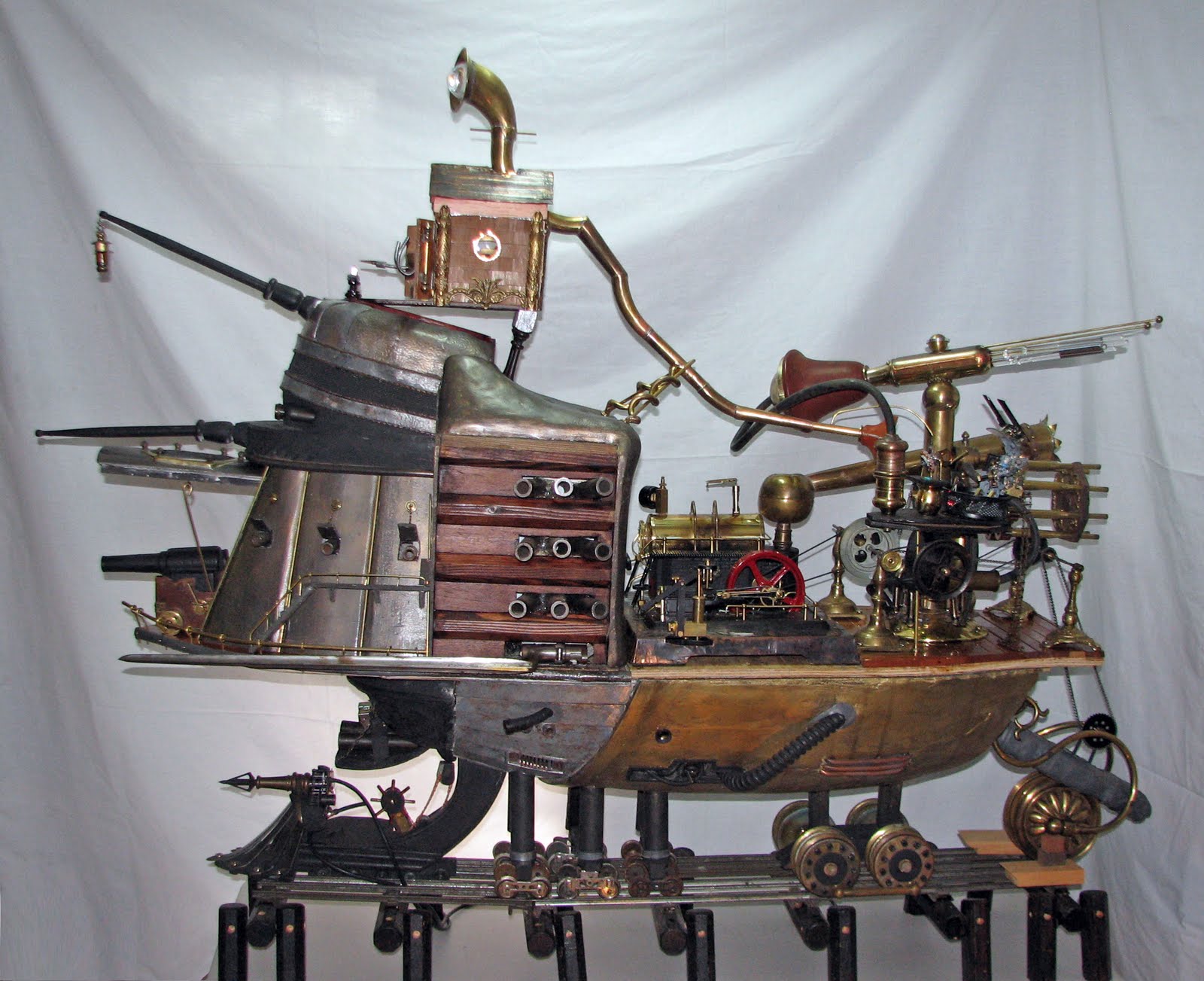
The photo above doesn’t do this huge and whimsical Steampunk Battleship justice. It’s an amazing project that took its creator, [Ed Ross], over 2500 hours to complete.

Called Barnum’s Dream, it was said to be originally commissioned by Queen Victoria as a ship for the Crimean war, and was the largest paddle wheel steam warship ever built. It was then retrofitted with a massive train carriage to be used in the Franco-Prussian war (that’s right, on land!).

The model is just over 4 feet long and just under 4 feet tall. Aside from the steam engine (which was modified) it was completely build by hand. Almost all of the mechanical linkages and powered by the internal steam engine. The level of detail that went into this is absolutely awe-inspiring. 

If you enjoyed the background history of the ship, there’s a delightful tale of the ship’s apparent origins on [Ed’s] blog which is thoroughly enjoyable. Make sure to check it out after watching the video after the break.

Continue reading “Steampunk Battleship Complete With Steam Engine!”

Hidden Reed Switches For DIY Home Security

01-Before

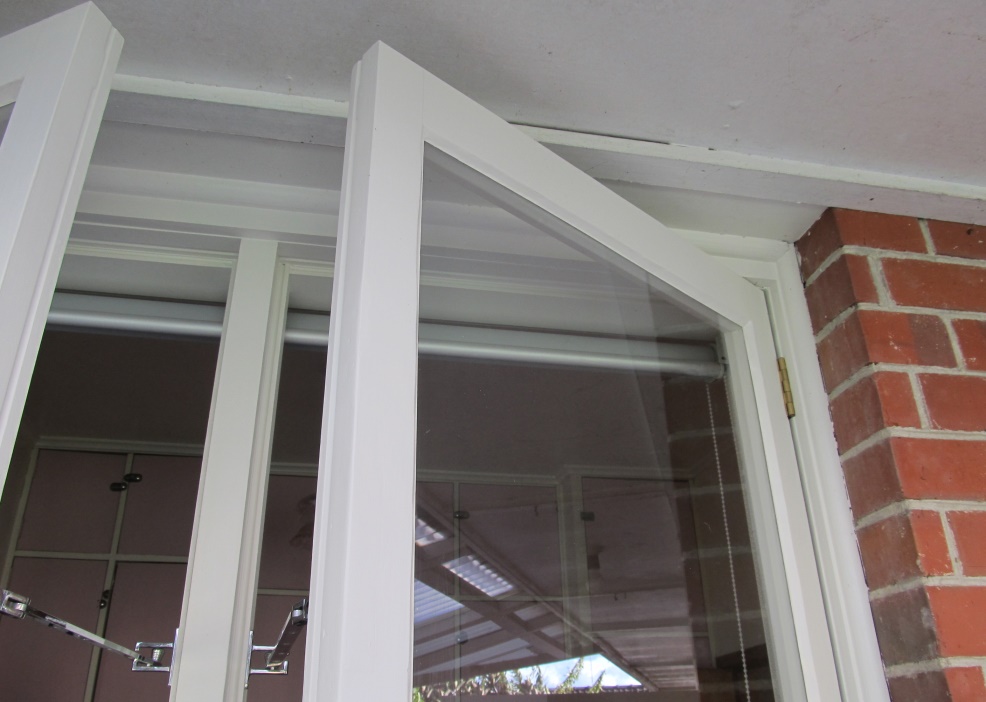
[Rhys] wanted to secure his home against burglars, but didn’t want to go the normal route of using those bulky plastic magnet and reed switch deals. So he sourced some glass reed switches and made his own completely hidden security system.

By using small glass reed switches [Rhys] was able to mount them flush to the wood paneling just above the window frames. To do this he drilled and then chiseled two slots for the reed switches to go in, with the wires routed into the house. A bit of bondo or drywall filler and some paint later and they are completely invisible! To finish it off he glued small neodymium magnets to the top of the window frame which close the switches. It’s a very clean build and quite inexpensive to do — the possibilities for wiring up your entire home like this are quite tempting!

He’s got the switches installed already… why not couple it all to a complete home security setup? We shared a project last year that does just that!

DIY 3D Projector From An LCD

We’ve shared many home made projectors in the past, but we think this might just be the first home made 3D projector!

[Nicholas] has created a wonderful write up on this project on his blog, and in an Instructable, and even more details are available on the original forum post (in French though).

To sum it up though, he’s using an old LCD from a broken laptop, split into two halves. By using a Fresnel lens and two separate optical lenses that are adjustable he can combine the two images (top and bottom of the LCD) on the wall. Then by adding a polarization filter to each lens, he can reuse the cheap 3D goggles from the cinema for his own setup to see in 3D! This style of passive 3D does require a special projector screen to keep the polarization intact — he’s using a Da-Lite Silverlight screen, whose metallic surface ensures the polarization is kept the same.

It’s a great project and is definitely worth checking out. If you’re in the mood for a smaller form factor projector, it’d be worth checking out this one we covered quite a few years ago!