8-Bits And 1,120 Triodes

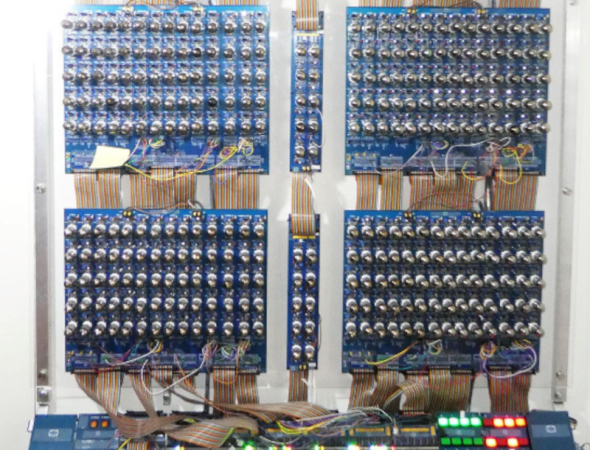
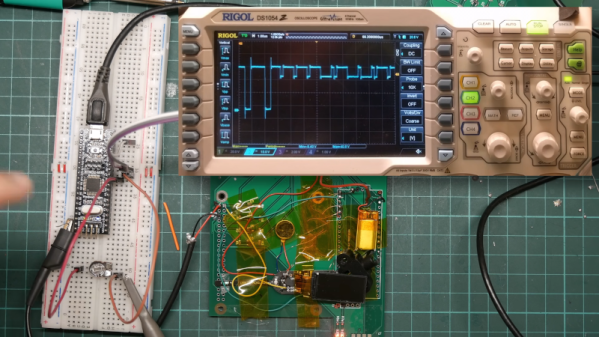
While it’s currently the start of summer in the Northern Hemisphere, it will inevitably get cold again. If you’re looking for a unique way of heating your workshop this year, you could do worse than build an 8-bit computer with a bunch of 6N3P vacuum tubes. While there are some technical details, you might find it a challenging build. But it is still an impressive sight, and it took 18 months to build a prototype and the final version. You can find the technical details if you want to try your hand. Oh, did we mention it takes about 200 amps? One of the prototype computers plays Pong on a decidedly low-tech display, which you can see below.

The architecture has 8 data bits and 12 address bits. It only provides six instructions, but that keeps the tube count manageable. Each tube has two triodes in one envelope and form a NOR gate which is sufficient to build everything else you need. In addition to tubes, there are reed relays and some NVRAM, a modern conceit.

Operating instructions are to turn it on and wait for the 560 tubes to warm up. Then, to quote the designer, “… I check the fire extinguisher is full, and run the code.” We wonder if one of the six instructions is halt and catch fire. Another quote from the builder is: “It has been a ridiculous amount of soldering and a fantastic amount of fun.” We can imagine.

If the computer seems familiar, we covered the first and second prototypes named ENA and Fred. We’ve also seen tube-base single-board computers.
Continue reading “8-Bits And 1,120 Triodes”

$3 Smartwatch Can Run Python

[Poking Technology] doesn’t think much of his new smartwatch. It is, by his admission, the cheapest possible smartwatch, coming in at about $3. It has very few useful features but he has figured out how to port MicroPython to it, so for a wrist-mounted development board with BLE, it might be useful. You can check it out in the video below.

The first step is a teardown, which reveals surprisingly little on the inside. There’s a tiny battery, a few connections, a display, and a tiny CPU board. There are, luckily, a few test pads that let you get into the CPU. What do you get? A 24 MHz Telink CPU with 512k of flash and 16k of RAM, along with all the other hardware.

Continue reading “$3 Smartwatch Can Run Python”

Decoding Meshtastic With GNU Radio

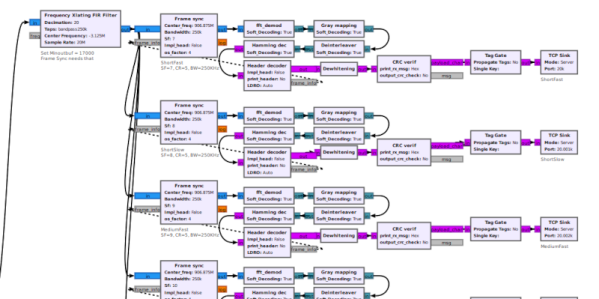
Meshtastic is a way to build mesh networks using LoRa that is independent of cell towers, hot spots or traditional repeaters. It stands to reason that with an SDR and GNU Radio, you could send and receive Meshtastic messages. That’s exactly what [Josh Conway] built, and you can see a video about the project, Meshtastic_SDR, below. The video is from [cemaxecuter], who puts the library through its paces.

For hardware, the video uses a Canary I as well as the WarDragon software-defined radio kit which is an Airspy R2 and a mini PC running Dragon OS — a Linux distribution aimed at SDR work —  in a rugged case. GNU Radio, of course, uses flows which are really just Python modules strung together with a GUI.

Continue reading “Decoding Meshtastic With GNU Radio”

Art of 3D printer in the middle of printing a Hackaday Jolly Wrencher logo

3D Printering: Adaptive Bed Leveling

Have you ever read about something and thought, “Gee whiz! Why did I never think about that?” That was my reaction to reading about a feature commonly associated with Klipper called adaptive bed leveling or adaptive mesh leveling. Too bad I don’t typically use Klipper, but it all worked out, and I’ll show you how it might work for you.

What Is It?

Time to tram your bed!

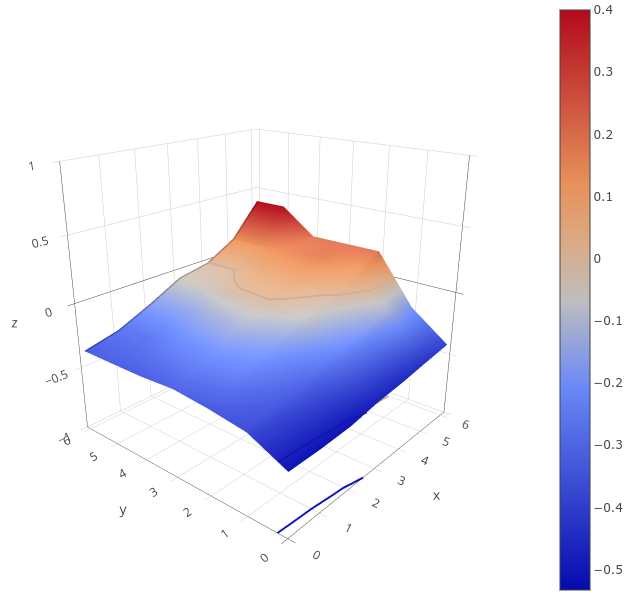
Once a luxury, most 3D printers now come with some kind of bed level sensor. The idea is that the printer can probe the bed to determine the shape of the build plate and then adjust the build plate accordingly. So if a particular spot on the bed is 0.5 mm too high, the nozzle can rise 0.5 mm when it is in that area. There are several techniques Marlin firmware uses, including what I usually use: UBL. Some people scan the bed once and hope it won’t change much. Others will do a time-consuming scan before each print.

However, adaptive bed leveling is a bit different. The idea is that the printer only probes the area where the part is going to print. If your print bed is 235 mm x 235 mm but your part is 50 mm square, you could just probe the points under the 50 mm square.

This does several things. For a given number of points, there is less motion, so it should be faster. Also, for the same number of points, you will have a much denser mesh and, thus, a better idea of what the bed is at any given point. You could even reduce the number of points based on the size of the part you are printing.

When you think about it, it is a dead simple idea. What’s not to love? For most print jobs, you’ll have less work for the printer, faster prints, and a denser mesh. But how do you do it?

Continue reading “3D Printering: Adaptive Bed Leveling”

All About CRTs

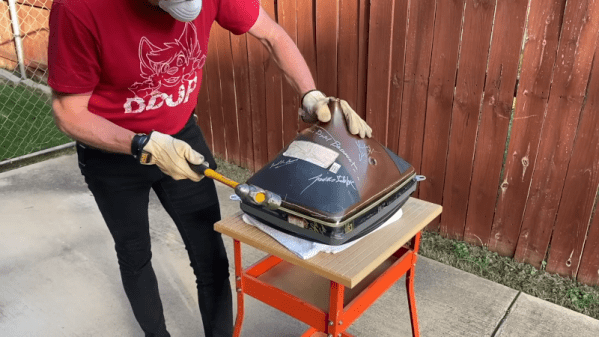
For old-timers, CRTs — cathode ray tubes — were fixtures as kids sat in front of TVs watching everything from Howdy Doody to Star Trek. But there’s at least one generation that thinks TVs and computer monitors are flat. If that describes you, you might enjoy [The 8-Bit Guy’s] coverage of how CRTs work in the video below.

CRTs were heavy, took high voltage, and had a dangerous vacuum inside, so we really don’t miss them. The phosphor on the screen had a tendency to “burn in” if you showed the same image over and over. We don’t miss that either.

Continue reading “All About CRTs”

3D Scanning, Phone Edition

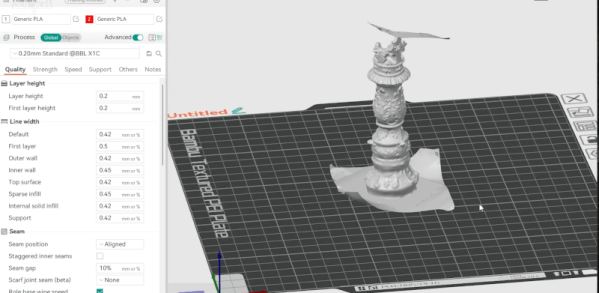
It seems to make sense. If you have a 3D printer, you might wish you could just scan some kind of part and print it — sort of like a 3D photocopier. Every time we think about this, though, we watch a few videos and are instantly disappointed by the results, especially with cheap scanners. If you go the hardware route, even cheap is relative. However, you can — in theory — put an app on your phone to do the scanning. Some of the apps are free, and some have varying costs, but, again, it seems like a lot of work for an often poor result. So we were very interested in the video from [My 3D Print Lab] where he uses his phone and quite a few different apps and objectively compares them.

Unsurprisingly, one of the most expensive packages that required a monthly or annual subscription created an excellent scan. He didn’t print from it, though, because it would not let you download any models without a fee. The subject part was an ornate chess piece, and the program seems to have captured it nicely. He removed the background and turntable he was using with no problems.

Other apps didn’t fare as well, either missing some of the parts or failing to omit background elements. You may have to do some post-processing. Some of the other expensive options have free trials or other limits, but you can at least try them for free. One of the free trials let you do three free scans, but each scan took about 8 hours to process.

Continue reading “3D Scanning, Phone Edition”

Inside NFC

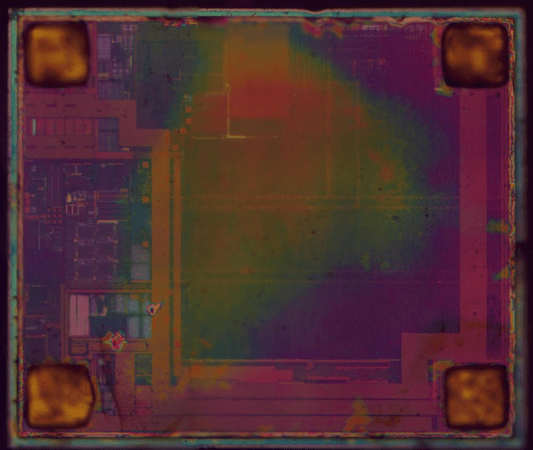
[Ken Shirriff] likes to take chips apart and this time his target is an NFC chip used in Montreal transit system tickets. As you might expect, the tickets are tiny, cheap, and don’t have any batteries. So how does it work?

The chip itself is tiny at 570 µm × 485 µm. [Ken] compares it to a grain of salt. The ticket has a thin plastic core with a comparatively giant antenna onboard.

Continue reading “Inside NFC”