Beyond The Basics: Exploring Exotic Scope Trigger Modes

Will Rogers once said that veterinarians are the best doctors because their patients can’t tell them where it hurts. I’ve often thought that electronic people have a similar problem. In many cases, what’s wrong with our circuits isn’t visible. Sure, you can visually identify a backward diode, a bad solder joint, or a blown fuse. But you can’t look at a battery and see that it is dead or that a clock signal isn’t reaching some voltage. There are lots of ways to look at what’s really going on, but there is no substitute for a scope. It used to be hard for the average person to own a scope, but these days, it doesn’t require much. If you aren’t shopping for the best tech or you are willing to use it with a PC, oscilloscopes are quite affordable. If you spend even a little, you can now get scopes that are surprisingly capable with features undreamed of in years past. For example, many modern scopes have a dizzying array of triggering options. Do you need them? What do they do? Let’s find out.

I’ll be using a relatively new Rigol DHO924S, but none of the triggering modes are unique to that instrument. Sometimes, they have different names, and, of course, their setup might look different than my pictures, but you should be able to figure it out.

What is Triggering?

In simple terms, an oscilloscope plots time across the X-axis and voltage vertically on the Y-axis. So you can look at two peaks, for example, and measure the distance between them to understand how far apart they are in time. If the signal you are measuring happens repeatedly — like a square or sine wave, for example — it hardly matters which set of peaks you look at. After all, they are all the same for practical purposes.

Pretty square waves all in a row. Channel 2 is 180 degrees out of phase (inverted). But is that all there is?

The problem occurs when you want to see something relative to a particular event. Basic scopes often have level triggering. They “start” when the input voltage goes above or below a certain value. Suppose you are looking at a square wave that goes from 0 V to 5 V. You could trigger at about 2.5 V, and the scope will never start in the middle of a cycle.

Digital scopes tend to capture data before and after the trigger, so the center of the screen will be right on an edge, and you’ll be able to see the square waves on either side. The picture shows two square waves on the screen with the trigger point marked with a T in the top center of the display. You can see the level in the top bar and also marked with a T on the right side of the screen.

What happens if there are no pulses on the trigger source channel? That depends. If you are in auto mode, the scope will eventually get impatient and trigger at random. This lets you see what’s going on, but there’s no reference. If you are in normal mode, though, the scope will either show nothing or show the last thing it displayed. Either way, the green text near the top left corner will read WAIT until the trigger event occurs. Then it will say T’D.

Continue reading “Beyond The Basics: Exploring Exotic Scope Trigger Modes”

Simulate A Better Termination

If you are making certain precision measurements, you know you need to terminate the connections with the right impedance, normally 50 ohms. Proper termination minimizes reflections on the line which can disturb measurements. Some instruments already have 50 ohm terminations, at least optionally. If not, you usually use little connector shells with the right resistor inside. [Joe Smith] decided to see if he could improve on the normal terminations using circuit simulation techniques. You can see a video of the work below.

In the process of testing, he also needs a resistive splitter, and, just like with the terminators, he shows you what’s going on inside. It was easy to compare since he had a scope that could independently set channels to have a 50-ohm termination or a 1 megaohm termination.

Continue reading “Simulate A Better Termination”

Storage Media Forgotten

These days, cheap removable storage is no problem. USB sticks are virtually free at moderate capacity and not unreasonable, even at relatively large sizes. They are rugged, work across platforms, and don’t require any exotic interfaces. But this hasn’t always been the case.  In the 1990s, people wanted to store too much data for floppies, but weren’t willing to shell out for removable hard drives or tapes. Many companies identified this opportunity with, perhaps, the most successful being Iomega with the Zip drive. But there were others, including the Avatar Shark that [This Does Not Compute] remembers in a video you can see below.

Haven’t heard of the Shark? We had not either, but reviewers seemed to like it. The drive would fit in your pocket if you had a fairly large pocket. The 250 MB cartridge was smaller (but thicker) than a 3.5-inch floppy. It performed ok and connected to the parallel port which was common in those days.

Continue reading “Storage Media Forgotten”

The Hot Chocolate Effect Explained

This is the time of year when people in the Northern Hemisphere like to enjoy hot beverages like hot chocolate. [The Action Lab] uses hot chocolate to demonstrate an odd acoustic effect. Tapping a container of hot chocolate — or even just hot water — will make a sound at a certain frequency. But if you keep tapping, the frequency of the sound will gradually increase. Don’t know why? Don’t worry, neither did scientists until around 1980.

The secret is bubbles and the speed of sound through air vs a liquid. The speed of sound in the liquid and the height of the liquid in the cup set the frequency. However, the speed of sound changes based on the bubbles, which alters the frequency.

Continue reading “The Hot Chocolate Effect Explained”

Mind Control… No, Not Like That

[Vintage Geek] found an interesting device from 1996 called “MindDrive” which claims you can control your computer with your brain. Oddly, though, it doesn’t connect to your head. Instead, it has a little finger sensor that looks like a pulse-ox sensor. Did it work? The video below will show you what it can and can’t do.

The company claims the device is the result of seven years of research. We suspect it is little more than a galvanometer, like a kid’s toy lie detector. There is a gold sensor and a Velcro strap. It is hard to imagine that it was feasible that “thinking left” would cause a change in your finger that the device can interpret.

Continue reading “Mind Control… No, Not Like That”

Calculation Before We Went Digital

We have to like [Nicola Marras]. First, he wrote a great mini-book about analog computers. Then he translated it into English. Finally, he opened with a picture of Mr. Spock using an E6-B flight slide rule. What’s not to like? We suggest you settle in when you want to read it — there are almost 60 pages of text, photos, and old ads for things like slide rules and adding machines.

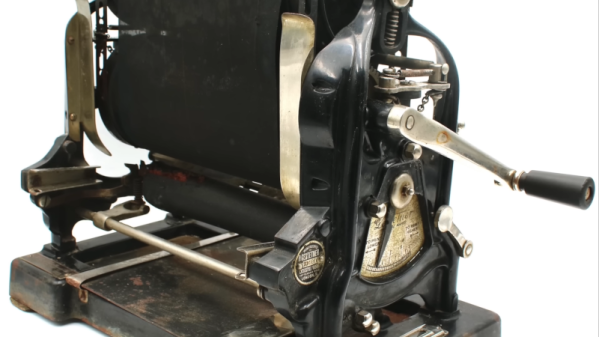
There is a lot of research here. We couldn’t think of anything missed. There’s a Pascalina, Ishango’s bone, a Babylonian spreadsheet, an abacus, and even Quipu. Toward the end, he gets to nomographs, adding machines, and the early calculators.

Continue reading “Calculation Before We Went Digital”

Roll Your Own SDR

If you have software-defined radio hardware and you are only using someone elses’ software, you are missing out on half of the fun. [Tech Minds] shows you how easy it can be to roll your own software using GNU Radio Companion in a recent video.

GNU Radio usually uses Python, but with the companion software you rarely need to know any actual Python. Instead, you simply drag blocks around to represent filters, DSP processing, and other functions you need to create the processing for your application.

Continue reading “Roll Your Own SDR”