3D Printed Circuit Boards… Sort Of

Comedian Demetri Martin does a bit about the phrase “sort of”. He says:

“Sort of’ is such a harmless thing to say… sort of. It’s just a filler. Sort of… it doesn’t really mean anything. But after certain things, sort of means everything. Like… after “I love you”… or “You’re going to live.”

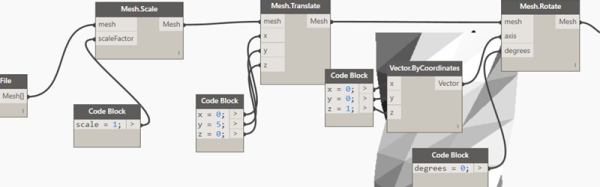
SCADboard is an OpenSCAD library that lets you create 3D printable circuit boards…sort of. The library lays out like a breadboard with two bus bars on each side and a grid of rows and columns. OpenSCAD modules provide a way to create a board, ICs, LEDs, wires and other fundamental components. You set a few initial variables (like the board thickness) then your code looks like this:

 wire(1,bln,1,e, neg); // Neg left trace to LED
 led(1,e+1, 1,e+2, yellowled); // LED
 wire(1,f, 1,i, pos); // LED Pos
 wire(1,j, 1,brp, resistor); // Resistor
 
 wire(3,c,3,h, pos); // Cap Pos
 wire(4,c,4,h, neg); // LED Resistor

Continue reading “3D Printed Circuit Boards… Sort Of”

Inside The Printrbot Printrhub

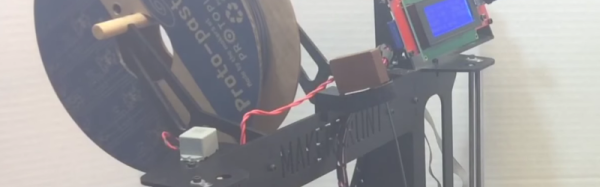
A new version of the Printrbot Simple was released this summer, and this sleek new model includes a few highly desirable features. The metal enclosure was improved, linear rails added, a power switch was thrown in, and the biggest feature — a touch screen — makes headless printing easy.

Adding a usable display and achieving reliable WiFi are big engineering challenges, and thanks to the Internet of Things it’s only going to become more common to expect those features. How did the Printrbot team implement this? [Philip Shuster] recently released a write-up of how the Printrbot Printrhub came together.

The story of the display and WiFi module in the newest Printrbot begins about a year ago with a post on Hackaday. [Philip] built the Little Helper, a little electronic Swiss Army knife capable of basic IO, sending out PWM pulses, sniffing I2C, and a few other handy features. The Printrbot team reached out to [Philip], and after a few conversations, he was roped into the development team for the Printrhub.

Departing slightly from the Little Helper, the Printrhub features the same microcontroller found in the Teensy 3, a 2.8 inch TFT display, capacitive touch sensor, microSD card slot, and an ESP-12 module to handle the WiFi connection. The display system was tricky, but the team eventually got it working. Using an ESP8266 as the WiFi module for a printer is more difficult than you would think, but that works too.

One of the more interesting challenges for 3D printers in the last few years is the development of a good printer display with wireless connectivity. Yes, those graphic LCDs attached to an Arduino still work, but a display from 1980 doesn’t sell printers. In just a few months, the Printrbot team came up with a relatively simple, very elegant display that does everything and they’re releasing all the hardware as open source. That’s great news, and we can’t wait to see similar setups in other makes of 3D printers.

Mini Retro PET Computer

There was a time that the Commodore PET was the standard computer at North American schools. It’s all-in-one, rugged construction made it ideal for the education market and for some of us, the PET started a life-long love affair with computers. [Ruiz Brothers] at Adafruit has come up with a miniature PET model run on a microcontroller and loaded up with a green LED matrix for a true vintage look.

While not a working model of a PET, the model runs on an Adafruit Feather M0 Basic Proto which is an Atmel ATSAMD21 Cortex M0 microcontroller and can display graphics on Adafruit’s 16×9 charlieplexed led matrix.The ATSAMD21 is the chip used in the Arduino Zero, so I’m sure we’ll see more of this chip in the future. Like all of the tutorials at Adafruit, this one is very detailed with step-by-step animated pictures to help you along. Obviously, you don’t need the exact hardware that they’re using, but if you’re putting in an order from Adafruit anyway, why not?

The plans for the 3D printed PET are available for free, so even if you don’t want to put their LED matrix and microcontroller in it, you can still print yourself out a great looking prop and 3D printing the PET will only use about a dollar’s worth of filament. Of course, while this is a cool retro model, if you have a Commodore PET lying around, you could probably do something else with it. We don’t, so that sound you hear is the sound of our 3D printer printing up the past.

Continue reading “Mini Retro PET Computer”

Thirty Days Of 3D Printing Filament

Our first 3D printers only printed ABS and PLA plastic. Yeah, we heard about PVA for support structures, but no one could get them to stick. There was also polycarbonate, but you had to have an all metal hot end with a fan to print that stuff. Now there’s a lot of variety out there: flexible, wood and stone, nylon, PETG, and more.

If you are still printing with just the old standards, you might enjoy [all3dp’s] comparison chart of 30 different filament types–that’s enough for one day a month–well at least for four months. It is too many for February, and a day short for the rest of the months. In addition to a table, there’s a short write-up about each type of plastic, its characteristics, and its technical data. There’s even magnetic PLA (see video below) which, in addition to being magnetic, will actually rust in water which might be good for some artistic prints.

Continue reading “Thirty Days Of 3D Printing Filament”

Speed Run [James Bruton’s] Star Wars Builds

We’ve been following [James Bruton]’s builds here on Hackaday for quite a while and he has built some impressive stuff. We love how he often doesn’t cover everything up, leaving enough room to admire the working bits under the hood. Just in time for the release of the new Star Wars movie, Rogue One, [James] put together an overview of his Star Wars robot builds.

The build summary includes his R6 droid, his GNK walking droid and the third revision of his BB-8 droid. [James Bruton]’s videos have tons of detail in them over many, many parts (for example, his BB-8 R3 playlist is 15 parts and his Ultron build currently has 26 episodes and counting!)

There’s a quick overview of each of the three robot builds in this video, and it includes links to the playlists for each build for those who want more detail. This is just what you need to glimpse all of the clever design that went into these wonderfully crafted droids. And if you haven’t seen it yet, you should check out his series elastic actuators that he’s working on for the Ultron build, they give a robot some relief from rigidity.

Continue reading “Speed Run [James Bruton’s] Star Wars Builds”

Maybe You Can Print In Metal

Let’s face it. Printing in plastic is old hat. It is fun. It is useful. But it isn’t really all that exotic anymore. The real dream is to print using metal. There are printers that handle metal in different ways, but they aren’t usually practical for the conventional hacker. Even a “cheap” metal printer costs over $100,000. But there are ways you can almost get there with a pretty garden-variety printer.

There’s no shortage of people mixing things into PLA filament. If you have a metal hot end and don’t mind wearing out nozzles, you can get PLA filament with various percentages of metal powder in it. You can get filament that is 50% to 85% metal and produce things that almost seem like they are made from metals.

[Beau Jackson] recently had a chance to experiment with a metal-bearing filament that has a unique twist. Virtual Foundry’s Filamet has about 10% PLA. The remaining material is copper. Not only do you have to print the material hot, but you have to print it slow (it is much denser than standard PLA). If it were just nearly 90% metal, that would be impressive, but nothing too exciting.  The real interesting part is what you can do after the print is complete. (If you don’t want to read, you can always skip to the videos, below.)

Continue reading “Maybe You Can Print In Metal”

This Old Mouse Keeps Track Of Filament Usage

Keeping track of your 3D-printer filament use can be both eye-opening and depressing. Knowing exactly how much material goes into a project can help you make build-versus-buy decisions, but it can also prove gut-wrenching when you see how much you just spent on that failed print. Stock filament counters aren’t always very accurate, but you can roll your own filament counter from an old mouse.

[Bin Sun]’s build is based around an old ball-type PS/2 mouse, the kind with the nice optical encoders. Mice of this vintage are getting harder to come by these days, but chances are you’ve got one lying around in a junk bin or can scrounge one up from a thrift store. Stripped down to its guts and held in place by a 3D-printed bracket, the roller that used to sense ball rotation bears on the filament on its way to the extruder. An Arduino keeps track of the pulses and totalizes the amount of filament used; the counter handily subtracts from the totals when the filament is retracted.

Simple, useful, and cheap — the very definition of a hack. And even if you don’t have a 3D-printer to keep track of, harvesting encoders from old mice is a nice trick to file away for a rainy day. Or you might prefer to just build your own encoders for your next project.

Continue reading “This Old Mouse Keeps Track Of Filament Usage”