A Sunrise Clock For Those Cold, Dark Winter Mornings

sunrise_alarm_clock

For most of the working world, the onset of autumn and winter in the Northern hemisphere means one thing – waking up well before the sun rises to get a start on the daily grind. [Brent] from Freeside Atlanta knows that routine well and decided to build himself a sunrise alarm clock in an attempt to wake himself more naturally on those dark mornings.

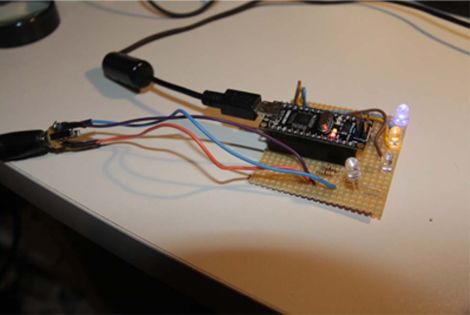
He bought an assortment of LEDs in varying colors including blue, red, yellow, and white, along with a few UV diodes for good measure. His goal with this array of LEDs was to simulate the natural colors of the sunrise, rather than simply slowly brightening the room. The clock uses a DS1307 RTC to keep the time, and an Arduino is tasked with lighting the LEDs about 25 minutes before it’s time for [Brent] to wake up.

He says that it seems to be working pretty well, gently waking his body before the clock radio kicks in. It certainly beats a loud buzzer!

Recreating The First PC

If you’re looking for a simple Ardunio project, why not replicate the first personal computer?

After discovering the Arduino, [Mark] realized recreating really old computers would be a fun project. An Altair 8800 was on the table, but the sheer number of blinkenlights, switches and the Intel 8080 CPU made that a fairly difficult project. After a bit of searching, [Mark] discovered the Kenbak-1, widely regarded as the first personal computer. The Kenbak also had the added bonus of having a very minimal I/O compliment and was built entirely with TTL components.

Since the Kenbak-1 is an extremely simple computer, [Mark]’s build ended up being fairly minimal. The schematic is only an ATmega328, a few shift registers and a real-time clock for a few added features the OG computer didn’t have. The completed build is programmed by pushing buttons to enter machine code into the mega’s RAM and then executed. [Mark] has a few programs already figured out – a program that counts in binary, a ‘Cylon eye’ and a BCD and binary clock. While the Kenbak-uno doesn’t have the awesome vintage case of the original, it’s still a remarkable build.

Check out the videos after the break for a walk through.

Continue reading “Recreating The First PC”

Prototyping A Bluetooth To IR Remote Control Translator

[James] is one of those guys on a quest to control everything with one device. His tool of choice is an Android phone, which can do quite a lot right out of the box. But he was never satisfied with its lack of IR remote control abilities. He fixed that feature-gap by building a Bluetooth to Infrared translator.

The hardware he used for the prototype is quite simple. A cheap serial Bluetooth modem from eBay lets him connect to his phone. An Arduino board listens for data from the modem and converts incoming commands to flashes on an IR LED. Voila, he can control the tube with his phone.

We love the potential of this hack. The Bluetooth module runs from 3.3V, and reading serial data and flashing an LED is extremely simple. You should be able to use a small uC, say an ATtiny13, and a 3.3V regulator to miniaturize the module. We could see this plugging into the USB port on the back of a TV for power, with a wire extension to put the LED into position. The only shortfall is the inability to turn the TV on remotely when drawing power this way.

Remote codes aren’t particularly large to store either. So this would be pretty easy to extend to full control of all IR-compatible home entertainment devices. You just need a tool to discover the remote control codes.

Continue reading “Prototyping A Bluetooth To IR Remote Control Translator”

Ambilight Clone Built From Arduino And ShiftBrite Modules

[Don] put together a guide that will help you build your own Ambilight Clone for about $40 plus the cost of an Arduino. He’s using it with the HTPC seen above, and utilized modular concepts in building it so that you can easily disconnect your Arduino board when you want to use it for prototyping.

For RGB light sources [Don] grabbed six ShiftBrite modules. These are fully addressable cascading modules which make for very easy hardware setup. Instead of buying a driver shield he built his own using an LM317, heat sink, and wall wart to source enough current to drive all of the modules.

We really enjoy the mounting scheme used. Each module is attached to a piece of acrylic which is then mounted using the standard threaded VESA mounting holes on the back of the monitor. As with other Ambilight clones this one uses the Boblight package to get color information from the video as it plays.

Arduino Boards Control Cheap Clockworks Via Coil Injection

Here’s a couple of clocks that use Arduino boards to control inexpensive clockworks. The concept is quite simple, and perhaps best outlined by [Matt Mets’] article on the subject. As it turns out, these clockworks are driven by a coil, forming a device that is quite similar to a stepper motor. If you solder a wire onto each end of the electromagnetic coil and hook those to a microcontroller, you can alter the speed at which the clock ticks. Just drive one pin high and the other low, then reverse the polarity for the next tick.

The clock you see on the right (translated) is a store-bought cheapy. The Arduino barely visible at the bottom of the image is sending pulses once every second. But as you can see in the video after the break, holding down a button will fast-forward through time. [Sodanam] posted his code as well as pictures of the hardware hack itself.

To the left is a horse of a different color. It’s a clock modeled after the Weasley household clock from the Harry Potter books. The clockwork trick is the same, but the Arduino uses GPS data and NOAA weather information to set the status.

Continue reading “Arduino Boards Control Cheap Clockworks Via Coil Injection”

Toilet Paper Printer Made From Scrap Parts

toilet_paper_printer

Some of our favorite hacks are those made with scrap materials, so we were delighted to see a contest being held by the German technology magazine c’t which focuses on using salvaged components. “Mach flott den Schrott” is the name of the competition, which loosely translates to “Make fast the scrap”.

German builder [Mario Lukas’] entry into the contest (Google Translation) is definitely unique, and certainly fits within the theme. He built a toilet paper printer that uses a bunch of recycled components to write anything he desires on a roll of the soft white stuff. His blog walks through the build details, including a bill of materials for all of the scrap bits he used to put it together. Several CD-ROM drives, printers, and even inline skates donated some components to the printer, while an Arduino controls the entire printing process.

Though [Mario] is using RSS and Twitter feeds as a data source for his toilet-side scribe, we imagine it will only be a matter of time before advertising companies seize upon this sort of technology to create personalized advertisements geared towards a decidedly captive audience.

Continue reading to see a quick video of his toilet paper printer in action.

[via Make]

Continue reading “Toilet Paper Printer Made From Scrap Parts”

Bluetooth Communications For Android Devices Via Processing

[Oscar] shows us how to use a Processing sketch for Android to communicate with Bluetooth devices (translated). It turns out this is easier than you might think. Processing and Android are both closely related to Java, and you can just import the Android libraries that deal with Bluetooth within the Processing sketch. That makes it easy to enable the Bluetooth modem when the sketch is launched, and manages connecting with devices as well as sending and receiving data.

For this example [Oscar] is using an Arduino with a Bluetooth module as a test device. His sketch first shows what devices are available, then connects to the one you select from the list. The 11 lines of Arduino code transmit a value via the serial port, and listens back for a command to toggle the LED on pin 13. [Oscar] takes time in his tutorial to show us how each step of the Processing sketch is assembled, instead of only posting the finished code.

[Thanks Sara]