Controlling Ten Thousand RGB LEDs

RGB LEDs are awesome – especially the new, fancy ones with the WS2812 RGB LED driver. These LEDs can be individually controlled to display red, green, and blue, but interfacing them with a microcontroller or computer presents a problem: microcontrollers generally don’t have a whole lot of RAM to store an image, and devices with enough memory to do something really cool with these LEDs don’t have a real-time operating system or the ability to do the very precise timing these LEDs require.  [Sprite_tm] thought about this problem and came up with a great solution for controlling a whole lot of these WS2812 LEDs.

[Sprite] figured there was one device on the current lot of ARM/Linux boards that provides the extremely precise timing required to drive a large array of WS2812 LEDs: the video interface. Even though the video interface on these boards is digital, it’s possible to turn the 16-bit LCD interface on an oLinuXino Nano into something that simply spits out digital values very fast with a consistent timing. Just what a huge array of RGB pixels needs.

Using a Linux board to drive RGB pixels using the video output meant [Sprite_tm] needed video output. He’s running the latest Linux kernel, so he didn’t have the drivers to enable the video hardware. Not a problem for [Sprite], as he can just add a few files to define the 16-bit LCD interface and add the proper display mode.

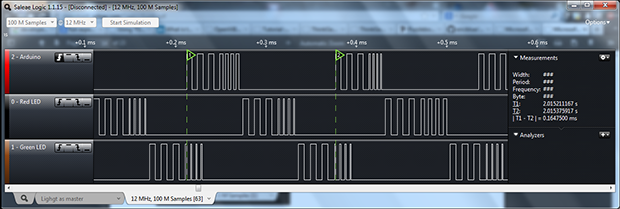
[Sprite_tm] already taken an oscilloscope to his board while simulating 16 strips of 600 LEDs, and was able to get a frame rate of 30 fps. That’s nearly 10,000 LEDs controlled by a single €22/$30USD board.

Now the only obstacle for building a huge LED display is actually buying the RGB LED strips. A little back-of-the-envelope math tells us a 640×480 display would be about $50,000 in LEDs alone. Anyone know where we can get these LED strips cheap?

Continue reading “Controlling Ten Thousand RGB LEDs”

Electronic Phenakistoscope!

phenakistoscope

Looking for a clever way to build a Phenakistoscope? Maybe you’re more familiar with its other names; Fantoscope, Phantasmascope, or perhaps its close cousin the Zoetrope?

If you’re still scratching your head, that’s okay — they have really weird names. What we’re referring to here is a type of optical illusion that mimics movement by showing a series of still images at an offset interval — this can be achieved by looking through slots, strobing a light (like in this case) or even by the use of mirrors.

This particular Phenakistoscope is a very simple but clever design that makes use of a recycled stepper motor from a printer, a CD as the animation disk, a strip of LED lighting, a few potentiometers and an Arduino to control the strobe. It works by synchronizing the strobe frequency with the motor rotation, resulting in the image in motion effect.

Stick around after the break for a full gallery of the build and a demonstration video.

Continue reading “Electronic Phenakistoscope!”

POV Display With An Element Of Danger

FZKU6SCHPFZR2KV.LARGE

Persistence of vision displays are always cool, although we must admit this one looks like it could very well explode at high speeds…

Safety concerns aside, this desk fan based display provides a great starting point for learning about making POV displays. It makes use of an old cellphone battery, an ATmega8, some LEDs, Veroboard, assorted wires and solder and of course, a high-speed desk fan.

[shparvez001] also provides the full code on his blog for the project, making it very easy to replicate. Though we might also suggest you keep it small enough that the original fan cage still fits on top.

From an aesthetic point of view, the display looks fine in the dark — but when the lights are on you might get some odd looks. We can see this project being greatly improved by mounting the LEDs through one of the fan blades, and the control electronics on the back side of the other blades. Maybe throw in some wireless charging for the battery while the fan is off too?

Anyway, stick around after the break to see the display in action. If you want a more permanent fan POV try adding display hardware to a ceiling unit.

Continue reading “POV Display With An Element Of Danger”

UFO-looking RGB LED RC Plane Lights Up The Night, Uses All The Acronyms

[Roballoba] decided to combine his love for RC planes, things that light up, and photography, and we’re glad he did. He shares his method in this Instructable for illuminating a bare styrofoam replacement fuselage for a Parkzone Stryker RC plane.  There are many more amazing pictures there as well.

He used low-tack tape to lay out the LED strips on the fuselage, solder the connections, and test them. Once he was satisfied with the arrangment, he flipped the strips face down so the foam diffuses the light. The lights are powered by a 12V Li-Po battery he soldered to a deans connector. Finally, [Roballoba] covered  and heat sealed everything with Doculam, a very cost-effective laminate that offers great protection and security.

He used some LED corn lights as afterburners, which is a nice touch of realism. There is a video after the break where [Roballoba] shows us the connections up close and then runs through some light show options.  Another video of a nighttime flight is waiting for you in the write up.

Spent too much money on eggnog and a new console this year to be able to replicate this build? $30 will snag what you need for this smartphone-controlled paper plane we featured a few weeks back. You could always BeDazzle it.

Continue reading “UFO-looking RGB LED RC Plane Lights Up The Night, Uses All The Acronyms”

More Lights For Your Presents

presLights

Lights on the tree? Check. Presents under the tree? Check. Lights in the presents? Why not! If your gifts don’t look festive enough and you have a spare inductive charging system lying around the house—though, you could always build your own from scratch—you can brighten things up by installing a few LEDs in the packaging.

The Instructable takes advantage of those new-fangled LED Christmas lights, one strand of which typically draws under 1A and requires around 5V, putting it in the ballpark for popular induction systems used to charge cell phones such as the Powermat. In this particular example, the strand ran off 3 AA batteries, or 4.5V, which meant stepping down the voltage either with a power regulator or, more conveniently, a simple diode in series.

Some additional modifications to the packaging tidy up the installation, including carving out some of the cardboard to recess the receiver and securing everything with hot glue before wrapping it all in paper. You can see a quick demonstration video below.

Continue reading “More Lights For Your Presents”

LED Matrix Mask Will Scare Up Holiday Cheer

[Davide] sent us this fun LED matrix mask he built using an ATMega8 and 74LS595N shift registers. Each of the eyes is an 8×8 LED matrix, and the mouth is made from two 8x8s. [Davide] used a ULN2803A Darlington transistor array to drive the matrices.

When the user steps behind the mask, an IR sensor detects that a face is within range and activates the facial features. The code randomly runs the eye and mouth patterns. If the user starts speaking, a microphone element detects his voice and a separate speaking mouth pattern is executed.

The mask body and stand are découpaged with pages from Dylan Dog comics. [Davide] says he built the mask years ago, but decided to submit it to the 2013 Inverart Art Fair in Milan. As you can probably imagine, the mask has been a big hit with the kids so far. Stick around to see [Davide]’s Santa-fied demonstration after the jump. [Davide] didn’t give us any details on that sweet hat, unfortunately.

If you require a better degree of protection or more LEDs, check out this LED helmet.

Continue reading “LED Matrix Mask Will Scare Up Holiday Cheer”

Fubarino Contest: A Sculpted Room With LEDs

[Sisam] and [Mclien] are a father and son team that built this sculptural room with an organic looking built-in seating area and sculpted lamp shades. When you have a room that looks this cool, the only option you have is to fill it with RGB LEDs, and it just so happens their light controller has a great Hackaday Easter egg.

The room lighting is provided by a Shifty VU shield, OctoBar LED controller, and a few of these RGB LED modules. All pretty standard for an RGB LED project, but where this contest submission really shines is the controller for all the room lights. It has three sliders for the red, green, and blue channels, beefy toggle switches for each light location, an LCD for showing the program mode, a rotary switch, and push buttons for cycling through stored setups.

The Easter egg for this project comes into play whenever the color value of the lights is set to Hackaday green, #00c100. When that happens, the Hackaday URL is displayed on the controller’s display.

Awesome work, and a really cool-looking room. We wouldn’t mind a tutorial on how you sculpted it, [Sisam].


This is an entry in the Fubarino Contest for a chance at one of the 20 Fubarino SD boards which Microchip has put up as prizes!