
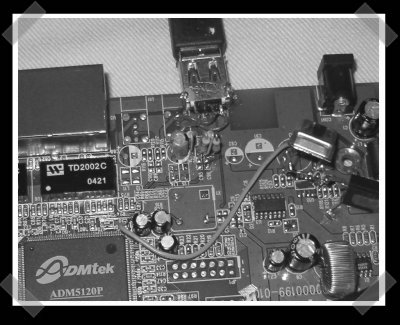
[sprite_tm] usually sends this stuff in, but I discovered that he took some time to hack on a Sweex router. The CPU happens to have an on-board usb host controller, so he added a few components. Now the router can support memory sticks, or possibly become a USB print server. (I can’t say for sure since I haven’t checked out the software myself)
Update: the project was linked in a comment a while back, but we never gave it the attention it deserved. Enjoy.
Peripherals Hacks1579 Articles
Webcam Laser Rangefinder
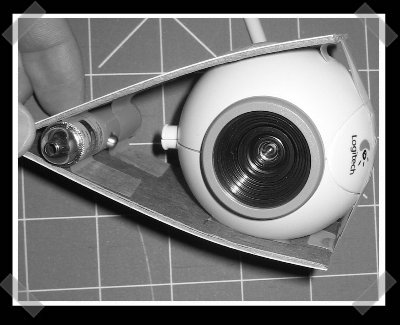
This has been around for a while, but I thought it deserved some attention. [Todd] used a laser pointer, a webcam, some trig and (sigh) some windows development tools to create his own laser range finder. Given the position of the beam strike and that the camera is located at a right angle to the laser, calculating the distance is pretty simple. This could be handy if you’re building a bot for defcon…
One Pin Diy Dot Matrix Printer
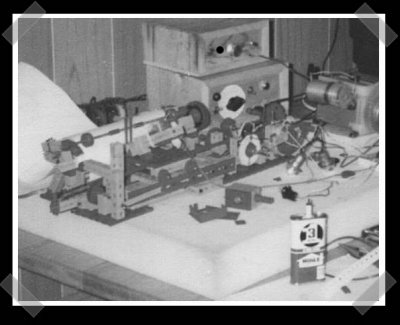
I’m pretty sure that in 1986 all I wanted was a new pair of hi-tops. While I was hoping for new shoes, [Matthias] built this printer for his commodore 64 using a ball point pin and a solenoid to form a hybrid plotter/one pin dot matrix. If you’ve got a few minutes, [Matthias] has quite a few interesting hacks on his site.
Mechanical Xeyes
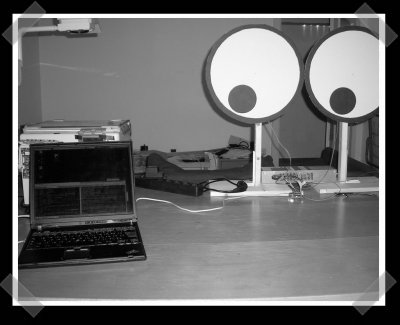
This project, courtesy of [fbz] brings back memories. Xeyes is one of those classic apps – handy for testing out connections and great for screwing with new people who had wide open servers. [Zn000h] built this set of mechanical Xeyes – instead of following a mouse, it samples video and follows the highest contrasting moving object around. (See the description for more on the video filter) The data is passed on via USB to a set of ATTINY controlled servo operated eyes. Just in case the server can’t handle the load, you can find pictures of the setup here.
Ultimate Dance Pad V2
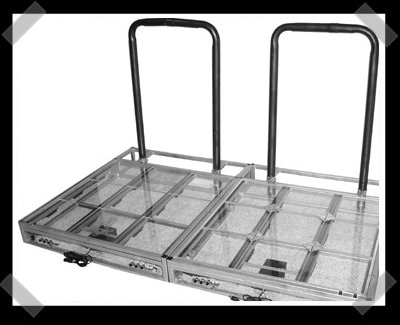
[Jared] sent along his latest on inventgeek. The most interesting piece of the project has to be the stainless steel/teflon pressure switch. Otherwise, it’s probably every DDR fan’s wet dream. Oh, and congratulations on geek 2.0 [Jared]!
DIY ‘midi’ Footpedal
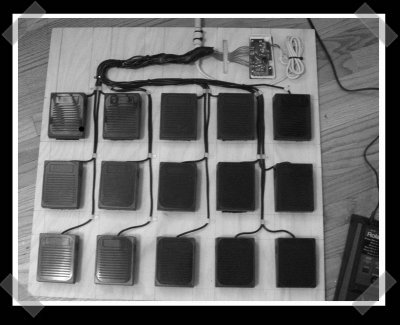
[forrest] passed along this diy foot-pedal ‘midi’ controller. It’s a good re-use of hardware, but not a true midi controller. The pcb was gutted from an old keyboard, and the pedals were scored from a mad 60 mile tour of the local radio shacks clearance bin. Since the pedals are simple momentary on switches, it was a matter of wiring them to the controller and using a laptop to generate signals via usb midi interface. Replace the keyboard pcb with a drum controller and you’d have an interesting stand alone solution.
Just so I could enjoy some extra crow, I managed to leave one other entry out of my published list of Design Challenge entries. [Jason] sent in this MEGA32 programmer/dev board. He kept it single sided, but you’ll need a parallel port to use it.
DIY Dvorak Keyboards
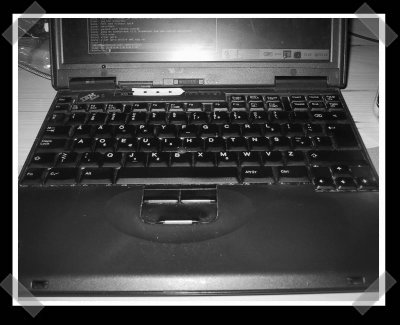
Meet the DIY Dvorak keyboard. I’m feeling nostalgic this week, and I was surprised that we’ve never mentioned this simple, but useful hack. Heresy history lesson: the qwerty keyboard was created to slow down typing – because old typewriters jammed too easily. The Dvorak keyboard is more efficient because the letters that are most often used are positioned closer to the fingers natural position. [Anders] swapped the keys on his Swedish thinkpad, and even customized the map a bit further to his own taste.









