Raspberry Pi 500 And The Case Of The Missing M.2 Slot

Raspberry Pi just dropped the new Raspberry Pi 500, which like its predecessor puts the similarly named SBC into a keyboard. In a detailed review and teardown video, [Jeff Geerling] goes over all the details, and what there is to like and not like about this new product.

The new Raspberry Pi 500 with the new Raspberry Pi Monitor. (Credit: Jeff Geerling)

Most of the changes relative to the RP400 are as expected, with the change to the same BCM2712 SoC as on the Raspberry Pi 5, while doubling the RAM to 8 GB and of course you get the soft power button. As [Jeff] discovers with the teardown, the odd thing is that the RP500 PCB has the footprints for an M.2 slot, as seen on the above image, but none of the components are populated.

Naturally, [Jeff] ordered up some parts off Digikey to populate these footprints, but without luck. After asking Raspberry Pi, he was told that these footprints as well as those for a PoE feature are there for ‘flexibility to reuse the PCB in other contexts’. Sadly, it seems that these unpopulated parts of the board will have to remain just that, with no M.2 NVMe slot option built-in. With the price bump to $90 from the RP400’s $70 you’ll have to do your own math on whether the better SoC and more RAM is worth it.

In addition to the RP500 itself, [Jeff] also looks at the newly launched Raspberry Pi Monitor, a 15.6″ IPS display for $100. This unit comes with built-in speakers and VESA mount, but as [Jeff] notes in his review, using this VESA mount also means that you’re blocking all the ports, so you have to take the monitor off said VESA mount if you want to plug in or out any cables.

Continue reading “Raspberry Pi 500 And The Case Of The Missing M.2 Slot”

A Look Inside IKEA’s Vallhorn Motion Sensor Teardown

A good source of hackable home automation parts has come for a while in the form of inexpensive modules offered by large retailers such as Lidl, or IKEA. They’re readily available and easy to play with, they work with open source hubs, so what’s not to like! As an example, [Circuit Valley] has an IKEA Vallhorn motion sensor for a teardown, it’s as you might expect, a passive infrared sensor (PIR) sensor coupled with a Zigbee interface.

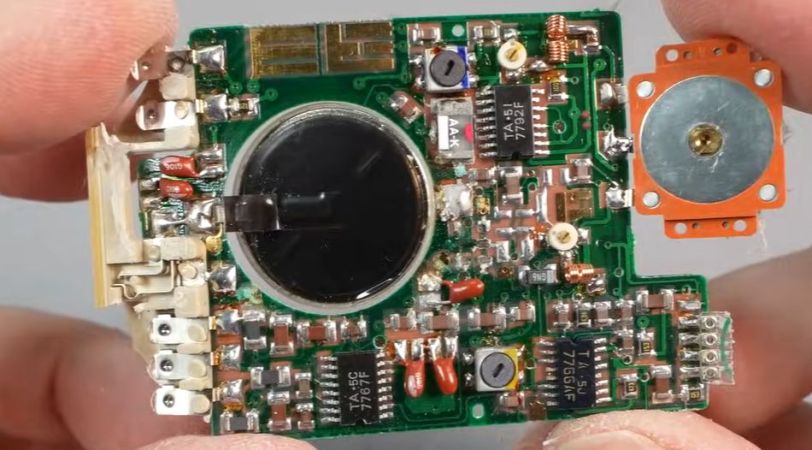
Inside the ultrasonic welded case is a small PCB and a Fresnel lens on the inside of the top cover, and a small PCB for the electronics. We applaud the use of a Swiss Army knife can opener as a spudger. The interesting part comes in identifying the individual components: the Silicon Labs EFR32MG21 SoC is easy enough, but another mystery 8-pin chip is more elusive. The part number suggests an Analog Devices op-amp for signal conditioning the PIR output, but the pinout seems not to support it and from here we think it’s too expensive a part for a budget item like this.

There’s a handy header for talking to the SoC, which we’d love to report is open and ready to be hacked, but we’re not getting too optimistic. Even if not hackable though, we’re guessing many of you find uses for these things. Continue reading “A Look Inside IKEA’s Vallhorn Motion Sensor Teardown”

Fluke Meter Fails With A Simple Problem

[TheHWcave] found a Fluke 27 multimeter that looked like it had had quite a rough life. At first, the display flashed an overload indicator until he gave it a good smack—or, as he likes to call it, percussive maintenance. Even then, it would not give good readings, so it was time to open it up.

The display did work, so the obvious theory was something wrong with the analog board. Removing the shields showed what looked like a normal enough PCB. Or at least, the components looked fine. But on the solder side of the board, there was some corrosion on two contacts, so some careful cleaning and resoldering fixed the meter to be as good as new on at least some scales.

Tracing the pins, the corrosion put a resistor between two pins of an op-amp. The only remaining problem was the milliamp scale, but that was a simple blown fuse in the line. Since it was working, it was worth some time to clean up the ugly exterior, which is only cosmetic but still worth a little effort. He left the plastic case cracked and beaten, but he put a lot of effort into clearing up the display window.

You might wonder why you’d fix a meter when you can get one so cheap. However, these name-brand meters are high-quality and new, quite expensive. Even older ones can be worth the effort. While you usually don’t need an X-ray machine to fix something like this, it can’t hurt.

Continue reading “Fluke Meter Fails With A Simple Problem”

Cheap Sensor Changes Personality

If you want to add humidity and temperature sensors to your home automation sensor, you can — like [Maker’s Fun Duck] did — buy some generic ones for about a buck. For a dollar, you get a little square LCD with sensors and a button. You even get the battery. Can you reprogram the firmware to bend it to your will? As [Duck] shows in the video below, you can.

The device advertises some custom BLE services, but [Duck] didn’t want to use the vendor’s phone app, so he cracked the case open. Inside was a microcontroller with Bluetooth, an LCD driver, a sensor IC, and very little else.

Continue reading “Cheap Sensor Changes Personality”

Component Tester Teardown

In the modern age, when you hear “component tester” you probably think of one of those cheap microcontroller-based devices that can identify components and provide basic measurements on an LCD screen. However, in the past, these were usually simple circuits that generated an XY scope plot. The trace would allow an experienced operator to identify components and read a few key parameters. [Thomas] tears down an old Hameg device that uses this principle in the video below.

The unit is in a nice enclosure and has a feature that controls the amount of current the unit uses in the excitation signal. It plugs into the wall, and you can connect the component under test with either test leads or a socket. The output, of course, is a pair of BNCs for the scope’s X and Y inputs.

Continue reading “Component Tester Teardown”

Inside An Arcade Joystick

If you ever played an arcade game and wondered what was inside that joystick you were gripping, [Big Clive] can save you some trouble. He picked up a cheap replacement joystick, which, as you might expect, has a bunch of microswitches. However, as you can see in the video below, there are some surprising features that make sense when you think about it.

For one, there are plates you can put on the bottom to limit the joystick’s travel depending on the game. That is, some games only want the stick to move up and down or left and right. The knobs are quite nice, and [Clive] mentions the size and thread of the knob with the idea you could use them in different applications. You can also buy replacement knobs if you don’t want to get the whole assembly.

The mechanics are rugged but straightforward. The circuit board is surprisingly stylish but also simple. Still interesting to see what’s inside one of these, even though the schematic is extremely simple.

If you need an excuse to use one of these, how about an arcade table? If you aren’t a woodworker, grab a 3D printer instead.

Continue reading “Inside An Arcade Joystick”

Close up of a DA14 nixie multimeter

The Nixie Tube Multimeter That Almost Made A Comeback

In a world of digital monotony, the Avo DA14 digital multimeter, with its vintage nixie tube charm, is a refreshing gem. Recently refurbished by [Thomas Scherrer], this multimeter video review is a blend of nostalgia and tech savvy. The DA14 not only has style, but substance — delivering resistance, current, and voltage measurements that make you wonder why more multimeters didn’t stick with this stylish glow.

As [Thomas] starts by powering up the DA14, we were instantly captivated as the Nixie tubes illuminate in their retro orange. With each twist of the dial, he demonstrates just how intuitive the multimeter is to operate, walking us viewers through each function while giving some extra love to its calibration process—a neat front-panel potentiometer that requires just a touch of finesse to get perfect readings.

But, as with all good tinkering tales, things go downhill when issues with analog inputs and the display pop up. A teardown reveals a beautifully complex inner assembly of transformers, rectifiers, and circuit boards, giving the DA14 its impressive yet fragile structure. When the critical defective display chip is found, hopes for a full repair dim. His story ends without a revival, but if you want to see a similar attempt that did get resurrected – albeit without those nixie digits – take a look at this LCD transplant we covered previously.

Continue reading “The Nixie Tube Multimeter That Almost Made A Comeback”