bridge duplicator

Homemade 3D Carving Duplicator

[Frank] is a guitar builder and has to make a quantity of acoustic guitar bridges that wouldn’t make sense to do manually by hand each time. He wanted a way of duplicating bridges quickly and precisely but he didn’t want to go to a CNC machine. Instead, he build a 3D duplicating machine.

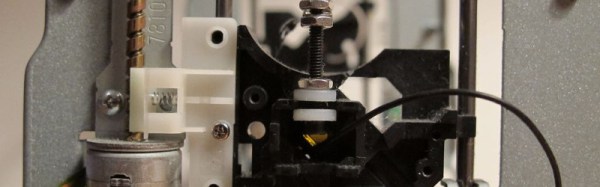
The machine has 3 perpendicular axes, just like a milling machine. Mounted to the Z Axis is an air powered spindle that can reach 40,000 RPM. All 3 axes are moved by the operators hands. Normally, free-hand cutting something like this would be very difficult. [Frank’s] solved this in his machine by using a stylus that is offset from the cutting bit. The stylus is the same effective length and diameter of the cutting bit and is guided over a finished bridge pattern. While the stylus is tracing the pattern, the spindle and bit are removing material from a bridge blank. The stylus is continually moved over the entire pattern bridge until the spindle is finished carving out a new bridge out of the blank.

To aid in lifting the heavy Z Axis and spindle, [Frank] added a counter balance to make tracing the pattern extremely easy. Once the new bridge is carved, it only requires minor sanding to remove the tool marks before being installed on a guitar! [Frank] admits his linear bearings and rails are very rigid but also very expensive. If you’re interested in a less-expensive 3D duplicator, check out this project.

Robo Foam Cutter Makes Short Work Of Your Foam Rolls

Tired of cutting your foam sheets down to size? [jgschmidt] certainly was, and after one-too-many hours cutting foam manually, he built himself a machine that cuts sheets automatically, and he guides you through the process step-by-step.

[jgschmidt’s] build is a clever assembly of stock parts acquired from ServoCity. That’s a nice touch, considering we don’t often see their components in quick hacks. With a stepper to feed more foam, and a stepper to drive the blade mechanism, the device can consistently cut foam from a roll to desired lengths.

The blade mechanism consists of two exacto blades fixed nose-to-nose such that the machine can cut on both forward and reverse sweeps. While we’ve certainly seen some stellar past foam cutter builds, we can’t resist drooling over the speedy throughput of [jgschmidt’s] machine as it cuts on both forward and back-strokes. Finally, when the blades dull, they can be swapped out for a few dime’s worth of new parts.

Many of the steps in [jgschmidt’s] build are laudably practical with a “get it done” attitude. From hot-glued wire insulation to the double-edged blade formed from exacto knives, we’re thrilled to see him take a few pieces off the shelf and few pieces off the web and build himself a new workshop tool. Perhaps the neatest feature of this hack is its ability to rapidly transform a raw material into numerous repeatable, useful forms for his customers.

via [Instructables]

Continue reading “Robo Foam Cutter Makes Short Work Of Your Foam Rolls”

How To Properly Crimp Electronics Connectors

Putting crimp connectors on wires is one of the most tedious things you’ll do. It’s not easy, either, unless you have some practice. Before you start digging in to a pile of connectors, crimp terminals, and wire, it’s a good idea to know what you’re getting into and Gogo:tronics has a great tutorial on how to crimp electronics connectors.

Crimping connectors onto wires requires the right tool, and the most important for this task is – surprise – the crimping pliers. These pliers press the crimping wings of the connector into each other, a task made much easier on the non-ratcheting pliers if you use a rubber band to hold the jaws of the crimping pliers open just enough to hold a crimp connector.

The general theory for crimping all types of connectors is to strip a little bit of insulation off the wire. Then, put the connector into a suitably sized space in the jaws, insert the wire, and crimp it down. For non-ratcheting pliers, it’s suggested the connector be re-crimped with the next smallest hole in the jaws.

There are a few connector-specific tips for the most common connector types, too. Dupont connectors – those flat, black connectors with a 0.1″ pitch – go together like you think they would, but for larger connectors – VH and XH-style – it’s important to use the right wire gauge and not to squish the square female part of the connector.

3D Printed Pogo Pin Programmer

The new hotness for Internet of Things hardware is the ESP8266. Alone it can connect to a WiFi network, but it doesn’t really have a lot of output options. Paired with an ATMega, and you really have something. That’s the philosophy behind the WIOT board, and when [Chris] was assembling these boards, he needed a way to flash firmware. The board has an unpopulated ISP header from the assembler, so pogo pins are the answer. How do you make a pogo pin jig? With a 3D printer, of course.

The ISP header wasn’t populated to give the board a slim profile, but this means a jig of sorts would be needed to program the WIOT. The first attempt was buying a few pogo pin adapters from Tindie, but this was terribly uncomfortable to hold while the board was being programmed.

To fix this problem, a small clip device was rigged up, printed out, and used for programming. Interestingly, this clip has a very deep throat, and a few holes used for bolting on a separate programmer. This shows a lot of forward thinking: the programmer can be reused for different boards with completely different layouts and programmers. If the next revision of the WIOT needs a JTAG header to program the micro, the problem of programming it is already covered.

Building A 20 Inch Disk Sander

A small disk sander is a useful and cheap addition to the shop. For about $100, you can buy a cheap combination 6″ disk/belt sander that’s extremely useful. The size and cost of power tools does not scale linearly, and if you want a big disk sander you might as well make your own.

The motor for this build is a 1kW single phase motor pulled from a floor polisher found in the trash. That’s enough to push a sanding disk around, but when you get to tools this large, you need a good base, good tilt mechanism, and everything should be extremely heavy.

This build meets all those requirements while still using mostly recycled components. The work table is actually made of three pieces of recycled aluminum epoxied together. Yes, you should cringe at this, but it actually makes a little bit of sense: thinner pieces can be cut on a table saw, and if you’re extremely careful during the glue-up, you can cut the mitre slot without a mill. This frame attaches to a frame made from aluminum extrusion and filled with a homebrew epoxy granite mix. Remember, heavy is better here.

In keeping with making a huge disk sander out of stuff pulled out of the trash, the trunnions and motor hub were cast out of aluminum melted in an old propane tank furnace. Once these were cleaned up, a disk was mounted on the hub and trued up in the most unsafe manner possible.

With a few additions including a machined mitre gauge, dust collector, and legs made out of wood that’s far too pretty for a simple shop tool, this huge assemblage of trash turned out to be a great sander. You can see a few videos of it below.

Continue reading “Building A 20 Inch Disk Sander”

Modern Tools From Old Table Saws

Somehow or another, the modern hackerspace isn’t centered around table saws, drill presses, band saws, lathes, or mills. The 3D printer and laser cutter are the tools of the future. No one has yet figured out how to build a 3D printer or laser cutter out of several hundred pounds of cast iron, so until then [Chad] will lead the charge modifying old table saws into these modern machine tools.

The build logs for the laser engraver and 3D printer are pic heavy and text lean, but there’s enough detail to make a few educated guesses. Both of these machines use Craftsman table saws from the early to mid 1950s for the chassis. Inside each chassis, the rails, belts, and shafts that make up a Cartesian bot are installed, and the electronics are tucked gently inside.

There’s a lot of creativity in this build; the electronics for the 3D printer are tucked away in the shell of the old motor. For the laser cutter, the focus adjustment is the same knob that used to lock the blade at an angle.

While this may look like a waste of two beautiful tools, keep in mind these are equivalent to contractor saws you can pick up at Home Depot for $500 today. They’re not professional cabinet saws, they just look really pretty. They’re still a solid piece of metal, though, and refurbishing the frames into useful tools is probably the best thing you could do with them.

Thanks [Frankie] for the tip.

Hands-On Othermill Review Grinds Out Sparkling Results

We’ve been on the lookout for alternatives to chemically etching circuit boards for years. The problem has been that we don’t particularly want to devote months of or lives learning how to build precision CNC mills. Off in the distance there may be an answer for that quandary if you don’t mind parting with twenty-two Benjamins. Sure, it’s a heck of a lot more expensive than toner transfer and cupric chloride, but the Othermill can be purchased right now (in your hands a few months later) and after reading this in-depth review we are a bit less hesitant about opening our wallets for it.

othermill-review-thumbIt’s a tome of a review, but that means there’s something for everybody. We especially enjoyed seeing the 10 mil board shown here which took about 1-hour to mill. Considering it has also been through-hole drilled we’d put that on part with the time it takes to etch a board. There are obvious places where the traces are not perfectly smooth (not sure if that’s burring or over-milling) but they are not broken and the board’s ready to be populated.

Alignment is something of an issue, but the Othermill isn’t limited to PCBs so we’d recommend designing and milling your own alignment bracket system as an early project.

Who isn’t envious of custom-builds that can get down to 10-mils, like this beauty from 2013. Our hopes had been sparked when Carbide 3D came onto the scene. We’re still optimistic that they will make a big splash when they start shipping preorders in a few months.

As this review proves, Othermill is already out in the wild with a 6-8 week wait before shipping. We saw it in action milling multiple materials at the Hackaday Omnibus Lauch Party and were duly impressed. Price or waiting-period aside we’re going to hold off until the software options expand beyond Mac-only (UPDATE: Othermill software support for Windows was added in early 2016); either Othermill will add support or someone will come up with a hack to use traditional CNC software. But if you count yourself as a subscriber to the cult of Apple the software, called Otherplan, does get a favorable prognosis along with the hardware.

Already have an Othermill sitting on your bench? Let us know your what you think about it in the comments below.

Bonus content: [Mike Estee], CTO of Othermill just gave a talk last night about how he got into making mills and the challenges of building something with super-high-precision. Sound isn’t good but the talk is solid. Hackaday’s [Joshua Vasquez] also gives a talk on the video about building an SPI core for FPGA. These talks are one of the Hardware Developer’s Didactic Galactic series which you really should check out if you’re ever in the San Francisco area.

Continue reading “Hands-On Othermill Review Grinds Out Sparkling Results”