Get Neck-deep Into ZigBee

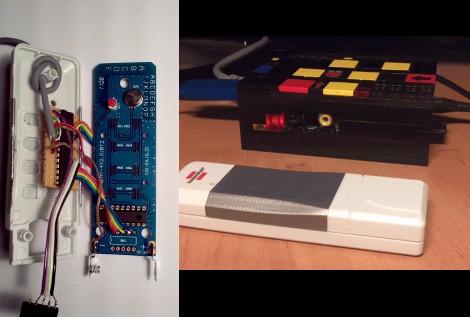
Here’s a bulky tutorial that will round-out your understanding of ZigBee wireless communications (translated). The protocol is great for hobby electronics projects because it uses low-power short range wireless devices to build a mesh network. The guide covers both hardware and software, but also takes the time to explain what that hardware is doing in the background.

As you can see, several different renditions of an XBee module are used as examples. They pretty much all rely on a series of SparkFun breakout boards that each serve different purposes. Once you’ve acquired these modules, there’s a fair number of choices needed to configure them to play nicely with each other. We read most of the tutorial (we’ll save the rest for later enjoyment) and had no problem following along even without owning the hardware or being able to use the interface as we learned.

Whenever we cover XBee modules we always like to mention that it’s quite easy to use these for remote sensors with no additional microcontroller needed.

Quadcopter Build Ready For First Flight

[Abhimanyu Kumar] has been hard at work building and posting about his quadcopter. So far he’s published ten installments for this build, letting us relive the adventure vicariously. But it’s number 11 that we’re really excited about as he plans to share the first free-flight footage in that one.

The bug was planted in his brain after hearing that a quadcopter was used to shoot some of the footage in Spiderman 2. He wanted one to call his very own but the cost of a ready-made unit was out of his league. So he decided to build one instead. The first version uses aluminum bracket for the cross making up the motor mounts. He added LEDs to liven things up and even made a demo video of the thing tied to a table (no IMU yet so free flight would be fatal). After this stepping stone he decided to go with a Wii Motion Plus and Wii Nunchuck as the positioning feedback sensors. There is also a body redesign with helps lighten the load.

It’s a fun project, and we can’t wait to see where he goes from here!

WiFi Garage Door Opener Makes Forgotten Keys A Thing Of The Past

wifi-garage-door-opener

[Tod’s] daughter has a habit of forgetting to take a house key along with her, so he was looking for a way to make accessing the house easier in a pinch. He had tried wireless garage door keypads in the past, but their performance was so-so at best. After scouring the market for commercial solutions and checking out the work of other hackers, he decided that he needed to craft a custom solution of his own.

He started shopping around for wireless-enabled microcontrollers and settled on a Roving Networks RN-XV module, which is designed as a drop-in replacement for an XBee. Paired with a 5v to 3.3v power adapter, the RN-XV is nearly all he needed to interface his iPhone with his garage door opener.

The microcontroller has enough GPIO pins to control the garage door, while also monitoring the door’s status using a simple magnet/reed switch combo. A web server in [Tod’s] house takes input from any phone connected to his wireless LAN and relays the open/close commands to the opener. The opener in turn returns status messages to him via the web interface.

We really like the system’s simple design, and as long as [Tod] has turned WPS off at home, he really shouldn’t have to worry too much about unauthorized entry.

A Chink In The Armor Of WPA/WPA2 WiFi Security

Looks like your WiFi might not be quite as secure as you thought it was. A paper recently published by [Stefan Viehböck] details a security flaw in the supposedly robust WPA/WPA2 WiFi security protocol. It’s not actually that protocol which is the culprit, but an in-built feature called Wi-Fi Protected Setup. This is an additional security protocol that allows you to easily setup network devices like printers without the need to give them the WPA passphrase. [Stephan’s] proof-of-concept allows him to get the WPS pin in 4-10 hours using brute force. Once an attacker has that pin, they can immediately get the WPA passphrase with it. This works even if the passphrase is frequently changed.

Apparently, most WiFi access points not only offer WPS, but have it enabled by default. To further muck up the situation, some hardware settings dashboards offer a disable switch that doesn’t actually do anything!

It looks like [Stephan] wasn’t the only one working on this exploit. [Craig] wrote in to let us know he’s already released software to exploit the hole.

Xbee Wireless Servo Control

Servo control is good, but wireless control is even better. This hack by [PyroElectro Tutorials] shows you how to do this wirelessly using two Xbee modules. There’s also a great example in the video after the break of this “hacking platform” used to control an animatronic head’s eyes. (we’ve featured the eyes here before).

In this control scheme, communication is one way only. An Xbee module is used as the transmitter, and the other as the receiver. The tutorial does a great job of explaining the parts used and gives links for purchasing the components if needed. It even goes over some very basic servo theory and gives schematics as well as assembly pictures. Transmitter and receiver firmware files are also available to download, so there’s nothing keeping you from trying it! Join us after the break to see the working example.

Continue reading “Xbee Wireless Servo Control”

Simple IR Sensor Simplifies Laptop Audio Control

tiny-ir-tv-remote-receiver

[Owen] has a fairly big project in the works, where he’ll need to use infrared light to send data wirelessly between two nodes. The only problem with his grand plan is that he has never built anything of the sort. As a learning exercise, he decided to try his hand at building a wireless control interface for his laptop, which he uses to play music while doing homework.

His laptop usually sits across the room from [Owen], where it is connected to a speaker and amplifier. He hates getting up repeatedly to change songs, so he figured he might as well build an IR receiver to control Winamp that responds to commands from his TV’s remote control. Using his Open Bench logic sniffer and an IR receiver from an old VCR, he deciphered his remote’s encoding system. He then programmed an ATtiny13 to decode messages received by the IR sensor, sending them to his laptop via USB.

He packaged things inside a tiny mint tin, which he hangs from a desk lamp while in use. Now he can easily perform just about any action in Winamp with a few button presses on his remote. [Owen] says that he’s incredibly happy with the results, and now that he has a firm grasp of IR signaling concepts, we can’t wait to see what he builds next.

Reverse Engineering Bluetooth Using Android And SPOT As An Example

[Travis Goodspeed] wrote in to tell us about his work reverse engineering the Bluetooth communications on this SPOT module. He’s targeted the post as a general guide to sniffing Bluetooth transmissions, but was inspired to use the SPOT as an example after seeing this other SPOT hack. We know he’s a fan of getting things to work with his Nokia N900, and that’s exactly where he ended up with the project.

This module was manufactured to be controlled by an Android phone. But there’s no control app available for the Nokia handset. Since Android uses the open-source Bluez package for the Bluetooth protocol, it’s actually pretty easy to get your hands on the packets. After grabbing a few test sets he shows how he deciphered the packets, then wrote a quick Python script to test out his findings. After working his way through the various commands available (grabbing the SPOT serial number, getting position data from it, etc) [Travis] wrote up a frontend in QT mobility for use on the N900.