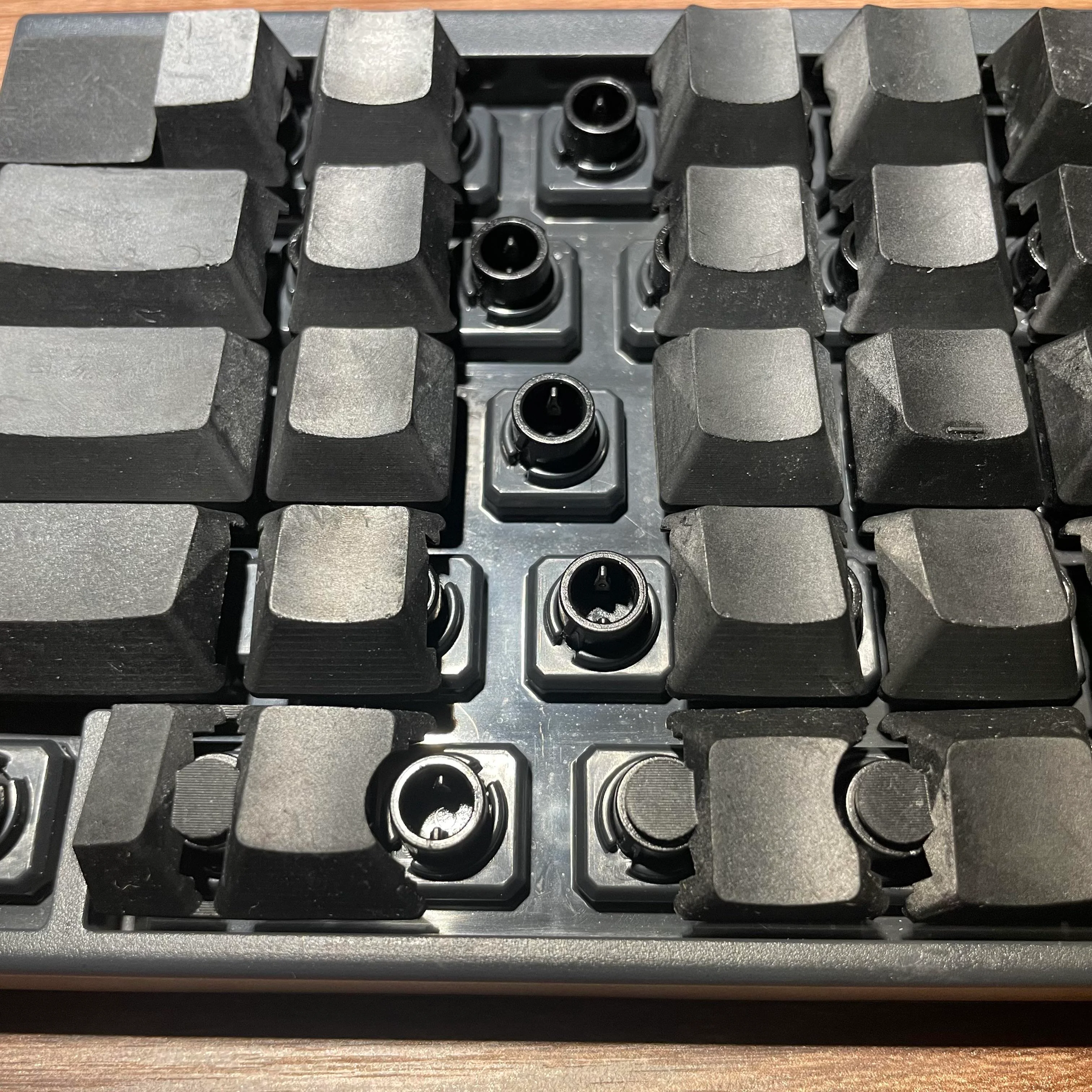
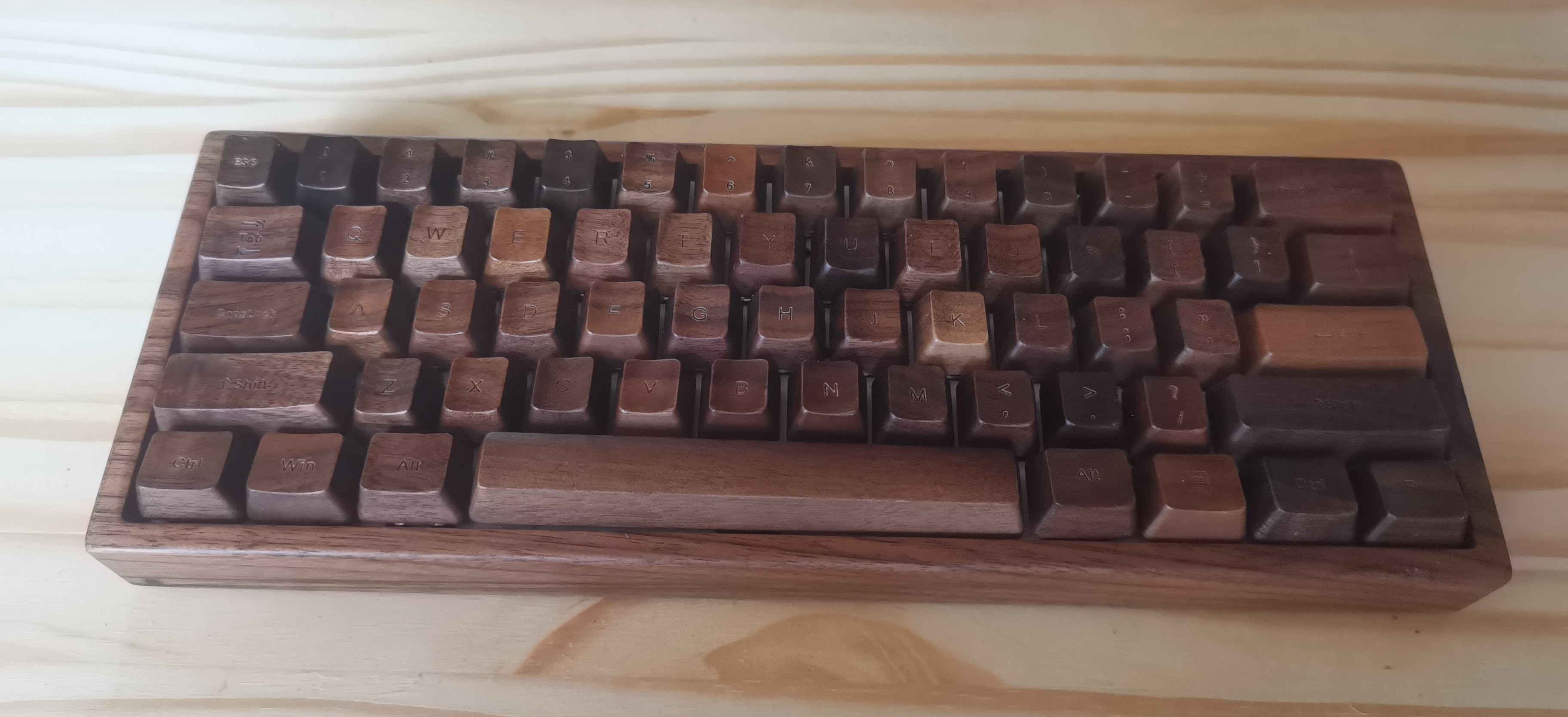
So, how do they feel? There is a slight wobble to them, according to [Leo_keeb] — it’s a bit like pressing the left or right side of Tab. But the actuation is smooth, they say.
As you can see, these resin keycaps weren’t designed with the typical Cherry MX profile in mind, they are made for the Topre capacitive key switches of the HHKB. (No, those aren’t weird rubber domes.)
When I asked about sharing the STLs, [Leo_keeb] advised me that they might be willing to release STLs for Cherry MX switches in the US layout if there is enough interest.
When you find something you love doing, you want to do it everywhere, all the time. Such is the case with [jefmer] and programming. The trouble is, there is not a single laptop or tablet out there that really deals well with direct sunlight. So, what’s a hacker to do during the day? Stay indoors and suffer?
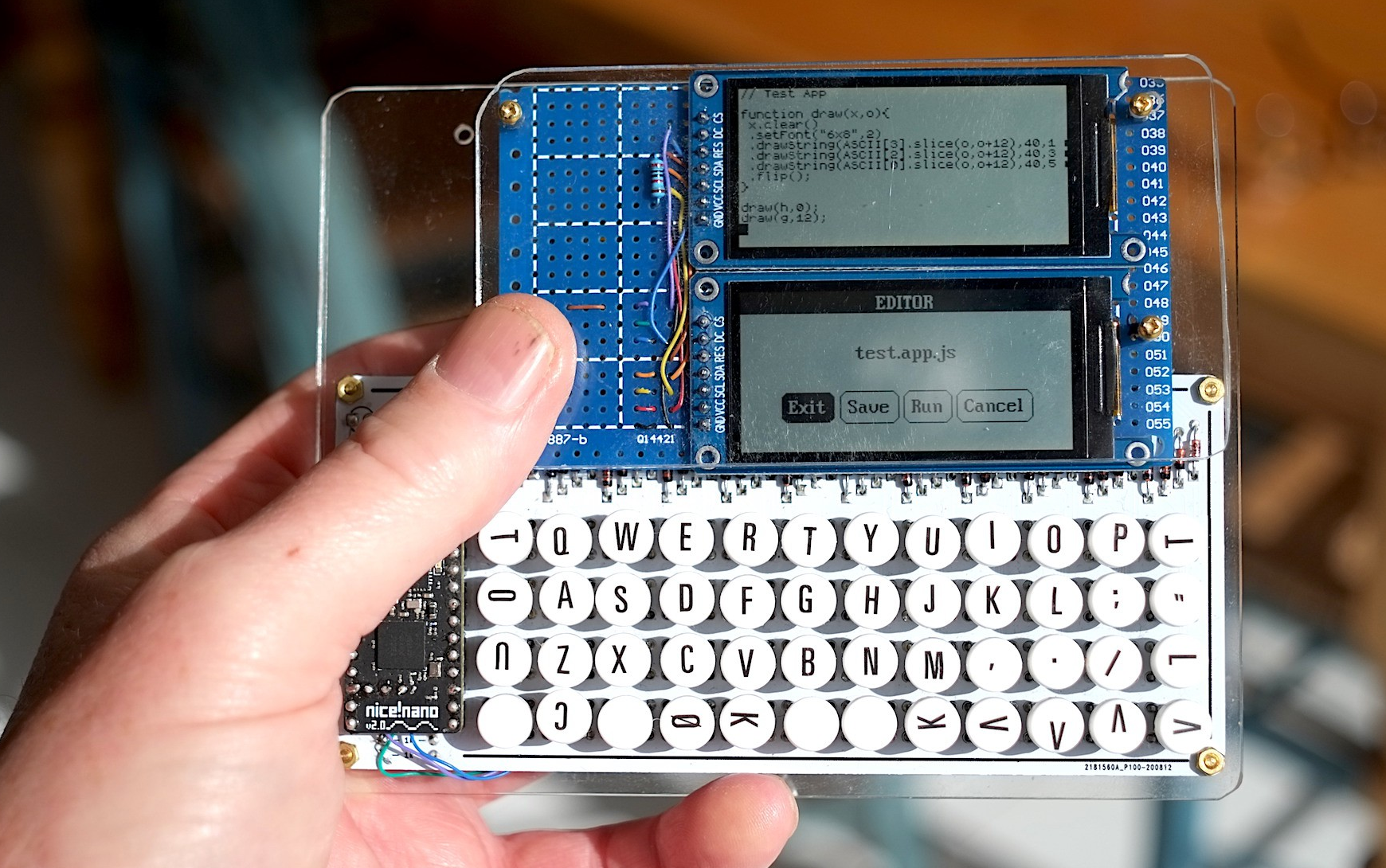
Image by [jefmer] via Hackaday.IOThe answer is a project like Pocket Pad. This purpose-built PDA uses a Nice! Nano and a pair of two very low-power ST7302-driven monochrome displays. They have no backlight, but they update much faster than e-paper displays. According to [jefmer], the brighter the ambient light, the more readable the displays become. What more could you want? (Besides a backlight?)
The miniature PocketType 40% is a little small for touch typing, but facilitates thumbs well. [jefmer] added those nice vinyl transfer legends and sealed them with clear nail polish.
All of the software including the keyboard scanner is written in Espruino, which is an implementation of JavaScript that targets embedded devices. Since it’s an interpreted language, [jefmer] can both write and execute programs directly on the Pocket Pad, using the bottom screen for the REPL. I’d sure like to have one of these in my pocket! Continue reading “Keebin’ With Kristina: The One With The Pocket Cyberdeck”→
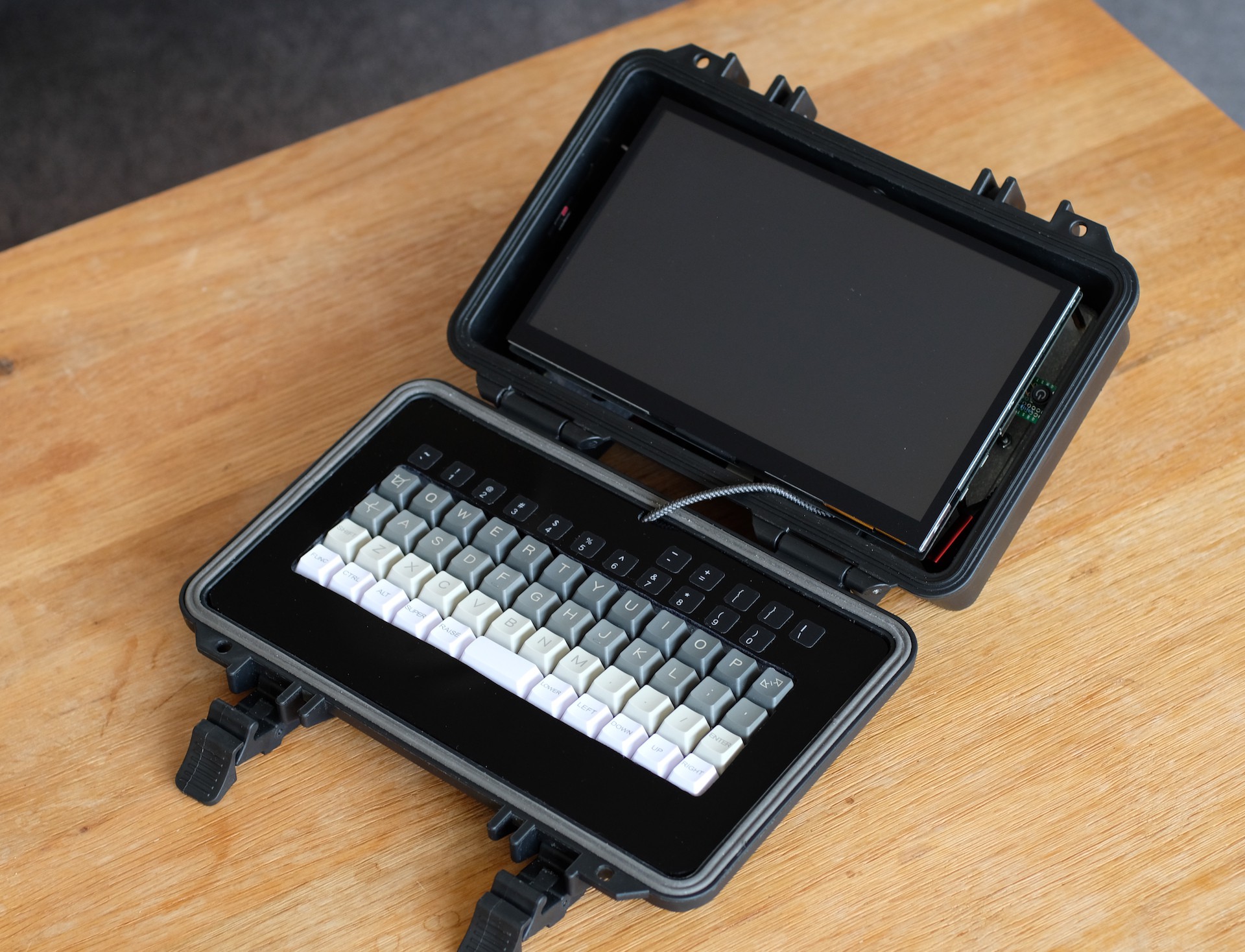
Image by [jefmer] via Hackaday.IOYou know, the really sad truth about cyberdecks and cyberdeck-adjacent builds is that many of them just end up on the shelf, collecting dust while waiting for the dystopian future. Well, not this one. No, [jefmer] says their Portable Pi sees daily use, and even comes along on the go.
Since [jefmer] is “temperamentally unsuited to 3D printing”, the Pi 4B and its accessories are nestled in a rugged, splash-proof case under some acrylic sheets. One of those accessories, the keyboard, is a KPrepublic BM40 with Gateron Yellows. In order to get used to the number and symbols layer, [jefmer] laid down some great-looking labels above the keyboard.
Although the build started with an SD card for storage, [jefmer] has since upgraded to a 120 GB SSD. This required a beefy battery pack, but the difference is that it gets around four hours of power versus five hours when using an SD card.
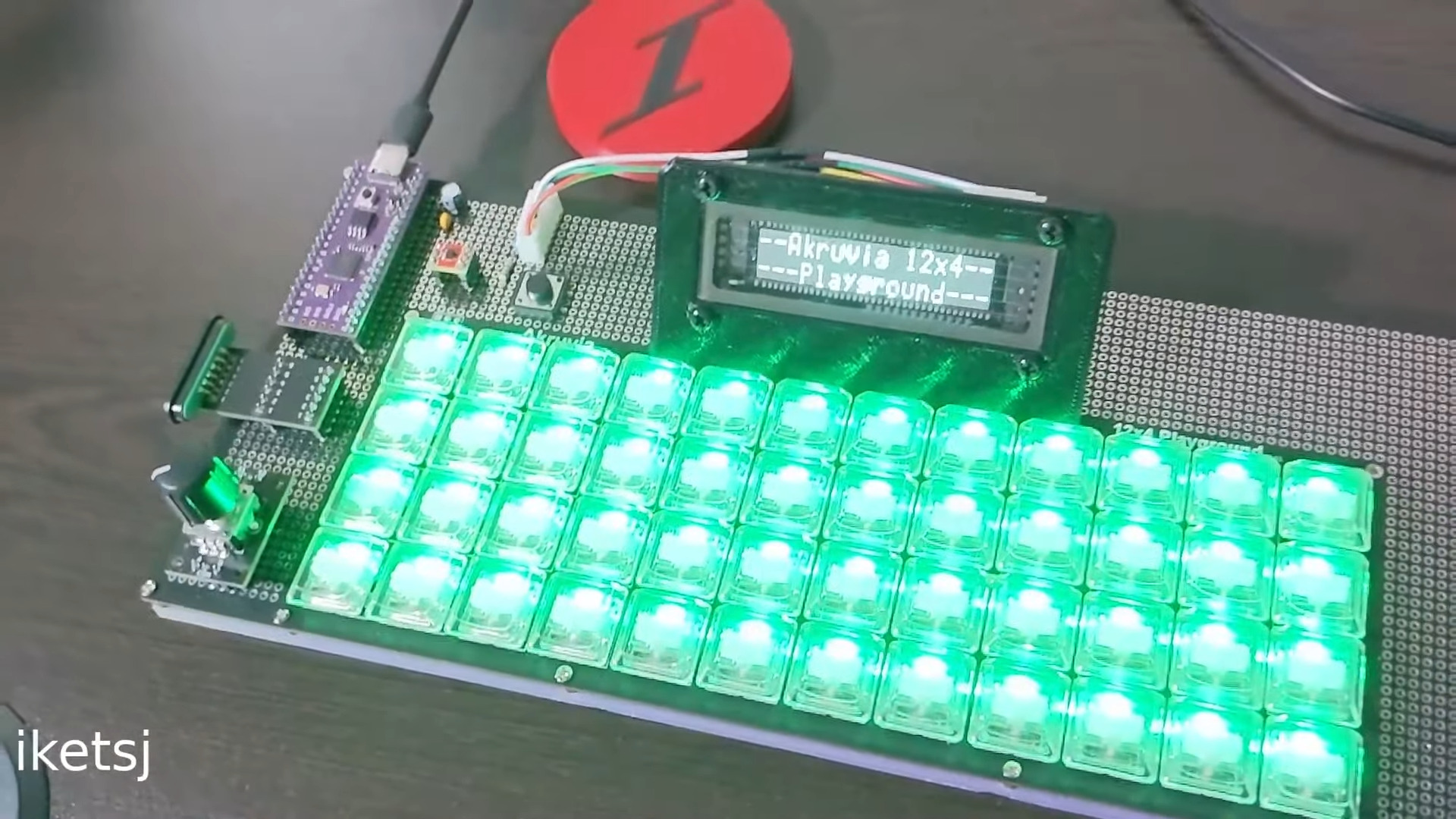
Have you ever wished you had more control over what goes into a kit keyboard build? Like, a whole lot more control? Well, that’s the idea behind the Akruvia 12×4 Playground by [iketsj].
This is a 48-key ortholinear keyboard, but other than that, it’s a complete blank slate. The kit includes the PCB, diodes, RGB LEDs, and Kailh Choc V1 hot swap sockets, which is really the only choice you don’t have in the matter.
All the rest is up to you, thanks to a generous prototyping area that wraps around three sides of the keys. Bring your own microcontroller and anything else that sounds useful, like displays, rotary encoders, gesture sensors, pointing devices, you name it.
You could even magnetically link a macro pad to one side, as [iketsj] teases in the intro video. [iketsj] has made the kit available through links on their website, and you’ll find a product guide there as well.
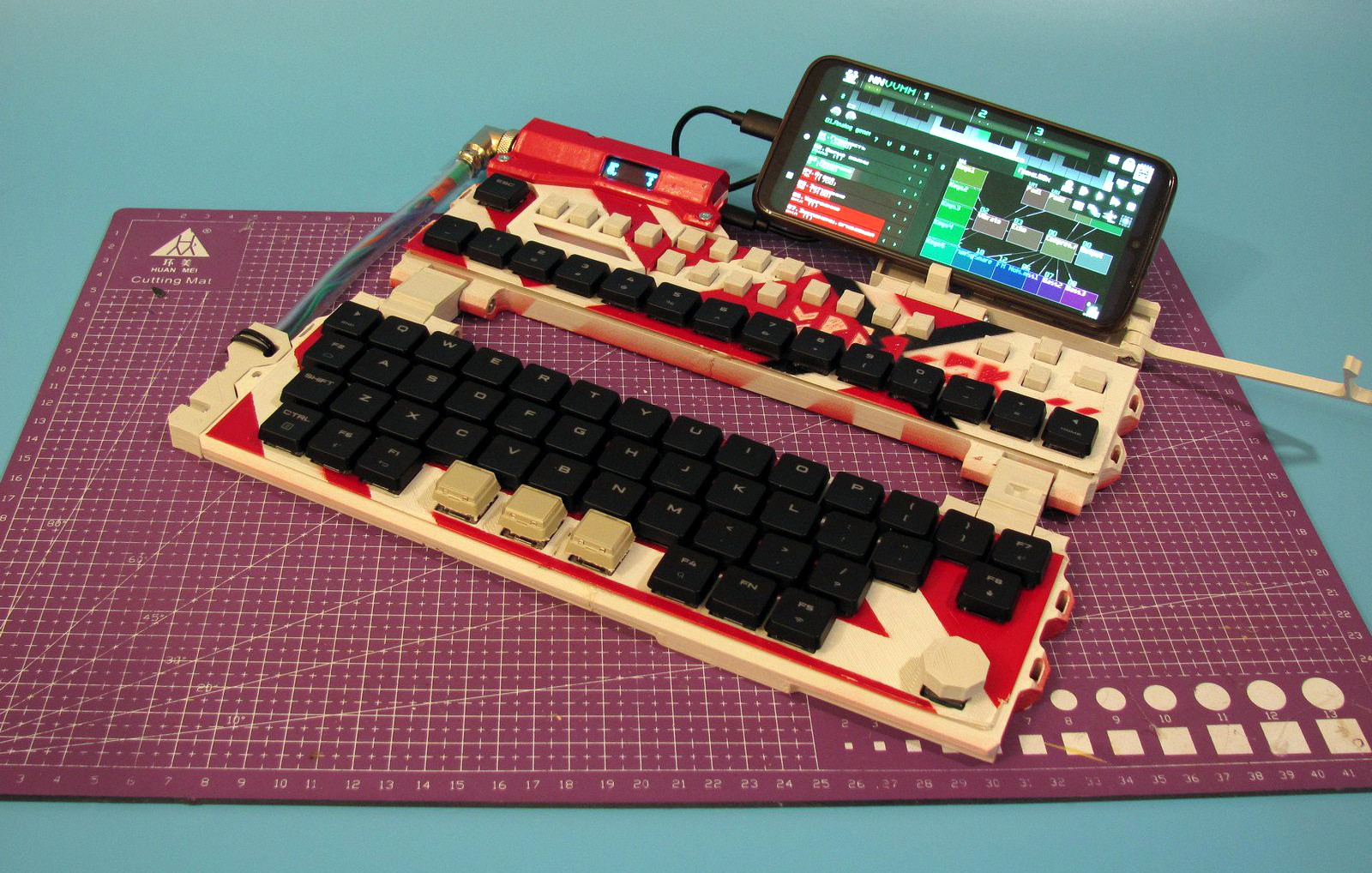
Sometimes you just have to throw your hat in the ring, and throw it hard. Here is [mkdxdx]’s rockin’ EVH 5150-esque take on the keyboard business. The Mriya foldable keyboard aims to be and sport a number of things, and it does all of them in great style. I could totally see my fingers flying over this thing somewhere in the wild, with robots fighting in the distance.
Image by [mkdxdx] via Hackaday.IOI have to say I really like the fact that [mkdxdx] uses thumb keys here for what I can only assume are Enter, Space, and Backspace. It’s a nice compromise between compactness and ergonomics. I also really like the totally impractical but quite cool-looking connector that runs between the top and bottom.
If the color scheme looks familiar, you’re probably remembering [mkdxdx]’s first-place-winning entry into the 2023 Cyberdeck Contest. This RP2040-based keyboard might just end up as part of a larger project, but it’s already an outstanding peripheral. We can’t wait to see the next phase, should there be one for this keyboard.
It seems like mechanical keyboard enthusiasts are more spoiled for choice with each passing day. But as broad as the open source pool has become, there’s still no perfect keyboard for everyone. So, as people innovate toward their own personal endgame peripherals and make them open source, the pool just grows and grows.
Image by [Bo Yao] via Hackaday.IOThis beautiful addition to the glittering pool — [Bo Yao]’s Carpenter Tau keyboard — is meant to provide an elegant option at a particular intersection where no keyboards currently exist — the holy trinity of open source, programmable, and tri-mode connectivity: wired, Bluetooth, and 2.4 GHz.
Come for the lovely wooden everything, and stay for the in-depth logs as [Bo Yao] introduces the project and its roots, reviews various options for the controller, discusses the manufacture of the wooden parts, and creates the schematic for the 61-key version. Don’t want to build one yourself? It’ll be on Crowd Supply soon enough.
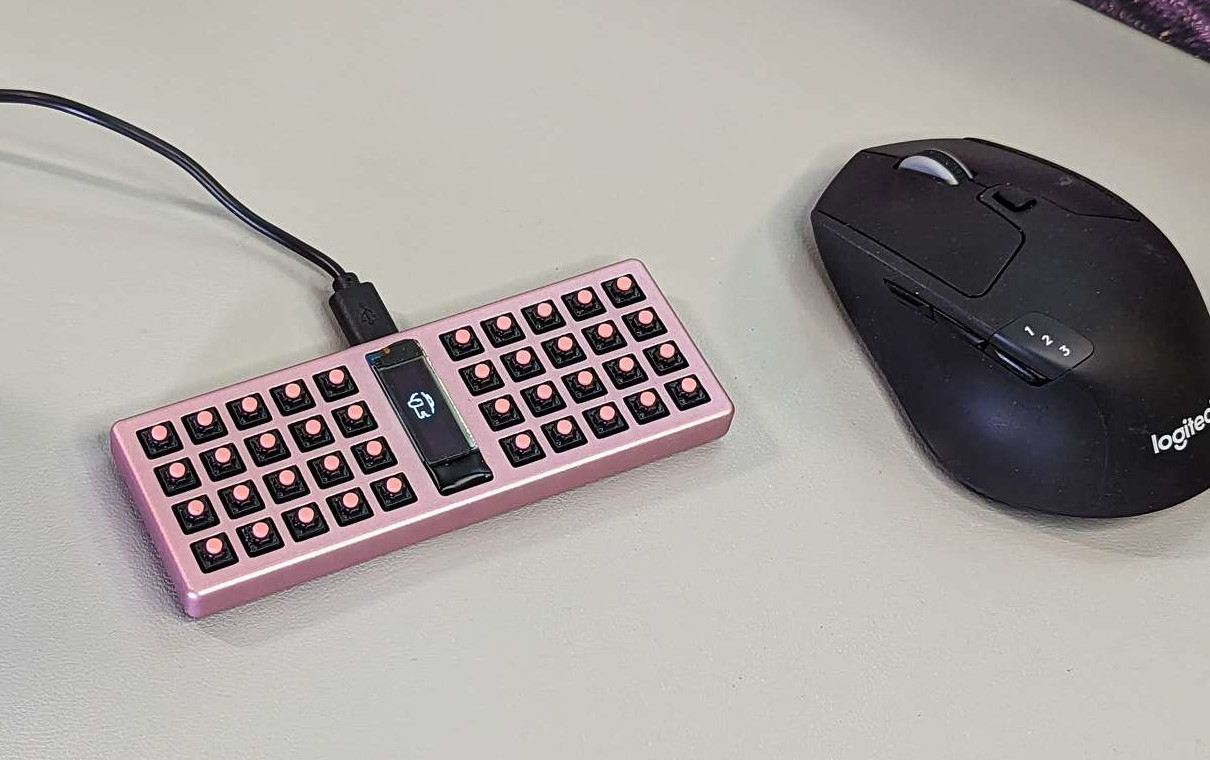
Image by [sporewoh] via GitHub[sporewoh]’s keyboards have been steadily shrinking, and they built this in order to get the smallest possible form factor for the number of keys. Surprisingly, since the mouse switches have an actuation force similar to some heavier MX-style switches (~70 g), [sporewoh] is able to squeeze 85 WPM out of it, albeit with some argument from the wrists.
If you want to build a bunchiez40, everything is available on GitHub, including the CAD files for that lovely anodized aluminium case. The typing video is coming soon, and I’m taking bets on whether it’s as quiet as a mouse, as one redditor joked.