Critter Cam Hacked From An Old Cellphone.

critter-cam-hacked-from-old-cellphone

[Art Barrios] kept having night-time visitors who were raiding his dog’s food storage bin. It’s a plastic tub with a lid that latches but the critters were knocking it over and popping that lid off. He wanted to find out which animal was the culprit so he hacked together an automatic camera system using an old cellphone.

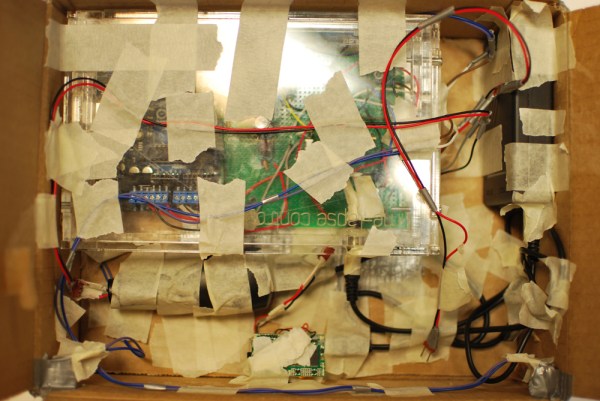
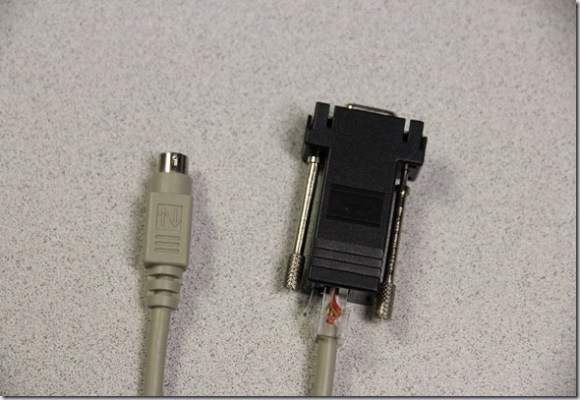
You can see the majority of the hardware he used in the image above. There’s an Arduino on the left. This monitors a switch which he added to the lid of the food storage container. It triggers the system when opened, switching on an LED light and snapping pictures.

The touchscreen button is used to trigger the shutter. That’s what all of that tin foil is about. Some experiments led [Art] to realize that a metal ‘finger’ could register on the screen if there was enough foil attached. To move the metal bracket he uses a solenoid. The last problem he faced was keeping the cellphone screen awake. He figured out that power cycling the charger does the trick. The Arduino manages this using a mains-rated relay.

The system successfully captured images of a family of raccoons feasting on the tasty morsels.

Raspberry Pi Camera Board Incoming

camera

Your Raspberry Pi has on-board connectors for cameras and displays, but until now no hardware demigod has taken up the challenge of connecting an image sensor or LCD to one of these ports. It seems everyone is waiting for official Raspi hardware designed for these ports. That wait is just about over as the Raspberry Pi foundations is hoping to release a camera board in the coming weeks.

The camera module is based on a 5 megapixel sensor, allowing it to capture 2560×1920 images as well as full 1080 video with the help of some drivers being whipped up at the Raspberry Pi foundation.

Considering the Raspi USB webcam projects we’ve seen aren’t really all that capable – OpenCV runs at about 4 fps without any image processing and about 1 fps with edge detection – the Raspberry Pi camera board should be less taxing for the Pi, enabling some really cool computer vision projects.

The camera board should be available in a little more than a month, so for those of us waiting to get our hands on this thing now, we’ll have to settle for the demo video of the Pi streaming 1080p video to a network at 30fps after the break.

Continue reading “Raspberry Pi Camera Board Incoming”

Military Steals Idea Of Anyone Who Ever Tied A Cellphone Camera To Quadcopter

spy-helicopter

Check out the toy this solder is using. It’s a tiny remote-controlled helicopter. The thing comes in a kit that includes a small tablet through which the nose-mounted camera image can be viewed. These are in use in Afghanistan by the UK Military. The purpose is to help protect foot soldiers by allowing them to perform discrete reconnaissance. What would you pay for this type of life saving technology? How does $31 million for 160 units sound? For that price we expect eight propellers and a cinema quality camera.

The drone is manufactured by Prox Dynamics. They’ve been in development since 2008 and you can bet that a lot of that time went into making it “inaudible” which is the main difference we see between this and hobby-built versions. For now you’ll have to deal with trying to make your own since they will only sell to the government.

The best we can do for you when it comes to video of the thing is prototyping footage from 2009 (after the break). If you have a link to a newer clip we’d love to see it in the comments.

Continue reading “Military Steals Idea Of Anyone Who Ever Tied A Cellphone Camera To Quadcopter”

This Man Will Take Your Picture While Macing You

pepper

Odds are you don’t have a photographic memory, so if you ever have to mace someone, you probably won’t remember exactly what your attacker looks like. Compound that with talking to the police and looking at a few dozen mug shots, and it’s highly unlikely you’ll ever be able to identify the person you maced. This was the problem [John], [Cordelia], and [Adrian] chose to solve for [Bruce Land]’s microcontroller course at Cornell this semester.

The device they created, PepGuard, adds a microcontroller and a serial JPEG camera to a canister of pepper spray. When the button on top is pressed, the microcontroller flashes a LED, takes a picture with a camera, and sends that picture to a phone over a Bluetooth connection.

PepGuard is always connected to the user’s phone via Bluetooth, and this allows for some interesting possibilities. With their Android app, the team can set up the phone to call emergency services when the device is activated.

You can check out the demo of the device after the break, or read the team’s report here.

Continue reading “This Man Will Take Your Picture While Macing You”

Hackaday Links: January 24th, 2013

Raspberry Pi’s answer to the iMac

links-rpi-imac

If you always wanted a sweet looking all-in-one computer like an iMac, but without OSX this one’s for you. [Michael Davis] glued everything you need for a Raspberry Pi computer to the back of an LCD monitor.

Dancing Japanese robot shows high creepiness factor

links-dancing-robot

You’ve just got to see this one to believe it. Someone choreographed some seriously lifelike dance moves for this robot. [Thanks – via Dr. GIY’s blog]

Helper script to install MSPGCC

links-mspgcc-install-script

The repositories available to Ubuntu are nice, but if you want to get the newest version of the GCC toolchain for MSP430 microcontrollers you’re going to need to do the compilation yourself. [Jose] is trying to make the process a bit easier with this helper script which download and installs MSPGCC Uniarch.

Easy reset for WRT-54G routers

links-ddwrt-reset-button

The whole point of the router reset button being hard to press is so you don’t hit it by accident. But the difficulty of getting to it drove [Noah] crazy so he added his own easy to reach replacement.

Camera stabilization tips

links-camera-stabilizers

This is a public service to amateur videographers. You don’t need expensive equipment to make a video without nausea inducing shakes. Try out these simple camera stabilization tips. You can use a tripod as a counterweight, or a piece of 2×4 to give the point-and-shoot a dual grip.

12secbeforehit-thumb

Operation StratoSphere

12secbeforehit-thumb

Panoramic photos are nice, however a full 360 degree x 180 degree, or spherical panorama would be even better. [Caleb Anderson] decided to take this concept much further, attempting to extract panoramic photos from video taken at 100,000 feet using a high-altitude balloon and six GoPro cameras.

The overview of this project can be found here, and gives some background. The first task was to start prototyping some payload containers, which for a device that you have little control over once out of your hands is quite critical. As well as some background, there’s a cool interactive panorama of the first test results on this page, so be sure to check it out.

The “real” hacking in this experiment wasn’t a matter of putting a balloon into the stratosphere or recovering it, however. Chaining these images together into pictures was a huge challenge, and involved a diverse set of skills and software knowledge that most of our readers would be proud to possess. There are several videos in the explanation, but we’ve embedded one with the cameras falling out of the sky. Be sure to at least watch until (or skip to) just after 1:05 where all the cameras impressively survive impact! Continue reading “Operation StratoSphere”

Polaroid Catcher Make Print Screen Do What It Says

polaroidcacher_2

As part of their coursework at ITP New York a group of students developed the Polaroid Catcher. It’s a way to make your digital experiences more permanent. When you have something on-screen that you’d like to keep as a memory you can print the screen on this old Polaroid camera. Of course you’re not going to get the chemical-filled container you may remember from ages past. But we thing you’d agree the nostalgic camera makes a nice enclosure for a modern image printer.

The workings of the system are shown off quite well in the clip after the break. But we’re always interested in the particulars of how they pulled it off. The system uses a Google Chrome extension to capture what is being displayed in the browser. Before the image is sent to the printer the user has the opportunity to frame up the subject of the photo. Once decided, the image is pushed to a Bluetooth photo printer using some scripts written by the team.

Continue reading “Polaroid Catcher Make Print Screen Do What It Says”