Arguably the biggest advantage of the Arduino ecosystem is how easy it is to get your code running. Type a few lines into the IDE, hit the button, and in a few seconds you’re seeing an LED blink or some text get echoed back over the serial port. But what if that same ease of use didn’t have to be limited to microcontrollers? What if you could use the Arduino IDE to create computer software?
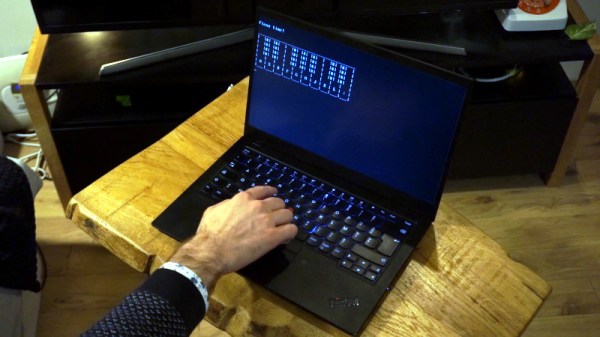
That’s exactly what boot2duino, a project developed by [Jean THOMAS] hopes to accomplish. As you might have guessed from the name, the code you write in the Arduino is turned into a bootable floppy disk image that you can stick into an old PC. After a few seconds of beeping and grinding your “Hello World” should pop up on the monitor, and you’ve got yourself the world’s biggest Arduino.
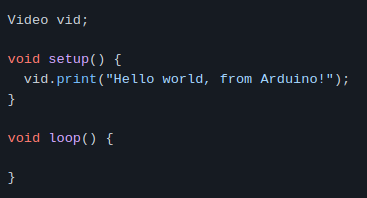
A minimal x86 Arduino sketch.
Now to be clear, this isn’t some kind of minimal Linux environment that boots up and runs a compiled C program. [Jean] has created an Arduino core that provides basic functionality on x86 hardware. Your code has full control over the computer, and there’s no operating system overhead to contend with. As demonstrated in a series of videos, programs written with boot2duino can display text, read from the keyboard, and play tones over the PC’s speaker.
The documentation for boot2duino says the project serves no practical purpose, but we’re not so sure. While the feature set is minimal, the low overhead means you could theoretically press truly ancient PCs into service. There’s certainly an appeal to being able to write your code on a modern OS and effortlessly deploy it on a retrocomputer, from somewhat modernized versions of early computer games to more practical applications. If any readers end up exploring this concept a bit further, be sure to let us know how it goes.
That sound you may have heard in the wee hours of Christmas morning had nothing to do with Santa; rather, it was the sound of a million astronomers collectively letting out their breath around the world as the James Webb Space Telescope survived its fiery ride to space. And not only did it survive, but the ESA launch team did such a good job putting the Ariane rocket on course that NASA predicts the observatory now has enough fuel to more than double its planned ten-year mission. Everything about the deployment process seems to be going well, too, with all the operations — including the critical unfurling of the massive and delicate sunshield — coming off without a hitch. Next up: tensioning of the multiple layers of the sunshield. If you want to play along at home, NASA has a nice site set up to track where JWST is and what its current status is, including temperatures at various points on the telescope.
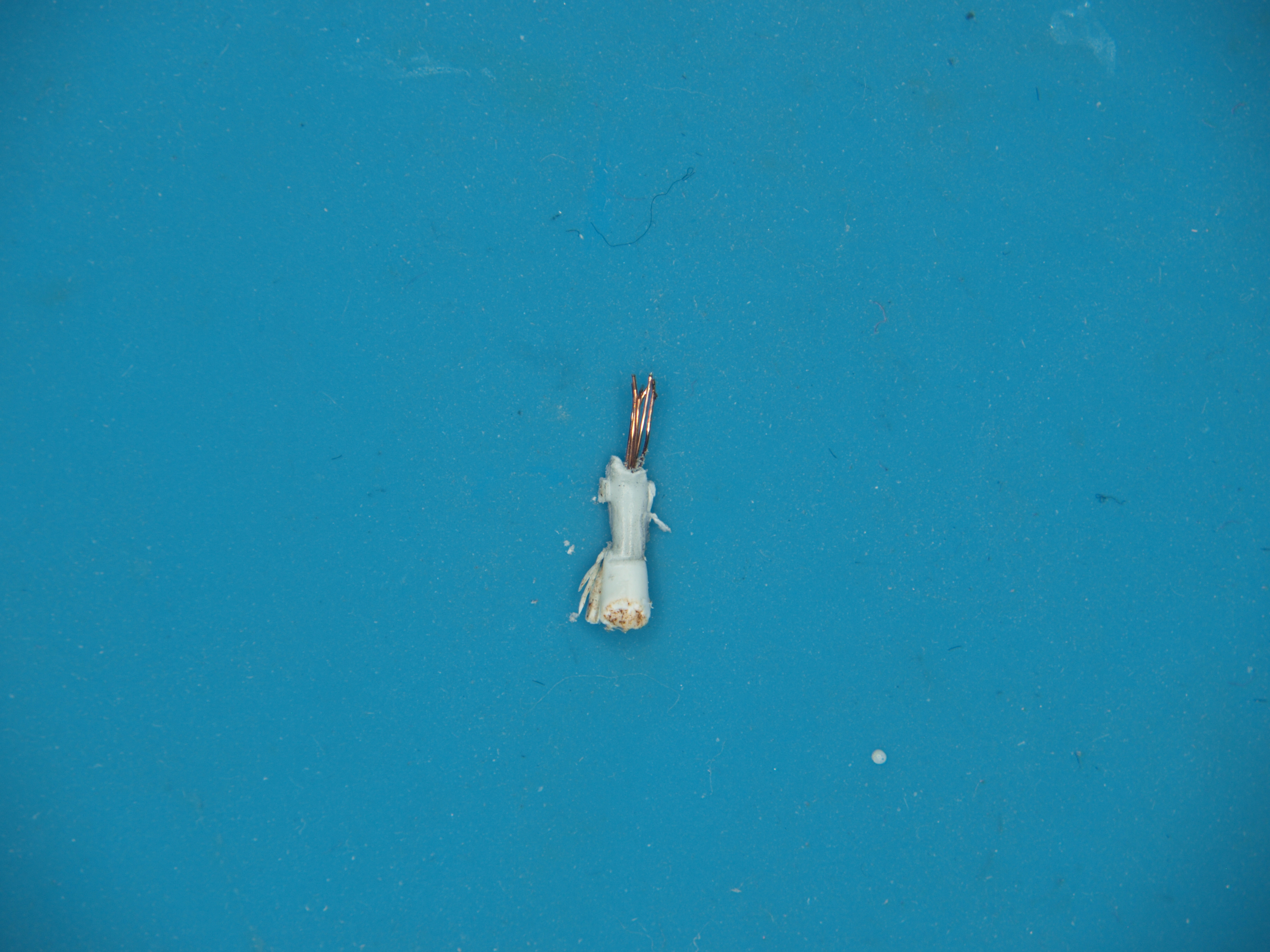
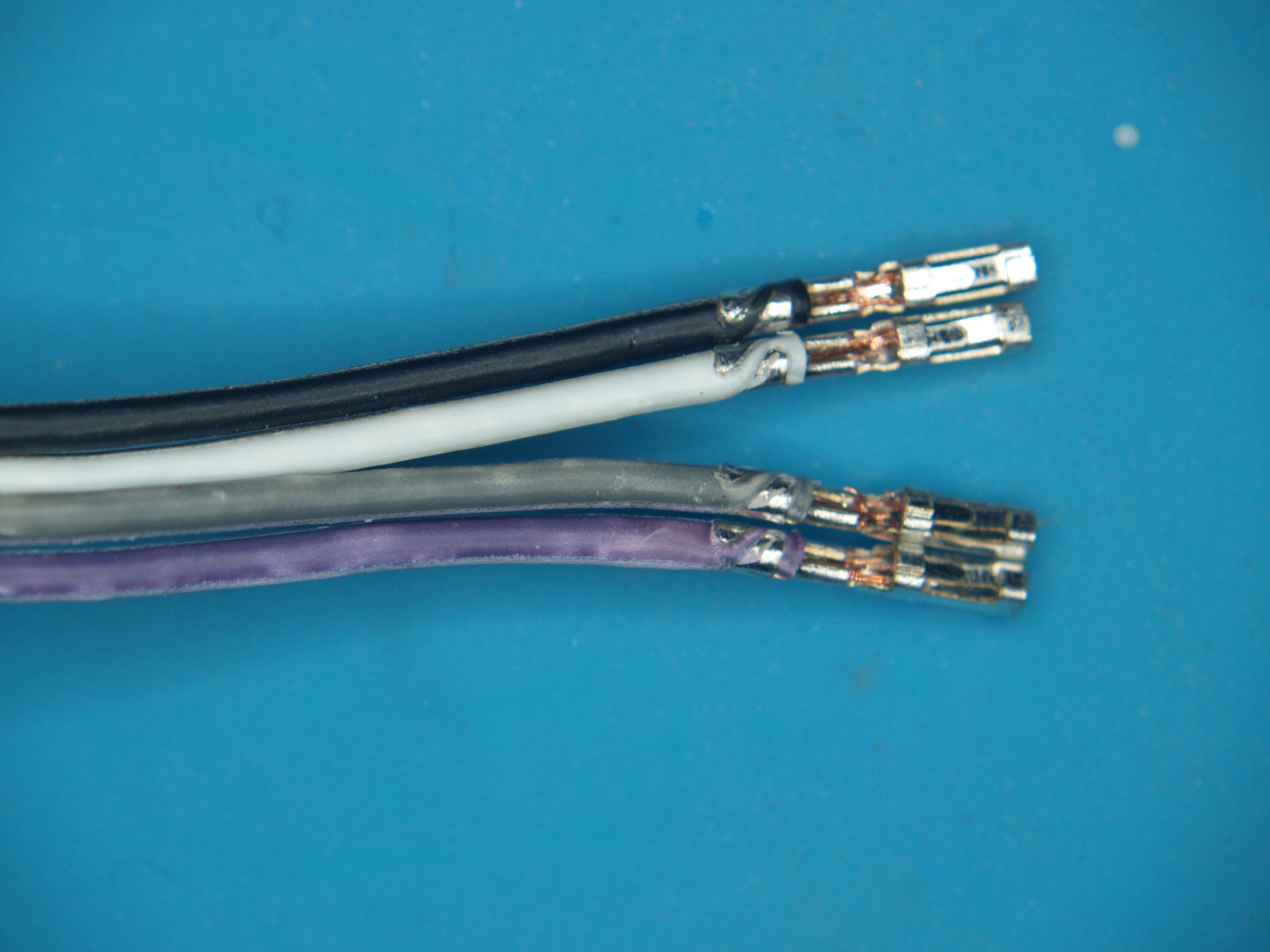
We got a tip from Mark about some dodgy jumper wires that we thought we should share. Low-quality jumpers aren’t really a new problem, but they can really put a damper on the fun of prototyping. The ones that Mark found could be downright dangerous. He got them with a recent dev board purchase; outwardly, they appear fine, at least at first. Upon closer inspection, though, the conductors have turned to powder inside the insulation. Even the insulation is awful, since it discolors when even slightly flexed. He suspects conductors are actually copper-plated aluminum; check out his pictures below and maybe look through your collection for similarly afflicted jumpers.
Speaking of dodgy hardware, if you love the smell of melting MOSFETs in the morning, then have we got a deal for you. It seems that a non-zero number of Asus Z690 Hero PC motherboards have suffered a fiery demise lately, stirring complaints and discontent. This led some curious types to look for the root cause, which led to the theory that an electrolytic cap had been installed with the wrong polarity on the dead boards. Asus confirmed the diagnosis, and is doing the right thing as they are “working with the relevant government agencies on a replacement program.” So if you’ve got one of these motherboards, you might want to watch the video below and see how the caps were installed.
If you’re in the mood for some engineering eye-candy, check out the latest video from Asianometry. They’ve got a finger on the pulse of the semiconductor industry, with particular attention paid to the engineering involved in making the chips we all have come to depend on. The video below goes into detail on the extreme ultraviolet (EUV) light source that fabrication machine maker ASML is developing for the next generation of chip making. The goal is to produce light with a mind-bending wavelength of only 13.5 nanometers. We won’t spoil the details, but suffice it to say that hitting microscopic droplets of tin with not one but two lasers is a bit of a challenge.
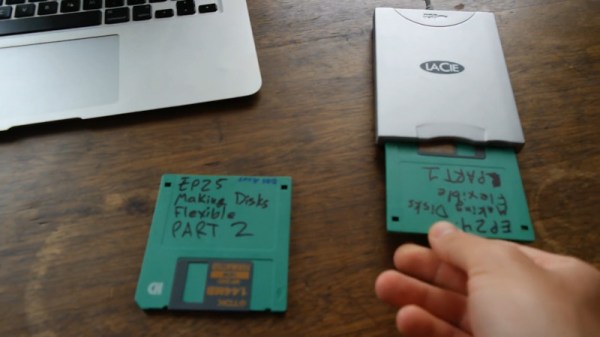
And finally, bad luck for 38 people in Tokyo who were part of a data breach by the city’s Metropolitan Police Department. Or rather, good luck since the data breach was caused by the loss of two floppy disks containing their information. The police say that there haven’t been any reports of misuse of the data yet, which is really not surprising since PCs with floppy drives are a little thin on the ground these days. You’d think that this would mean the floppies were left over from the 90s or early 2000s, but no — the police say they received the disks in December of 2019 and February of 2021. We’d love to know why they’re still using floppies for something like this, although it probably boils down to yet another case of “if it ain’t broke, don’t fix it.”
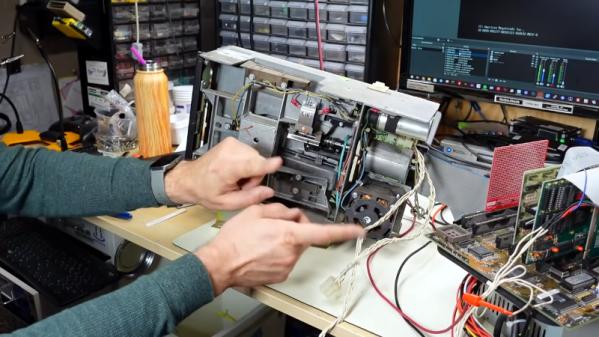
We should probably have a new metric for measuring mass storage performance: bytes per pound. An old IBM tape drive from the S/360 days, for example, could hold almost 6 megabytes of data. It also weighed more than a typical refrigerator. Today, a tiny postage-stamp-sized card can hold gigabytes of data and weighs — at most — a few ounces. Somewhere in the middle is the old 8 inch floppy drive. At its peak, you could cram about 1.2 megabytes on it, but even with the drive you could lift it all in one hand. These disks and their descendants ruled the computing world for a while. [Adrian asks the question: can you use an 8″ floppy drive on a PC? The answer is in the video below.
He didn’t do it on a lark. [Adrian] is getting ready to restore a TRS-80 Model II so he wanted to create some 8″test floppies. But how do you marry a 40-something-year-old drive to a modern computer? He had a few drives of unknown condition so there was nothing to do but try to get them working.
Never underestimate the ingenuity of the demoscene. The self-imposed limitations lead to incredible creativity, and, the range of devices they manage to get their demos running on never ceases to amaze us. But we never thought we’d see a C64 demo without one central component: the C64.
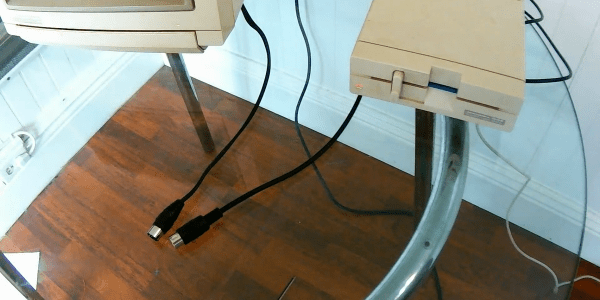
Full disclosure: [Matthias Kramm]’s demo, called “Freespin”, does need a C64 to get started. The venerable 6502-based computer runs a loader program on a 1541 disk drive. But from then on, it’s all floppy drive. And [Matthias] has laid bare all his tricks.
The video below shows the demo in full, including a heart-stopping on-camera cable mod. By adding a single 100 Ω resistor, [Matthias] turned the serial clock and data lines into a two-bit digital-to-analog converter, good enough to generate signals for both black and white pixels and the sync pulses needed for the display.
No demo would be complete without sound, and Freespin’s tunes come from controlling the drive’s stepper motor, like a one-voice Floppotron.
Watching nothing but a floppy drive run a cool demo is pretty amazing. Yes, we know there’s a full-fledged computer inside the floppy, but the bit-banging needed to make this work was still mighty impressive. It might be cool to see what you could do with multiple drives, but we understand the minimalistic aesthetic as well. And speaking of tiny little demos: the 256 bytes of [HellMood]’s “Memories” or [Linus Åkesson]’s “A Mind is Born” still leave us speechless.
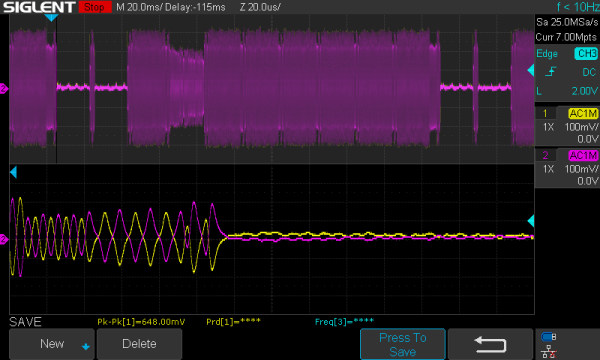
There’s a lot of data on magnetic media that will soon be lost forever, as floppies weren’t really made to sit in attics and basements for decades and still work. [Chris Evans] and [Phil Pemberton] needed to read some disks that reportedly contained source code for several BBC Micro games, including Repton 3. They turned to Greaseweazle, an interface board that can dump just about any kind of floppy disk if it is attached to the right drive. The problem is that Greaseweazle couldn’t read the disks due to CRC errors. Time to break out the oscilloscope and read the disk manually, which is what they did.
Greaseweazle provides a nice display of read sectors and shows timing coming from the floppy read head. The disk in question looked good with reasonably clean timing clocks except in the area of one sector. At that point, the clocks degenerated into noise. Looking on the disk, it was easy to see why. The actual media had a small dent in it.
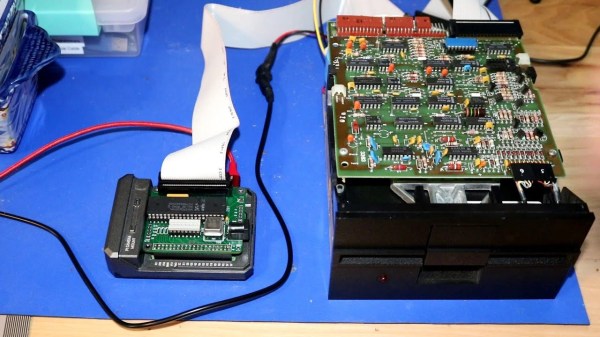
[Scott] is no stranger to floppy controllers, having worked with the popular WD37C65 floppy controller IC before with the RC2014 homebrew Z80 computer. Thus, it was his part of choice when looking to implement a floppy interface on the Raspberry Pi. The job was straightforward, and done with just the IC itself. Despite the Pi running at 3.3 V and the controller at 5 V, [Scott] has found no problems thus far, implementing just a resistor pack to try and limit damage from the controller sending higher voltage signals back to the Pi. With that said, he plans to implement a proper level shifter down the road to ensure trouble-free operation long term.
The project is rounded out with a bunch of Python tools used to interface with the controller, available on Github. Performance is limited by the non-realtime nature of the Raspberry Pi’s user mode operation, which [Scott] notes could be fixed with a kernel module. With that said, if you’re looking for performance, floppies aren’t it anyway.
Near the turn of the millenium, portable media players like the iPod led to the development of the podcast. The format generally consists of content similar to talk-based radio, and is typically served up in modern codecs like AAC, M4A and MP3. However, [Sean Haas] decided these were all too chunky, and wanted to see if it was possible to deliver similar content on a floppy disk. The results are predictable, but impressive.
[Sean]’s aim was to try and fit roughly 45 minutes of audio on to a 1.44 MB floppy disk. To pull this off, he looked far and wide for a codec fitting for the task. The choice landed on was Adaptive Multi-Rate, or AMR. Typically used to encode audio for GSM phone calls, it can also be used to create compressed audio files.
Initial attempts weren’t quite good enough to do the job, so [Sean] introduced a pre-processing step with FFMPEG, to speed the audio up 1.2 times. It was then passed through SoX and encoded in AMR at approximately 5 kbit/s. This allowed a 45-minute long MP3 file of 72MB to be compressed down into just 1.2 MB, and thus able to fit onto a floppy disk. Audio quality is predictably poor, as you can hear in the embedded clip below, but definitely intelligible. You’d probably want to skip any musical passages if you were doing this seriously.