Archaeopteryx: A Large, Colorful MIDI Controller

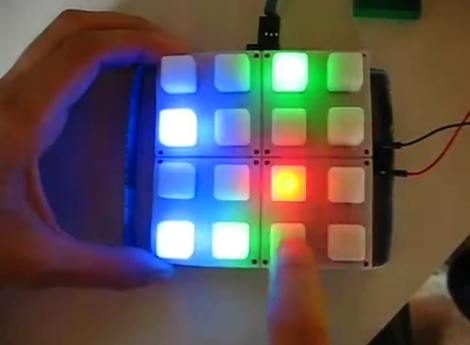
This is [Robert Jarvis’] new MIDI controller which he has christened the Archaeopteryx. It makes its home (quite nicely might we add) in a discarded wooden cutlery case. This provides a strong and stable base for the controls while keeping the electrical connections close at hand for any rewiring or repair work.

The interface is made up of several different input devices. The guts from two Korg Nanokontrols donated the sliders and pots. These are both USB devices and they join with a USB keyboard which has been rewired to work with the colorful push buttons. All three devices connect to a hub inside which makes the device work using just one cable connection to the computer.

There’s a lot of wiring shoved into that shallow case. But if he keeps the keyboard mapping straight we think it won’t be too hard to configure the device. We like it that [Robert] included a snapshot of the back-of-the-envelope prototyping plans he made. This kind of ‘how I got there’ information is what we’re looking for when choosing projects to feature.

Resurrecting The Optigan Disc Format

optigan

The Optigan and Orchestron were a pair of electronic organs built by Mattel in the 1970s which used swappable optical discs to store instrument information. The discs can still be found today, but the organs are extremely scarce, much to [Gan’s] dismay. After researching the organs for a bit, he decided he could probably build his own MIDI-compatible interface for the audio discs.

The discs have audio waveform data printed on them, which can be read using an LED on one side of the disc and an optical transistor on another. After successfully prototyping a reader that could interpret one of the disc’s audio tracks, he constructed a device to read all of the tracks simultaneously, just like the original organs.

His makeshift turntable was constructed on top of an old record player using acrylic discs and toy car wheels to keep things steady. Once the disc is placed on the turntable, he sets his reader in place, and via some custom circuitry, he is able to play the discs using his much more modern keyboard. It sounds pretty decent as you can see in the video below, though he does admit he would like to tweak a few things to make it sound even better.

[thanks Bryan]

Continue reading “Resurrecting The Optigan Disc Format”

Emulating A Marching Band With Wearable Instruments

[Scott] is a design and technology master’s student who just came up with The Imaginary Marching Band – virtual band instruments you can wear on your hand.

Taking inspiration from Minority Report and the NES Power Glove, the system is able to emulate 6 instruments at this point – A trumpet, trombone, tuba, snare drum, bass drum, and cymbals. The glove itself reads data from a variety of sensors and passes that onto an Arduino Uno which sends serial data back to a computer. This data is then parsed by a Serial – MIDI converter, and can then be played back through a sampler, synthesizer or piped into your sequencer of choice. Happily, [Scott] will be designing custom PCBs for his gloves to cut down on space and weight, and he’ll also be making his project open-source eventually.

[Scott] has a kickstarter page for his project, and so far he’s been on track towards getting this project funded. Check out a demo after the break.

Continue reading “Emulating A Marching Band With Wearable Instruments”

Adding MIDI To A Very Old Drum Machine

Long before drum machines played samples from an SD card or EPROM, drum sounds were analog – just filtered waveforms and noise. To the modern eye, these are very primitive machines, but for [Andrew], they’re the inspiration for this brilliant hack.

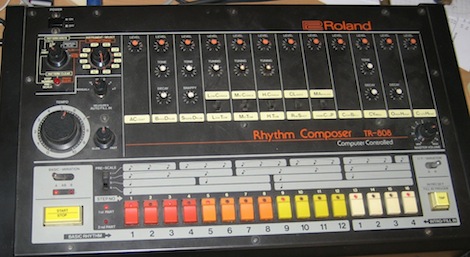
[Andrew] took a Roland CR-68 drum machine from 1978 and added MIDI input with the help of a PIC microcontroller. Not wanting to modify the look of the machine, [Andrew] programmed the PIC to watch the START/STOP button when the the unit is powered on. If the button is held down, the PIC enters it’s programming mode, where the sounds from the CR-68 can be mapped to an individual note on a MIDI controller. There’s no mention if the TRIGGER IN is queried by the PIC to modify the tempo of the preset patterns, but we assume that would be a relatively trivial implementation. Still, very impressive for a machine made 4 years before MIDI.

We love [Andrew]’s work, and we’re happy for any future owner that he documented how to use his device (and cleverly taped that to the bottom of the drum machine). It’s very nice to see old drum machines being used for more than doorstops after their samples have been recorded. Check out the video of [Andrew]’s walk through after the break.

Continue reading “Adding MIDI To A Very Old Drum Machine”

Adding Remote Touch Control To The Kaoss Pad

touchosc_kaoss

[Munki] enjoys using his Kaoss Pad MIDI controller to add a new dimension to his music while playing guitar. The only thing that bothers him about the Kaoss Pad interface is that it can be difficult to trigger or alter effects in the middle of a bitchin’ guitar solo. He started looking around to see if there was a way to control the Kaoss Pad wirelessly via a touchscreen and found that with a little tweaking, his iPhone was a perfect candidate for the job.

He grabbed a copy of TouchOSC from the AppStore and configured it to communicate with his computer. After building an interface for his iPhone, he taped it to his guitar and gave it a try. Everything seemed to work pretty well, but he didn’t stop there – he also wanted to control Ableton Live and Max MSP from his iPhone. It took a bit of research and some tinkering with the Live API, but he eventually got everything working together nicely as you can see in the video below.

If you are interested in trying this out yourself, he has several useful links throughout his article, and he has made his TouchOSC/Max MSP patch available for download as well.

Continue reading “Adding Remote Touch Control To The Kaoss Pad”

Adding A Pedal To A Yamaha DD35 Drum Kit

[Paul] Wrote in to tell us about a quick project that might be useful to others out there. He was having some problems with the DC jack on his Yamaha DD35 portable drum kit. Naturally, he did what most of us would do and just broke out the soldering iron and prepared to solder it back in place(hot glue it afterwards, that always helps too). That part isn’t a big deal, we’ve all seen it a million times. However, while inspecting the DC jack, he noticed something silk screened on the board right next to it.  As it turns out, that was a kick pedal jack. After a few minutes hunting for a victim around the house that would be sacrificed for its plug, he got his hands on one. A few moments later he was jamming away with a kick pedal.

We absolutely love these super quick upgrades. [Paul] thought maybe this feature was left out at the last minute, and we’ve seen this type of thing for a number of reasons. Maybe that was a feature kept aside for a more expensive model, maybe there was some other reason it was left off. Frankly, we don’t care, we just think it is awesome that it works!

Stay with us to see a quick video demonstration.

Continue reading “Adding A Pedal To A Yamaha DD35 Drum Kit”

Pidato Box Adds Vibrato Effect To Digital Pianos

piano_vibrato_box

[Joren] likes his digital piano, but it was missing one key component that he wanted to use: the ability to produce vibrato while playing. Vibrato can be done in several different ways on regular pianos, but it seemed as if there was not a lot of consideration given to the effect when designing digital pianos.

He enjoys playing all sorts of music, including solos from Franz Liszt which suggest using vibrato at times, so he decided to build himself a vibrato box. Constructed with a bit of assistance from the friendly folks at Hackerspace Ghent, his “Pidato” incorporates an Arduino and three-axis accelerometer to get the job done.

The Arduino is connected to both the MIDI output of the piano as well as to the accelerometer, which he has mounted on his wrist. While playing, all he needs to do is simply move his hand rapidly to produce the vibrato sound as you can see in the video below. The Arduino code filters out any other sorts of movements to ensure that he does not accidentally trigger the effect when it is not desired.

Check out the video below for a quick demonstration of the Pidato box.

Continue reading “Pidato Box Adds Vibrato Effect To Digital Pianos”