EM-Glitching For Nintendo DSi Boot ROMs

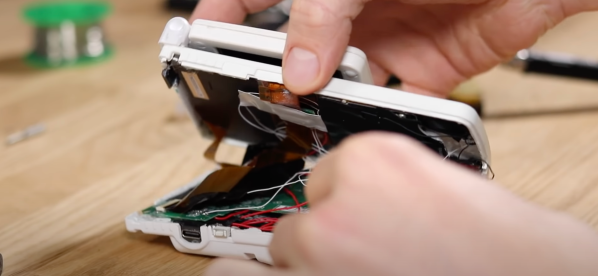
Some hacker events are muddy and dusty affairs in distant fields, others take place in darkened halls, but I went to one that can be experienced as a luxury break in a European city steeped in culture and history. Newline takes place at Hackerspace Gent, in the Belgian city of that name, and I was there last weekend to catch the atmosphere as well as the programme of talks and workshops. And of those a good start was made by [PoroCYon], whose fascinating introduction to the glitching techniques involved in recovering the boot ROMs from a Nintendo DSi taught us plenty of things we hadn’t seen before.

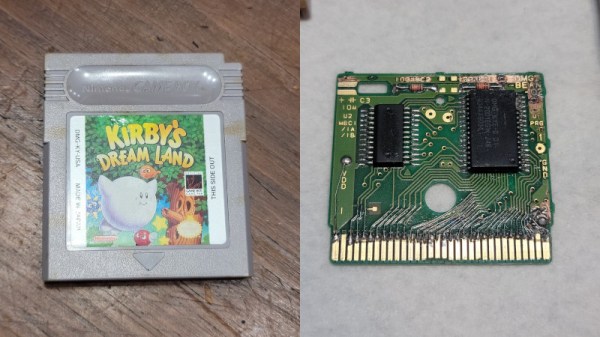
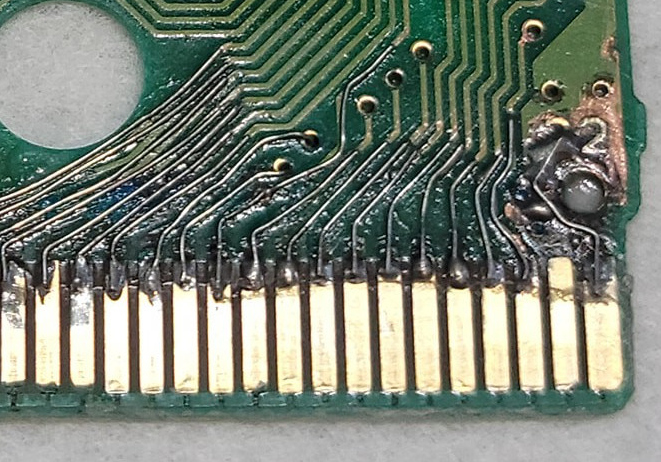
The talk which you’ll find below the break starts by describing the process of glitching — using power supply interference to interrupt the operation of a microprocessor and avoid certain instructions — to bypass security code. It then moves on to some of the protection mechanisms used in the various generations of Nintendo consoles and handhelds, before moving on to the work on the DSi at which point the talk moved onto a field which may be old hat in glitching circles but was new to me; that of EM glitching.

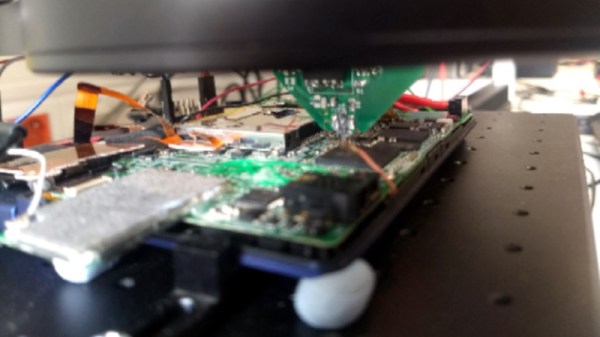
EM glitching involves using a small coil to generate precisely timed electromagnetic pulses which induce the glitch voltages in the chip. The fascinating part is that the EM probe can be made small enough to target individual areas of the chip, so using it involves a brute-force technique trying all combinations of timing and position with the probe held in a computer-controlled X-Y mount.

The DSi has two processors on board, this achieves success with the ARM7 but leaves its companion ARM9 as yet untapped. There are a promising set of attack vectors left to try, of which the ARM7 placing the ARM9 into a state from which it can be glitched seems to be the most promising. It’s fairly obvious that there’s plenty more to come from this quarter.

More details of the talk can be found in this repository, and for those interested in EM glitching you can find out more in this video and in this project using it to attack a Gecko microcontroller.

Continue reading “EM-Glitching For Nintendo DSi Boot ROMs”

GateBoy Is A Game Boy Emulated At Gate Level

Old game systems are typically the most popular targets for emulation. With huge communities of fans wanting to recreate the good times of yesteryear, most old systems have all been brought back to life in this manner. However, some simply dive into emulation for the technical challenge, and [Austin Appleby] has done just that with GateBoy.

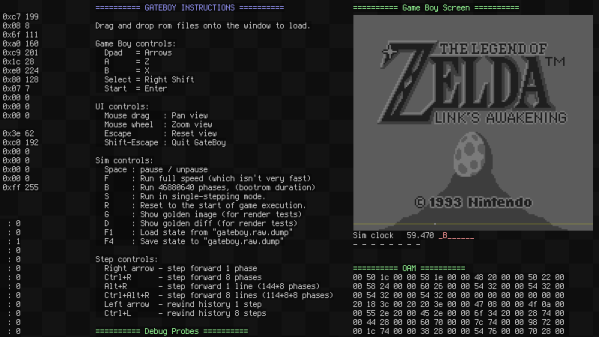
GateBoy is a project to emulate the Game Boy logic gate by logic gate. It’s a lower level approach that builds upon earlier work [Austin] did on a project called MetroBoy, which we featured previously.

The emulator was created by painstakingly reverse-engineering the logic of the Game Boy. This was done by poring over die shots of the actual DMG-01 CPU silicon. GateBoy emulates most of the chip, though avoids the audio hardware at this stage.

Presently, GateBoy runs at roughly 6-8 frames per second on a modern 4GHz CPU. As it turns out, emulating all those gates and the various clock phases at play in the DMG-01 takes plenty of processing power. However, compilation optimizations do a lot of heavy lifting, so in some regards, GateBoy runs impressively quickly for what it is.

[Austin] still has plenty of work to do before GateBoy is completely operational, and there are some strange quirks of the Game Boy hardware that still need to be figured out. Regardless, it’s a fantastic academic exercise and a noble effort indeed. Meanwhile, you might like to check out the Game Boy emulator that runs just one single game.

Google Maps, Now On The NES

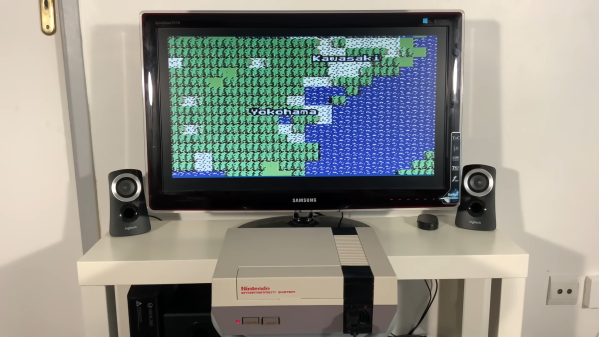
Many years ago, Google created one of its famous April Fools jokes suggesting it would make an 8-bit version of Google Maps for the original Nintendo Entertainment System. [ciciplusplus] decided it needed to become a reality, however, and set to work. (Video, embedded below.)

It’s a suitably blocky, low-resolution implementation, but it nevertheless is a mapping app running on an NES. Zooming in and out is via the A and B buttons, while the D-pad is used to scroll. Country and city labels are rendered on the map in the relevant areas in a charming old-school font.

The project uses a Raspberry Pi 3A+ and a Cypress Semiconductor FX2LP microcontroller, which fits inside a NES cartridge. It works the same way as the earlier NES Doom project which uses the Raspberry Pi to feed data to the NES’s Picture Processing Unit. It’s achieved with a simple bit of code burned on a ROM inside the cartridge, which boots up the NES and primes it to receive data from the Raspberry Pi via the FX2LP.

In current form, it’s not capable of doing much more than allowing the user to scroll around and zoom in on parts of the map. We’d love to see a fully-fledged version that could deliver driving directions or similar, however. If you end up achieving such a feat, be sure to let us know. Continue reading “Google Maps, Now On The NES”

Thrashed, Damaged NES Controller Gets Brought Back To Life

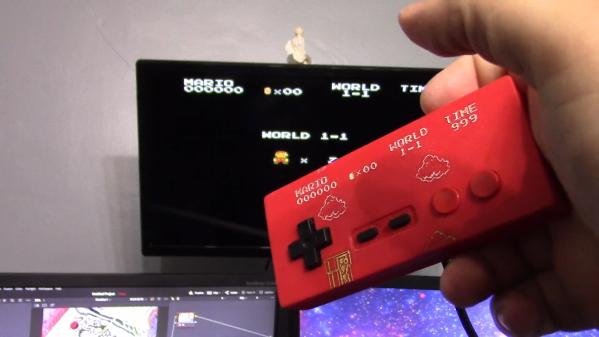
Electronics might as well be a magical black box to some people. Where some would see a broken NES controller destined for the bin, [Taylor] saw the opportunity for a repair. Thus, the damaged hardware was brought back into useful service.

The controller was bought as part of a job lot, and was heavily damaged when it entered [Taylor]’s ownership. Nintendo built its hardware tough in those days, but the controller had nevertheless been smashed apart, with the case cracked and split and the PCB itself snapped in two.

For someone with basic electronics skills, though, repair was simple. The broken PCB was glued back together with epoxy. The broken traces had solder mask scraped back so that jumper wires could bridge the damaged area and return the circuit to functionality.

From there, it was a simple matter of 3D printing a new case, and the controller was back in service. The case in question was designed by [Alexander Myrman], and has a neat little inset Mario design that’s made visible by paint-filling the inlay.

While it was an easy fix, to the uninitiated in the electronic arts, it might as well be magic. It pays to remember that there are always new people joining the electronics hobby, and projects like these are a great way to learn. It’s also important to note that bringing back old retro hardware is often of great value, as in many cases, they’re not making any more! We see some great restorations around these parts, too. Video after the break.

Continue reading “Thrashed, Damaged NES Controller Gets Brought Back To Life”

Making A Left-Handed NES Controller

The controller for the original Nintendo Entertainment System is a classic, but perhaps not best known for its adherence to good ergonomic principles. Regardless, it can grow awkward to use for long stretches of time. To help alleviate this, [Taylor] whipped up an easy way to convert a NES controller to left-handed operation.

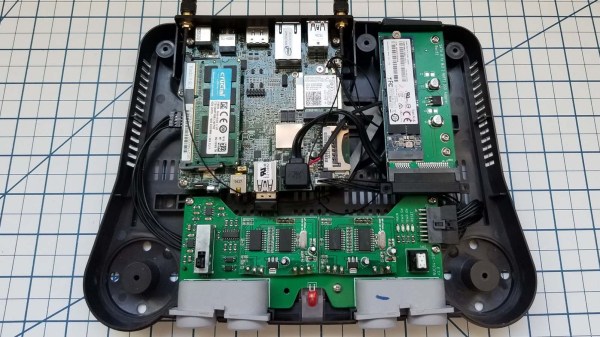
The mod board in question, installed on a NES controller PCB.

The crux of the hack is simple, with the controller’s buttons swapped left-to-right to enable the controller to be flipped upside down. In this orientation, the D-pad is used by the right hand and the action buttons by the left–the opposite of the usual way. Thus, left and right on the D-pad must be switched, as well as A and B, so all the controls are otherwise in a logical layout.

This is achieved through the use of a little mod board of [Taylor]’s own design. The original HD14021BP chip is desoldered from the controller’s PCB, and installed in the mod board instead. The modboard can then be soldered back into the controller, rerouting the traces to swap the buttons. There’s also a version that [Taylor] designed that can flip between right-handed and left-handed operation thanks to some onboard DIP switches.

It’s a tidy hack that could save the thumbs of some dedicated Tetris players. Alternatively, you can always make your own NES controller from scratch. Video after the break.

Continue reading “Making A Left-Handed NES Controller”

A SNES Music Player You Can Control With A Browser

Listening to chiptunes on an emulator or software-based player is fine, but sometimes you just gotta have that real hardware charm. [Kazhuu] is one such enthusiast who feels this way, and set about building a hardware player for SNES chiptunes that can be controlled from a browser.

The build relies on an Arduino Micro to control the SNES Audio Processing Unit (APU), featuring the Nintendo S-SMP as produced by Sony and designed by Ken Kutaragi. Yes, the father of the PlayStation designed the capable wavetable synthesis chip in the Super Nintendo, and it’s that same hardware that [Kazhuu]’s project interfaces with modern hardware.

With the Arduino’s IO lines hooked up to the APU, song data can be piped out to the Arduino over a serial connection to a PC. This can be handled by a Python script, or more intuitively via a browser-based front-end. This uses WebUSB in order to take input from the browser and then send data out over the USB-serial connection to the Arduino.

It’s a neat demonstration of both working with vintage Nintendo sound hardware and how to code modern browser applications to work with embedded systems. If you’re a SEGA kid, though, you might prefer this build instead. Video after the break.

Continue reading “A SNES Music Player You Can Control With A Browser”

Nintendo Zapper Reborn As Home Automation Remote

Generally, using a gun to turn your lights off is dangerous and expensive, but for the [DuctTape Mechanic], it’s just how he does things. Video also after the break. To be fair, he uses a salvaged Nintendo Zapper, not a firearm, and replaces the guts with an RF transmitter. We are shocked that he chose a radio model instead of infrared seeing as how he is repurposing a light gun, but our scores in Duck Hunt suggest he made the right choice.

The transmitter comes from a keychain remote, so it all fits neatly inside the Zapper chassis. A couple of wires hijack the stock button and run to the stock trigger, so you keep that authentic feel. The receiver side is a bit trickier. When it senses a button press, it sends a pulse, as you would find in a garage door opener, but to keep a lamp on, there needs to be some latching and so there is an Arduino. The microcontroller keeps a tally and operates a 10 amp relay module, so it is mostly acting as the glue between hardware. All of the mains electrical components sit in a blue plastic box with a receptacle on the front.

We don’t see the Zappers used for their intended purposes much anymore because they rely on old technology, but that doesn’t keep people from repurposing the iconic peripheral.

Continue reading “Nintendo Zapper Reborn As Home Automation Remote”