Automated Pressure Advance Using A Bed-Leveling Sensor

One of the most crucial aspects of FDM 3D printing is ensuring sufficient material is extruded. Determining the right flow rate can be done manually, but some printers these days automatically perform this adjustment, which is very convenient. [Stefan] of CNC Kitchen investigates how to add similar functionality using existing bed-leveling sensors.

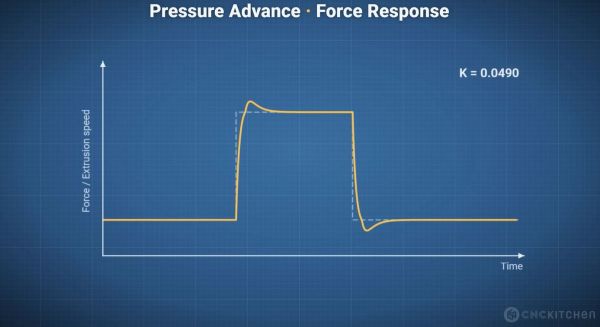
A major complication with extrusion in FDM printers is that the flow rate has to fit the printing speed. However, you can’t just immediately speed up or reduce the flow rate, as the melting filament is flexible and thus acts like a spring, especially as the extruder is exerting significant force on the filament, which adds compression.

The moment you reduce or increase the speed of the nozzle, you can get over- or under-extrusion, but the delayed response by the extruded filament means that you have to adjust for this change in advance. Ergo, the name ‘pressure advance’, also known as the K-value. Obviously, this is a parameter that differs with each material, printer, and other factors, so a direct measurement is always the best.
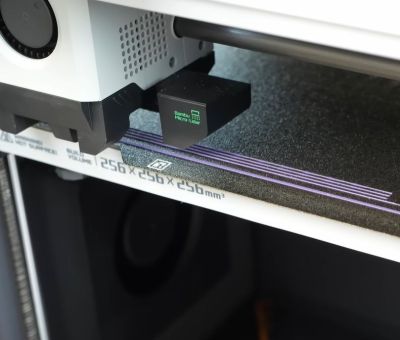
In the Bambu Lab X1 FDM printer, a Lidar scanner was used to scan various test patterns to automatically determine the optimal setting. This was later moved to the purge section of the extruder in newer Bambu Lab printers. On other FDM printers, the only available sensor in that area is typically the pressure sensor for bed leveling. Could this sensor make a similar measurement?

This wasn’t just an idle thought, but was inspired by the Snapmaker U1, which runs open-source Klipper, with tantalizing glimpses of how it does pressure-advance sensing in its extruder. This extruder also only contains a load cell, as do some Prusa printers. These much more open printers thus provided a test bed for some experimentation.

With load cell data available, [Stefan] measured how various extrusion rates affect the load cell, which can then theoretically be correlated with the appropriate K-values for specific transitions. He created a calibration tool for a range of Prusa printers that works with stock firmware, though this is definitely still a work in progress. There are also a couple of similar open-source projects, such as this Auto PA Calibration project by [Mark].

Overall, K-value presets tend to work pretty well, but adding a pressure-advance calibration feature to existing FDM printers is definitely an interesting idea. There’s also the prospect of lateral sensing using this same bed-leveling sensor, which could allow the printer to sense much more than just the bed.

Continue reading “Automated Pressure Advance Using A Bed-Leveling Sensor”
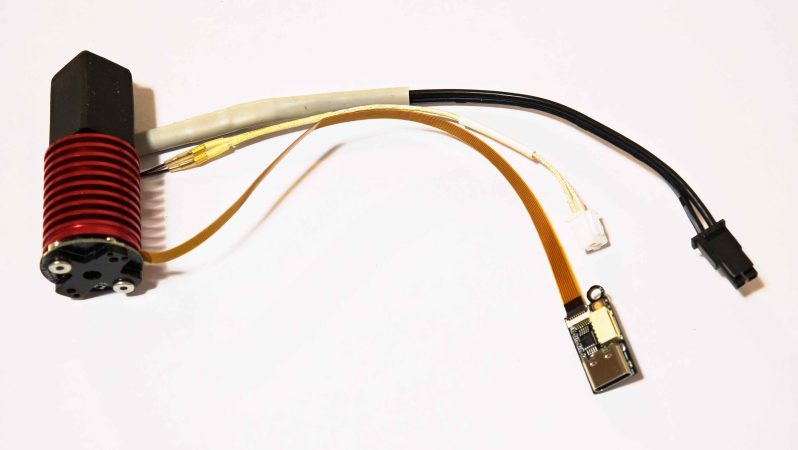
A hotend equipped with the bd_pressure sensor. The nozzle is facing upwards.

Direct Pressure Advance Measurement For Fast Calibration

Some people love fiddling with their 3D printers, others love printing. Some fiddle so they can spend more time printing, which is probably where this latest project comes in: an automated pressure advance calibration tool by [markniu].

Most of us don’t take enough care with pressure advance (PA). But if you want absolutely perfect prints, its something you should be calibrating for every type filament in your collection. Some would argue, ideally every individual spool. While that sort of dialing in can be fun, it takes away from actually running off prints. Bambu printers automate PA by scanning the usual sort of calibration print, but that’s still a very indirect measurement. Why not, just advance the filament, and measure the pressure at the nozzle directly? That is what PA is meant to account for, after all: the pressure of the plastic in the hotend causing oozing and blobbing at corners.

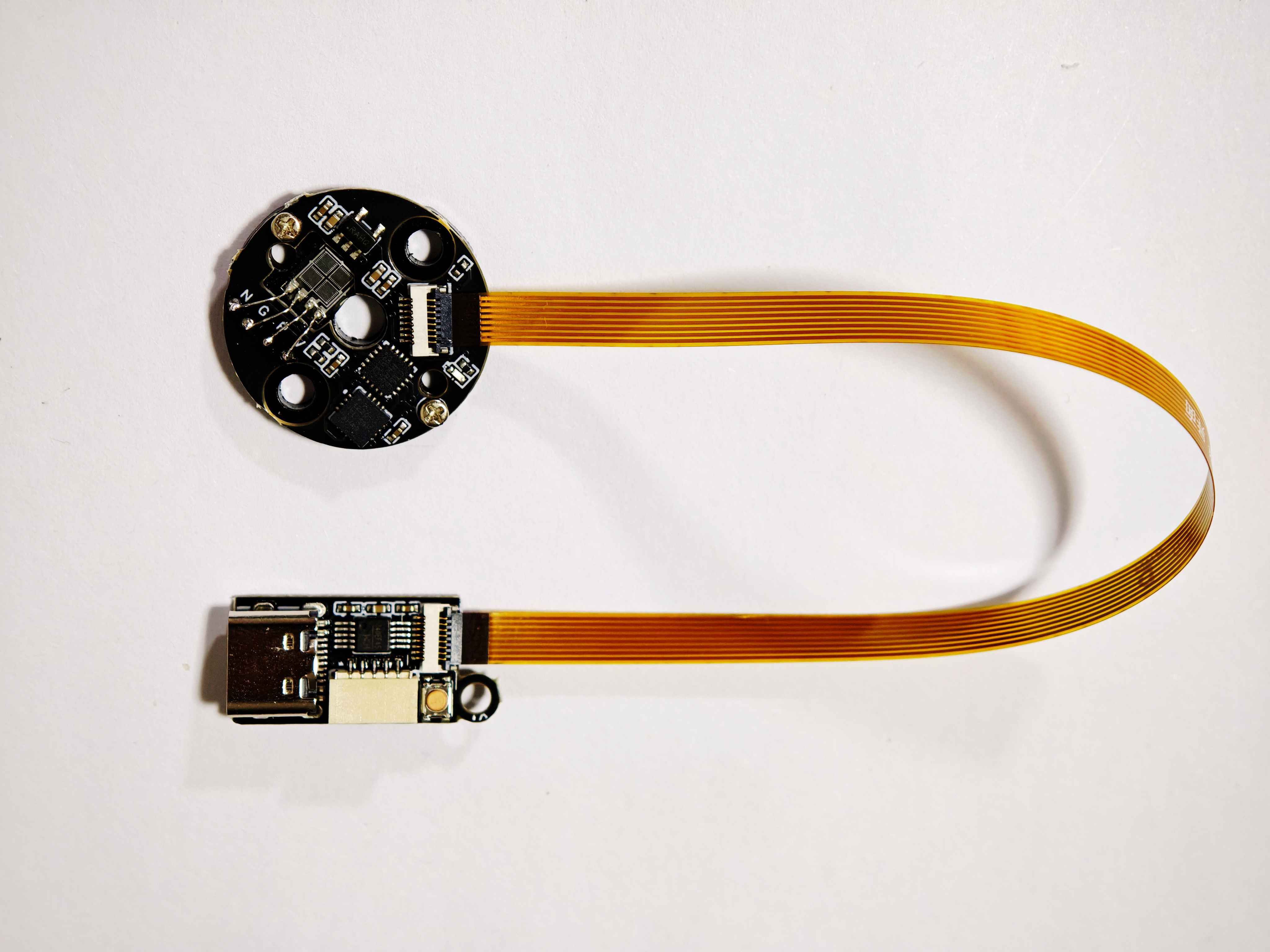
Did we mention it connects via USB-C? That’s helpfully broken out well away from the heat with a ribbon cable.

[mark]’s solution comes very close to a direct measurement. It uses a strain gauge that sits directly on top of the heatbreak, with the sound logic that the strain there experienced will be directly proportional to the pressure inside, at least along the axis of flow. Instead of filling half the bed with lines, the calibration process instead is a ‘printer poop’ style extrusion that doesn’t take nearly as long, and seems to save plastic, too. Since this puts a strain gauge in your hotend, you also get the bonus of being able to use it for bed leveling if you should so desire.

[mark] is claiming sub-90 second calibration — as you can see in the demo video embedded below — versus over seven minutes for the indirect calibration print. The value is plugged directly into Klipper, assuming you configured everything correctly, which should be easy enough looking at the instructions on the GitHub. Continue reading “Direct Pressure Advance Measurement For Fast Calibration”

Cheap Endoscopic Camera Helps Automate Pressure Advance Calibration

The difference between 3D printing and good 3D printing comes down to attention to detail. There are so many settings and so many variables, each of which seems to impact the other to a degree that can make setting things up a maddening process. That makes anything that simplifies the process, such as this computer vision pressure advance attachment, a welcome addition to the printing toolchain.

If you haven’t run into the term “pressure advance” for FDM printing before, fear not; it’s pretty intuitive. It’s just a way to compensate for the elasticity of the molten plastic column in the extruder, which can cause variations in the amount of material deposited when the print head acceleration changes, such as at corners or when starting a new layer.

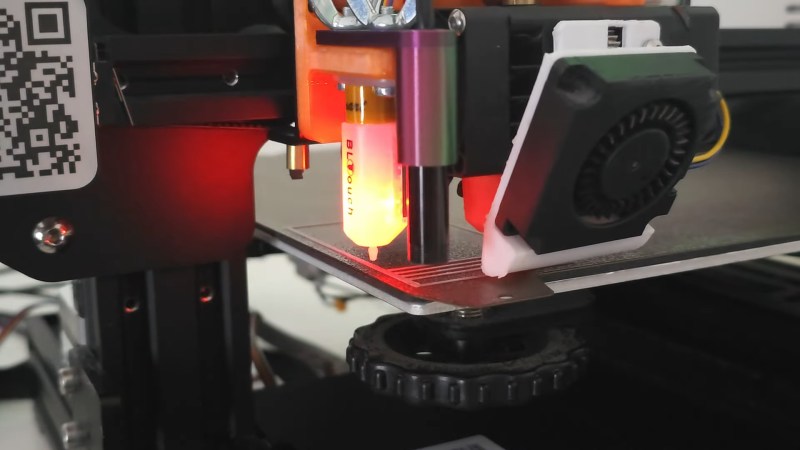
To automate his pressure advance calibration process, [Marius Wachtler] attached one of those dirt-cheap endoscope cameras to the print head of his modified Ender 3, pointing straight down and square with the bed. A test grid is printed in a corner of the bed, with each arm printed using a slightly different pressure advance setting. The camera takes a photo of the pattern, which is processed by computer vision to remove the background and measure the thickness of each line. The line with the least variation wins, and the pressure advance setting used to print that line is used for the rest of the print — no blubs, no blebs.

We’ve seen other pressure-advanced calibrators before, but we like this one because it seems so cheap and easy to put together. True, it does mean sending images off to the cloud for analysis, but that seems a small price to pay for the convenience. And [Marius] is hopeful that he’ll be able to run the model locally at some point; we’re looking forward to that.

Continue reading “Cheap Endoscopic Camera Helps Automate Pressure Advance Calibration”

Laser Triangulation Makes 3D Printer Pressure Advance Tuning Easier

On its face, 3D printing is pretty simple — it’s basically just something to melt plastic while being accurately positioned in three dimensions. But the devil is in the details, and there seems to be an endless number of parameters and considerations that stand between the simplicity of the concept and the reality of getting good-quality prints.

One such parameter that had escaped our attention is “pressure advance,” at least until we ran into [Mike Abbott]’s work on automating pressure advance calibration on the fly. His explanation boils down to this: the pressure in a 3D printer extruder takes time to both build up and release, which results in printing artifacts when the print head slows down and speeds up, such as when the print head needs to make a sharp corner. Pressure advance aims to reduce these artifacts by adjusting filament feed speed before the print head changes speed.

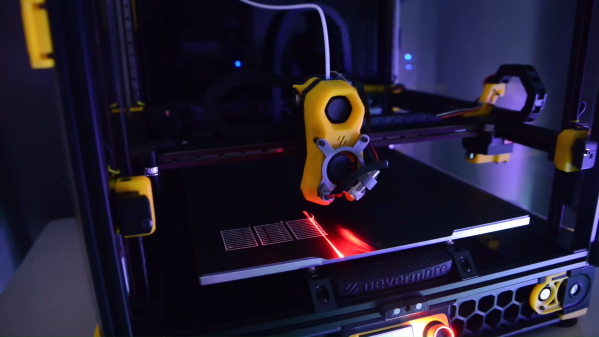
The correct degree of pressure advance is typically determined empirically, but [Mike]’s system, which he calls Rubedo, can do it automatically. Rubedo uses a laser line generator and an extruder-mounted camera (a little like this one) to perform laser triangulation. Rubedo scans across a test print with a bunch of lines printed using different pressure advance values, using OpenCV to look for bulges and thinning caused when the printer changed speed during printing.

The video below gives a lot of detail on Rubedo’s design, some shots of it in action, and a lot of data on how it performs. Kudos to [Mike] for the careful analysis and the great explanation of the problem, and what looks to be a quite workable solution.

Continue reading “Laser Triangulation Makes 3D Printer Pressure Advance Tuning Easier”