Hacked Video File Holds Multiple Films On YouTube

We notice there are a lot of hacks on YouTube lately, but we don’t share enough hacks about YouTube. That’s why [PortalRunner]’s latest oeuvre is interesting: it’s a video that gives you a different picture depending on the selected bitrate.

Watch it at 1080p, you get one thing; at 360p, the image is completely different. The hack relies on understanding precisely how YouTube cuts down videos — because if you haven’t uploaded a video there before, you might not know the creator doesn’t have to encode all of those options; they’re invited to upload in the highest possible definition, and YouTube reencodes the rest.

1080p and 720p films are shown at 60FPS, while 360p and below are 30FPS– so that’s one way to hide the difference. Since YouTube drops every second frame when encoding the lower-quality video, images you want in the HD version can be kept only in even-numbered frames that YouTube will remove. That seems easy enough, but how does [PortalRunner] avoid the low-quality image flickering in at 30 FPS when watching in higher definition?

Continue reading “Hacked Video File Holds Multiple Films On YouTube”

FLOSS Weekly Episode 859: OpenShot: Simple And Fast

This week Jonathan chats with Jonathan Thomas about OpenShot, the cross-platform video editor that aims to be simple to use, without sacrificing functionality. We did the video edit with OpenShot for this episode, and can confirm it gets the job done. What led to the creation of this project, and what’s the direction it’s going? Watch to find out!

Continue reading “FLOSS Weekly Episode 859: OpenShot: Simple And Fast”

Spin The Video Track With A Mechanical Flair

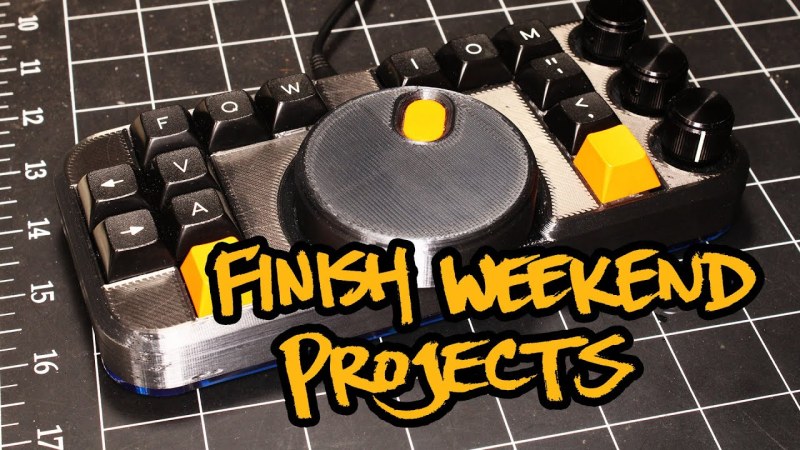
One of the most difficult user interfaces to get right is video editing. It is complex and fiddly with large amounts of precision required even after four or five hours of straight editing. Seeking to bring some of that interface out into the real world, [Zack Freedman] built a mechanical video editing keyboard.

The keyboard in question features popular shortcuts and keys to breeze through different parts of editing. The biggest feature is, of course, the large scrubbing knob, allowing [Zack] to fly through long video with precision. We’ve seen our fair share of mechanical keyboards that aren’t traditional keyboards on Hackaday before, such as this number pad or this macro pad.

One of the unique constraints of this project was the fact that Zack had a deadline of two days. This self-imposed deadline was to help focus the work and drive it towards completion. This meant that it had to be designed in such a way that roadblocks or troublesome features could be designed around or cut out altogether. At its heart, this project is just 14 mechanical switches, 4 potentiometers, and a Teensy to drive it all. It is the design, prototyping, and thought that went into this project that makes it noteworthy. There are plenty of lessons here about how to manage a project’s timeline and advice about how to actually finish it.

Code, STL’s, diagrams, and instructions are all on his GitHub.

Continue reading “Spin The Video Track With A Mechanical Flair”

Control Lighting Effects Without Programming

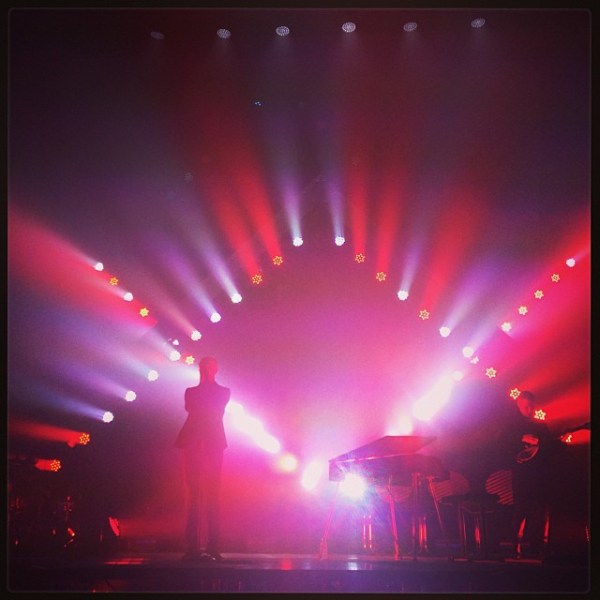
Working in a theater or night club often requires a specialized set of technical skills that you might not instantly think about. Sure, the audio system needs to be set up and managed but the lighting system is often actively managed as well. For simple setups, this is usually not too difficult to learn. With more complicated systems you will need to get elbow-deep into some software. With [trackme518]’s latest tool, though, you will only need to be able to edit video.

Sure, this sounds like just trading one piece of software for another, but it’s more likely that professionals working in lighting will already know how to edit video rather than know programming or complicated proprietary lighting software. All you have to do to control a set of lights is to create a video, or use an existing one, and the lighting system will mimic the video on its own. If you do know programming, though, it’s written in Processing Java so changes aren’t too difficult to make.

The software (available on the project’s GitHub page) will also work outside of a professional environment, as well. It’s set up to work with DMX systems as well as LED strips so you could use it to run a large LED display board using only an input video as control. You could even use it to run the display on your guitar.

Photo courtesy of Rob Sinclair (Gribiche) [CC BY-SA 2.0 (https://creativecommons.org/licenses/by-sa/2.0)]