
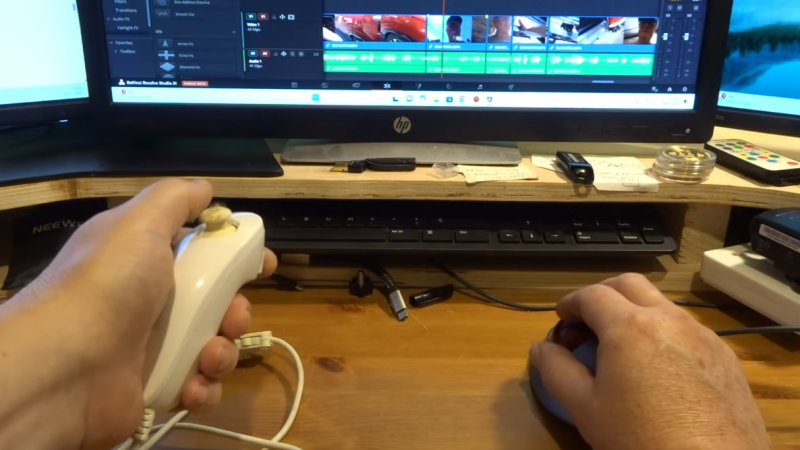
[John Dingley] spends a lot of time editing videos, and as many of us know, when it comes to repetitive tasks the more ergonomic the better.
Keyboard shortcuts exist for common video editing functions, but [John] found that the vast majority of his work needed only three or four of them. Feeling he could do better than a three-key macropad, he turned to what’s perhaps one of the most ergonomic devices ever designed — the Wii Nunchuk.
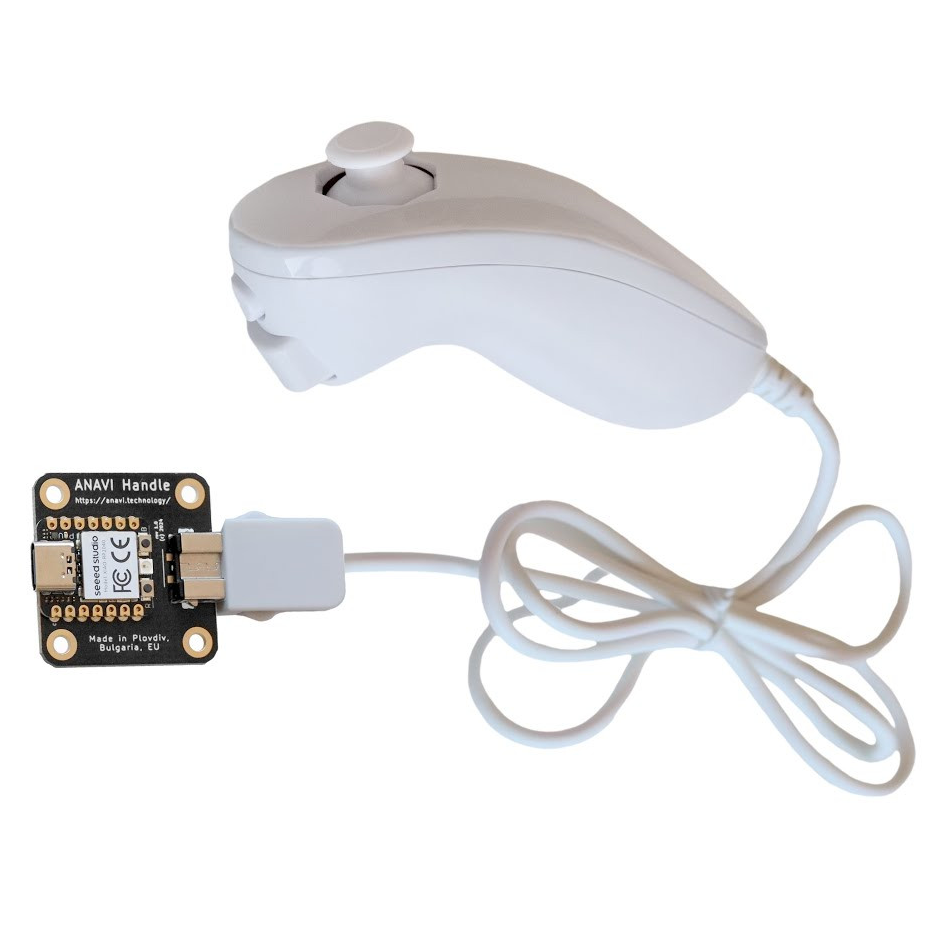
A Wii Nunchuk is an I2C device, so there needs to be some intermediary device involved if you want to plug it into a computer. [John] solves that with the ANAVI Handle, an open source adapter to make a Nunchuk act like a USB Human Interface Device (HID). That addresses the connectivity problem, but the default firmware on the adapter only treats the Nunchuk as a mouse or joystick, so a few more changes are required before it can be pressed into service as an ultra-comfortable macropad.
The ANAVI Handle runs CircuitPython code on an RP2040, and modifying its behavior is as simple as plugging it in via USB and editing the code right on the device. One has to define some keyboard events, configure the device to act as a keyboard, and send the right events when the buttons or joystick get pushed. [John] provides the code, and walks through the changes on video so even those without any coding experience can get it done.
The Nunchuk design is still being sold and used today, and it’s shown up in all kinds of places. We’ve seen a Bluetooth-enabled one and even seen a Raspberry Pi Zero shoehorned into one, complete with HDMI output.











The auto-generated subtitles on this are hilarious, the navi adapter is transcribed as Na’vi adapter :D
autosubs thought powerdrill sounds were korean.
Po maturach chodziliśmy na kremacje.
Pope John Paul II
I wonder if this could be a useful tool for CAD design?