Mandrel Magic: Small Box Assembly With 3D Printing

Often, we face tedious tasks with no way around them. Sometimes, you just have to grit your teeth and push through. But small tweaks can make the onerous task a bit easier to handle. [James Bowman] sent in his latest quick project that helps him fold small boxes more efficiently.

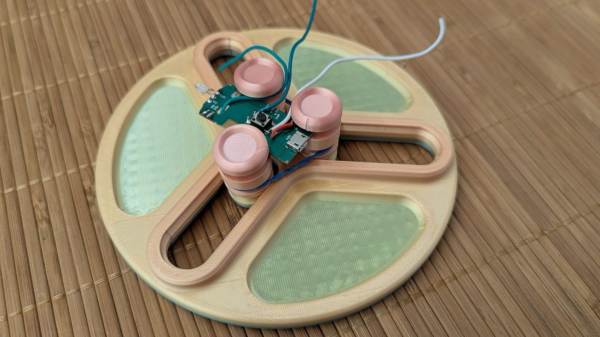
To fulfill orders on his previously covered TermDriver2, [James Bowman] is faced with folding thousands of small boxes. To aid in this daunting task, he had the idea of making a tool to streamline the process — every second saved adds up when you’re repeating a task thousands of times. He designed a 3D printed mandrel that pops the flat box blank open as it’s slid over the tapered top, shaping it into a perfect rectangle for easy folding of the top flaps.

The nice thing about 3D printng is how easy it is to iterate on a design. Once James had the first version printed and verified it worked as hoped, he had ideas to improve it, such as adding a second mandrel to twist the box from both the inside and outside and adding a guide on one side to enhance rigidity.

While we often think of 3D printers producing ready-to-use parts, but printed tooling holds great potential for repetitive tasks, and is a huge cost saver compared to traditional methods.

DIY electronic eyepiece viewfinder for telescope

Low-Cost, High-Gain: A Smart Electronic Eyepiece For Capturing The Cosmos

We’ve all seen spectacular pictures of space, and it’s easy to assume that’s how it looks to the naked eye through a nice telescope. But in most cases, that’s simply not true. Space is rather dark, so to make out dim objects, you’ll need to amplify the available light. This can be done with a larger telescope, but that’s an expensive route. Alternatively, you can observe objects for longer periods. This second approach is what [Jordan Blanchard] chose, creating a budget electronic eyepiece for his telescope.

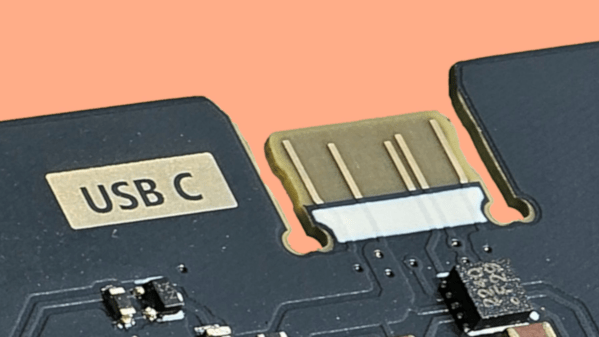
This eyepiece is housed in a 3D printed enclosure designed to fit a standard 1.25″ telescope focuser. The sleek, ergonomic enclosure resembles a night vision device, with a 0.39″ screen for real-time observation of what the camera captures through the telescope. The screen isn’t the only way to view — a USB-C video capture module lets you connect a phone or computer to save images as if you were peering through the viewfinder.

The star of this project is the IMX307 camera module, which supports sense-up mode for 1.2-second exposures and increased gain to capture dim objects without post-processing. This sensor, commonly used in low-light security cameras and dash cams, excels at revealing faint celestial details. All combined, this project cost under 200 Euros, an absolute steal in the often pricey world of astronomy.

Don’t have a telescope? Don’t worry, you can build one of those as well.

DIY USB-C PD Tools

USB-C PD Decoded: A DIY Meter And Logger For Power Insights

As USB-C PD becomes more and more common, it’s useful to have a tool that lets you understand exactly what it’s doing—no longer is it limited to just 5 V. This DIY USB-C PD tool, sent in by [ludwin], unlocks the ability to monitor voltage and current, either on a small screen built into the device or using Wi-Fi.

This design comes in two flavors: with and without screen. The OLED version is based on an STM32, and the small screen shows you the voltage, current, and wattage flowing through the device. The Wi-Fi PD logger version uses an ESP-01s to host a small website that shows you those same values, but with the additional feature of being able to log that data over time and export a CSV file with all the collected data, which can be useful when characterizing the power draw of your project over time.

Both versions use the classic INA219 in conjunction with a 50 mΩ shunt resistor, allowing for readings in the 1 mA range. The enclosure is 3D-printed, and the files for it, as well as all the electronics and firmware, are available over on the GitHub page. Thanks [ludwin] for sending in this awesome little tool that can help show the performance of your USB-C PD project. Be sure to check out some of the other USB-C PD projects we’ve featured.

Continue reading “USB-C PD Decoded: A DIY Meter And Logger For Power Insights”

From Paper To Pixels: A DIY Digital Barograph

A barograph is a device that graphs a barometer’s readings over time, revealing trends that can predict whether stormy weather is approaching or sunny skies are on the way. This DIY Digital Barograph, created by [mircmk], offers a modern twist on a classic technology.

Dating back to the mid-1700s, barographs have traditionally used an aneroid cell to move a scribe across paper that advances with time, graphing pressure trends. However, this method has its shortcomings: you must replace the paper once it runs through its time range, and mechanical components require regular maintenance.

[mircmk]’s DIY Digital Barograph ditches paper and aneroids for a sleek 128×64 LCD display that shows measurements from a BME280 pressure sensor. Powered by an ESP32 microcontroller — the code for which is available on the project page — the device checks the sensor upon boot and features external buttons to cycle through readings from the current moment, the last hour, or three hours ago. Unlike traditional barographs that only track pressure, the BME280 also measures temperature and humidity, which are displayed on the screen for a more complete environmental snapshot.

Head over to the project’s Hackaday.io page for more details and to start building your own. Thanks to [mircmk] for sharing this project! We’re excited to see what you come up with next. If you’re inspired, check out other weather display projects we’ve featured.

Continue reading “From Paper To Pixels: A DIY Digital Barograph”

The Incrediplotter: Voice Controlled Plotter From Repurposed Printer

There’s something uniquely satisfying about a pen plotter. Though less speedy or precise than a modern printer, watching a pen glide across the page, mimicking human drawing, is mesmerizing. This project, submitted by [Jacob C], showcases the Incrediplotter, a brilliant repurposing of a 3D printer built by him and his brother.

Starting with a broken 3D printer, [Jacob C] and his brother repurposed its parts to create a voice-controlled pen plotter. They 3D-printed custom components to adapt the printer’s framework for plotting. An STM32 Blue Pill running Klipper controls two TMC2208 motor drivers for the x- and y-axes, while a small standalone servo manages the pen’s height.

The unique twist lies in the software: you can speak to the plotter, and it generates a drawing based on your prompt without needing to select an image. The process involves sending the user’s voice prompt to Google Gemini, which generates an image. The software then converts this image into an SVG compatible with the plotter. Finally, the SVG is translated into G-Code and sent to the plotter to start drawing.

Thanks to [Jacob C] for sharing this impressive project. It’s a fantastic example of repurposing a broken machine, and the voice-to-image feature adds a creative twist, enabling anyone to create unique artwork. Be sure to check out our other featured plotter hacks for more inspiration.

Continue reading “The Incrediplotter: Voice Controlled Plotter From Repurposed Printer”

phyphox

Smartphone Sensors Unlocked: Turn Your Phone Into A Physics Lab

These days, most of us have a smartphone. They are so commonplace that we rarely stop to consider how amazing they truly are. The open-source project Phyphox has provided easy access to your phone’s sensors for over a decade. We featured it years ago, and the Phyphox team continues to update this versatile application.

Phyphox is designed to use your phone as a sensor for physics experiments, offering a list of prebuilt experiments created by others that you can try yourself. But that’s not all—this app provides access to the many sensors built into your phone. Unlike many applications that access these sensors, Phyphox is open-source, with all its code available on its GitHub page.

The available sensors depend on your smartphone, but you can typically access readings from accelerometers, GPS, gyroscopes, magnetometers, barometers, microphones, cameras, and more. The app includes clever prebuilt experiments, like measuring an elevator’s speed using your phone’s barometer or determining a color’s HSV value with the camera. Beyond phone sensors, the Phyphox team has added support for Arduino BLE devices, enabling you to collect and graph telemetry from your Arduino projects in a centralized hub.

Thanks [Alfius] for sharing this versatile application that unlocks a myriad of uses for your phone’s sensors. You can use a phone for so many things. Really.

Continue reading “Smartphone Sensors Unlocked: Turn Your Phone Into A Physics Lab”

Knob over display

Dialing It In: A 3D-Printed Knob With Touchscreen Flair

Knobs are ubiquitous in technology user interfaces, but touchscreens are increasingly replacing them for interface controls. The latest project from [upir] combines a rotating knob with a touchscreen for a stunning result. The knob-over-display design features a touchscreen where you can place and remove a spinning knob, creating an interface reminiscent of Microsoft’s Surface Dial but at a fraction of the cost.

The core functionality of this device relies on the MT6701 magnetic encoder, which precisely tracks the orientation of the surrounding magnetic field. This encoder is held in place with a 3D-printed jig behind the small touchscreen, hiding the encoder without blocking the magnetic field generated by the magnet above the display. Most circular magnets are axially magnetized, meaning their larger face is one pole. However, diametrically magnetized magnets, where opposite sides of the smaller face are the poles, are used here.

To avoid scratching the screen and ensure smooth turning, [upir] designed a knob that holds the diametrically magnetized magnet slightly above the screen, with a ball bearing connecting the outside of the knob to the center resting on the screen. All the design files needed to recreate this are available on [upir]’s GitHub page; be sure to check them out. Also, browse through our back catalog for other knob-related projects.

Continue reading “Dialing It In: A 3D-Printed Knob With Touchscreen Flair”