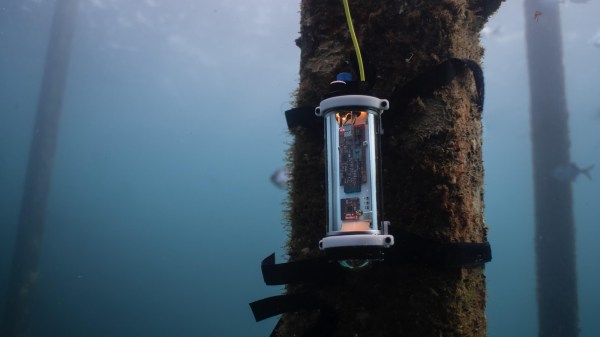
The 10BASE-T1 Ethernet standard is also known as ‘single pair Ethernet’ (SPE), as it’s most defining feature is the ability to work over a single pair of conductors. Being fairly new, it offers a lot of advantages where replacing existing wiring is difficult, or where the weight of the additional conductors is a concern, such as with the underwater sensor node project that [Michael Orenstein] and [Scott] dreamed up and implemented as part of a design challenge. With just a single twisted pair, this sensor node got access to a full-duplex 10 Mbit connection as well as up to 50 watts of power.
The SPE standards (100BASE-T1, 1000BASE-T1 and NGBASE-T1) 10BASE-T1 can do at least 15 meters (10BASE-T1S), but the 10BASE-T1L variant is rated for at least 1 kilometer. This makes it ideal for a sensor that’s placed well below the water’s surface, while requiring just the single twisted pair cable when adding Power over Data Lines (PoDL). Whereas Power-over-Ethernet (PoE) uses its own dedicated pairs, PoDL piggybacks on the same wires as the data, requiring it to be coupled and decoupled at each end.
Most people don’t think too much of vending machines. They’re just those hulking machines that lurk around on train stations, airports and in the bowels of school and office buildings, where you can exchange far too much money for a drink or a snack. What few people are aware of is just how these vending machines have changed over the decades, to the point where they’re now collecting any shred of information on who interacts with them, down to their age and gender.
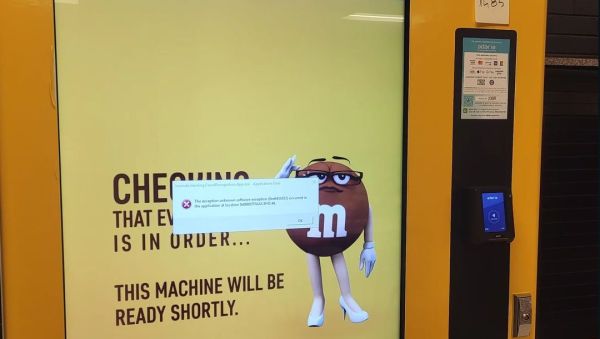
How do we know this? We have a few enterprising students at the University of Waterloo to thank. After [SquidKid47] posted a troubling error message displayed by a campus M&M vending machine on Reddit, [River Stanley] decided to investigate the situation. The resulting article was published in the February 16th edition of the university’s digital newspaper, mathNEWS.
In a bout of what the publication refers to as “Actual Journalism”, [Stanley] found that the machine in question was produced by Invenda, who in their brochure (PDF) excitedly note the many ways in which statistics like age, gender, foot traffic, session time and product demographics can be collected. This data, which includes the feed from an always-on camera, is then processed and ‘anonymized statistics’ are sent to central servers for perusal by the vending machine owner.
The good news is that this probably doesn’t mean that facial recognition and similar personalized information is stored (or sent to the big vaporous mainframe) as this would violate the GDPR and similar data privacy laws, but there is precedence of information kiosks at a mall operator taking more liberties. Although the University of Waterloo has said that these particular vending machines will be removed, there’s something uncomfortable about knowing that those previously benign vending machines are now increasingly more like the telescreens in Orwell’s Nineteen Eighty-Four. Perhaps we’re already at the point in this timeline were it’s best to assume that even vending machines are always watching and listening, to learn our most intimate snacking and drinking habits.
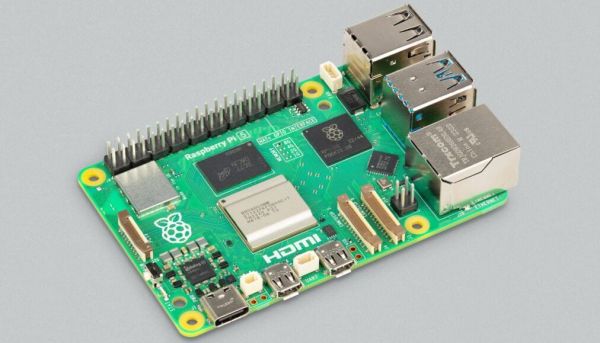
DietPi recently released version 9.1, which among other changes includes new images for the Raspberry Pi 5, Radxa Rock 4 SE and NanoPi R5S/R5C & 6. The Radxa Rock 4 SE image was necessary because the Rock 4’s RK3399 SoC is subtly different from the RK3399-T’s SoC in terms of memory support, which prevents a Rock 4 image from booting on the Rock 4 SE. Meanwhile the Raspberry Pi 5 image is all new and still a bit rough around the edges, with features like the changing of the resolution and camera module support not working yet. These new images are all available for testing.
We covered DietPi previously with their 8.12 release, along with the reasons why you might want to use DietPi over Armbian and Raspberry Pi OS. Essentially DietPi’s main focus is on performance combined with a small installed size, with the included configuration tools and the setup allowing for many more features to be tweaked than you usually find. If the performance improvements, lower RAM usage and faster boot times seen with the Raspberry Pi 4 holds up, then DietPi can just give the Raspberry Pi 5 a nice little boost, while saving power in the process.
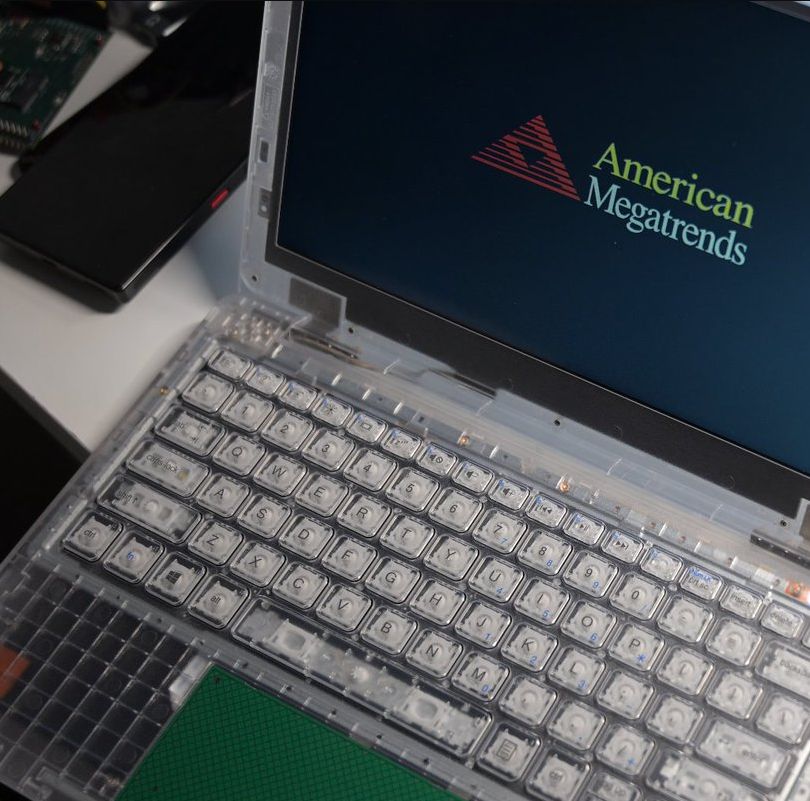
The phenomenon of prison electronics is by now relatively well-documented, with striking transparent radios, televisions, and kin easy to recognize. Yet what about prison laptops? As it turns out, these are a thing as well, and [Zephray Wenting] got one from eBay to investigate, as documented over at Twitter (ThreadReader single page). Much like their audiovisual brethren, these laptops lack basic features in the name of prison security, which in the case of this laptop means for example no USB ports. Even the spacebar stabilizer rod is missing. Weaponized keyboards are apparently a thing in corrections facilities.
The Justice Tech Solutions Securebook 5. (Credit: Zephray Wenting)
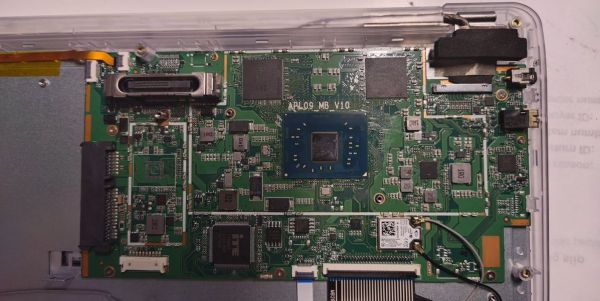
Called the Justice Tech Solutions Securebook 5, it has been superseded by the Securebook 6. Inside this earlier unit, you’ll find an Intel N3450 with 4 GB LPDDR3, with SATA for storage and a special dock connector. Some laptops come with WiFi hardware installed, others are unpopulated. It appears that these Securebooks by default have a BIOS password that cannot be erased, even by removing it from the NVRAM (‘CMOS’), as it’ll return on the next boot due to an automatic BIOS reset. This was temporarily bypassed through a hacky external SPI Flash adapter, but the reward for all this trouble was a BIOS setup screen with just the ‘Security’ tab.
It’s now been sleuthed out that the default password is N%(dU32p as reported by Hackaday’s own [Adam Fabio] on Twitter. It turns out the password was available on a (now private) YouTube video. [Techknight] on Twitter has delved into EFI BIOS hacking. He has an alternate BIOS image that does provide access to the full BIOS setup utility. With BIOS access not being necessary to boot the system, the question that [Zephray] went ahead with was how to boot it into an OS since the original HDD or SSD had been removed prior to being sold. The bad news here is that it turned out that the system has a HDD whitelist (which [Sark] found a way to bypass). The good news is that someone has probed the system before, with the storage device being reported as ‘China SATA3 240GB SSD’.
Rather than mess with this, it was attempted to boot from USB, by tapping into the USB lines for the touchpad, which turned out to allow booting into a live image of Ubuntu without fuss. As an ongoing project, it’ll be interesting to see what more functionality can be wrung out of this piece of prison kit, all hopefully from the right side of the prison bars.
Soft cores for FPGAs come in many different flavors, covering a wide range of applications. The Bit-Serial CPU (bcpu) soft core presented by [Richard James Howe] is interesting for taking up just about the most minimal amount of resources (23 slices, 76 LUTs) while providing the means to run a Forth-based (eForth dialect) interpreter. To this CPU core a UART can be added (92 LUTs), as well as other peripherals.
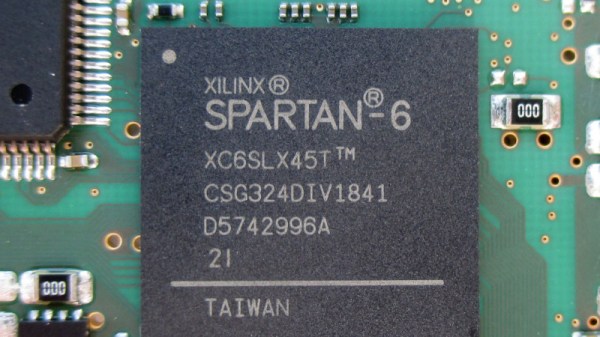
As [Richard] states, the entire core with UART fits in 73 slices (220 LUTs) on a Spartan 6, while requiring a single port BRAM (block RAM). It features a 16-bit accumulator and lacks features such as interrupts, byte addressability and function calls, but those are not required to run the eForth interpreter. The main purpose of this soft core (other than the challenge) is to have a UART-programmable core that can be slotted in any FPGA design. For more serious requirements [Richard] also has the H2 SoC, which can run full-fat FORTH.
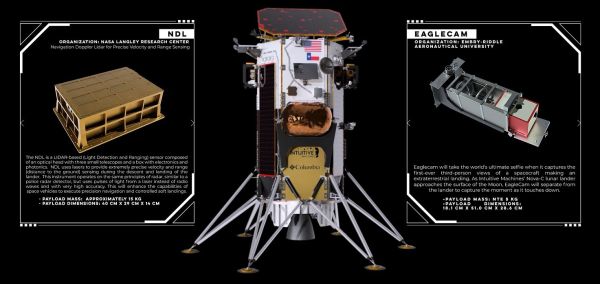
Intuitive Machines’ first mission (IM-1) featuring the Nova-C Odysseus lunar lander was launched on top of a SpaceX Falcon 9 on February 15th, 2024, as part of NASA’s Commercial Lunar Payload Services (CLPS). Targeting a landing site near the lunar south pole, it was supposed to use its onboard laser range finders to help it navigate safely for a soft touchdown on the lunar surface. Unfortunately, it was this component that was found to have malfunctioned as the spacecraft was already in lunar orbit. Fortunately, there was a workaround. By using one of the NASA payloads on the lander, the Navigation Doppler Lidar (NDL), the mission could continue.
Perhaps unsurprisingly, the use of the NDL as a fallback option was considered before launch, and since its functionality overlaps with that of the primary laser range finders of Nova-C, it was pressed into service with a new configuration uploaded by IM operators back on Earth before Nova-C committed to a landing burn. Then, on February 22nd, the spacecraft began its descent to the surface, which also involved the Eaglecam payload that was designed to be released before snapping a self-portrait of the lander as it descended.
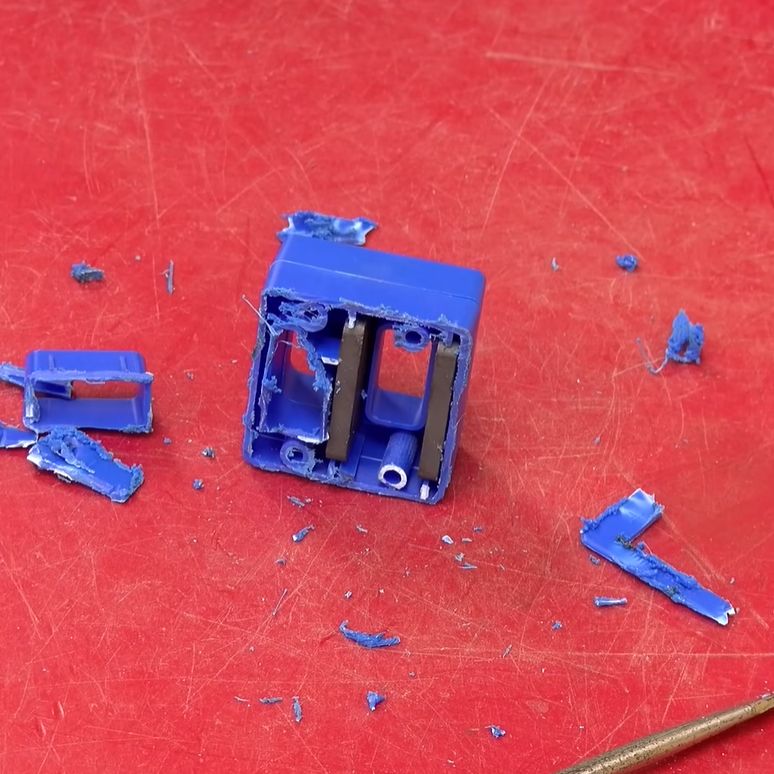
If you’ve ever found yourself wondering how those tool magnetizer/demagnetizer gadgets worked, [Electromagnetic Videos] has produced a pretty succinct and informative video on the subject.
The magnetizer/demagnetizer gadget after meeting its demise at a cutting disc. (Credit: Electromagnetic Videos, YouTube)
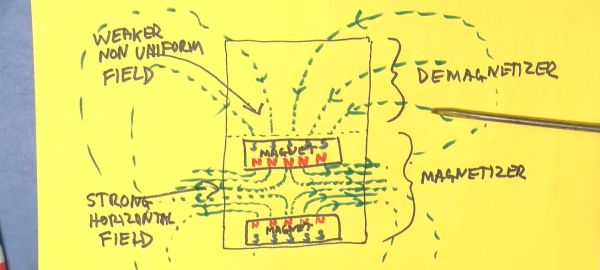
While the magnetizing step is quite straightforward and can be demonstrated even by just putting any old magnet against the screwdriver’s metal, it is the demagnetization step that doesn’t make intuitively sense, as the field lines of the magnets are supposed to align the (usually ferromagnetic) material’s magnetic dipole moments and thus create an ordered magnetic field within the screwdriver.
This is only part of the story, however, as the magnetic field outside of a magnet is termed the demagnetizing field (also ‘stray field’). A property of this field is that it acts upon the magnetization of e.g. ferromagnetic material in a way that reduces its magnetic moment, effectively ‘scrambling’ any existing magnetization.
By repeatedly moving a metal tool through this stray field, each time further and further away from the magnet, the magnetic moment reduces until any magnetization has effectively vanished. It is the kind of simple demonstration of magnetism that really should be part of any physics class thanks to its myriad of real-world uses, as this one toolbox gadget shows.