CP/M On An Eight Line Display

How many lines do you need on a CP/M terminal? More is usually better, of course, but the MicroOffice RoadRunner managed with an 8-row, 80-column LCD screen. That may sound anemic, but in 1983, it was high-tech, as was the RoadRunner, and [Tech Time Traveller] tells us about them in a recent video you can see below.

The intro to the video shows some really strange old laptops before it gets to the RoadRunner. The machine used a Z80 work-alike CPU and a form of CP/M with some organizer functions. The machine didn’t have floppies or other disk storage, but did have four cartridge slots that could hold more memory, a spreadsheet, BASIC, or a text editor. The memory cartridges were static RAM with battery backup, so they retained data when you pulled them from the slot. Assuming the battery didn’t die.

Inside a RoadRunner cartridge.

Unfortunately, this particular machine suffered some shipping damage. In addition to the cartridges, it also had a removable battery and modem. At around the eight-minute mark, the case comes off, and inside are — surprise — more internal cartridges.

While MicroOffice isn’t a household name today, it was founded by a former Exxon executive and tapped a CEO and investor from Timex. It was funded by the likes of Olivetti. The computer rolled out in late 1983 and lived until Telxon bought MicroOffice in 1985.

Attempts to run Zork were not fruitful. There really wasn’t enough memory, and file transfer was a bit wonky. If you want a modern Z80 laptop, we know of one with 16 cores. As clunky as the RoadRunner looks, it still beats the old suitcase computers.
Continue reading “CP/M On An Eight Line Display” →

Emulate A KIM-1 With A Commodore 64

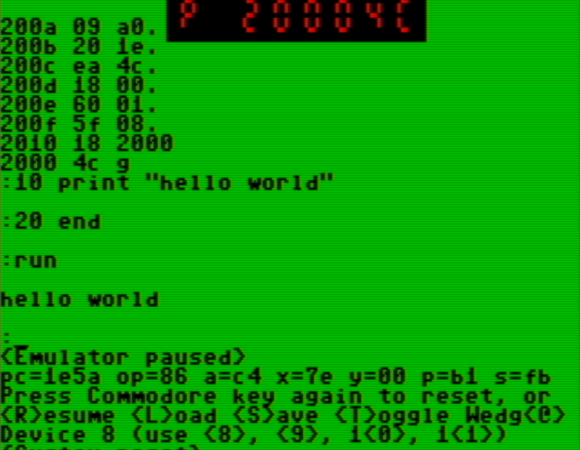
When you think about virtualization, you usually think about making some CPU pretend to be another CPU. However, there are sometimes advantages to making a computer pretend to be the same computer.

That’s the case with [oldvcr]’s KIMplement, which emulates a KIM-1 with a 6502 using a Commodore 64, which also uses a 6502.The reason this makes sense is that you have total control over an emulated CPU. If a program, for example, writes to a critical memory location or tries to take over the screen or keyboard, you can easily make the emulator do something more appropriate. Things like breakpoints and single stepping also become trivial.

The virtual machine at the heart of it is 6o6 (6502 on 6502), and it seems to perform well. By virtualizing, you can easily protect the system from programs that try to, for example, take over an interrupt vector. This is similar to how x86 protected mode can run old real-mode code in a virtual environment and intervene for certain instructions. The emulation is good enough that the emulator can run the emulator, which then runs the emulator to actually run the real target. That’s wasteful, of course, but it does speak to the completeness of the pretend CPU.

If you want a KIM-1 (and an 1802 Elf) but only have an Arduino, you can emulate a different way. At least an emulated KIM-1 doesn’t develop bad memory chips.

How We Got The Scanning Electron Microscope

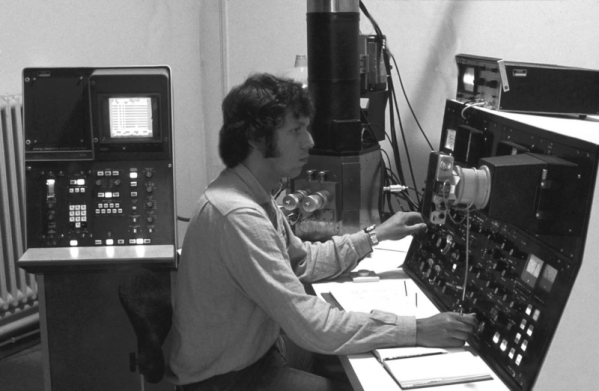
According to [Asianometry], no one believed in the scanning electron microscope. No one, that is, except [Charles Oatley].The video below tells the whole story.

The Cambridge graduate built radios during World War II and then joined Cambridge as a lecturer once the conflict was over. [Hans Busch] demonstrated using magnets to move electron beams, which suggested the possibility of creating a lens, and it was an obvious thought to make a microscope that uses electrons.

After all, electrons can have smaller wavelength than light, so a microscope using electrons could — in theory — image at a higher resolution. [Max Knoll] and [Ernst Ruska], in fact, developed the transmission electron microscope or TEM.

Continue reading “How We Got The Scanning Electron Microscope” →

Mitre Wants The Feds To Play In Its Sandbox

If you haven’t worked with the US government, you might not know Mitre, a non-profit government research organization. Formed in 1958 by the U.S. Air Force as a company to guide the SAGE computer, they are often research experts who oversee government contracts or evaluate proposals. Now they are building a $20 millon “AI Sandbox” for the Federal government to build AI prototypes.

Partnered with NVidia, the sandbox will use an NVidia GDX SuperPOD system capable of an exaFLOP of 8-bit AI computation. Mitre reports this will increase their compute power for AI by two orders of magnitude.

Continue reading “Mitre Wants The Feds To Play In Its Sandbox” →

Z80s From The ’80s Had Futuristic Design

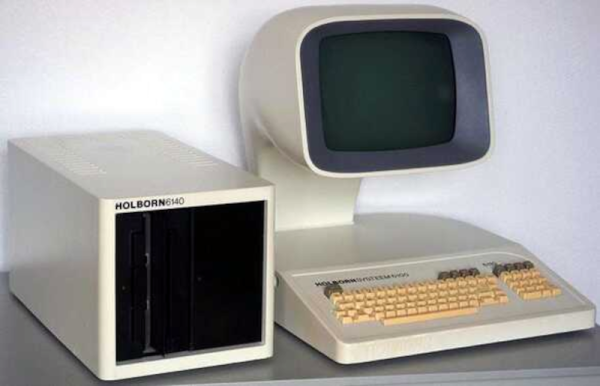
Ever heard of a Dutch company called Holborn (literally, born in Holland)? We hadn’t either, but [Bryan Lunduke] showed us these computers from the early 1980s, and we wondered if they might have appeared in some science fiction movies. They definitely look like something from a 1970s movie space station.

The company started out tiny and only lasted a few years. The Holborn 9100 looked like a minicomputer and, honestly, other than the terminal, looks more like an air conditioner or refrigerator. While it was a Z-80 system, it was clearly aimed at business. The processor ran at 3.5 MHz, there was 72K of RAM that could expand to 220 K — a whopping amount for the early ’80s. They also could accept loads of 8-inch floppies. It even had a light pen, which seems exotic today but was actually fairly common back then.

Continue reading “Z80s From The ’80s Had Futuristic Design” →

Peering Inside The Tang FPGA

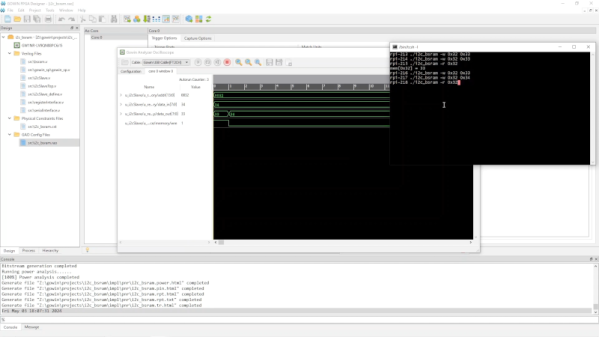
[Grug] has been working with the Tang Nano 9K FPGA board. He wanted to use the Gowin Analysis Oscilloscope (GAO) to build an internal monitor into the device for probing internal points. The problem is that the documentation is a bit lacking, so he made a video showing how to make it work to help us all out.

The idea for this isn’t unique, although for some vendors, getting this capability requires you to buy a license or the free versions are limited. We were disappointed, as was [Greg], that he had to run Windows to get the software to work.

Continue reading “Peering Inside The Tang FPGA” →

Non Contact Scope Probe Costs Nearly Nothing

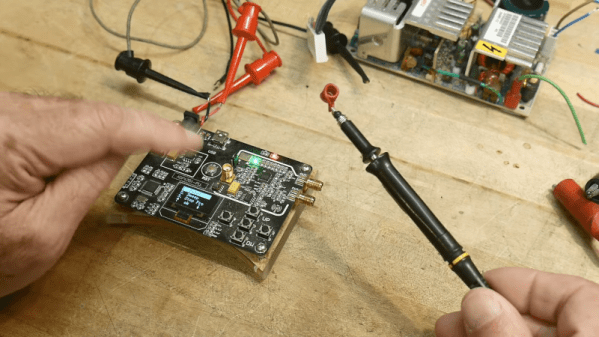
[IMSAI Guy] wants you to build a non-contact scope probe. The cost? Assuming you have a bit of wire and a regular scope probe, it won’t cost you anything. Why do you want such a thing? You can see what he does with it in the video below.

The probe is really just a coil with little slip-over coils that grab it. You can stick it on and remove it just as easily, so you don’t have to sacrifice the probe for normal use. It won’t give you high-accuracy readings, but if you want to sniff around a circuit without directly connecting to it, it will do the trick. If you are too lazy to make a coil, you can even clip a ground lead to the probe tip, although that won’t work quite as well.

Continue reading “Non Contact Scope Probe Costs Nearly Nothing” →