Old computers meant for big jobs often had an external unit to crunch data in specific ways. A computer doing weather prediction, for example, might have an SIMD (single instruction multiple data) vector unit that could multiply a bunch of numbers by a constant in one swoop. These days, there are many computers crunching physics equations so you can play your favorite high-end computer game. Instead of vector processors, we have video cards. These cards have many processing units that can execute “kernels” or small programs on large groups of data at once.
Awkward Years
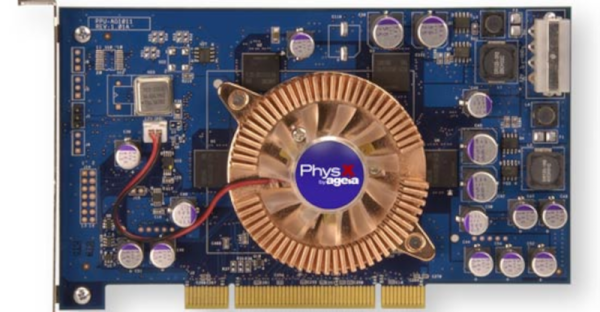
However, there was that awkward in-between stage when personal computers needed fast physics simulation, but it wasn’t feasible to put array processing and video graphics on the same board. Around 2006, a company called Ageia produced the PhysX card, which promised to give PCs the ability to do sophisticated physics simulations without relying on a video card.
Keep in mind that when this was built, multi-core CPUs were an expensive oddity and games were struggling to manage everything they needed to with limited memory and compute resources. The PhysX card was a “PPU” or Physics Processor Unit and used the PCI bus. Like many companies, Ageia made the chips and expected other companies — notably Asus — to make the actual board you’d plug into your computer.
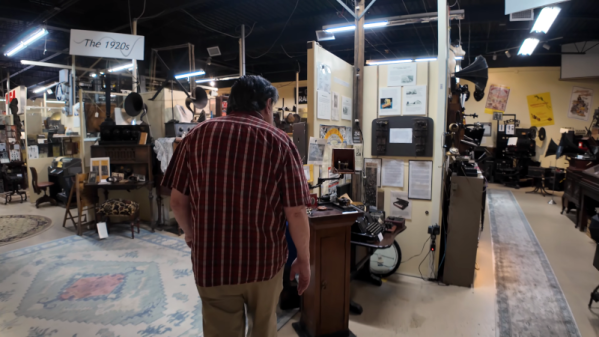
You have an hour to kill, and you like old communication technology. If you happen to be in Windsor, Connecticut, you could nip over to the Vintage Radio and Communication Museum. If you aren’t in Windsor, you could watch [WG7D’s] video tour, which you can see below.
The museum is a volunteer organization and is mostly about radio, although we did spy some old cameras if you like that sort of thing. There was also a beautiful player piano that — no kidding — now runs from a vacuum cleaner.
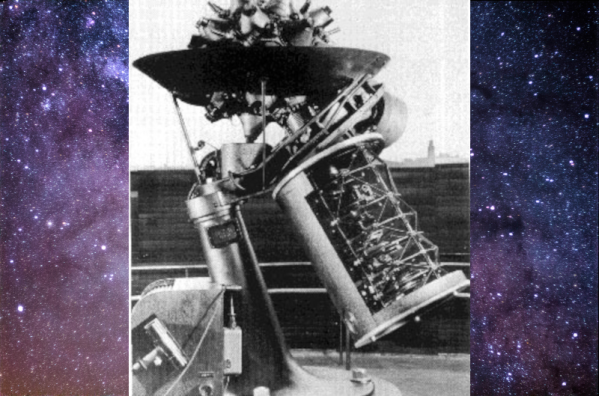
It shouldn’t be a surprise that the idea of a planetarium originated with an electrical engineer, [Oskar von Miller] from the Deutsches Museum in Munich. According to [Allison Marsh] in IEEE Spectrum, he thought about the invention in 1912 as a way to demonstrate astronomical principles to the general public. While it seems obvious today that you can project the night sky onto a dome, it was a novel thought in 1912. So novel that the Carl Zeiss company first told [von Miller] to take a hike. But they eventually reconsidered and built the first planetarium, the Model I.
The engineer for Zeiss was a mechanical engineer by the name of [Walther Bauersfeld]. He was familiar with mechanical devices — orreries — that tracked the motion of the stars and planets. The goal was to translate those movements into a moving projection of light.
There is a reason building a rocket engine is harder than most things you want to build. If you are building, say, a car, your goal is to not have it explode. If you are building a bomb, you want that to explode. But a rocket engine needs to explode just enough and not a bit more. That’s tough, as [Ryan Kuhn] discovered. He’s behind ABL’s E2 rocket, a LOX/kerosene engine for small vehicle launches. You can catch a video of the engine’s qualification tests below.
[Ryan] shares many of the problems encountered from many problems, each requiring finetuning of the design. True, there are plenty of publicly available NASA documents about what works and doesn’t work for rocket engines, but that can only take you so far. You can’t learn to bowl by reading about bowling, and you can’t design a successful rocket on paper just by reading about what others have done.
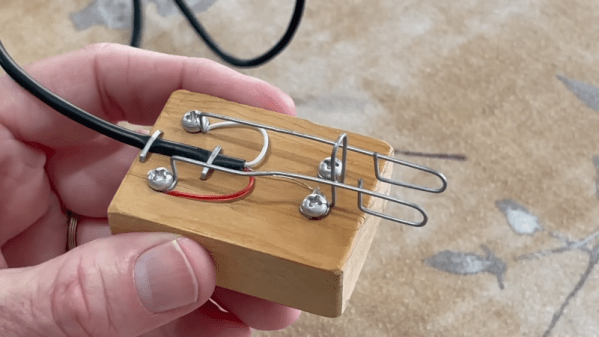
If you don’t know Morse code, you probably think of a radio operator using a “key” to send Morse code. These were — and still are — used. They are little more than a switch built to be comfortable in your hand and spring loaded so the switch makes when you push down and breaks when you let up. Many modern operators prefer using paddles along with an electronic keyer, but paddles can be expensive. [N1JI] didn’t pay much for his, though. He took paperclips, a block of wood, and some other scrap bits and made his own paddles. You can see the results in the video below.
When you use a key, you are responsible for making the correct length of dits and dahs. Fast operators eventually moved to a “bug,” which is a type of paddle that lets you push one way or another to make a dash (still with your own sense of timing). However, if you push the other way, a mechanical oscillator sends a series of uniform dots for as long as you hold the paddle down.
Modern paddles tend to work with electronic “iambic” keyers. Like a bug, you push one way to make dots and the other way to make dashes. However, the dashes are also perfectly timed, and you can squeeze the paddle to make alternating dots and dashes. It takes a little practice, but it results in a more uniform code, and most people can send it faster with a “sideswiper” than with a straight key.
There’s the old joke about 10 kinds of programmers, but the truth is when it comes to programming, there are often people who make tools and people who use tools. The Arduino system is a good example of this. Most people use it like a C compiler. However, it really uses C++, and if you want to provide “things” to the tool users, you need to create objects. For example, when you put Serial in a program, you use an object someone else wrote. Python — and things like Micropython — have the same kind of division. Python started as a scripting language, but it has added object features, allowing a rich set of tools for scripters to use. [Damilola Oladele] shows the ins and outs of object-oriented Python in a recent post.
Like other languages, Python allows you to organize functions and data into classes and then create instances that belong to that class. Class hierarchies are handy for reusing code, customizing behavior, and — through polymorphism — building device driver-like architectures.
One of the most basic tools for tinkering with electronics is a multimeter. Today, even a cheap meter has capabilities that would have been either very expensive or unobtainable back in the 1970s. Still, even then, a meter was the most affordable way to do various tasks around the shop. Is this cable open? Are these two wires shorted? What’s the value of this resistor? Is the circuit getting power? Is the line voltage dropping? You can answer all those questions — and many more — with a basic meter. But there’s one thing that hasn’t changed much over the years: probes. That’s a shame because there are a lot of useful options.
The probes that came with your meter probably have much in common with the probes a 1970-era meter had. Yeah, the banana plugs probably have a little plastic cover, and the plastic itself might be a little different. Parts are small these days, so the tips might be a little finer than older probes. But if you sent your probes back in time, few people would notice them.
The Blinders Syndrome
One problem is that those probes are usually good enough. We’ve all clipped an alligator clip to a test probe. I’ve even fashioned super pointy probes out of syringes. Years ago, I bought an expensive kit with many attachments I rarely use, like little hooks and spade lugs. Then, I happened to go down the wrong aisle at Harbor Freight.
Back probes ready for action.
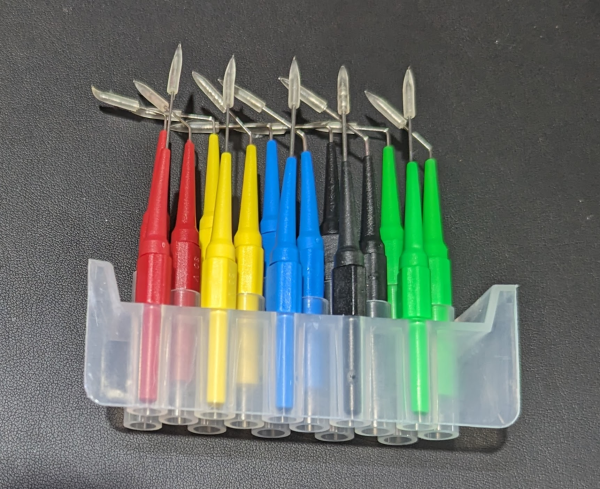
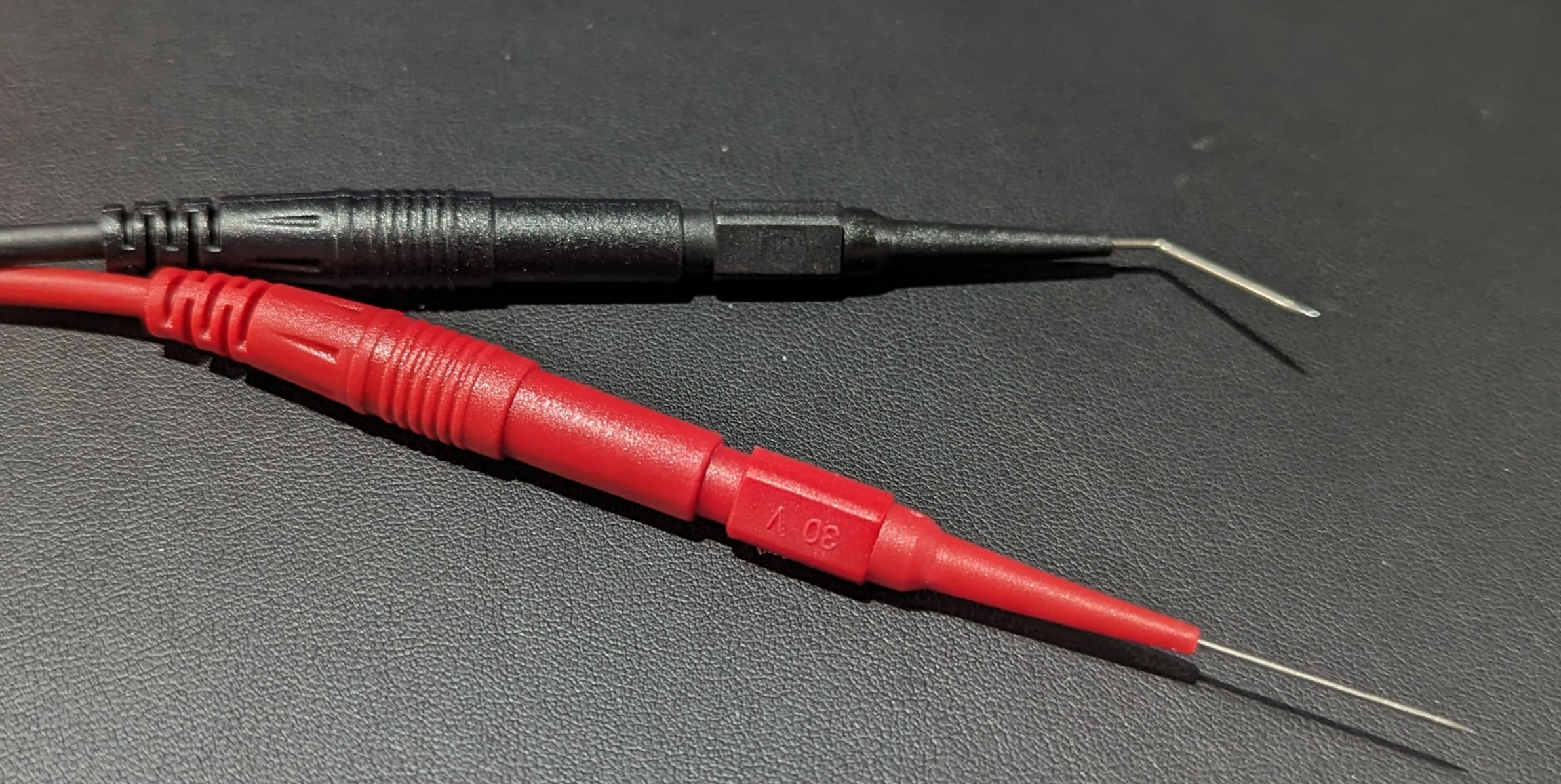
In the automotive section, I noticed a tidy plastic box labeled “22 pc. back probe kit.” I’d never heard the term “back probe,” but it was clearly some sort of wire. It turns out the kit has a bunch of very fine needles on banana jacks and some patch cables to connect them to your meter.
They are “back probes” because you can jam them in the back of connectors next to the wire. There are five colors of needles, and each color set has three items: a straight needle, a bent needle, and a 90-degree bend needle.
I’d never heard of this, and that started me down the rabbit hole of looking at what other exotic probes were out there. If you search the usual sources for “back probe,” you’ll see plenty of variations. There are also tons of inexpensive probe kits with many useful tips for different situations. Like everything, the price was much lower than I had paid for the rarely used kit I bought years ago. The only thing I really use out of that kit are the test hook clips and you can buy those now for a few bucks that just push over your probes.
Choices
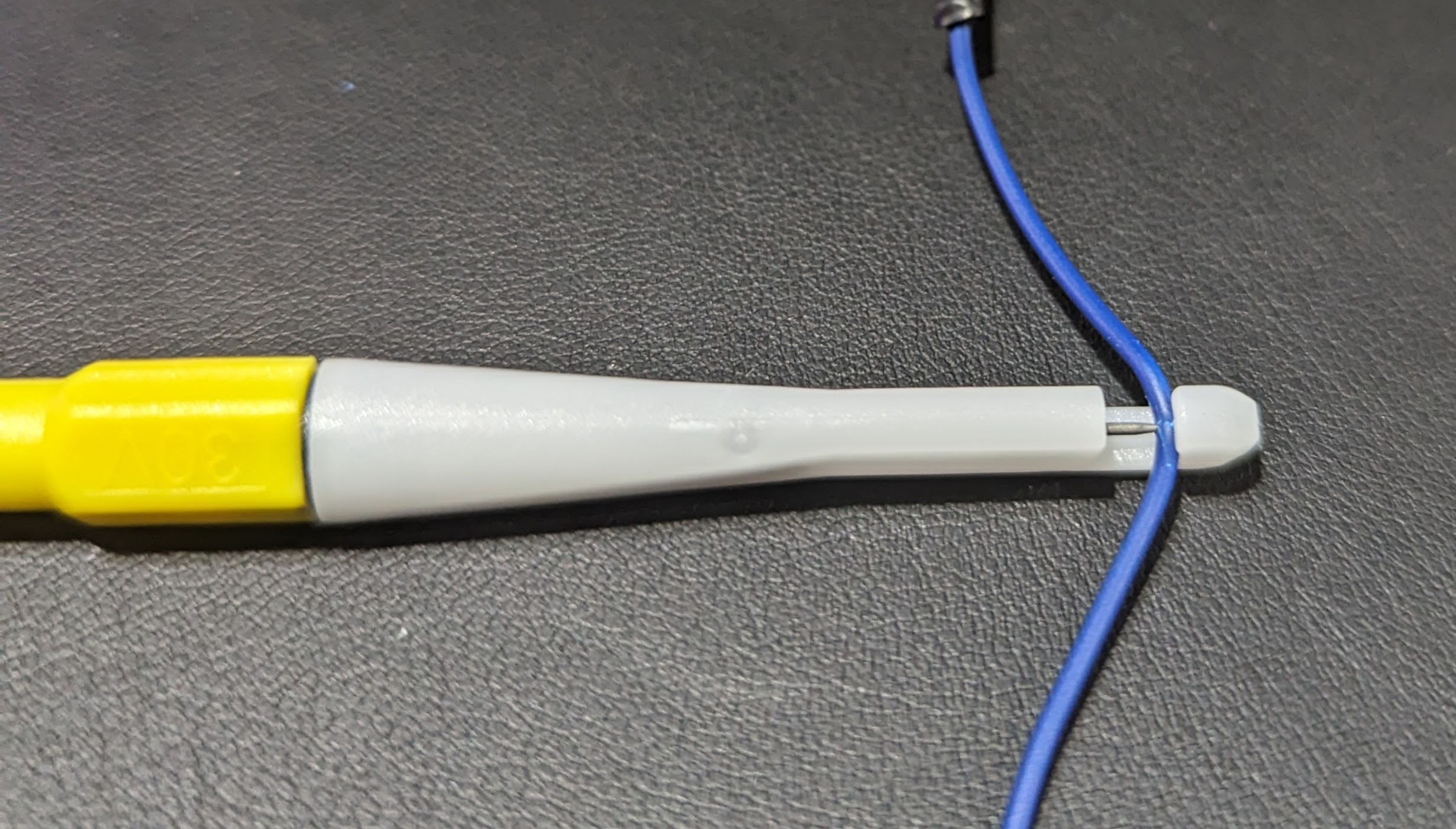
Wire-piercing probe works best for larger wires.
You could probably use the needles to stick through insulation, too. But if that’s your goal, they make piercing clip test probes specifically for that purpose. A little plastic holder has a hook for your wire and a needle that threads in to penetrate the wire.
These alligator clips fit over most probes.
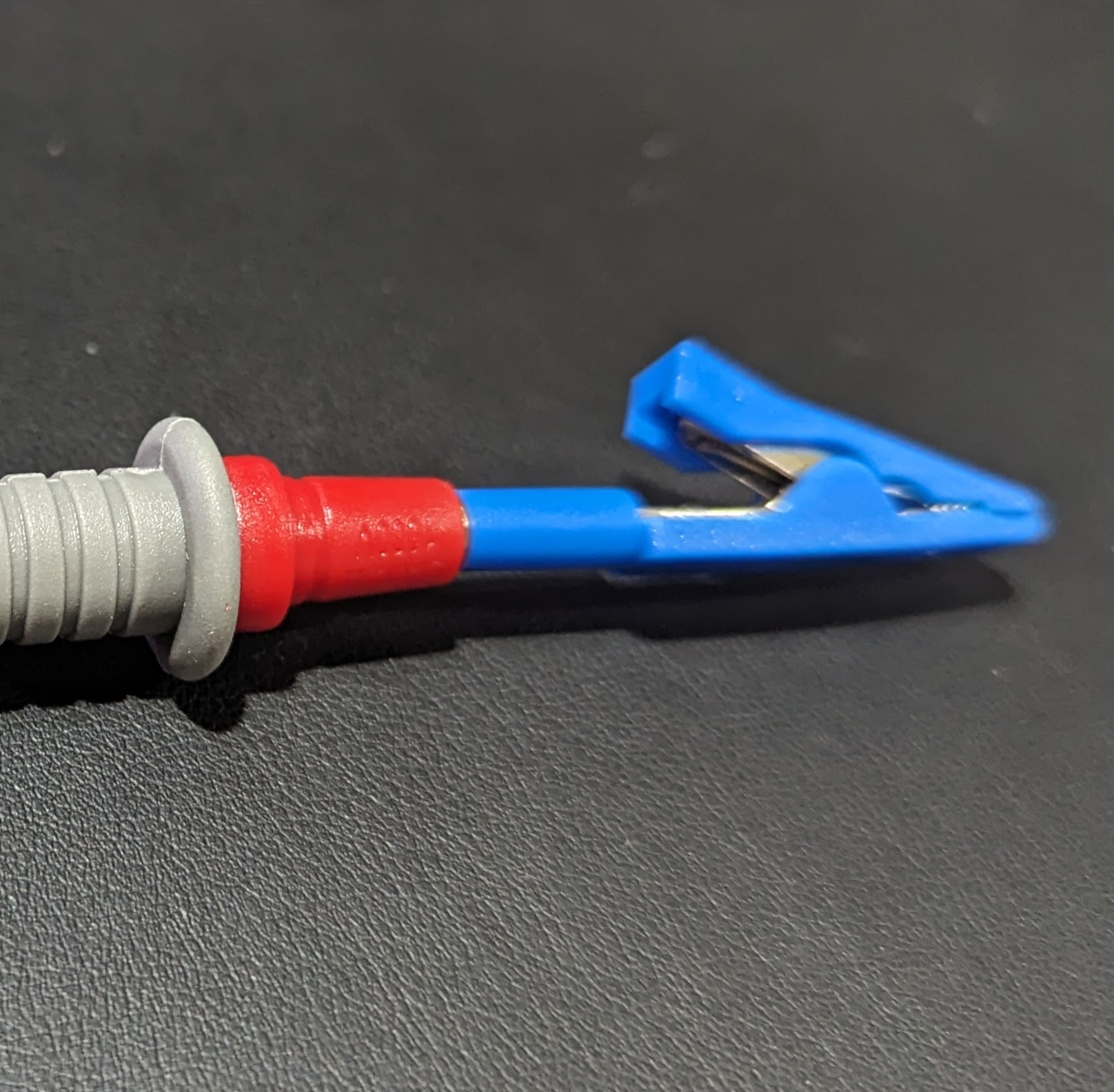
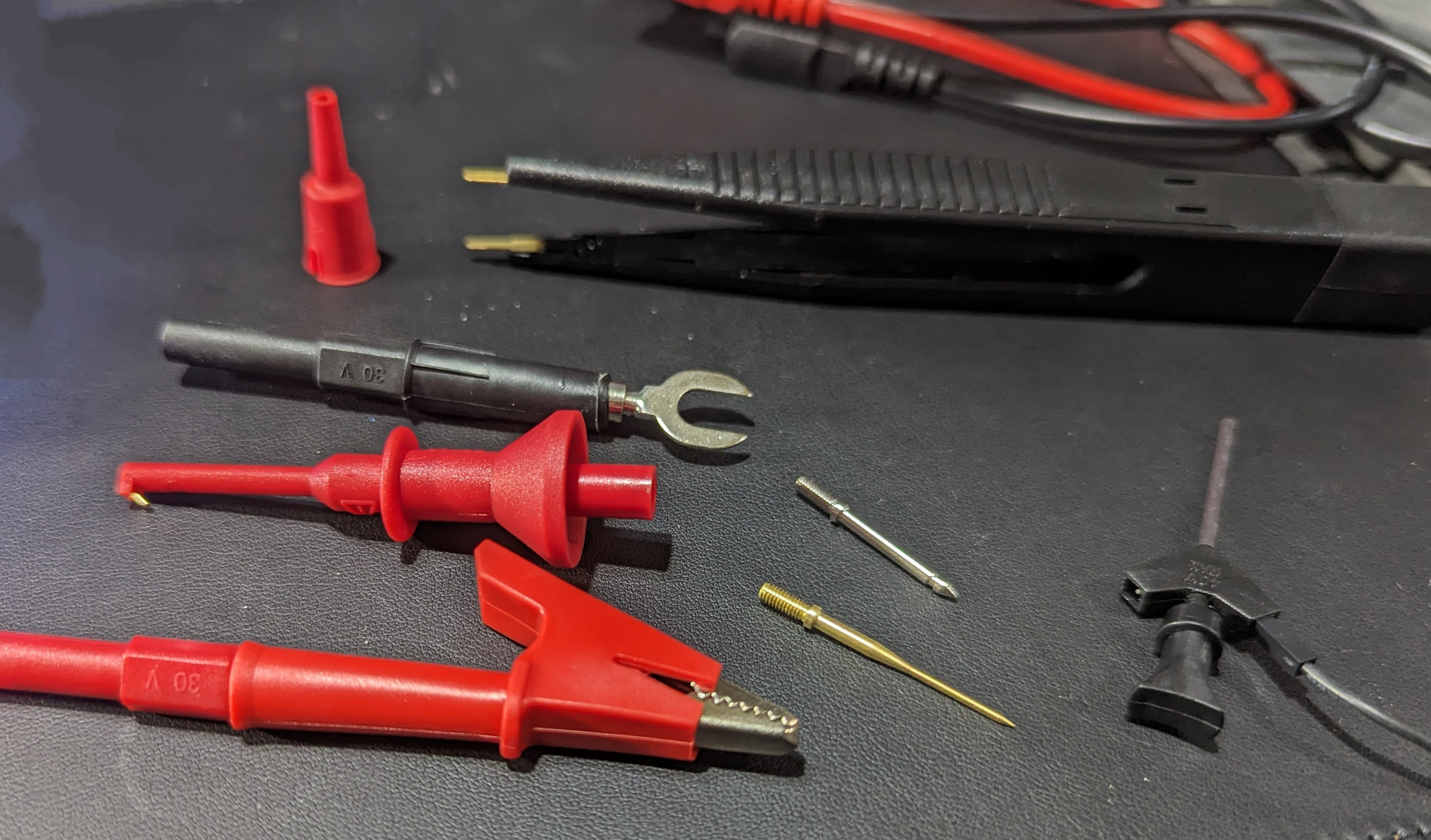
I also picked up some little alligator clips that slide over standard 2mm probe tips. These are very handy and prevent you from having to clip a lead to your probe so you can clip the other end to the circuit. However, if you look for a “test lead kit,” you’ll find many options for about $20. One kit had interchangeable probe tips, alligator clips, spades, SMD tweezers, and tiny hooks for IC legs. The alligator clips on the one I bought are the newer style that has a solid insulating body — not the cheap rubbery covers. They feel better and are easier to handle, too.
Breadboarding
Some of the accessories in the test probe kit.
Of course, you can make your own solderless breadboard jumpers, and you’ve probably seen that you can buy jumpers of various kinds. But if you search, you can even find test probes with breadboard wire ends. The other end will terminate in a test hook or alligator clips. You can also get them with banana plugs on the end to plug right into your meter. You can usually find versions with the male pin for a breadboard or a female receptacle for connecting to pins.