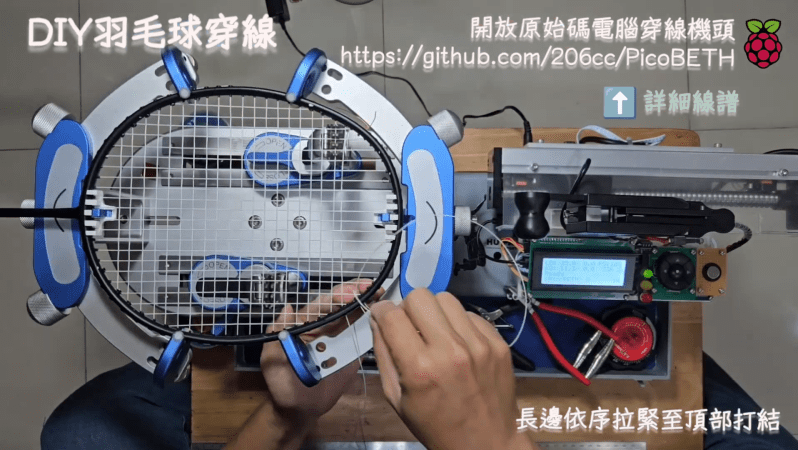
Stringing a badminton racquet is a somewhat complicated job. It needs to be done well if the racquet is to perform well and the player is to succeed. To that end, [kuokuo] built a machine of their own to do that very task. Even better, they’ve made it open source so other hobbyists can benefit from their work.
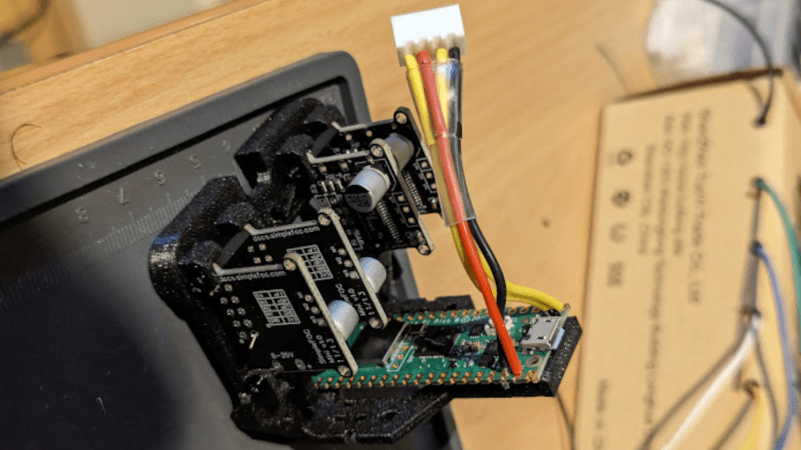
The build is named PicoBETH, which stands for Pico Badminton Electronic Tension Head. It’s based around the Raspberry Pi Pico, as you might imagine. The Pico is charged with controlling the stringing procedure via a stepper motor and lead screw, while using a load cell to measure string tension during the process. A small two-line character LCD serves as the user interface, along with some buttons, LEDs and a buzzer for feedback. The electronic stringing gear is mounted on to a traditional manual drop-weight stringing machine to execute the process faster and more accurately, at least in theory.
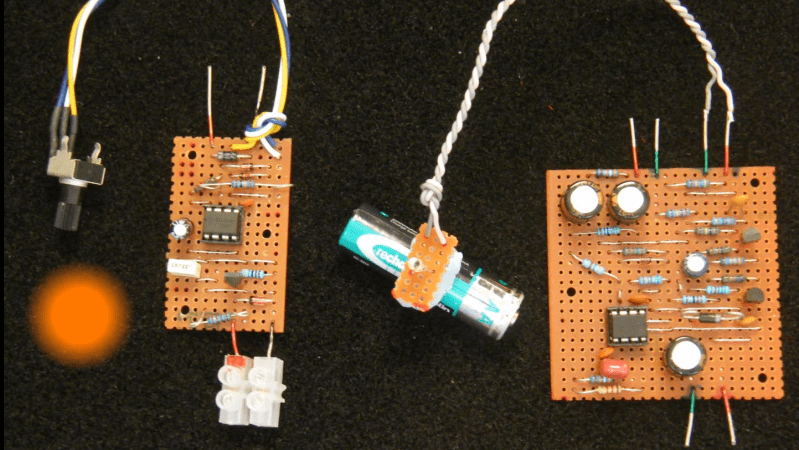
You can get a red laser diode pretty cheap these days—as cheap as £1 in fact. [Beamer] had purchased one himself, but quickly grew bored with just pointing it at the walls. He decided to figure out if he could use it for some kind of communication, and whipped up a circuit to test it out.
To do the job, he designed a modulator circuit that could drive the laser without damaging it. The build is based around the common 7805 regulator and the venerable 555 timer IC. The 555 is set to pulse at a given rate with the usual array of capacitors and resistors. Its output directly drives the input of a 7805 regulator. It’s set up as a constant current source in order to deliver the correct amount of current to run the laser. The receiver is based around a photodiode, which should prove fairly straightforward.
[Beamer]’s still working on the full setup, but plans to use the laser’s pulses to drive a varying analog meter or something similar. Not every communications method has to send digital data, and it’s good to remember that! Video after the break.
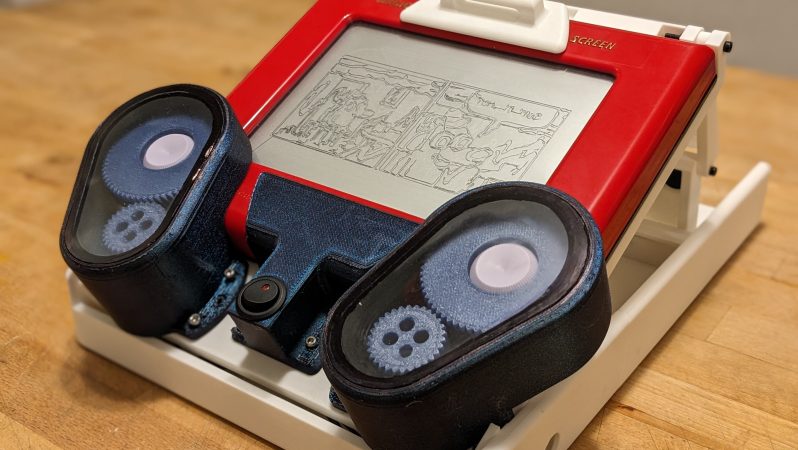
The Etch-a-Sketch was a great toy if you were somehow born with the talent to use it. For the rest of us, it was a frustrating red brick filled with weird grey sand. [Every Flavor of Robot] has taken the irritating knob-encrusted oblong and turned it into something we can all enjoy, however, by building an Etch-a-Sketch camera!
The build is simple. It uses an ESP32 microcontroller to run the show, equipped with a camera. The camera is used to take a photo of the subject, and the image is then sent to a desktop computer. The desktop runs the image through an AI pipeline that generates a simplified version of the image, and the necessary G-Code to draw it on the Etch-A-Sketch. The toy’s knobs are operated by a pair of brushless motors which have been geared down to provide more torque.
Reaching orbit around Earth is an incredibly difficult feat. It’s a common misconception that getting into orbit just involves getting very high above the ground — the real trick is going sideways very, very fast. Thus far, the most viable way we’ve found to do this is with big, complicated multi-stage rockets that shed bits of themselves as they roar out of the atmosphere.
Single-stage-to-orbit (SSTO) launch vehicles represent a revolutionary step in space travel. They promise a simpler, more cost-effective way to reach orbit compared to traditional multi-stage rockets. Today, we’ll explore the incredible potential offered by SSTO vehicles, and why building a practical example is all but impossible with our current technology.
A Balancing Act
The SSTO concept doesn’t describe any one single spacecraft design. Instead, it refers to any spacecraft that’s capable of achieving orbit using a single, unified propulsion system and without jettisoning any part of the vehicle.
The Saturn V shed multiple stages on its way up to orbit. That way, less fuel was needed to propel the final stage up to orbital velocity. Credit: NASA
Today’s orbital rockets shed stages as they expend fuel. There’s one major reason for this, and it’s referred to as the tyranny of the rocket equation. Fundamentally, a spacecraft needs to reach a certain velocity to attain orbit. Reaching that velocity from zero — i.e. when the rocket is sitting on the launchpad — requires a change in velocity, or delta-V. The rocket equation can be used to figure out how much fuel is required for a certain delta-V, and thus a desired orbit.
The problem is that the mass of fuel required scales exponentially with delta-V. If you want to go faster, you need more fuel. But then you need even more fuel again to carry the weight of that fuel, and so on. Plus, all that fuel needs a tank and structure to hold it, which makes things more difficult again.
Work out the maths of a potential SSTO design, and the required fuel to reach orbit ends up taking up almost all of the launch vehicle’s weight. There’s precious mass left over for the vehicle’s own structure, let alone any useful payload. This all comes down to the “mass fraction” of the rocket. A SSTO powered by even our most efficient chemical rocket engines would require that the vast majority of its mass be dedicated to propellants, with its structure and payload being tiny in comparison. Much of that is due to Earth’s nature. Our planet has a strong gravitational pull, and the minimum orbital velocity is quite high at about 7.4 kilometers per second or so.
Stage Fright
Historically, we’ve cheated the rocket equation through smart engineering. The trick with staged rockets is simple. They shed structure as the fuel burns away. There’s no need to keep hauling empty fuel tanks into orbit. By dropping empty tanks during flight, the remaining fuel on the rocket has to accelerate a smaller mass, and thus less fuel is required to get the final rocket and payload into its intended orbit.
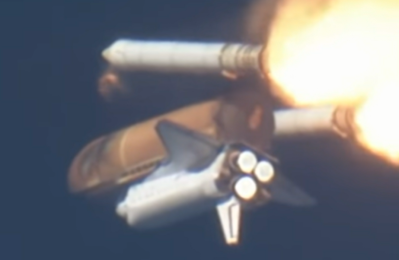
The Space Shuttle sheds its boosters and external fuel tank on its way up to orbit, too. Credit: NASA
So far, staged rockets have been the only way for humanity to reach orbit. Saturn V had five stages, more modern rockets tend to have two or three. Even the Space Shuttle was a staged design: it shed its two booster rockets when they were empty, and did the same with its external liquid fuel tank.
But while staged launch vehicles can get the job done, it’s a wasteful way to fly. Imagine if every commercial flight required you to throw away three quarters of the airplane. While we’re learning to reuse discarded parts of orbital rockets, it’s still a difficult and costly exercise.
The core benefit of a SSTO launch vehicle would be its efficiency. By eliminating the need to discard stages during ascent, SSTO vehicles would reduce launch costs, streamline operations, and potentially increase the frequency of space missions.
Pushing the Envelope
It’s currently believed that building a SSTO vehicle using conventional chemical rocket technology is marginally possible. You’d need efficient rocket engines burning the right fuel, and a light rocket with almost no payload, but theoretically it could be done.
Ideally, though, you’d want a single-stage launch vehicle that could actually reach orbit with some useful payload. Be that a satellite, human astronauts, or some kind of science package. To date there have been several projects and proposals for SSTO launch vehicles, none of which have succeeded so far.
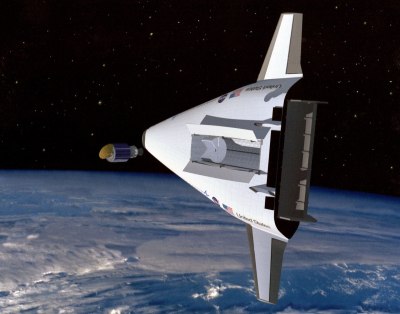
Lockheed explored a spaceplane concept called VentureStar, but it never came to fruition. Credit: NASA
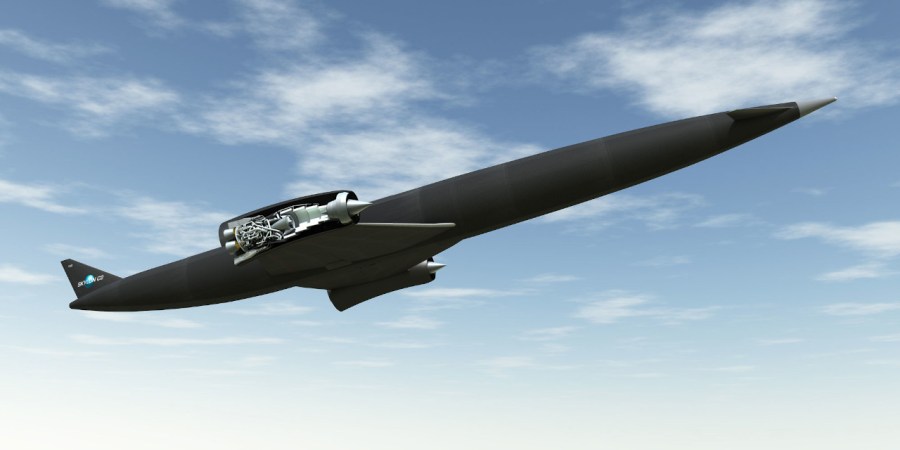
One notable design was the proposed Skylon spacecraft from British company Reaction Engines Limited. Skylon was intended to operate as a reusable spaceplane fueled by hydrogen. It would take off from a runway, using wings to generate lift to help it to ascend to 85,000 feet. This improves fuel efficiency versus just pointing the launch vehicle straight up and fighting gravity with pure thrust alone. Plus, it would burn oxygen from the atmosphere on its way to that altitude, negating the need to carry heavy supplies of oxygen onboard.
Once at the appropriate altitude, it would switch to internal liquid oxygen tanks for the final acceleration phase up to orbital velocity. The design stretches back decades, to the earlier British HOTOL spaceplane project. Work continues on the proposed SABRE engine (Syngergetic Air-Breathing Rocket Engine) that would theoretically propel Skylon, though no concrete plans to build the spaceplane itself exist.
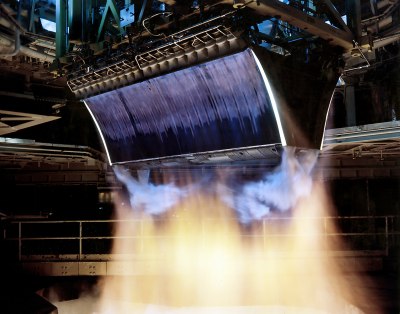
The hope was that efficient aerospike rocket engines would let the VentureStar reach orbit in a single stage.
Lockheed Martin also had the VentureStar spaceplane concept, which used an innovative “aerospike” rocket engine that maintained excellent efficiency across a wide altitude range. The company even built a scaled-down test craft called the X-33 to explore the ideas behind it. However, the program saw its funding slashed in the early 2000s, and development was halted.
McDonnell Douglas also had a crack at the idea in the early 1990s. The DC-X, also known as the Delta Clipper, was a prototype vertical takeoff and landing vehicle. At just 12 meters high and 4.1 meters in diameter, it was a one-third scale prototype for exploring SSTO-related technologies
It would take off vertically like a traditional rocket, and return to Earth nose-first before landing on its tail. The hope was that the combination of single-stage operation and this mission profile would provide extremely quick turnaround times for repeat launches, which was seen as a boon for potential military applications. While its technologies showed some promise, the project was eventually discontinued when a test vehicle caught fire after NASA took over the project.
McDonnell Douglas explored SSTO technologies with the Delta Clipper. Credit: Public domain
Ultimately, a viable SSTO launch vehicle that can carry a payload will likely be very different from the rockets we use today. Relying on wings to generate lift could help save fuel, and relying on air in the atmosphere would slash the weight of oxidizer that would have to be carried onboard.
However, it’s not as simple as just penning a spaceplane with an air-breathing engine and calling it done. No air breathing engine that exists can reach orbital velocity, so such a craft would need an additional rocket engine too, adding weight. Plus, it’s worth noting a reusable launch vehicle would also still require plenty of heat shielding to survive reentry. One could potentially build a non-reusable single-stage to orbit vehicle that simply stays in space, of course, but that would negate many of the tantalizing benefits of the whole concept.
Single-stage-to-orbit vehicles hold the promise of transforming how we access space by simplifying the architecture of launch vehicles and potentially reducing costs. While there are formidable technical hurdles to overcome, the ongoing advances in aerospace technology provide hope that SSTO could become a practical reality in the future. As technology marches forward in materials, rocketry, and aerospace engineering in general, the dream of a single-stage path to orbit remains a tantalizing future goal.
Sometimes, you have to drive four motors, and you need to do so with a certain level of control. You could throw a lot of parts at the problem, but you don’t necessarily have to. As [Shaun Crampton] demonstrates, you can run four brushless DC motors with a single Pi Pico.
[Shaun] set about developing a brushless motor controller from scratch with the Pico, relying on its PIO hardware and the TI DRV8313 — a handy three phase motor driver. Before he knew it, he was implementing field oriented control (FOC) in MicroPython, only to find that it was a little too slow for proper motor control work. He soon switched to C for the lower overheads, and was readily driving a brushless motor with his own code. Before long, he’d implemented torque limiting and PID speed control. He was even able to optimize things to the point where he had four motors hanging off a single Pi Pico, complete with Hall sensors for feedback.
The full story is well worth reading, as it goes from “Hello, World” all the way to the end of the project. If you’ve never experienced the joy of your own code getting a motor to spin, you might enjoy following in [Shaun’s] footsteps. Files are on GitHub for the curious.
We’ve seen a lot of motor controllers around here, many of which draw heavily from other projects online. It’s a great way to learn the basics of what is a very well established field. Meanwhile, if you’re cooking up your own project in this space, do drop us a line!
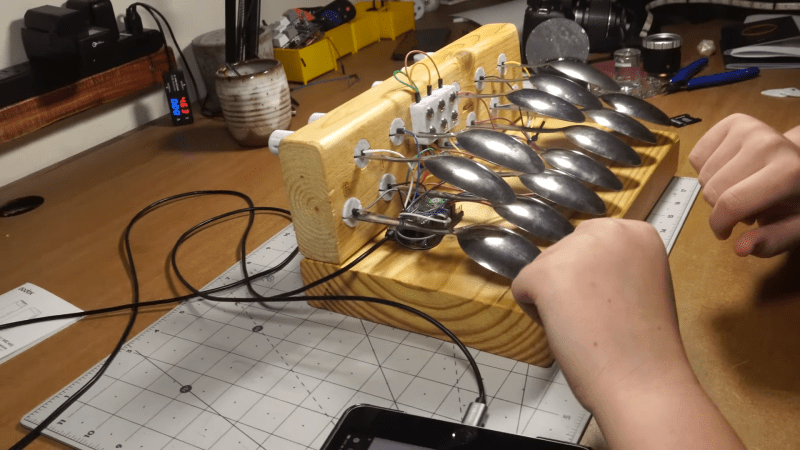
Pianos traditionally had keys made out of ivory, but there’s a great way to avoid that if you want to save the elephants. You can build a keyboard using spoons, as demonstrated by [JCo Audio].
The build relies on twelve metal spoons to act as the keys of the instrument. They’re assembled into a wooden base in a manner roughly approximating the white and black keys of a conventional piano keyboard, using 3D-printed inserts to hold them in place. They’re hooked up to a Raspberry Pi Pico via a Pico Touch 2 board, which allows the spoons to be used as capacitive touch pads. Code from [todbot] was then used to take input from the 12 spoons and turn it into MIDI data. From there, hooking the Pi Pico up to a PC running some kind of MIDI synth is enough to make sounds.
It’s a simple build, but a functional one. Plus, it lets you ask your friends if they’d like to hear you play the spoons. The key here is to make a big show of hooking your instrument up to a laptop while explaining you’re not going to play the spoons a la the folk instrument, but you’re going to play a synth instead. Then you should use the spoon keyboard to play emulated spoon samples anyway. It’s called doubling down. Video after the break.
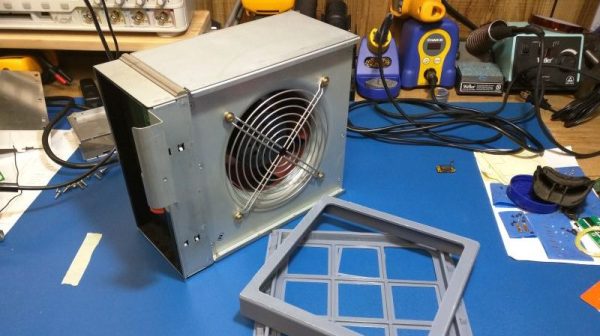
[Anthony Kouttron] wanted a fume extractor for his personal electronics lab, but he didn’t like the look of the cheap off-the-shelf units that he found. Ultimately, he figured it couldn’t be that hard to build own portable fume extractor instead.
The build is based around a mighty 110-watt centrifugal fan from an IBM server that’s rated at approximately 500 CFM. It’s a hefty unit, and it should be, given that it retails at over $200 on DigiKey. [Anthony] paired this fan with off-the-shelf HEPA and activated carbon filters. These are readily available from a variety of retailers. He didn’t want to DIY that part of the build, as the filter selection is critical to ensuring the unit actually captures the bad stuff in the air. He ended up building a custom power supply for the 12-volt fan, allowing it to run from common drill batteries for practicality’s sake.
Few of us have need for such a beefy fume extractor on the regular. Indeed, many hobbyists choose to ignore the risk from soldering or 3D printing fumes. Still, for those that want a beefy fume extractor they can build themselves, it might be worth looking over [Anthony]’s initial work.
We’ve seen some other great DIY fume extractors before, too. Even those that use drill batteries! If you’ve been cooking up your own solution, don’t hesitate to drop us a line!