A DiskVaccuum For Obsolete Disk Formats

drive

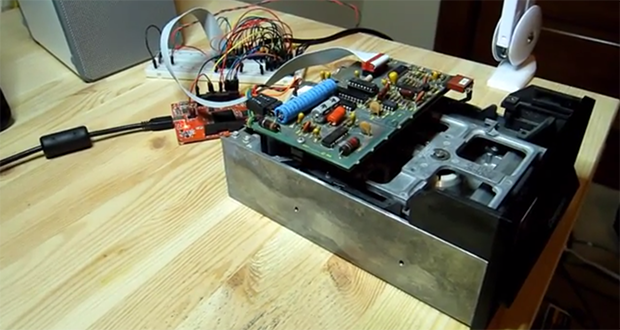
[Jim] has a box of disks for a very old Compucolor II computer, and with bit rot slowly setting in he figured it might be time to dump all those disks to a more permanent format. After reviewing the existing tools to read these disks, he decided to build his own floppy disk interface that he calls the DiskVaccuum.

The DiskVaccuum is based on a Papilio Pro FPGA board and a few chips worth of level conversion. The FPGA is able to read bits and move the head of the disk with ease, saving everything to the drive of a much more modern computer.

On the USB side of the Papilio board, [Jim] wrote a shell of sorts in Python to capture tracks on the disk, read out the track listing, save an image file, and do all the things a proper DOS should. Right now the project is only for the Compucolor II disk drive, but [Jim] played around with KiCAD enough to create a Papilio-to-disk-drive interface board with connectors for most of the disk drives of this particular vintage. The hope is to generalize the hardware and software to read disks for other systems, including those with 8-inch drives.

[Jim] put up a video describing the hardware and demoing his Python capture utility. You can check that out below.

Continue reading “A DiskVaccuum For Obsolete Disk Formats” →

Fubarino Contest: FPGA Pong

pong

For [Eric]’s entry for our Fubarino Contest, he went down to very low-level hardware and created Pong on an FPGA.

[Eric] used a Basys 2 FPGA board to create this virtual, logic gate version of Pong. Output is via the VGA port, multiplayer and an AI player is implemented, and all the required mechanics for Pong – collision detection, button and switch input, and score keeping are also in this project.

The Fubarino contest requires an easter egg, of course, so when the score for the left player reaches 13 and the score for the right player reaches 37 (get it? 1337?), the previously square ball turns into an extremely pixeley version of the Hackaday logo. The Hackaday URL is also displayed, thanks to [Eric]’s FP(V)GA module for displaying text on his FPGA board.

The improved Pong ball and URL only appears when the scores are 13-37, making this an extremely well-hidden easter egg. Video of [Eric] demoing his Pong below.


This is an entry in the Fubarino Contest for a chance at one of the 20 Fubarino SD boards which Microchip has put up as prizes!

Continue reading “Fubarino Contest: FPGA Pong” →

Build An FPGA Microbee In Three (Not So) Easy Steps

Microbee,_Melbourne_Museum

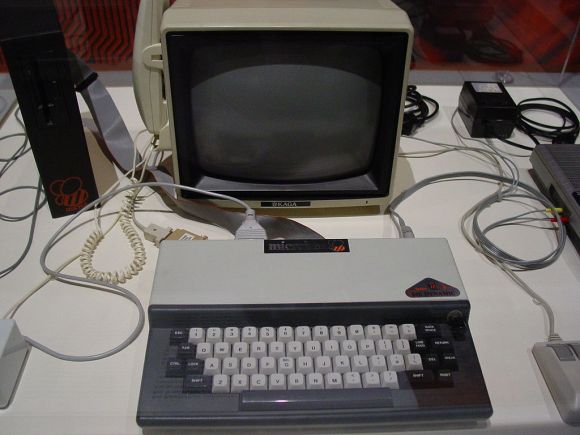
[Brad Robinson] was feeling a bit nostalgic for his Microbee, so he rebuilt it in an FPGA. Not once, but three times. For the uninitiated, the Applied Technology Microbee was a Z80 based computer 1980’s. Designed in Australia, the Microbee did not see much popularity outside its home continent. Even so, the introduction to home computers many Australians was on a Microbee. [Brad] actually wrote several programs for the Microbee, including some games sold by Applied Technology themselves.

Fast forward to 2012, [Brad] is learning FPGAs, and wants to build a Microbee in VHDL. The FPGAbee was born. The first iteration of the FPGAbee began with the CPU, which came from the T80 open source VHDL Z80 core. Around this core [Brad] added the video controller, keyboard, and sound. When he started adding disk functionality, [Brad] ran into some problems. He wanted to use a FAT formatted SD card for cassette and hard disk emulation.

The relative complexities of the FAT format meant he would have to use some custom software to make this work. [Brad] decided to run this software on a second Z80 core. Both cores would need access to memory, and this is where [Brad] learned what he calls “a hard lesson in cross domain clocks” on FPGAs. Multiple clock nets can cause major propagation delay issues. [Brad] was able to work through the problems, but it caused him to step back and re-evaluate the entire design. This was the start of FPGABee2.

Continue reading “Build An FPGA Microbee In Three (Not So) Easy Steps” →

SDRAM Controller For Low-end FPGAs

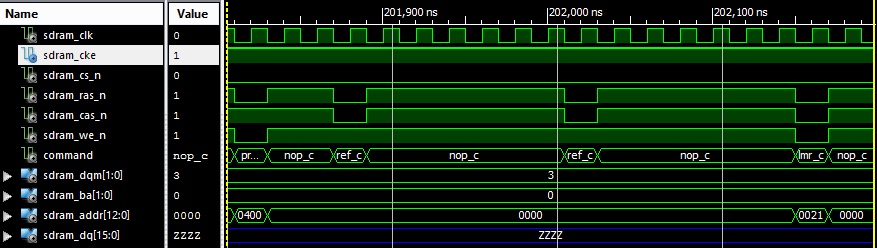
There are very few ‘recent’ FPGAs out there that can be easily soldered. Due to their important number of IOs, they usually come in Ball Grid Array (BGA) packages. The Xilinx Spartan 6 LX9, a TQFP144 FPGA (having pins with a 0.5mm pitch) is one of the few exceptions that can be used to make low end development boards. However, it doesn’t have a lot of logic and memory resources or an on-chip Memory Control Block implemented in the silicon. Therefore, [Michael] designed an SDRAM controller with a small footprint for it.

Writing an SDRAM controller from scratch isn’t for the fainthearted – first of all you really have to know how SDRAM  works (RAS, CAS, precharges, refresh cycles), and because of the high speed and accurate timing required you also have to learn some of the finer points of FPGA off-chip interfacing. In addition, most publicly available open cores are very complex – for example just the RTL core of the sdr_ctrl controller on opencores.org adds up to over 2,700 lines of Verilog. Even if it is not an accurate comparison metric, [Michael]’s controller is only 500 lines long.

Making Vector Arcade Games With An FPGA

3d

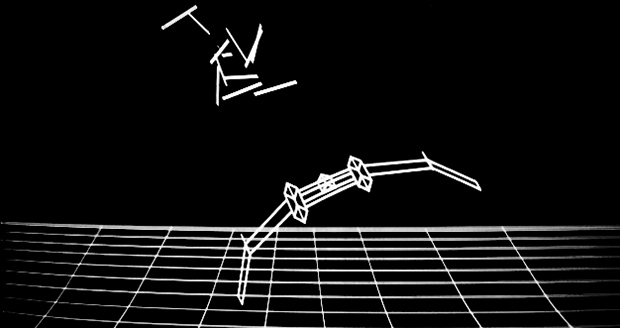
While we’re sure most Hackaday readers were raised by arcade games featuring sprites, pixels, and other shiny brightly colored squares, this was not always so. Many classic arcade games – Lunar Lander, Gravitar, and Asteroids in particular – used vector displays. Instead of drawing individual pixels, these games functioned more like an oscilloscope, drawing lines. When [Todd] and [Andrew] got their hands on a monitor from an old Asteroids cabinet, they knew what they had to do: build their own vector arcade game.

The guys made their own DAC and Amplifier board that plugs right in to a Nexys2 FPGA dev board. This was after they tested out some 3D drawing code with a gnarly handmade R2R DAC they used to draw and rotate a cube on an oscilloscope screen.

Not only did the guys build a vector video card, they also connected the FPGA’s VGA out to a monochrome monitor for an in-game HUD. Awesome work that blows away anything available in the golden days of vector arcade games. It’s a beautiful piece of engineering that certainly deserves its own cabinet.

Video of the game available below.

Continue reading “Making Vector Arcade Games With An FPGA” →

Filtering Out Mains Hum From ADC Samples

Hum_filter

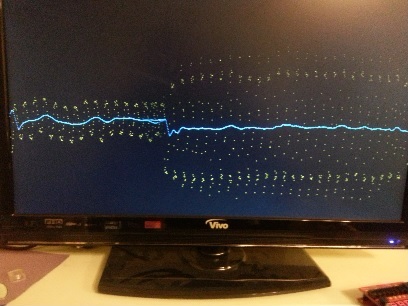
A little light reading means something different to us than it does to [Hamster]. He’s been making his way through a book called The Scientist and Engineer’s Guide to Digital Signal Processing written by [Steven W. Smith, Ph.D]. Being the hacker type, a million different uses for the newfound knowledge popped to mind. But as a sanity check he decided to focus on a useful proof of concept first. He’s come up with a way to filter out the mains hum from Analog to Digital Converter samples.

Mains hum is all around us; produced by the alternating current in the power grid that runs our modern lives. It’s a type of interference that can be quite problematic, which is on reason why we see EMF sensor projects from time to time. Now you can filter that ambient interference from your projects which take readings from an ADC. This would be quite useful for applications which measuring teeny signals, like ECG hacks.

[Hamster] did a pretty good job of presenting his demonstration for the uninitiated. He even provides examples for Arduino or FPGA projects.

Giving The VirtualBoy A VGA Out

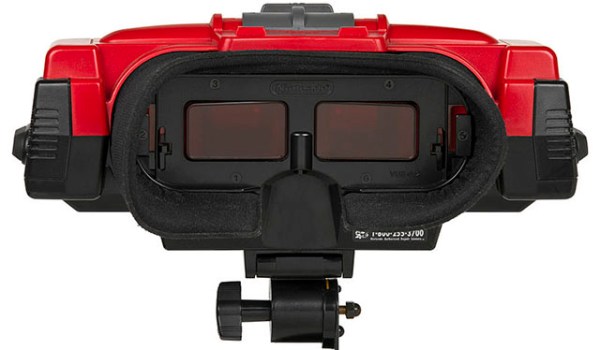
Nintendo’s VirtualBoy – the odd console-inside-a-pair-of-goggles  and arguable ancestor of Nintendo’s 3DS – was a marvelous piece of technology for its time. In a small tabletop unit, you were able to play true 3D video games at an impressive 384 x 224 pixel resolution. Of course the VirtualBoy was a complete failure, but that doesn’t mean hardware tinkerers are leaving this wonderful system to video game collectors. [furrtek] has been playing around with his VirtualBoy and managed to add VGA out.

As a 3D system with two displays, any sort of video out was rightfully ignored by the VirtualBoy system designers. Still, [furrtek] wanted some sort of video out on his system, so he began poking around with a small FPGA board to generate some VGA signals.

The two displays inside the VirtualBoy aren’t your normal LCD display – as seen in this iFixit teardown. they’re really two linear LED arrays that generate a single line of 244 pixels, with mirrors scanning the line in the in the Y axis. These LED arrays are controlled by the VirtualBoy CPU through a series of shift registers, and by carefully tapping the lines of each LED array, [furrtek] was able to copy all the image data into the RAM of an FPGA.

After stuffing an XESS XULA-200 FPGA board inside the case of his VirtualBoy, [furrtek] wired up a few resistors for a DAC and installed a VGA out port on the underside of his console. Everything worked the first time he powered it up, and he began playing his VirtualBoy on his big screen TV.

Because [furrtek] is only reading one of the VirtualBoy’s displays, all the 3D data – and the main feature of the VirtualBoy – is lost when it’s displayed on a TV. 3D TVs do exist, though, and we’d love to see an improved version of this that captures data from both of the VirtualBoy displays.

You can see [furrtek]’s video of his mod in action below.

Continue reading “Giving The VirtualBoy A VGA Out” →