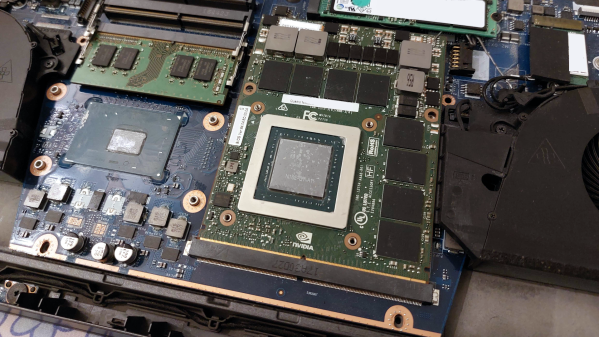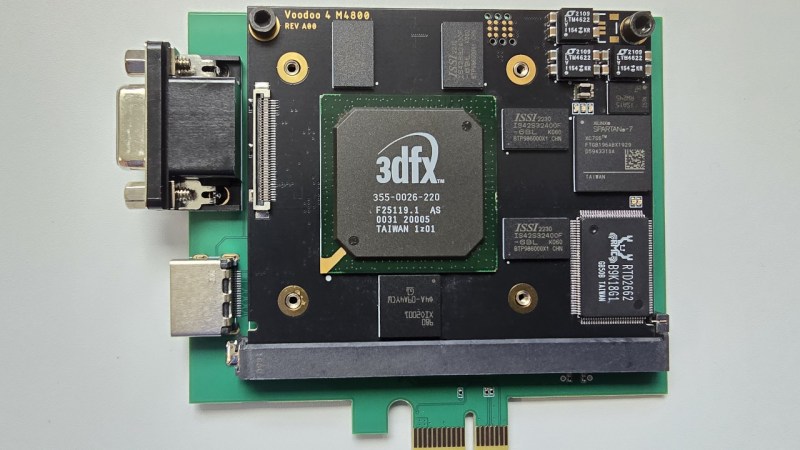
The MXM card with the 3dfx chip in the center, black silkscreen, mounted on the MXM to PCIe adapter, green silkscreen

An MXM Take On The 3dfx Voodoo

[sdz] of Vogons forum brings us an unexpected device for the 21st century – a 3dfx Voodoo 4 card in MXM format, equipped with 64MB of RAM. This isn’t just a showpiece – this card actually, properly works when installed into our hacker’s Dell Precision M4800, and [sdz] tells us more on how the card came to be.
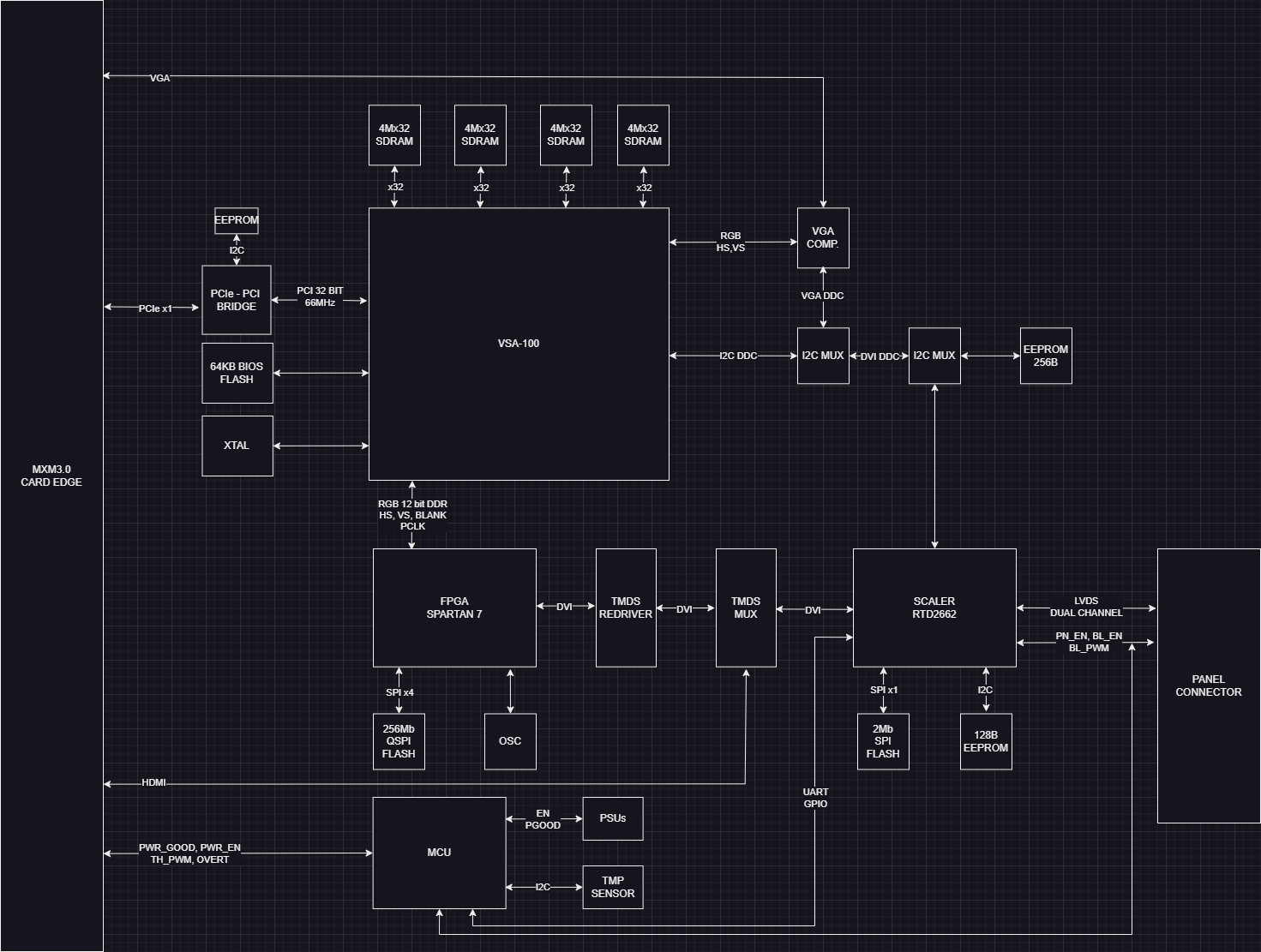
Structure diagram of the cardEquipped with a VSA-100 GPU, this card has a whole lot of support components for adapting old interfaces to modern ones. There’s a PCIe-PCI bridge IC, an FPGA, HDMI muxes, and a Realtek scaler for video conversion. Handling all the MXM interfaces would’ve been downright impossible, so the card also holds an LVDS header for the M4800’s panel. Plus, for testing all of it, [sdz] has developed a PCIe to MXM adapter board with minimal circuitry needed to have the card work – this is a seriously involved hack and it’s executed remarkably well.

The forum post shows a whole lot of the journey, from receiving the PCBs to code and FPGA gateware bringup, as well as videos of VGA and HDMI operation. In the end, our hacker shows us a fully working setup, the 3dfx card inserted into M4800 and driving its display, as well as overclocking experiments; the author has promised to open-source the card files in due time, too. It’s seriously nice to see DIY MXM cards in the wild, and if you ever wanted to build one, we’ve got an article tells you everything you could want to know about the MXM standard.

We thank [Misel] for sharing this with us!
Continue reading “An MXM Take On The 3dfx Voodoo”

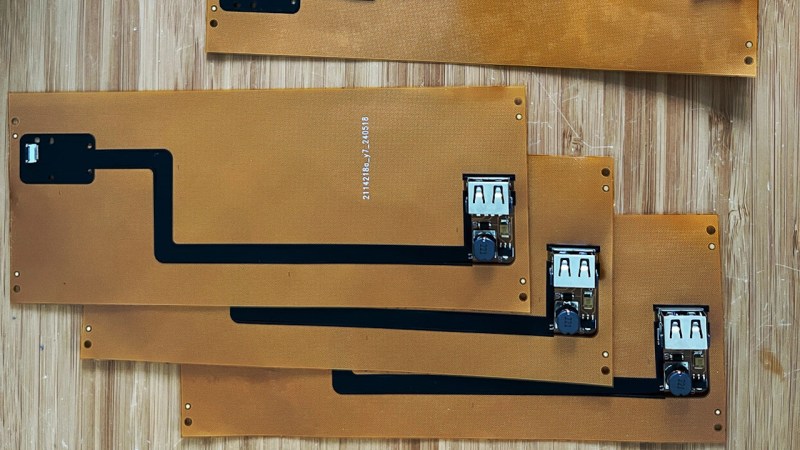
Assembled FPC PCB panels of the project

Give Your Thinkpad X1 Nano An Internal USB Port

How hard could it be to add an extra USB port inside your laptop? As [Joshua Stein] shows, it can be decently hard, but you will have fun along the way. His journey involves a Thinkpad X1 Nano, and his tech setup means it’d be most comfortable for him to have a USB port inside its case, for a Logitech mouse’s USB receiver. It wasn’t smooth sailing all throughout, but the end result is no doubt beautifully executed.

M.2 B-key, A-key and E-key slots have USB 2.0 available on them – you’d think that’s perfect for such a receiver, and there’s even plug and play adapters for this on places like eBay. Unfortunately, none of these, as Lenovo implements wireless card whitelists to this day. Tinkering with the whitelist on [Joshua]’s laptop resulted in BIOS digital signature check failures, and the USB-connected fingerprint reader was ultimately chosen as the most viable path.

Initially, he’s tested the fingerprint reader with an FPC breakout, having the USB connection work – many a hacker would stop here, pulling a few bodge wires from the breakout. [Joshua], however, raised the bar, creating a flexible PCB that would pull the fingerprint connector signals to a spot in the case where the USB receiver could fit neatly, with a 5 V step-up on the board, too.

[Joshua] tops it off by showing a 3D-printed spacer that goes into now-vacant spot where the fingerprint reader used to be. This mod is not open-source as far as we can see, but it’s definitely an inspiration. Want to put even more USB devices inside your laptop? Perhaps a tiny USB hub would help, in line with the EEE PC mods that aimed to stuff the tiny laptop with the largest amount of USB devices possible.

Printing A Replacement Case For The ThinkPad 701c

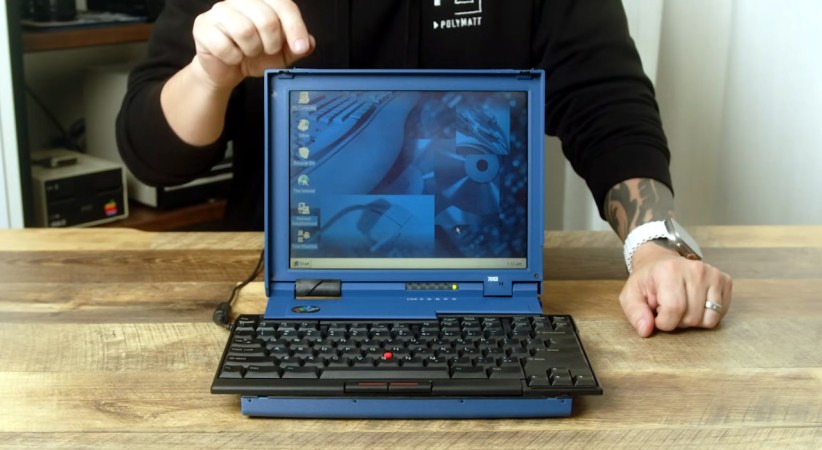
Even among ThinkPads, which are nearly universally loved by hardware hackers and Linux tinkerers alike, the 701c is a particularly rare and desirable machine. Best known for it’s “butterfly” slide out keyboard, the IBM-designed subnotebook from the mid-1990s has gained a following all its own, with active efforts to repair and restore any surviving specimens still out in the wild.

[polymatt] has already taken on a number of 701c restoration projects, but the recent release of a 3D printable case for the vintage laptop is arguably the most impressive to date. After spending an untold number of hours with an original case and a pair of calipers, the final design has been released under the Creative Commons Attribution-NonCommercial license — in other words, you’re free to print one to spruce up your 701c, but don’t run off a stack of them and start trying to move them on Etsy.

Continue reading “Printing A Replacement Case For The ThinkPad 701c”

A standard-compliant MXM card installed into a laptop, without heatsink

MXM: Powerful, Misused, Hackable

Today, we’ll look into yet another standard in the embedded space: MXM. It stands for “Mobile PCI Express Module”, and is basically intended as a GPU interface for laptops with PCIe, but there’s way more to it – it can work for any high-power high-throughput PCIe device, with a fair few DisplayPort links if you need them!

You will see MXM sockets in older generations of laptops, barebones desktop PCs, servers, and even automotive computers – certain generations of Tesla cars used to ship with MXM-socketed Nvidia GPUs! Given that GPUs are in vogue today, it pays to know how you can get one in low-profile form-factor and avoid putting a giant desktop GPU inside your device.

I only had a passing knowledge of the MXM standard until a bit ago, but my friend, [WifiCable], has been playing with it for a fair bit now. On a long Discord call, she guided me through all the cool things we should know about the MXM standard, its history, compatibility woes, and hackability potential. I’ve summed all of it up into this article – let’s take a look!

This article has been written based on info that [WifiCable] has given me, and, it’s also certainly not the last one where I interview a hacker and condense their knowledge into a writeup. If you are interested, let’s chat!

Continue reading “MXM: Powerful, Misused, Hackable”

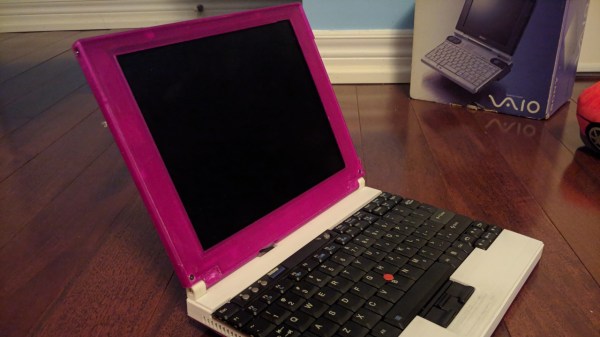
The laptop in question, with the LCD-bearing top half printed in pink, and the bottom half showing off the Thinkpad keyboard.

Pinkpad, A DIY Laptop You Must Print In Pink

Looking to build a laptop all on your own? Check out the Pinkpad, a DIY laptop project that as if appeared out of nowhere, gives you a based on an off-the-shelf Dell motherboard. This build projects an aura of unabashed competence – the website brings you to a different universe, the documentation is as curt as it is extensive, and the build evidently works.

With a Thinkpad x61 keyboard, a reasonably modern (Dell Vostro 5481, Ryzen possible) motherboard embeddable inside, and a 10″ 1024×768 screen, this ~11″ laptop packs a certain kind of punch for what’s a build-it-yourself project. Most of the value of this design is in the 3D files – which were done in Google SketchUp, and the laptop is small enough that you could print its shell reasonably quickly. Not that you should follow the parts list religiously – the screen in particular might just warrant reconsideration in your eyes. On the other hand, we wish you all the luck on your SketchUp journey if you want to modify the shell. It also isn’t lost on us that the parts list doesn’t list a battery in it.

This is an impressive project to see open-sourced, and we hope it can inspire some hackers in the custom laptop building cohort. One prominent flaw of consumer-facing technology is that you can’t always get your devices in pink, and printing your laptop’s chassis yourself is a surefire way to combat this. If this laptop’s form-factor is too commonplace for you, we’ve seen no shortage of custom laptops grace our pages, from miniature ones to CRT luggable beasts, and click on the tags below if you’d like to see more!

We thank [Max_UA] for sharing this with us!

Using A Framework Mainboard For A Custom Gaming Handheld

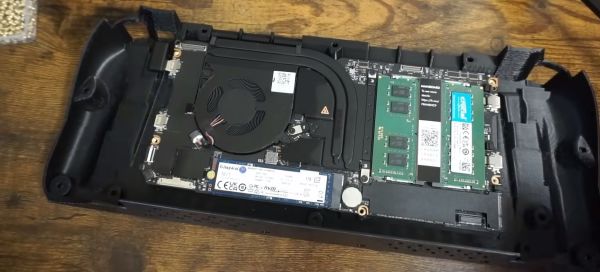
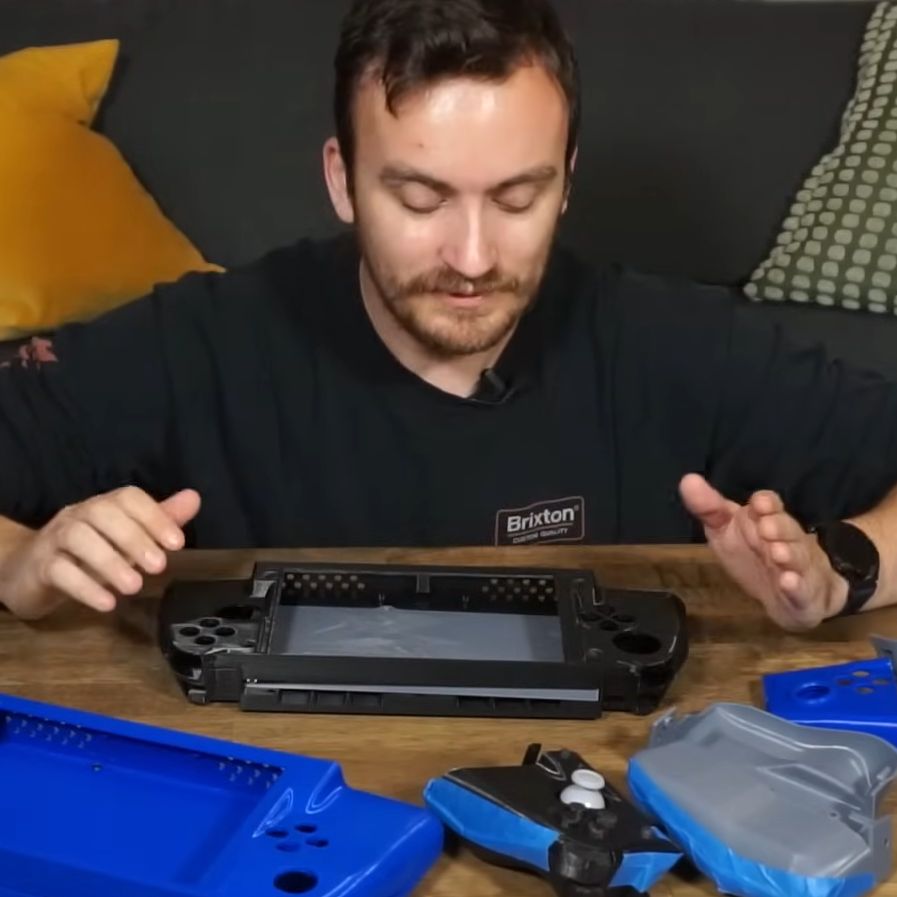
The nearly final prototype case for the handheld Framework-based gaming system. (Credit: TommyB, YouTube)

Building your own handheld gaming console has been a popular project for many years, but recently it has become significantly easier to get a lot of power into a small package. Like many others, [TommyB] made his own Raspberry Pi SBC-based handheld in the past, which results in a rather bulky and underpowered package. A more performant solution would be to stuff laptop guts into a handheld case, but until Framework came onto the scene this wasn’t easy and would get you a sloppy one-off solution. With [TommyB]’s current handheld project he uses a standard Framework laptop mainboard, along with the official battery to get a very capable gaming system.

Getting the ergonomics and fit for the components just right took many tries, but eventually a prototype shell was designed that fits the Framework mainboard, the battery, twin Framework speakers, an 8″ LCD panel from Waveshare (connected via USB-C to HDMI) and mechanical switches for the buttons. These switches connect to an RP2040-based board that runs the GP2040-CE firmware, allowing the operating system to detect it as an XBox controller. Although still far from finished, it shows just how beneficial standard laptop parts are, with a massive gap in the market where Framework could make its own handheld shell available. We’re looking forward to [TommyB] demonstrating the finished version of his Framework handheld, and the inevitable upgrade from the 11th-gen Intel mainboard to one of the sparkling new mainboards with even better specs.

Thanks to [Keith Olson] for the tip.

Continue reading “Using A Framework Mainboard For A Custom Gaming Handheld”

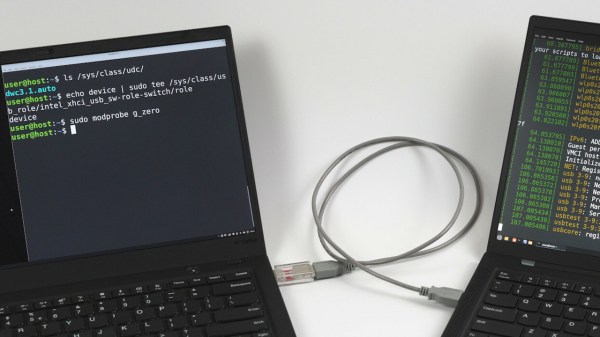
The Thinkpad in question, with a Linux shell open on its screen, showing that the device mode has been successfully enabled

ThinkPad X1 Carbon Turned USB Device Through Relentless Digging

In what’s perhaps one of the most impressive laptop reverse engineering posts in recent memory, [Andrey Konovalov] brings us an incredibly detailed story of how he’s discovered and successfully enabled a USB device controller in a ThinkPad X1 Carbon equipped with a 6th gen Intel CPU.

If you ever wanted to peek at the dirty secrets of a somewhat modern-day Intel CPU-based system, this write-up spares you no detail, and spans dozens of abstraction layers — from Linux drivers and modifying NVRAM to custom USB cable building and BIOS chip flashing, digging deep into undocumented PCH registers for the dessert.

All [Andrey] wanted was to avoid tinkering with an extra Raspberry Pi. While using a PCIe connected device controller, he’s found a reference to intel_xhci_usb_sw-role-switch in Linux sysfs, and dove into a rabbit hole, where he discovered that the IP core used for the laptop’s USB ports has a ‘device’ mode that can be enabled. A dig through ACPI tables confirmed this, but also highlighted that the device is disabled in BIOS. What’s more, it turned out to be locked away behind a hidden menu. Experiments in unlocking that menu ensued, in particular when it comes to bypassing Intel Boot Guard, a mechanism that checks BIOS image signatures before boot.

Continue reading “ThinkPad X1 Carbon Turned USB Device Through Relentless Digging”