Gamma-ray Scintillation Probe In A Paint Can

gamma.ray.scintillation.probe.in.paint.can

The [Prutchi] family sounds pretty cool. [David], the father, is a well educated engineer, has 70 patents, and has written two books. On his off time, he has a passion for making experimental physics accessible to the average Joe. His daughter [Shanni] is a high school student who co-authored one of those same books, and helps conduct research in the fields of Radio-Astronomy and Quantum Physics. Together, they came up with an affordable, yet very sensitive, gamma-ray scintillation probe for their customized Civil Defense V-700 radiation survey meter. Sweet.

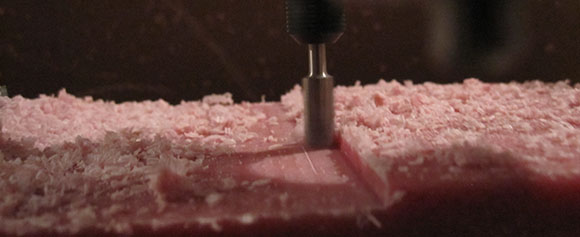
They decided to use parts that were low cost and readily available so others could easily follow in their footsteps. A Philips XP5312/SN photomultiplier tube (PMT) and scintillation plastic are the main components.  The enclosure for the probe is a standard paint can, lined with polyurethane foam inserts to help protect the assembly and hold everything in place.

[David] says that since the probe is very portable and has a high level of sensitivity, it is an ideal candidate for radioactive mineral surveying and scouting miscellaneous gamma-ray sources. They documented the whole process and have compiled a handy PDF file for those who are interested in creating their own.

DIY PC To Telescope Interface Cable

diy.pc.to.telescope.interface.cable

If you’re serious about astronomy these days, you want to have a computer controlled telescope. Although you can easily purchase a pre-made cable that connects the two devices, where’s the fun in that? [Charles], being an avid Maker, has created a nice step by step guide so you can build your own.

This is a great weekend project, and one that even a novice electronics hobbyist should be able to tackle. It’s straight forward, rather quick, and very easy. Strip some insulation off both ends of the cable, then cut off the unneeded wires. (You’ll only be working with three of them.) Prep everything with heat shrink tubing. Crimp one end of the wires into an RJ10 plug, then solder the other end of the wires into a DB9 connector. Secure the heat shrink tubing in place, attach the housings, and you can call it finished!

[Charles] said the whole procedure only took him around 15 minutes. Total cost? Less than $17 in parts.

Words Of Wisdom From A Maker Entrepreneur

words-of-wisdom-from-a-maker-entrepreneur

Have an awesome invention that you want to create and sell to the world? Think you have everything all planned out and you’re ready to just let the money flow in? Maybe not. Take a few moments and read [Jonathan]’s first hand experience of a maker start up business that didn’t go anything like he had planned.

[Jonathan] thought he was ready. He had created a unique product and, by taking pre-orders, didn’t have to front any of his own capital. He had shown that there was demand for such a device. The big problem…supply. Selling things was the easy part. Actually making them was another story. Every step of the way had complications. Printing errors, parts suppliers backed out, an international money transfer didn’t go through, postage rates increased, suppliers sent the wrong parts, and he and his wife had a baby. His stress levels were through the roof knowing that his customers had prepaid and were waiting through all the delays.

In the end, [Jonathan] learned a lot and survived the journey. He is currently working on his next invention. If you’d like to learn more about his experiences, you can message him personally.  There’s also a Pianocade features video after the break.

[via Adafruit]

Continue reading “Words Of Wisdom From A Maker Entrepreneur”

Assigning New Packages To Eagle PCB Components

adafruit-eagle-component-creation-tut

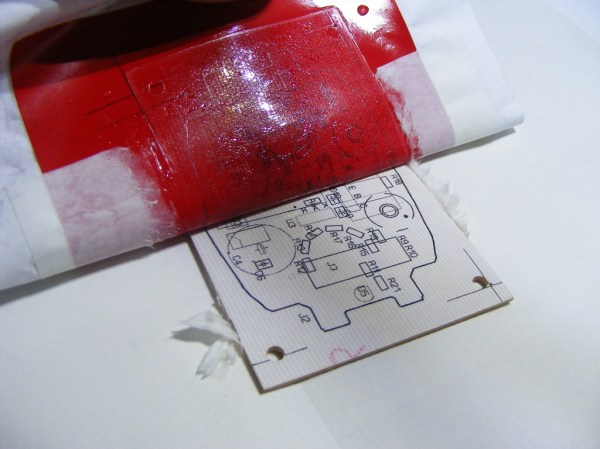
If you’ve spent any time at all laying out your own circuit boards we’re sure you’ve run into the issue of not having the right component or package available in the standard libraries. If it’s a common part, chances are the symbol definition will be there.  But perhaps the footprint you want to use is missing? Here’s an easy to follow tutorial which demonstrates how to assign new packages to existing Eagle PCB components. It even shows the basics of how to tweak the footprint to fit your needs (like making SMD footprints easier to hand solder).

This will not teach you how to make your own custom symbols, or how to build packages from scratch. But it will let you locate the package you want to use from a different component, then copy it to your own library for use with different parts. And the techniques shown make this a quick and relatively painless process.

We certainly don’t want to start another comment quagmire like the recent PIC v. AVR discussion. But we’ve used both Kicad and Eagle rather extensively and feel that neither one has really mastered part/footprint creation in a user-friendly way. We like Kicad’s total separation of footprints from components, and it’s myriad of parameters which can be used to tweak the layout. But if you use the same components frequently, Eagle’s standard of linking parts and footprints does end up saving a lot of time. What do you think?

DIY Space Experiments Within A Ping Pong Ball ‘satellite’

Pongsat space satellite

Ahhh space. The final frontier. While many people dream of one day becoming an astronaut (and possibly battling aliens or cylons), it’s a select few who actually make it their reality. Fortunately for us, there’s a middle ground that allows the masses to still have some fun in the sky. Enter the “Pongsat” program – space experiments within a ping pong ball.

Created by JP Aerospace, this free program allows anyone to create their own mini experiment and send it off to the edge of space. The imagination is the limit. Curious if a marshmallow will expand? Interested what the temperature would be? Wonder if you can charge a solar battery? Stuff it inside a ping pong ball and find out!

Check out the PDF Users Guide to get started, then their Blog and Facebook page for more up to date information.  Now go out there and get your experiment to Mars! (Or at least 100,00 feet)

Watch a video of in flight footage after the break.

[via adafruit]
Continue reading “DIY Space Experiments Within A Ping Pong Ball ‘satellite’”

Beautiful Replica Team Fortress 2 Weapons

gun

We’ve seen our share of replica props, but [Nathan]’s replica of the spy’s sidearm from Team Fortress 2 is the bee’s knees.

The build began as an off-the-shelf Airsoft gun. After removing the barrel and cylinder, [Nathan] used Apoxie Sculpt and a whole lot of sanding to turn a stock piece of metal and plastic into something that came straight from the Mann Co. store. The in-game version of the Ambassador also includes an engraving of the object of the spy’s affection, replicated by [Nathan] with some very careful Dremel work. Once the prop was done, [Nathan] built a mold box out of plywood and filled it with silicone rubber. This allowed him to make several castings of his prop weapon

This isn’t [Nathan]’s only TF2 replica prop; he also made a replica of the stock sniper gun and scout’s scattergun and a megaphone from Borderlands. In an effort to out do himself, [Nathan] is gearing to build a gun that fires two hundred-dollar, custom-tooled cartridges at ten thousand rounds per minute. He has yet to craft any hats.

24V Relay Driver Circuit

driving-24v-relays

[Glitch] got his hands on a slew of relays which are meant for use in industrial equipment. They are designed to operate at 24V. He wanted to use these with common microcontrollers and instead of buying a driver he designed and built his own.

There’s a few things to consider with a project like this. You need a power source, a way to level convert the driver pins, and some protection in case something goes wrong with the circuit. Looking at the board above should give you some idea of what’s going on. There’s a big transformer taking up half of the footprint. This steps down mains voltage to something a 7824 regulator can handle. That’s a 24V linear regulator which is fed by a bridge rectifier along with some smoothing capacitors. With the source taken care of [Glitch] uses an optoisolator for both protection and level conversion. After working the bugs out of the design he was able to control the relay using 3.3V, 5V, or 12V.