Recreating The Jupiter ACE

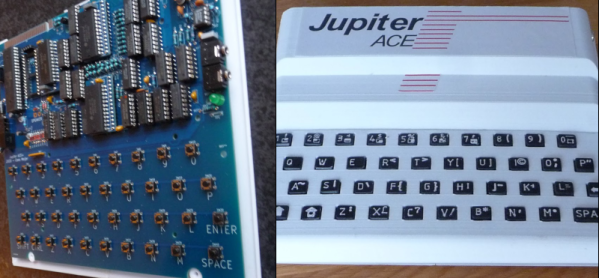
What looks like a Sinclair ZX81 but runs Forth? If you said a Jupiter ACE, you get a gold star. These are rare because ordinary people in 1982 didn’t want Forth, so only about 5,000 of the devices were sold. [Cees Meijer] assumes they are unaffordable, so he built a replica and shows you how you can, too. [Scott Baker] built one recently; you can see his video below.

The resemblance to the Sinclair computer wasn’t just a coincidence. Richard Altwasser and Steven Vickers were behind the computer, and both had worked for Sinclair previously. In addition to being famous for using Forth, the machine initially had a badly manufactured case and an unreliable keyboard. A later version tried to correct these issues, but there were fewer than 1,000 made. [Cees’] replica used a design from [Grant Searle] with some modifications.

We liked the realistic look of the 3D printed keyboard. The keyboard uses white plastic with raised letters. A quick black spray paint followed by sanding gives the appearance of black keys with white printed text.

Overall, this is a good-looking build of a computer you probably won’t see in person. We wish Forth had caught on in the early PC world, but it didn’t. [Grant] was prolific with replica computers, and [Cees] isn’t the only one who used that work as a starting point for their own projects. If you want real old-school Forth, you have to go back a few more years.
Continue reading “Recreating The Jupiter ACE” →

Video And Audio Playback On Low-End MS-DOS Machines

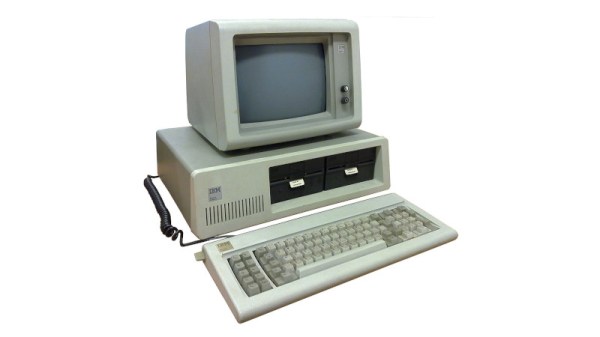
For most people the phrases ‘MS-DOS’ and ‘video playback’ probably aren’t commonly associated, yet it was quite normal as those of us who were watching full-motion video with games like Command & Conquer can attest to. These audiovisual experiences did however require somewhat more capable hardware than something like an original, 4.77 MHz IBM PC. More recently, however, the removal of these limitations has been turned into a challenge that has been gleefully accepted by hackers, including [Scali] whose recent tinkering with getting not only real-time video but also audio working on these old beasts has been documented on their blog.

Unlike existing early video formats like FLIC from the 1990s, the XDC format developed over the past years enables real-time, 60 FPS video and audio playback on an 8088 IBM PC that has a SoundBlaster 2 and CGA card installed. As [Scali] notes, the SB2 card is convenient, because it enables DMA transports for the audio data, which saves a lot of precious CPU cycles. Unlike the original SB card, it also fixes some teething issues, but an SB2 is hardly ‘low-end’ for an early 1980s PC, so it has to go.

Continue reading “Video And Audio Playback On Low-End MS-DOS Machines” →

Your Home Mainframe

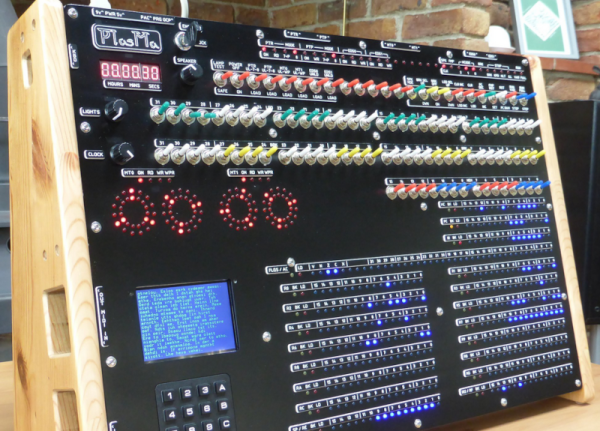
We miss the days when computers looked like computers. You know, blinking lights, rows of switches, and cryptic displays. [Phil Tipping] must miss those days too since he built PlasMa, a “mini-mainframe simulator.”

The device would look at home on the set of any old science fiction movie. Externally, it has 540 LEDs, 100 switches, and a number of other I/O devices, including a keypad and an LCD screen. Internally, it can support three different instruction sets. Everything is run by an ATmega2560, and it has simulated paper tape, magnetic tape, and disks (all via SD cards). The magnetic tapes also have LED simulated reels to show the tape position and other status information (the round displays just above the LCD display).

Continue reading “Your Home Mainframe” →

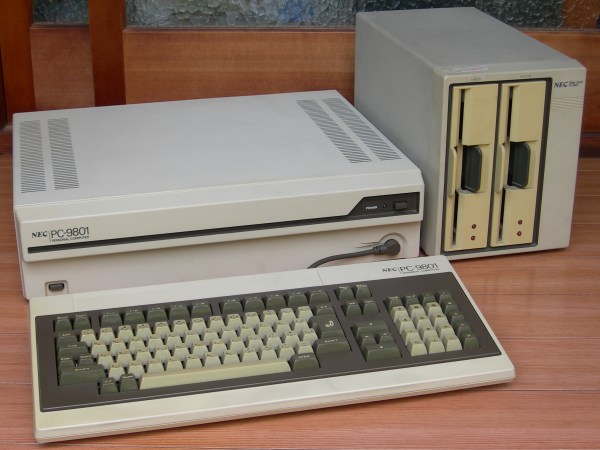
PC-9801 system. (Credit: MH0301 - Own work, CC BY-SA 4.0)

The Strange World Of Japan’s PC-98 Computer Ecosystem

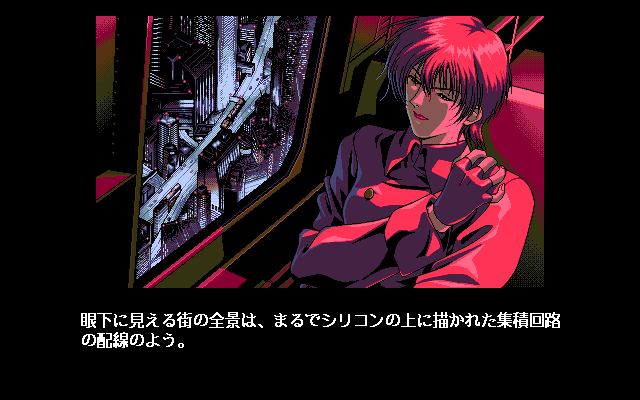
Despite the popularity of the IBM PC in the West during the 1980s, it had shortcomings that prevented it from flourishing in the Japanese market, most of all support for the Japanese language. This led to a sort of parallel universe in which NEC’s PC-9800 series (‘PC-98’) was the dominant personal computer, including its NEC µPD7220 display controller with its 4096-color palette. These computer systems led to a graphics style that persists to today, along with a whole ecosystem of games and applications that never left the PC-98. In an article by [Biz Davis] this software ecosystem, its art style and their lasting impact is explored.

Screenshots from X-Girl, a PC-98 game from 1994.

Although the NEC PC-9800 series of computers was primarily focused on Japanese businesses with its release in the early 1980s, it found itself adopted for educational and hobby purposes as well. During the 1980s and early 1990s they faced little opposition from IBM PCs and clones, despite them all being x86-based systems running DOS. It wasn’t until the early 1990s that mostly US companies began to explicitly design computers to work for the Japanese market, leading to a gradual decline of the PC-9800 series PCs in the market.

Despite the last PC-98 system having been released in 2000 – with the last systems running some flavor of Windows – these systems and the software for them isn’t just a unique time capsule of this part of Japan’s history, but continues to see new software releases to this day. If you wish to experience this software for yourself, a number of open source PC-9800 emulators are available, including the nyan-tastic Neko Project II.

Top image: PC-9801 system. (Credit: MH0301 – Own work, CC BY-SA 4.0)

A Web Server, The Sixteen Bit Way

If you were to talk about sixteen bit computing in retrocomputing circles, misty-eyed reminiscences of the ST or Amiga would emerge. Both fine platforms, but oddly the elephant in the 16-bit room has become a victim of its own success. DOS, the granddaddy of all PC operating systems, seems oddly overshadowed by its 68000-based competitors in a way it certainly wasn’t back in the day. Perhaps it’s the often-atrocious graphics when cards designed for business graphics were pressed into gaming service, but it’s easy to forget that DOS PCs were the powerhouses of their day. They still pack a punch even in 2023, as [Lunduke] is here to show us by running a DOS web server. Take that, nginx! Continue reading “A Web Server, The Sixteen Bit Way” →

Dial Up Over Discord

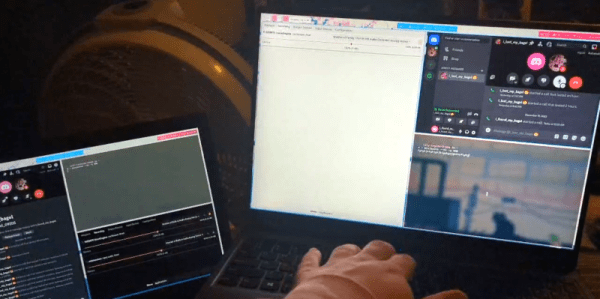
Some hacks are useful and some are just… well… for the fun of it, and we can appreciate that. Take, for example, [Cool Blog’s] recent experiments with dialup networking. If you think about it, the BBS systems of yesterday have been replaced with more modern tools like Discord. So why not run modems using audio chat over Discord and get the best of both worlds?

This was both easier and harder than we would have expected. The first hurdle was the lack of any actual modems. Luckily, there are software modem emulators like minimodem that makes a PC soundcard work like a modem. It supports some basic protocols, and that’s probably a good thing since the digital audio channel is probably unable to support anything too sophisticated.

Using some crude audio routing 300 baud data did flow. Increasing the baud rate all the way to 2,100 worked reliably. Combining some more sophisticated audio flows and managing sockets with systemd made the process easier. The goal was to, eventually, telnet over the link but that never worked. We would guess that it could work if you spent enough time.

But the proof is in the pudding, and the basic idea works. Why do it? We can’t think of a good reason. But if you want to give it a shot, you can find what you need on GitHub.

Hams still use modems. While we tend to have a soft spot for retrocomputing gear, we don’t miss acoustic couplers at all.

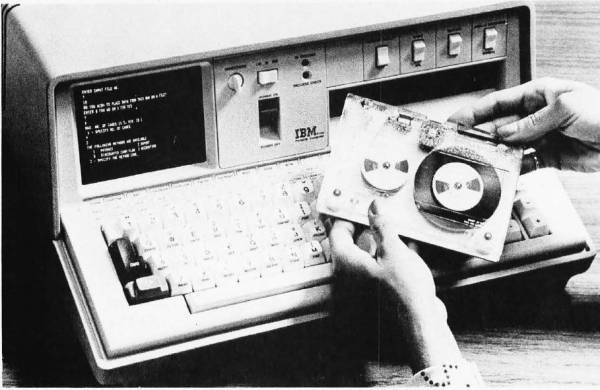
The IBM 5100, image from December 1975 issue of BYTE.

Bringing APL To The Masses: The History Of The IBM 5100

The 1970s was a somewhat awkward phase for the computer industry — as hulking, room-sized mainframes became ever smaller and the concept of home and portable computers more capable than a basic calculator began to gain traction. Amidst all of this, two interpreted programming languages saw themselves being used the most: BASIC and APL, with the latter being IBM’s programming language of choice for its mainframes. The advantages of being able to run APL on a single-user, portable system, eventually led to the IBM 5100. Its story is succinctly summarized by [Bradford Morgan White] in a recent article.

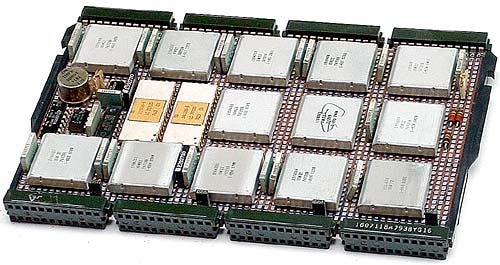
The IBM PALM processor.

Although probably not well-known to the average computer use, APL (A Programming Language) is a multi-dimensional array-based language that uses a range of special graphic symbols that are often imprinted on the keyboard for ease of entry.

It excels at concisely describing complex functions, such as the example provided on the APL Wikipedia entry for picking 6 pseudo-random, non-repeating integers between 1 and 40 and sorting them in ascending order:

x[⍋x←6?40]

Part of what made it possible to bring the power of APL processing to a portable system like the IBM 5100 was the IBM PALM processor, which implemented an emulator in microcode to allow e.g. running System/360 APL code on a 5100, as well as BASIC.

Despite [Bradford]’s claim that the 5100 was not a commercial success, it’s important to remember the target market. With a price tag of tens of thousands of (inflation-adjusted 2023) dollars, it bridged the gap between a multi-user mainframe with APL and far less capable single-user systems that generally only managed BASIC. This is reflected in that the Commodore SuperPET supported APL, and the 5100 was followed by the 5110 and 5120 systems, and that today you can download GNU APL which implements the ISO/IEC 13751:2001 (APL2) standard.

We’ve previously looked at the Canadian-made MCM/70, another portable APL machine that embodied the cyberdeck aesthetic before William Gibson even gave it a name.

Top image: The IBM 5100, image from December 1975 issue of BYTE.

Thanks to [Stephen Walters] for the tip.