[Ken] Looks At The 386

The 80386 was — arguably — Intel’s first modern CPU. The 8086 was commercially successful, but the paged memory model was stifling. The 80286 also had a protected mode, which differed from the 386’s. [Ken Shirriff] takes the 386 apart for us in a recent blog post.

The 286’s protected mode was less successful than the 386 because of several key limitations as it was a 16-bit processor with a 24-bit address bus. It still required segment changes to access larger amounts of memory, and it had no good way to call back into real mode for compatibility reasons. The 386 fixed all that. You could adopt a segment strategy if you wanted to. But you could also load the segment registers once to point to a 4 GB linear address space and then essentially forget them. You also had a virtual 86 mode that could simulate real mode with some work.

The CPU used a 1-micron process, compared to the 1.5-micron process used earlier. The chip had 285,000 transistors (although the 80386SL had many more). That was ten times the number of devices on the 8086. The cheaper 386SX did use the 1.5 micron process for a while, but with a 16-bit external bus, this was feasible. While 285,000 sounds like a lot, a Core i9 has around 4.2 billion transistors. Times have changed.

A smaller design also allowed chips like the 386SL for laptops. The CPU took up only about a fourth of the die. The rest held bus controllers and cache interfaces to cut costs on laptops. That’s why it had so many more transistors.

[Ken] does his usual in-depth analysis of both the die and the history behind this historic device. We spent a lot of time writing protected mode 386 code, and it was nice to see the details of a very old friend. These days, you can get a pretty capable CPU system on a solderless breadboard, but designing a working 386 system took a few extra parts. The 80286 was a stepping stone between the 8086 and 80386, but even it had some secrets to give up.
Restoration Of A Thinkpad 701C

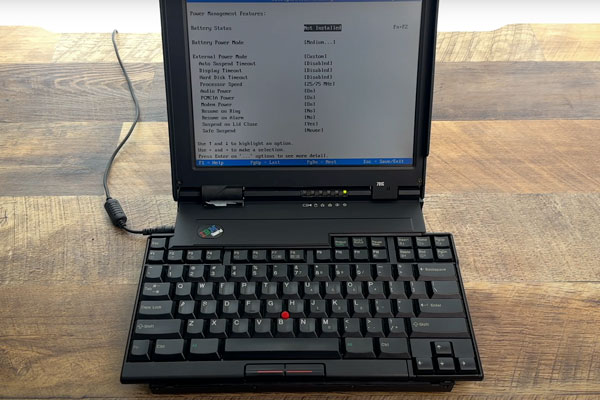
This is like ASMR for Hackers: restoration specialist [Polymatt] has put together a video of his work restoring a 1995 IBM Thinkpad 701c, the famous butterfly keyboard laptop. It’s an incredible bit of restoration, with a complete teardown and rebuild, even including remaking the decals and rubber feet.

[Polymatt] runs Project Butterfly, an excellent site for those who love these iconic laptops, offering advice and spare parts for restoring them. In this video, he does a complete teardown, taking the restored laptop completely apart, cleaning it out, and replacing parts that are beyond salvaging, like the battery, and replacing them. Finally, he puts the whole thing back together again and watches it boot up. It’s a great video that we’ve put below the break and is well worth watching if you wonder about how much work this sort of thing involves: the entire process took him over two years.

We’ve covered some of his work in the past, including the surprisingly complicated business of analyzing and replacing the Ni-Cad battery that the original laptop used. Continue reading “Restoration Of A Thinkpad 701C”

Designing A Macintosh-to-VGA Adapter With An LM1881

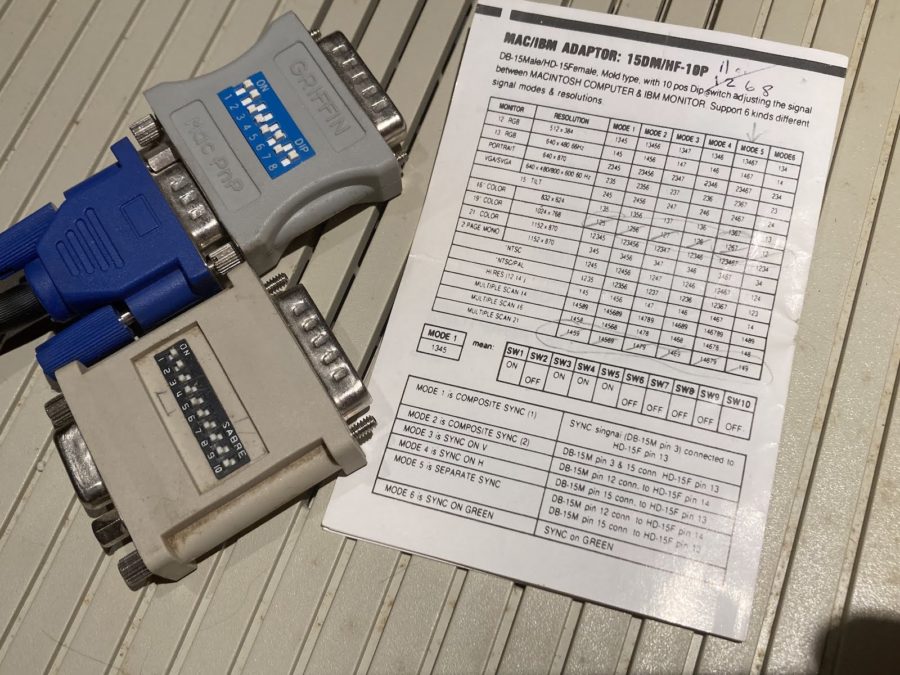
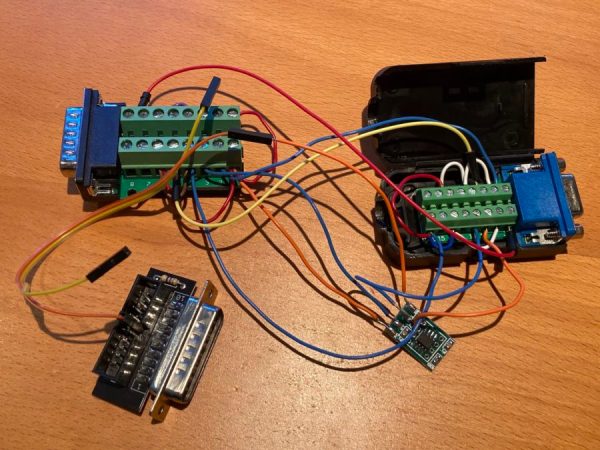
Old-school Macintosh-to-VGA adapter. Just solve for X, set the right DIP switches and you’re golden.

If you’re the happy owner of a vintage Apple system like a 1989 Macintosh IIci you may know the pain of keeping working monitors around. Unless it’s a genuine Apple-approved CRT with the proprietary DA-15-based video connector, you are going to need at least an adapter studded with DIP switches to connect it to other monitors. Yet as [Steve] recently found out, the Macintosh’s rather selective use of video synchronization signals causes quite a headache when you try to hook up a range of VGA-equipped LCD monitors. A possible solution? Extracting the sync signal using a Texas Instruments LM1881 video sync separator chip.

Much of this trouble comes from the way that these old Apple systems output the analog video signal, which goes far beyond the physical differences of the DA-15 versus the standard DE-15 D-subminiature connectors. Whereas the VGA standard defines the RGB signals along with a VSYNC and HSYNC signal, the Apple version can generate HSYNC, VSYC, but also CSYNC (composite sync). Which sync signal is generated depends on what value the system reads on the three sense pins on the DA-15 connector, as a kind of crude monitor ID.

Theoretically this should be easy to adapt to, you might think, but the curveball Apple throws here is that for the monitor ID that outputs both VSYNC and HSYNC you are limited to a fixed resolution of 640 x 870, which is not the desired 640 x 480. The obvious solution is then to target the one monitor configuration with this output resolution, and extract the CSYNC (and sync-on-green) signal which it outputs, so that it can be fudged into a more VGA-like sync signal. Incidentally, it seems that [Steve]’s older Dell 2001FP LCD monitor does support sync-on-green and CSYNC, whereas newer LCD monitors no longer list this as a feature, which is why now more than a passive adapter is needed.

Although still a work-in-progress, so far [Steve] has managed to get an image on a number of these newer LCDs by using the LM1881 to extract CSYNC and obtain a VSYNC signal this way, while using the CSYNC as a sloppy HSYNC alternative. Other ICs also can generate an HSYNC signal from CSYNC, but those cost a bit more than the ~USD$3 LM1881.

Implementing Commodore’s IEC Bus Protocol On A KIM-1 Single Board Computer

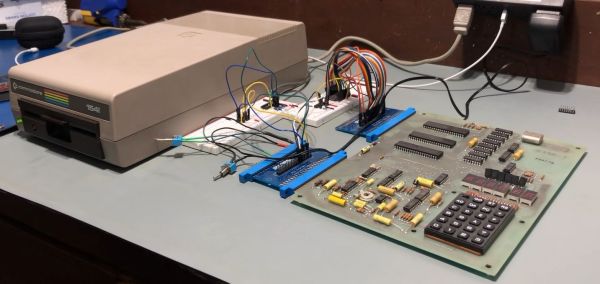
Although the PET is most likely the more well-known of Commodore’s early computer systems, the KIM-1 (Keyboard Input Monitor) single board computer was launched a year prior, in 1976. It featured not only the same MOS 6502 MPU as later Commodore systems, but also an MCS6530 PIO IC that contained the ROM, RAM and programmable I/O, reminiscent of later I/O chips on Commodore systems. As the KIM-1 was only designed to be used with an external tape drive (and a terminal for fancy users), adding a floppy drive like the ubiquitous 1541 with its IEC bus interface was not a first-party accessory. How the IEC bus can be retrofitted to a KIM-1 system is demonstrated in this video by the Commodore History channel.

The Commodore KIM-1 hardware is almost directly compatible with the C64 hardware. (Credit: Commodore History on YouTube)

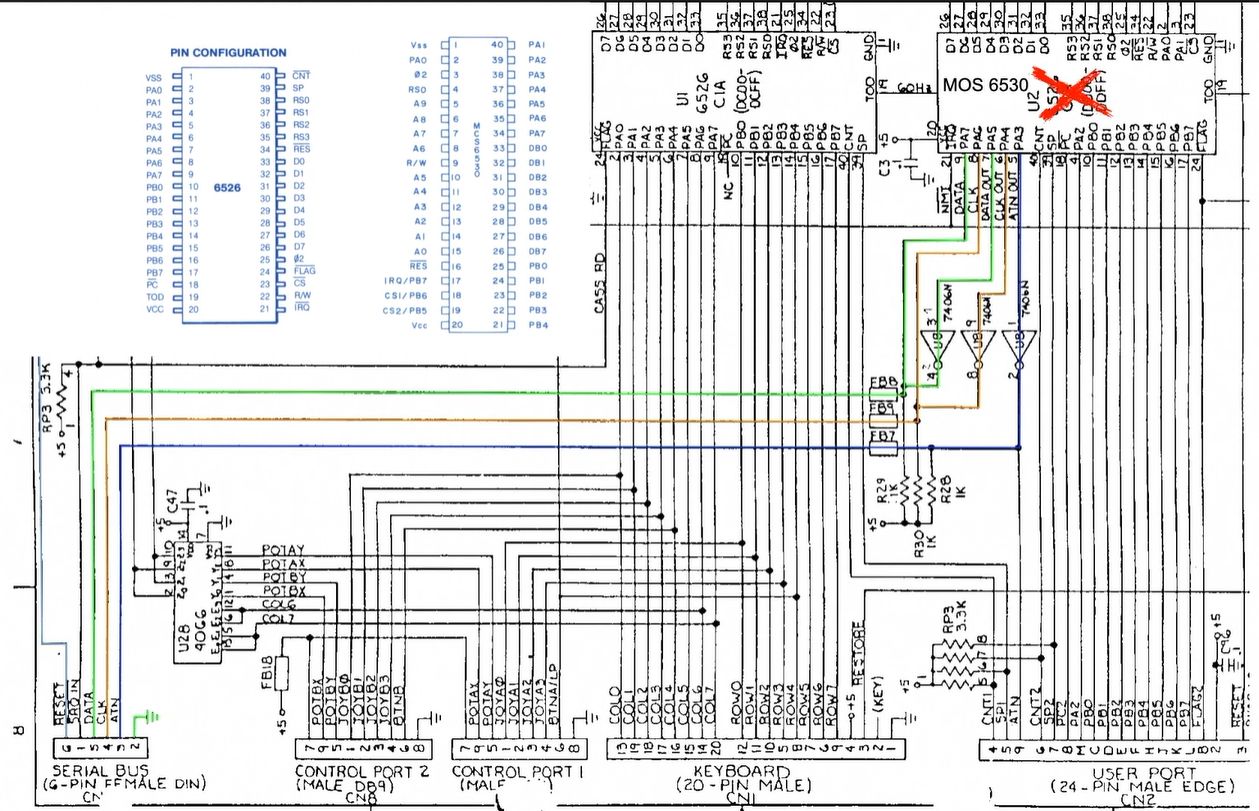
What is most notable is just how similar the KIM-1 hardware is to later PET and VIC hardware, with the CIA and PIO ICs featuring the same requisite pins for this purpose, and requiring only the addition of an inverting (SN7406) IC and an EPROM featuring the new code to support the proprietary Commodore IEC bus protocol, which was mostly pilfered byte-for-byte from a C64 kernal ROM.

With some creative breadboarding in place and using nothing more than the on-board LED display and keyboard matrix, it was then possible to write to the inserted floppy disk, and also to read back from it. What’s interesting here is that this essentially replaces the tape drive as target for the KIM-1, which thus retains a lot of the original functionality, but with a big performance boost. While perhaps only interesting as an academic exercise, it’s definitely an interesting look at the early beginnings of what would blossom into the Commodore 64.

Continue reading “Implementing Commodore’s IEC Bus Protocol On A KIM-1 Single Board Computer”

Zilog’s Forgotten Operating System: Z80-RIO

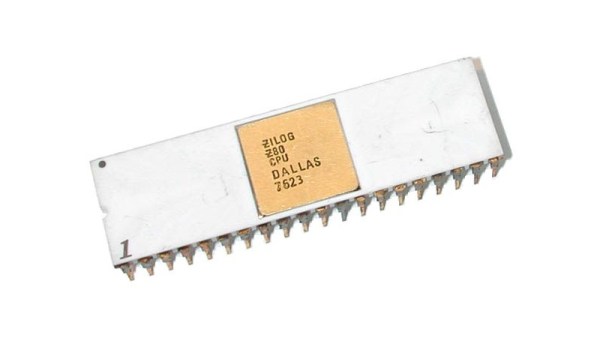
When it comes to famous operating systems for the Z80 and similar Zilog processors, the first and maybe only one to come to mind is CP/M, which was even made its presence known on the dual-CPU (8502 and Z80) Commodore 128. Yet Zilog also developed its own operating system, in the form of the comprehensively titled Z80 Operating System with Relocatable Modules and I/O Management (Z80-RIO for short). With limited documentation having survived, [Ralf-Peter Nerlich] has set out to retain and recover what information he can on RIO and the associated Programming Language Zilog (PLZ) after working with these systems himself when they were new.

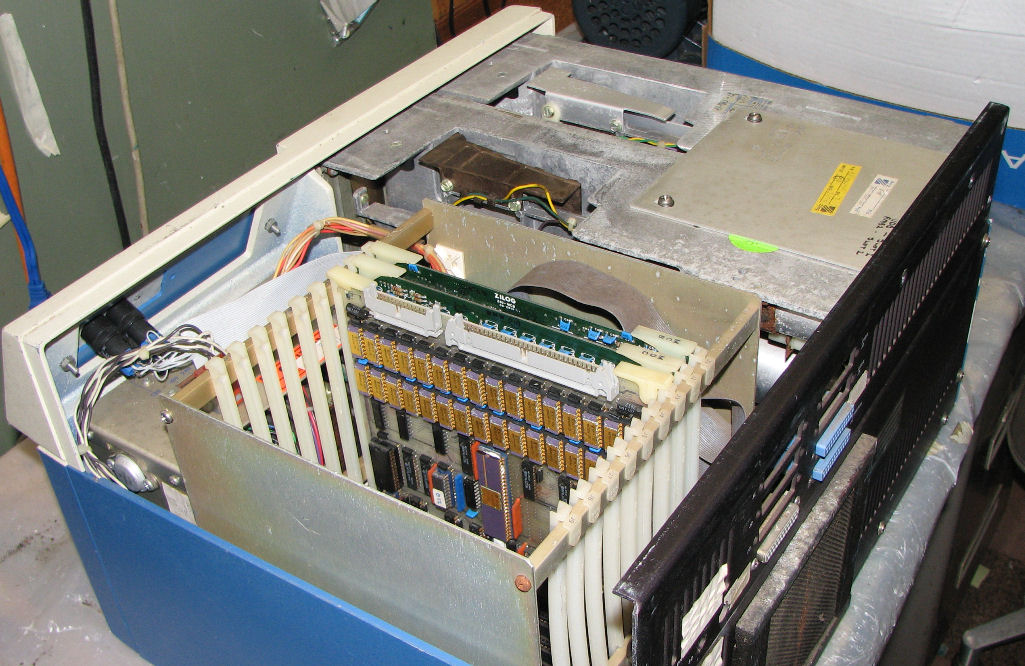
A Zilog MCZ 1/20 system from around 1979. (Credit: Herb Johnson)

Perhaps unsurprisingly, neither Z80-RIO nor PLZ were targeting the regular consumer market when they were brought to market in the late 1970s, but were part of Zilog’s focus on industrial markets, as well as laboratories and elsewhere that could benefit from a versatile, programmable computer system for control and automation.

As part of an integrated hardware/software solution, Zilog released a series of computer systems, such as the MCZ 1/20 of which a number of examples survive today. Herb Johnson’s collection and restoration projects provide a good overview of not only the base systems, but also the expansion cards available for these systems. Right along with the Z80-RIO OS providing the ability to customize the system for the target usage, the underlying hardware could also be configured with just the expansion boards required, or conceivably even custom boards.

Of course, it doesn’t take many guesses to figure out what happened to Z80’s RIO OS and related, with the 1980s heralding massive shifts in the computer markets. Although now functionally obsolete for decades, it’s good to see such preservation efforts of 1970s computing systems and related software. These are after all the foundations on which modern day computing is built.

(Thanks to [Stephen Walters] for the tip)

LittleFS: The Emphasis Is On Little

It used to be that developing for microcontrollers was relatively relaxing. These days, even a cheap micro like the Raspberry Pi Pico has multiple cores, networking (for the W, at least), and file systems. Just like desktop computers. Sort of. I found out about the “sort of” part a few weeks ago when I decided to embark on a little historical project. I wanted a file system with a large file that emulates a disk drive. The Pico supports LittleFS, and I figured that would be the easy thing to do. Turns out the Little in LittleFS might be more literal than you think. On the plus side, I did manage to get things working, but it took a… well — dare I say hack? — to make it all work.

History

I’m an unabashed fan of the RCA 1802 CPU, which is, of course, distinctly retro. The problem is, I keep losing my old computers to moves, natural disasters, and whatnot. I’ve had several machines over the years, but they seem to be a favorite target of Murphy’s law for me. I do currently have a small piece of hardware called an Elf Membership Card (by [Lee Hart]), but it lacks fancy features like disk drives, and while it could be expanded, there’s something charming about its current small size. So that led me to repurpose a 6502 emulator for the KIM-1 to act like an 1802 instead. This is even less capable than the membership card, so it was sort of a toy. But I always thought I should upgrade the Arduino inside the emulator to a processor with more memory, and that’s what I did.

I started out with a Blackpill STM32F board and called the project 1802Black. The code is a little messy since it started out as [Oscar’s] KimUNO code, and then my updates layered with new updates. Also, for now, I shut off the hardware parts so it won’t use the KimUNO hardware — you only need a Blackpill (or a Pico, see below) and nothing else, although I may reenable the hardware integration later.

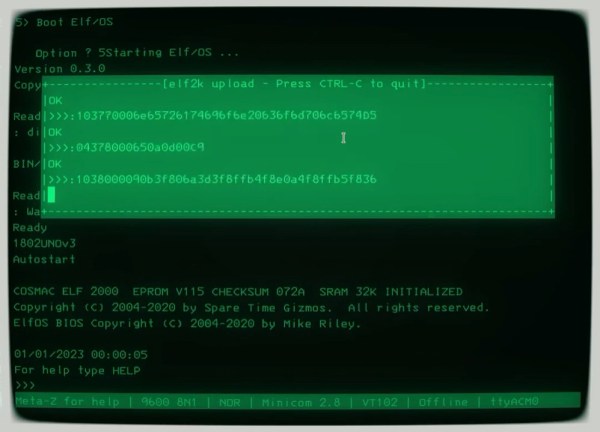
It wasn’t that hard to get it running with just more memory. Still, I wanted to run [Mike Riley’s] Elf/OS operating system and I also had a pair of Raspberry Pi Picos mocking me for not using them in a project yet. The chip has excellent Arduino board support. But what sealed the deal was noticing that you can partition the Pico’s flash drive to use some of it for your program and the rest for a file system. You can get other RP2040 dev boards with 16 MB of flash, which would let me have a nearly 15 MB “hard drive,” which would have been huge in the 1802’s day. Sounds simple. If it were, though, we wouldn’t be talking.

Continue reading “LittleFS: The Emphasis Is On Little”

Life-Sized Rock’em Sock’em Robot Will Definitely Knock Your Block Off

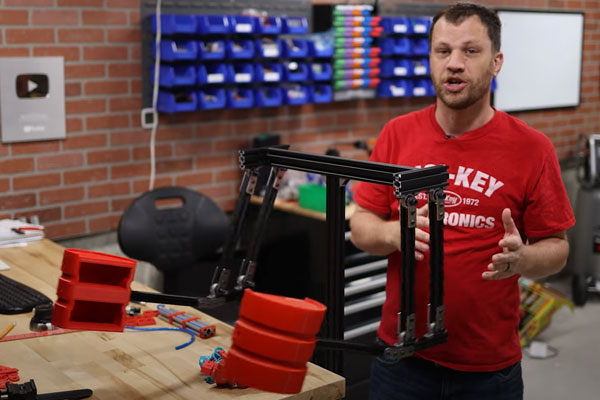
He knocked his block off! That’s what [Zach] of Byte Sized Engineering is planning on saying when he completes this Rock’em Sock’em Robots replica. The twist? His replica is going to be life-sized. The original game involved two players, each controlling a robot that could punch and block with two lever-driven arms. [Zach] is looking to scale that up to human sized, but with a few interesting technical additions.

This build might be a bit large to be driven by a small child, so for the punching action [Zach] is using a four-bar linkage moved by a pneumatic cylinder. After some modelling, he decided on a 16mm bore and 100mm stroke cylinder that should provide a good, quick pneumatic action, but without putting so much force in that it destroys the whole thing. The aim is to knock his block off, not to permanently remove his block and take someone else’s  block with it. This first video details his first prototype of the arm and the first set of tests, with later videos hopefully getting more into the mechanism and technical details of the build. We’d also like to see  (hint, hint [Zach]) some of the files and code to follow up with.

Bonus fact: as older Brits may tell you, the game was marketed for some time there under the name “Raving Bonkers“, with the robots renamed as Basher Bonker and Biffer Bonker.  The name didn’t catch on, and they changed back to the Rock’em Sock’em robots name.  Ask someone in the UK these days if they want to play raving bonkers with your basher, and you will probably get your own block knocked off. Video below the break. Continue reading “Life-Sized Rock’em Sock’em Robot Will Definitely Knock Your Block Off”