The $100 Tri-copter

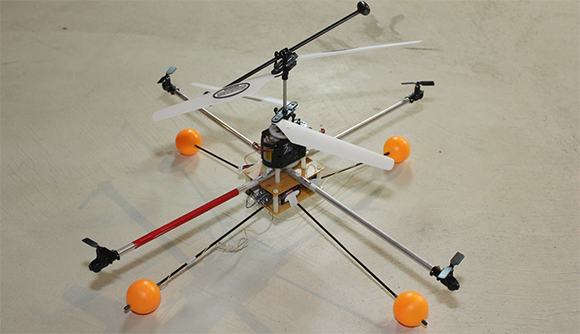
We’ve seen lots of budget tri-copters, but $100 seems like a heck of a deal to us! Watching this video, you can see this home made tri-copter is incredibly agile and seems to handle quite well. Whats amazing is that [hallstudio] claims that it cost roughly $100. That price is really good compared to even the cheapest multi copters out there.

Much of the manufacturing cost associated with this kind of thing has been removed as the body is just cheap wood from the local hardware store. He even did an admittedly sloppy rig for his tail rotor, not that it looks like it has hurt his performance.  One cool feature is the fact that you can fold the front arms backward, allowing for the tri-copter to be shoved into a bag for easy transportation.

You can find a complete parts list on his video, but it looks like maybe his cost doesn’t figure in the cost of the radio controller. There are no build instructions, but a quick google search leads us to the rcexplorer tricopter which seems to be the template he used. There are full build details there.


[via Hackedgadgets]

Extending The Range Of The AR Drone, 2 Ways.

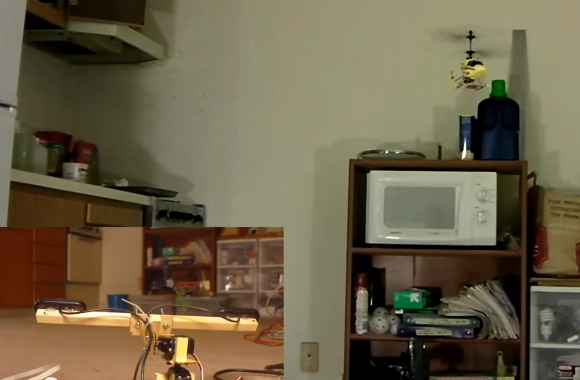
As I mentioned earlier, we’ve got an AR Drone to play with. One of the common mods that popped up on the internet were ways of extending the range on the AR Drone. It normally uses a local Wi-Fi connection to your phone or tablet for control and video signals. Many found this quite restrictive and have gone pretty far in extending that range.

The first and easiest was just to set up a higher power Wi-Fi Bridge where you’ll be flying. The Drone only has about 15db of wi-fi magic in it, so anything stronger than that is an improvement. There were too many variations on this to delve into the details, but as you see, there’s not much too it.

Continue reading “Extending The Range Of The AR Drone, 2 Ways.”

Controlling A Quadcopter With A Homebrew Remote

When [Matt] started building his multirotor helicopter, he was far too involved with building his craft than worrying about small details like how to actually control his helicopter. Everything worked out in the end, though, thanks to his homebrew RC setup built out of a USB joystick and a few XBees.

After a few initial revisions and a lot of chatting on a multirotor IRC room, [Matt] stumbled across the idea of using pulse-position modulation for his radio control setup.

After a few more revisions, [Matt] settled on using an Arduino Pro Mini for his flight computer, paired with a WiFly module. By putting his multicopter into Ad-hoc mode, he can connect to the copter with his laptop via WiFi and send commands without the need for a second XBee.

Now, whenever [Matt] wants to fly his multicopter, he plugs the WiFly module into his MultiWii board, connects his laptop to the copter, and runs a small Python script. It may not be easier than buying a nice Futaba transmitter, but [Matt] can easily expand his setup as the capabilities of his copter fleet grows.

Video of [Matt]’s copter in flight after the break.

Continue reading “Controlling A Quadcopter With A Homebrew Remote”

Lite Brites Fade, But LED Clocks Are Forever

litebrite-clock

Ahh, the Lite Brite.

What could be more fun than pushing dozens of little plastic pegs through a piece of black paper in order to create a pixelated, though colorful image? Well, I can think of quite a few things more engaging than that, and luckily so can [Lonnie Honeycutt] over at MeanPC.

While contemplating what to build with a pile of LEDs, his daughter came into the room with her portable Lite Brite. He thought that the pegs she was using looked awfully similar to the LEDs on his desk, so he did some test fitting and was surprised to see that they fit almost perfectly.

[Lonnie] thought that the toy would make an excellent clock, and his daughter happily agreed to let Dad do some tinkering. A few hours, an Arduino, and some Charlieplexing later, he had a nice looking clock that his kids were sure to enjoy.

If you’re interested in seeing more about how constructed, be sure to check out his YouTube channel and Instructable, where he happily provides all of the build details.

Mechanical Skeeball Built From Knex

We don’t really know what to say. This Skeeball cabinet is built entirely from Knex. It works exactly how you’d expect Skeeball to work. You plug in quarter and it dispenses balls and keeps score.

[Shadowman39] worked on the build for more than a year. Everything that went into it is a Knex part with the exception of a few rubber bands, and the paper numbers that are used on the scoreboard. There are six motors which drive the machine. Four of them are responsible for turning the scoreboard digits, the others handle ball return.

The link at the top starts off with a bunch of images of the various parts, but you’ll want to watch the video after the break for a closer look. It shows the coin hopper in greater detail. It’s built to only accept quarters and to reject all other coins.

Continue reading “Mechanical Skeeball Built From Knex”

Connect 4 Binary Clock

As part of a class at University, [Emacheen22] and his teammates turned an old Connect 4 game into a binary clock. This image shows the device nearing completion, but the final build includes the game tokens which diffuse the LED light. We enjoy the concept, but think there are a few ways to improve on it for the next iteration. If you’re interested in making your own we’d bet you can find Connect 4 at the thrift store.

Instead of using the free-standing game frame the team decided to use the box to host the LEDs and hide away the electronics. Since they’re using a breadboard and an Arduino this is a pretty good option. But it means that the game frame needs to be on its side as the tokens won’t stay in place without the plastic base attached. They used a panel mount bracket for each LED and chose super glue to hold all of the parts together.

We think this would be a lot of fun if the frame was upright. The LEDs could be free-floating by hot glueing the leads to either side of the opening. Using a small box under the base, all of the electronics can be hidden from view. After all, if you solder directly and use just a bare AVR chip there won’t be all that much to hide. Or you could get fancy and go with logic chips instead of a uC.

Manpowered PVC Rollercoaster

Swing sets and jungle gyms are good enough for your average back yard. But if you want to go extreme you need to build your own backyard roller coaster.

This impressive offering uses PVC pipe for the rails. At its tallest it stands 12 feet, using pressure treated 4×4 lumber as the supports. Pressure treated spacers span the tracks, with the uprights — which are cemented in place — in the center.

You can get a better look at it in the video after the break. This is a parent-powered system. Strap you kid in and then use a stick to push the car up to the top of the hill. We just love it that before the kart has made it back to the start the child is already screaming “again daddy”!

It doesn’t look quite as fast as the metal back yard roller coaster we saw some time ago. But we do wonder how they bent the PVC pipes and whether they’re strong enough to pass the test of time (especially being exposed to the sunlight)? Continue reading “Manpowered PVC Rollercoaster”