Bend Your Vase Mode Prints By Hacking The GCode

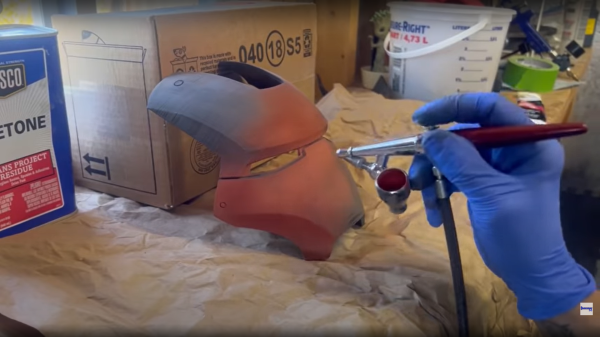
[Stefan] from CNCKitchen wanted to make some bendy tubes for a window-mountable ball run, and rather than coming up with some bent tube models, it seemed there might be a different way to achieve the desired outcome. Starting with a simple tube model designed to be quickly printed in vase mode, he wrote a Python script which read in the G-Code, and modified it allow it to be bent along a spline path.

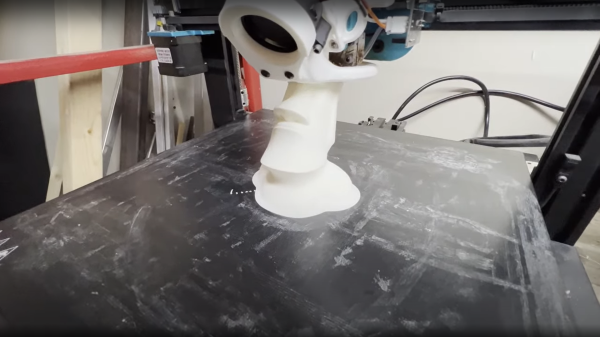
Vase mode works by slowly ramping up the Z-axis as the extruder follows the object outline, but the slicing process is still essentially the same, with the object sliced in a plane parallel to the bed. Whilst this non-planar method moves the Z-axis in sync with the horizontal motion (although currently limited to only one plane of distortion, which simplifies the maths a bit) it is we guess still technically a planar solution, but just an inclined plane. But we digress, non-planar in this context merely means not parallel to the bed, and we’ll roll with that.

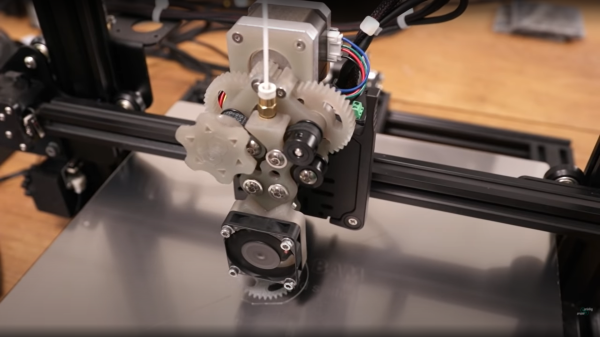
[Stefan] explains that there are quite a few difficulties with this approach. The first issue is that on the inside of the bend, the material flow rate needed to be scaled back to compensate. But the main problem stems from the design of the extruder itself. Intended for operating parallel to the bed, there are often a few structures in the way of operating at an angle, such as fan mounts, and the hotend itself. By selecting an appropriate machine and tweaking it a bit, [Stefan] managed to get it to work at angles up to 30 degrees off the horizontal plane. One annoyance was that the stock nozzle shape of his E3D Volcano hotend didn’t lend itself to operating at such an inclination, so he needed to mount an older V6-style tip with an adapter. After a lot of tuning and fails, it did work and the final goal was achieved! If you want to try this for yourselves, the code for this can be found on the project GitHub.

If you want to learn more about non-planar printing, we’ve covered the process of non-planar slicing a while back, and if you think your 2.5D printer doesn’t quite have the range for really funky print paths, then you may want to look into a robot arm based printer instead.

Continue reading Bend Your Vase Mode Prints By Hacking The GCode”

Building A High-Capacity Linear Servo Actuator

Linear actuators are useful things, moving things in straight lines rather than annoying circles like so many motors. [Retsetman] recently built a linear servo actuator of his own design with accurate positional control.

The design relies on a carriage that moves along a threaded rod, perhaps the most rudimentary design of linear actuator. A large brushed DC motor is used to turn the threaded rod through a 3D-printed 9:1 herringbone geartrain, shifting the actuator back and forth. End stop switches are used to disengage the motor to avoid damage to the mechanism. Feedback is via a ten-turn potentiometer driven off the output geartrain to match the range of the actuator to the rotational range of the pot.

The final build has a stroke of approximately 100 mm, and can lift and hold a 15 kg weight with ease. In a pull test, the actuator failed at a load just shy of 100 kg. If you’re looking for something smaller, though, you can try building a linear actuator out of old DVD drive parts instead. Video after the break.

Continue reading “Building A High-Capacity Linear Servo Actuator”

Printing Magnets

A research center in Spain has been working on ways to solve recent supply chain issues. One of these issues is a shortage of materials to make magnets. Their answer? Recycle ferrite residue by treating it and mixing it with ABS for 3D printing.

The mixing of ferrite with a polymer isn’t the key though, instead the trick is in the processing. The team collected strontium ferrite waste and ground it to a powder. Heating to the point of calcination (about 1000C) creates a superior material with a 350% increase in coercitivity and a 25% increase in remanence over the original waste material.

Continue reading “Printing Magnets”

3D Printing Tiny Metal Parts

It may sound like a pop band, but μ-WAAM is actually a 3D printing technique for making small metal parts from the NOVA University Lisbon. Of course, WAAM stands for wire arc additive manufacturing, a well-known technique for 3D printing in metal. The difference? The new technique uses 250 μm wire stock instead of the 1mm or thicker wires used in conventional WAAM.

The thinner feed wire allows μ-WAAM to create fine details like thin walls that would be difficult to replicate with traditional methods. Typically, for fine structures, printers use fused metal powder. This is good for fine details, but typically slower and has higher waste than wire-based systems.

Continue reading “3D Printing Tiny Metal Parts”

3D Printing Rainbows

[The Action Lab] had a very serious technical problem. His daughter wanted to 3D print sparkly unicorns. But how do you make a 3D print sparkly? Turns out, he had used a diffraction grating before to make rainbow-enhanced chocolate.

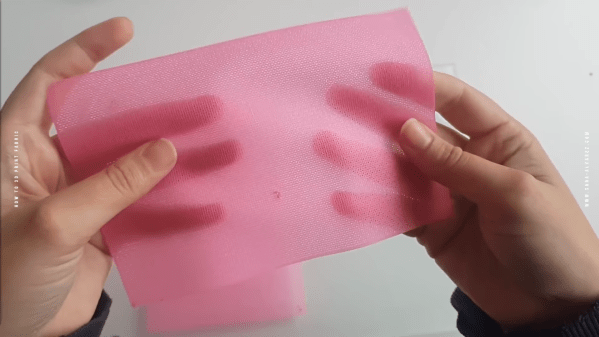
The method turns out to be surprisingly simple. Using a diffraction grating as a print bed, puts the pattern on the bottom of the 3D print and — thanks to how a diffraction grating works — the 3D print now works like a grating, too.

Continue reading “3D Printing Rainbows”

Homemade Probe For 3D Printer: $3

You have a few choices if you want to use a probe to level your 3D printer bed. Rarely, you’ll see optical or capacitive probes. More commonly, though, your probe will sense a metal print or uses a physical probe to touch the print bed. [Design Prototype Test] has long used a BLTouch which uses the latter method. However, putting it in a heated build chamber prevented it from working so he set out to make his own simple design using an Allen key.

We’ve seen Allen key sensors before, but usually, they use a microswitch. We’ve also seen microswitches used to directly probe the bed. But, in this case, a 3D printed fan shroud uses an optical sensor to note when the Allen key hits the bed.

Continue reading “Homemade Probe For 3D Printer: $3”

CadQuery Comes Of Age

Now, we know what some of you are going to say — “Oh man, not another programmatic CAD tool, what’s wrong with OpenSCAD?” — and you may be right, but maybe hold on a bit and take a look at this one, because we think that it’s now pretty awesome! OpenSCAD is great, we use it all the time round these parts, but it is a bit, you know, weird in places. Then along comes CadQuery, and blows it out of the water ease-of-use and functionality wise. Now, we’ve seen a few mentions of CadQuery over the years, and finally it’s become a full-blown toolset in its own right, complete with a graphical frontend/editor, CQ-editor. No odd dependencies on FreeCAD to be seen! That said, installing FreeCAD is not a bad thing either.

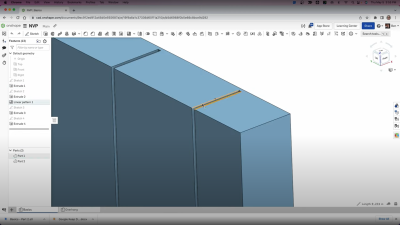
The goal is to have the CadQuery script that produces this object be as close as possible to the English phrase a human would use.

Continue reading “CadQuery Comes Of Age”