Adding Fireplace Control To Your Home Automation

fireplace-automation

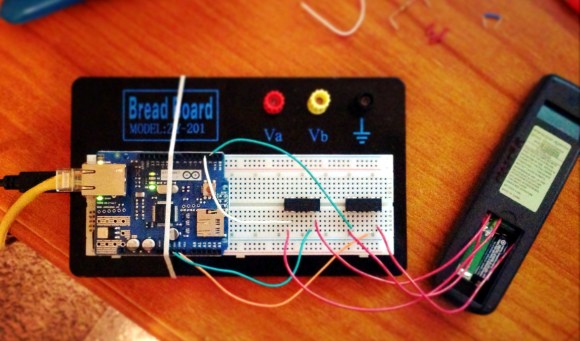
[James] has an admirable home automation system which he’s been working on for years. It does things like monitor the state of the garage door, control the lights, and it even notifies him of a power failure. One thing that wasn’t on the system yet are the fireplaces he has in his home. The hardware you see above is how he patched into the fireplace remote control system in order to automate them.

The remote control uses RF to communicate with a base station. Unlike controlling home theater components which use IR, this makes it a bit more difficult to patch into. Sure, we’d love to see some reverse engineering of the protocol so that a simple radio module could be used, but [James] chose the route which would mean the least amount of hacking on his part. He soldered wires onto the PCB for the buttons and connected to them using reed relays. These let the Arduino simulate button presses.

With the rig connected to the home network he has a lot of options. The system can sense if the house is occupied. If it determines that no one is home it will switch off the fireplaces. [James] also mentions the ability to monitor for carbon monoxide or house fires, switching off the gas fireplaces in either case.
NFC Tags Control Your Home’s Lighting

nfc-controlled-home-lighting

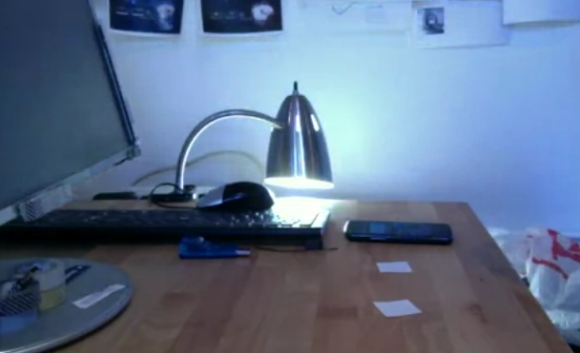
Here’s a home lighting hack that doesn’t require you to think about it after the initial setup. Instead of requiring the user to launch an app and select a lighting state, it uses NFC tags to select a lighting configuration. The tags can be placed in different parts of the house so that setting your phone on the table beside the door while putting your coat on will turn everything in the house off. Of course you need to crawl before you can walk so right now this proof-of-concept only switches the Phillips HUE bulb in the desk lamp.

That bulb is compatible with the Ninja Blocks system — but a Ninja Block or an Arduino with an Ethernet shield could be used to switch whatever you wish. The Ninja client code is an integral part of the system which is why the hardware side needs to relate to the platform. Also used is the On{X} service which bridges the gap between your Android phone and the home automation hardware. Once that is in place it’s only a matter of programming the NFC tags to do as you wish. Don’t miss a demo of this in the clip after the jump.

Continue reading “NFC Tags Control Your Home’s Lighting”

Complete Siri Home Automation Controls Everything But The Kitchen Sink

complete-siri-home-automation

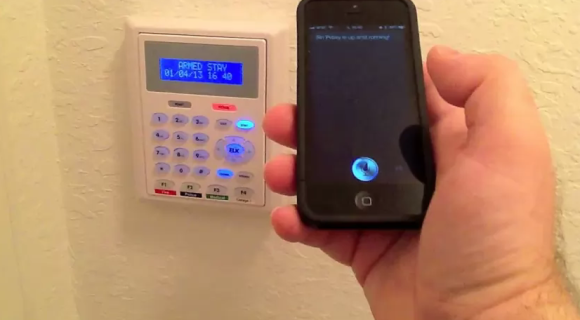
[Elvis Impersonator] spent three full days but in that time he managed to hand control of everything in his house over to Siri. The technique used is a familiar one. A Raspberry Pi running SiriProxy listens for commands from the iPhone and acts on them based on [Elvis’] predefined configuration. The difference here is that it’s not just a single device (read: lamp) that is being controlled to prove the concept. His video (embedded after the break) shows him operating an entire range of devices in his home.

The demonstration starts off with his garage door being opened and closed. From the YouTube video description we know that he’s using Trendnet IP cameras and it looks like one of them lets him see if he remembered to close the garage.  Next he disarms his home security system as shown in the image above. From there he adjusts the Nest thermostat, switches off the living room lights, and changes the TV channels.

We think the need to give voice commands would get old pretty quickly. But that aside we applaud his work to pull everything together into one single interface.

Continue reading “Complete Siri Home Automation Controls Everything But The Kitchen Sink”

Rack Mount Home Automation With A RPi

RPi Home Automation

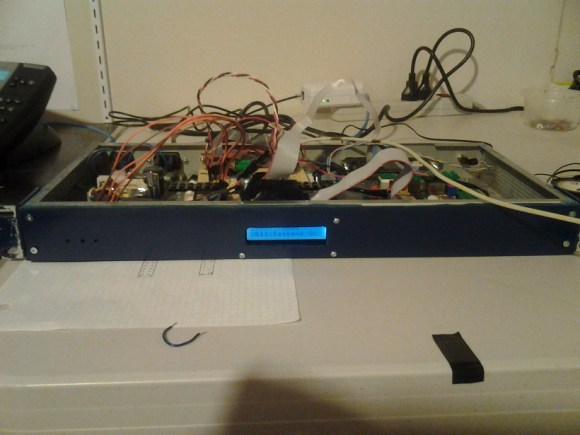
[Patrick] wanted to have centralized sensing and control over various parts of his house. His Raspberry Pi Home Automation System integrates a bunch of functionality in one rack mount package, salvaged from an old network switch.

The automation system is based on a Raspberry Pi running Arch Linux, which talks to an ATmega over SPI. We’ve seen this setup used many times before to add additional ports to the Raspberry Pi, but what makes [Patrick]’s build unique is the amount of control he’s built into the system.

The box controls outdoor lighting at sunset and sunrise, generates wakeup calls, controls IR cameras, and plays sounds based on events. It’s capable of monitoring sump pump water level, the state of a house alarm, and more. A custom REST API is used to interact with the device. This allows for programs on any platform to interface with his home, and acts as an API for his house.

[Patrick] provides a lot of details in his build log, which should be helpful to anyone looking to roll their own home automation system. The source is also provided.

The Universal Geospatial Light Switch

project rita

Home automation has existed in one form or another for quite some time, but we thought this take on controlling lights was quite interesting.  Instead of having a menu of lights that you can turn on and off, this Android app lets you point your phone at the device and turn it on or of. Undoubtedly similar to how [Darth Vader] controls his lights at home.

Although the really technical details of this project aren’t listed, this setup reads the compass and GPS output of the Android device to figure out where it’s pointed in space. Combined with a script that understands the layout of the room, and an [X10] automation controller, it’s able to control lights accurately.

Be sure to check out the video of this device in action, or check out [Mike]’s [Project Rita] blog to see the other interesting projects that he’s working on!

Continue reading “The Universal Geospatial Light Switch”

Humble Beginnings Of A Home Automation Project

humble-beginnings-to-a-home-automation-project

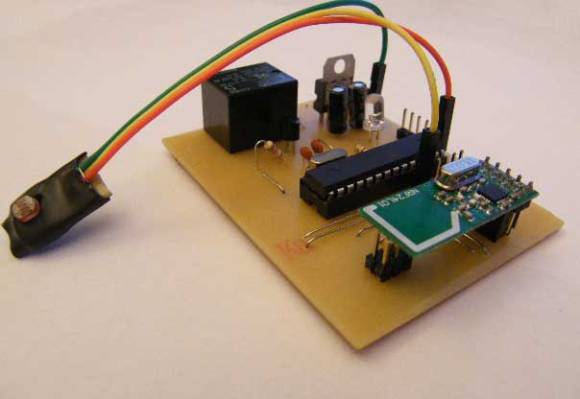
This board is the start of [Steven Pearson’s] quest to automate his home. The module will be used to prototype the rest of the project. Right now it uses an ATmega328 chip running the Arduino bootloader. This connects to one mechanical relay which we would wager is mains rated. The module will be controlled wirelessly via the wireless module seen in the foreground. That is a nRF24L01 board which he chose because of it’s bargain basement price tag of around $1.50.

There is much room for expansion in the system. You can see that a light-dependent resistor has been added to some of the microcontroller’s breakout pins. We would guess that [Steven] will use the hardware to develop for many different functions and will design more task-specific modules as the project progresses.

If you’re a fan of PCB milling and population you won’t want to miss the video after the break. [Steve] posted a fast-motion video of the entire process.

Continue reading “Humble Beginnings Of A Home Automation Project”

Google Talk Used For Home Automation Communications Via Android

home-automation-using-instant-messaging

To call [Carnivore’s] home automation project impressive would be an understatement. He’s pulled together a system that is fast, well presented, and easy to use. To interface with items in his home he’s using X10 modules, and this example simply switches some table lamps. But the underlying setup seems incredibly polished and should be a snap to extend for just about any purpose.

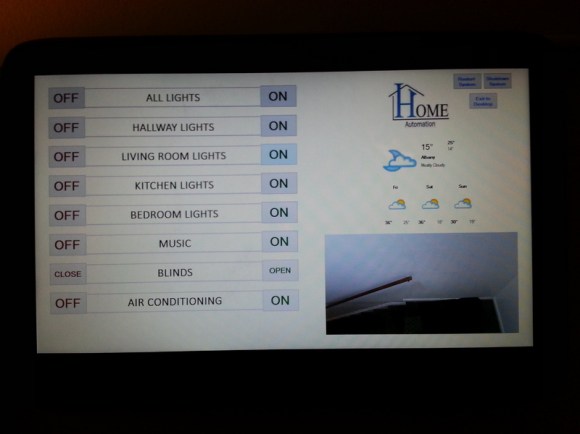
The guide linked above has all the gritty details, but the best overview is provided in the video after the break. [Carnivore] shows off the Windows 8 machine that acts as the server. It has am X10 transceiver connected to communicate with the appliances. He can control the system from the screen seen above, but everything can also be accessed from his Android phone. Communication between the two is handled by Google Talk, an instant messaging application — but the commands are home screen shortcuts and don’t need to be typed into the Google Talk app. He modified the source code of a program called TweetMyPC to use the Google Talk API which looks for keywords in received messages. The lag on an instant message is far lower compared to SMS or Email so commands are received very close to real-time. Feedback is sent from the server to the phone using a text message.

Continue reading “Google Talk Used For Home Automation Communications Via Android”