Pushing As Many Pixels As Possible To A CRT: Interlaced 4K

Some people love CRTs to a degree that the uninitiated may find obsessive. We all have our thing, and for [Found Tech], it’s absolutely pointing particle accelerators at his face to play video games. He likes modern games, with modern resolutions– none of this 1080p nonsense. Today’s gamers demand 4K! Can a CRT keep up? The answer is a resounding “No, but actually, yes!”

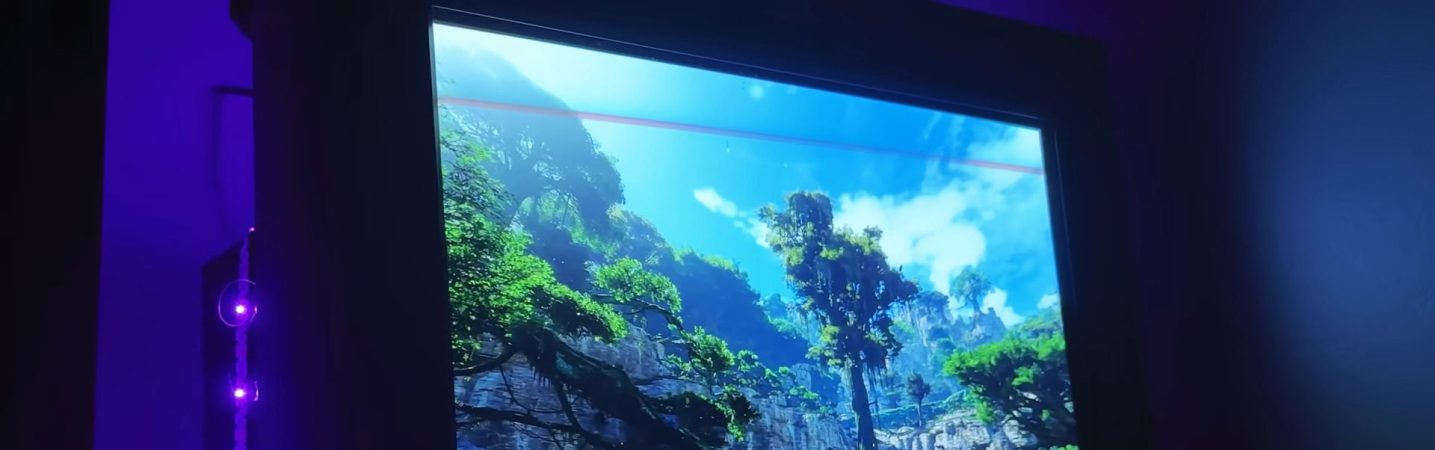
[Found Tech] has an IBM P275 monitor, which is one of the last generation of CRTs.  Officially, the resolution maxes out at 1920 dots by 1440 lines. While one might (inaccurately) call that UHD output “2K”, you certainly cannot claim it is 4K. So, what’s the secret? Interlacing. Yes, interlacing, like old analog TV signals.

Apparently, in spite of what the manual says, getting the screen to absorb the 2880×2160 interlaced signal wasn’t the hard part, but generating it was. NVIDIA and AMD graphics cards are absolutely unable to create an interlaced signal, but Intel integrated GPUs are– if you get the right combo of chip and old driver. Sadly, the video doesn’t list exactly what he used. Of course an iGPU isn’t going to give you a very good gaming experience at this high resolution, so [Found Tech] has his games do their rendering on the discrete card before piping that over to the iGPU for display on the CRT.

Technically, you still can’t call the 2880×2160 picture “4K”, as that trademark refers to 2160p at 16:9, and this is both interlaced and 4:3. Still, close enough. In spite of the artifacting that turned us all against interlaced signals back in the day, this apparently has [Found Tech]’s eyes fooled– he says it’s as good as 2160p on his OLED, plus the extra magic that comes with glowing phosphors.

It certainly looks great in a recording, but the monitor in the recording isn’t displayed at a high enough resolution to say for sure if it’s 4K. Still, if you’re into CRT gaming, maybe give this high-res interlacing a try. If you still don’t get what’s so great about CRTs, check here, and remember it could be worse– at least we’re not going on about Plasma TVs. Continue reading “Pushing As Many Pixels As Possible To A CRT: Interlaced 4K”
Are CRT TVs Important For Retro Gaming?

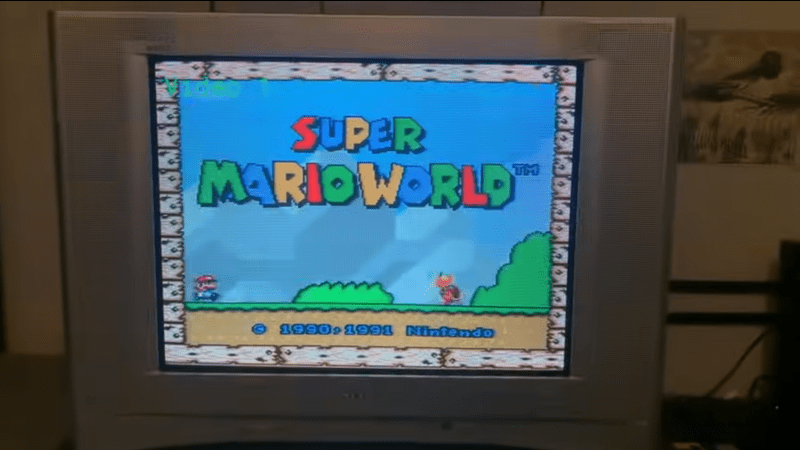
We always thought the older console games looked way better back in the day on old CRTs than now on a modern digital display. [Stephen Walters] thinks so too, and goes into extensive detail in a lengthy YouTube video about the pros and cons of CRT vs digital, which was totally worth an hour of our time. But are CRTs necessary for retro gaming?

The story starts with [Stephen] trying to score a decent CRT from the usual avenue and failing to find anything worth looking at. The first taste of a CRT display came for free. Left looking lonely at the roadside, [Stephen] spotted it whilst driving home. This was a tiny 13″ Sanyo DS13320, which, when tested, looked disappointing, with a blurry image and missing edges. Later, they acquired a few more displays: a Pansonic PV-C2060, an Emerson EWF2004A and a splendid-looking Sony KV24FS120. Some were inadequate in various ways, lacking stereo sound and component input options.

A poor analog cable coupled with rendering inaccuracy gives a nice filtering effect

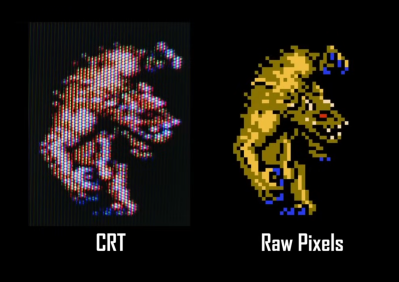
A large video section discusses the reasons for the early TV standards. US displays (and many others using NTSC) were designed for 525 scan lines, of which 480 were generally visible. These displays were interlaced, drawing alternating fields of odd and even line numbers, and early TV programs and NTSC DVDs were formatted in this fashion. Early gaming consoles such as the NES and SNES, however, were intended for 240p (‘p’ for progressive) content, which means they do not interlace and send out a blank line every other scan line.  [Stephen] goes into extensive detail about how 240p content was never intended to be viewed on a modern, sharp display but was intended to be filtered by the analogue nature of the CRT, or at least its less-than-ideal connectivity. Specific titles even used dithering to create the illusion of smooth gradients, which honestly look terrible on a pixel-sharp digital display. We know the differences in signal bandwidth and distortion of the various analog connection standards affect the visuals. Though RGB and component video may be the top two standards for quality, games were likely intended to be viewed via the cheaper and more common composite cable route.

Continue reading “Are CRT TVs Important For Retro Gaming?”

No Need For Speed With This Arduino-Based Inkjet Printer

When it comes to computers, it seems like the only thing that matters is speed. The more the better, in general, and the same applies to peripherals. We want the fastest network adapters, the fastest video card, and the fastest printer. So why in the world would anyone intentionally build a really slow inkjet printer? For art, of course.

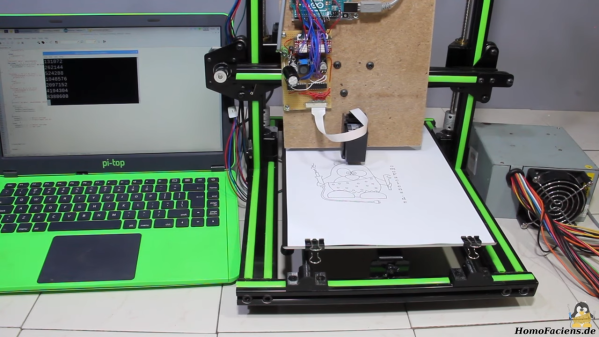
At least that’s the story [HomoFaciens] tells us in the video below. His efforts are in support of a friend’s art project, which seeks to print slowly but continuously on a roll of paper. [HomoFaciens]’s printer is based on an H-P C6602 inkjet cartridge, one of those high-priced consumables that make buying a new printer more attractive than replacing them once depleted. After figuring out how to drive the printhead — 5 to 6 μs pulses of 18 volts through a ULN2803 Darlington array driver chip seemed to do the trick — he mounted everything to the gantry of an old 3D printer. It’s interesting to watch the images slowly being built up — something that printers usually hide from prying eyes — and to see how the DPI count of the printer can be increased by interlacing each printed line.

Near the end of the video, we get a glimpse of his “tattoo gun printer”, which reminded us of all the other cool things he’s done over the years. From a CNC machine made from paperclips and cardboard to an encoder made from a wheel of resistors, [HomoFaciens] has some interesting designs that you really should check out.

Continue reading “No Need For Speed With This Arduino-Based Inkjet Printer”