A Simple Portable PS4 Build

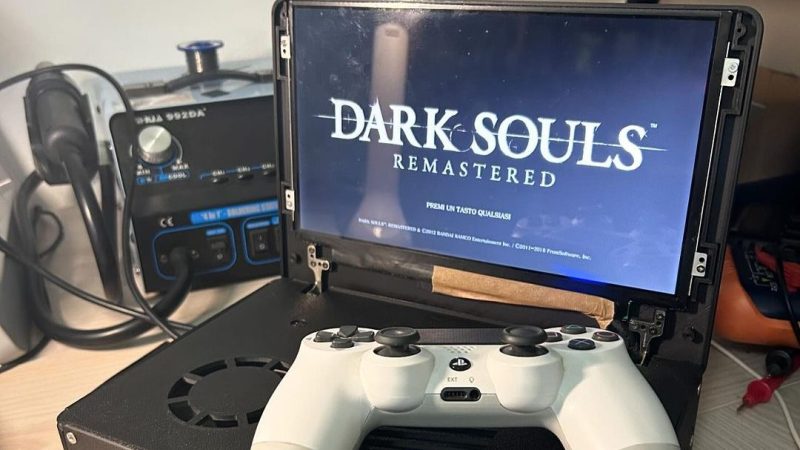
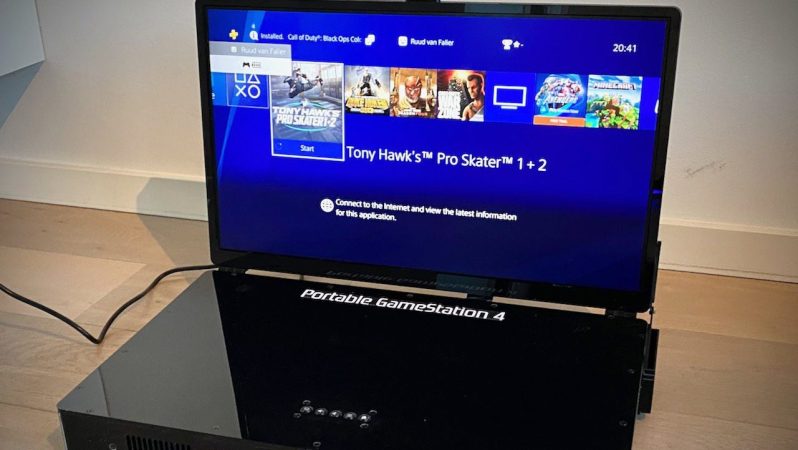
Building a portable console is hard, right? You have to do lots of wiring, maybe trim a few PCBs, and learn all about the finer points of high-end motherboard design! Or, you could keep it simple. That’s just what [Francesco6n] did when he built this portable PS4.

The aim for this build wasn’t to build the smallest, sleekest, or prettiest portable PS4. It was just to build a functional one that worked. To that end, the guts of the PS4 was installed in a 3D-printed case decorated with the usual square-circle-cross-triangle motif. A 1024×600 Acer Aspire One laptop display was installed in a clamshell configuration to act as the screen for the build. Inside the case is a large GPU-style cooler which helps keep temperatures down. As for power, there’s no need to plug this thing in everywhere you go. Instead, it’s capable of running for up to 90 minutes continuously thanks to a battery pack consisting of eighteen 18650 cells. In a beautiful touch of cross-platform cooperation, an Xbox 360 supply is used to power the thing when mains power is available.

It’s a neat build, and one that doesn’t overcomplicate things. Projects like this are a great way to get your feet wet with portable console hacking, letting you learn the ropes without too much pressure. More pictures after the break.
Continue reading “A Simple Portable PS4 Build”

How Additional Aerodynamic Drag Helped Make GTA III Work On PS2

The PlayStation 2 was a revelation when it hit the market in 2000, and yet by modern standards, it’s almost hopelessly weak. In fact, it’s so under-powered, Rockstar developers had to pull every trick in the book to make Grand Theft Auto III even work on the platform.

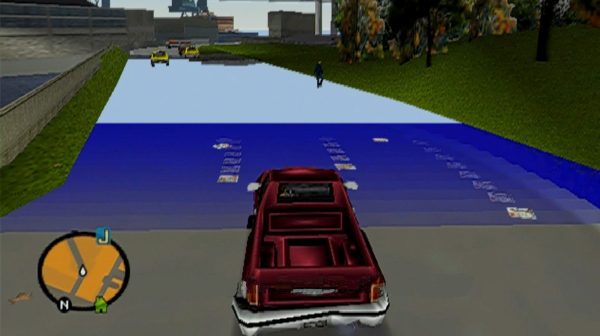
The story comes to us from developer [Obbe Vermeij]. He explains that the PlayStation 2 couldn’t keep the entire open-world game map in its tiny 32 MB of RAM. Instead, models had to be streamed from the DVD drive as the player moved around the world. However, even the DVD drive wasn’t fast enough. If the player moved too quickly, they would outpace the system’s ability to load new assets, and the world would fall apart. Roads would vanish, buildings simply wouldn’t appear before the player passed by them.

According to [Obbe], getting around this challenge was the job of one [Adam Fowler]. He notes that even optimizing the layout of data on the DVD wasn’t enough to help. Nifty hacks had to be employed to slow the player down. Road networks were changed to stop the player speeding towards areas that needed lots of new models. In other areas, vehicles in the game would experience a nearly-imperceptible 5% increase in air drag to dull their speed. This was chosen as a more invisible solution; cutting engine power directly was audible to players as the audio changed.

It shows you just how hard developers had to work back when resources were far more constrained than they are today!

Closing In On A PC Enabled PSVR2

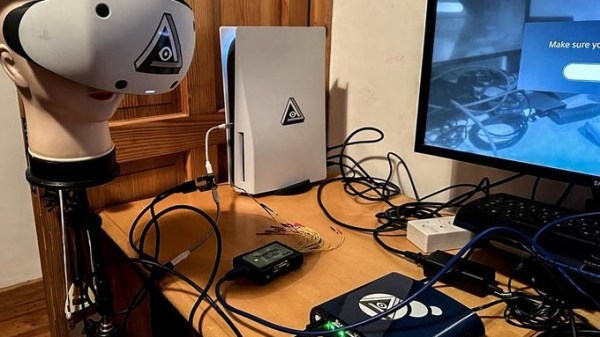
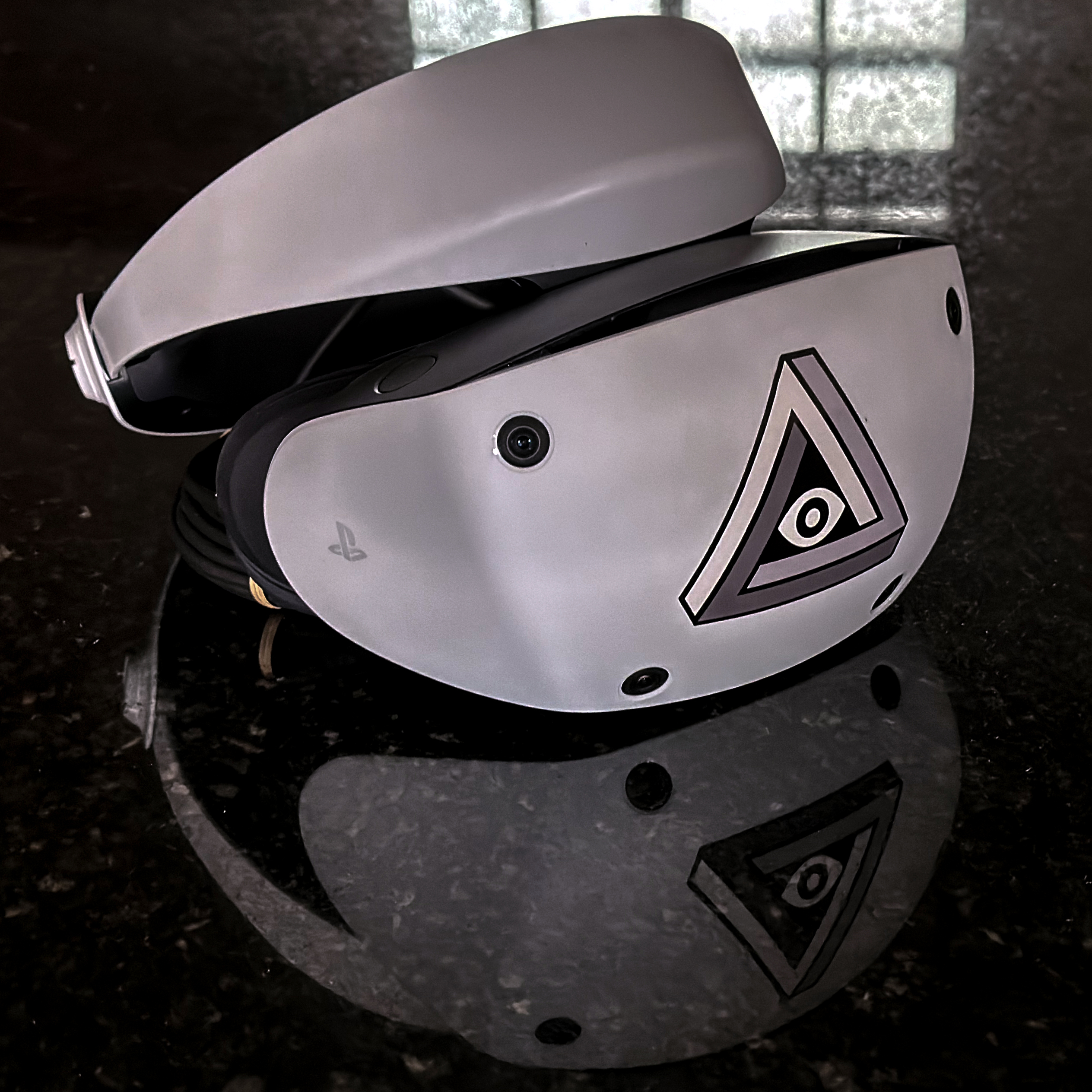
When the PlayStation VR2 headset was released, people wondered whether it would be possible to get the headset to work as a PC VR headset. That would mean being able to plug it into a PC and have it work as a VR headset, instead of it only working on a PS5 as Sony intended.

Enthusiasts were initially skeptical and at times despondent about the prospects, but developer [iVRy]’s efforts recently had a breakthrough. A PC-compatible VR2 is looking more likely to happen.

So far [iVRy] is claiming they have 6 DOF SLAM (Simultaneous Localisation and Mapping), Prox sensor, and stereo camera data.

Most of the juicy bits are paywalled behind [iVRy]’s Patreon.  We’re hoping the jailbreak process will eventually be open-sourced.

The PS VR2 headset is quite unlike a PC VR headset in a number of ways, and it has not been historically easy to work with Sony’s products from a reverse-engineering perspective, whether it’s an attempt to improve the user experience of an annoying headset, or an attempt to understand the not-even-remotely-sanely-designed protocols behind the Sony Memory Stick. Getting the PS VR2 headset to work in a way it wasn’t intended was expected to be an uphill battle.

It’s not a finished job, but judging by the progress regularly shared on [iVRy]’s Twitter account, it might only be a matter of time.

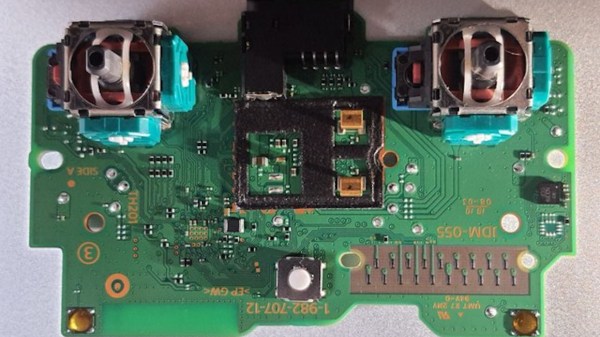
Picture of a DualShock 4 controller PCB, with two joysticks on the sides

Challenging A Broken DualShock 4 Controller To A Duel

A broken PlayStation controller would normally be a bummer, and if the issue is losing calibration that’s stored in a non-documented format, you might as well bin it. For [Al] of [Al’s blog], however, it’s a challenge, turning into a four-part story – so far. The first installment was published January 1st this year, and seeing the pure enthusiasm [Al] has reverse-engineering the DualShock 4 controller, you might guess that this is a New Year’s gift from someone who knows [Al] very well. The list of problems with the joystick is numerous, to begin with – it’s easier to list all the things that work properly, and it isn’t many of them. Perhaps, the firmware problem is is the most interesting one to start with. Continue reading “Challenging A Broken DualShock 4 Controller To A Duel”

Pi Pico Breathes New Life Into Original PlayStation

Those gamers who were playing in the mid 1990s may retain a soft spot for Sony’s first PlayStation. The grey console was the thing to have a quarter century ago, but we’re guessing few who had one will have a soft spot for their CD mechanisms. These were seemingly manufactured from Sony’s finest chocolate, and would stop working at the slightest hint of getting warm.

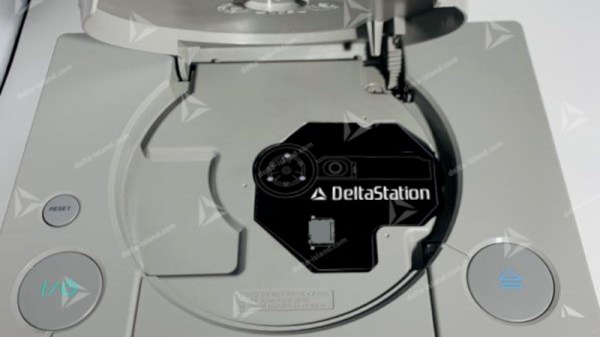
With the hardware now long in the tooth, what is to be done with a dead CD drive? Perhaps [Xrider] has the answer, with a CD Drive emulator board which fits in the space left by the original (French language, translation link).

Doing the hard work is a Raspberry Pi Pico, building on the Picostation project. To that it brings a drive-shaped board, as well as a series of daughterboards for the various different revisions of the Sony motherboard. The games meanwhile are loaded from a micro-SD card.

As single board computers have become ever faster, it’s no surprise that one would be able to emulate a ’90s CD mechanism with ease. What this does raise though is the interesting prospect that the Picostation might be adapted for other less-popular CD-based platforms. For those of us for whom games consoles in the CD era were both work and play, we hope that other consoles will receive this benefit.

Interfacing Broken PS4 Controllers With A Replacement PCB

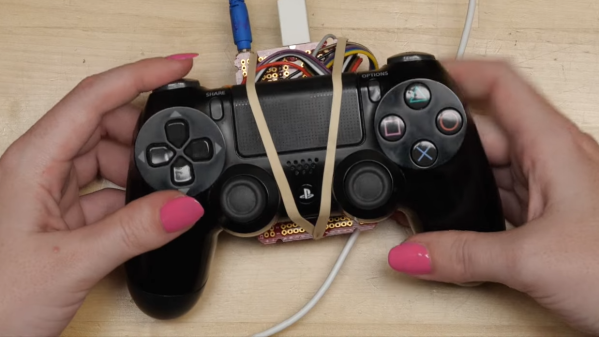
[Becky] had some PS4 controllers that were sadly no longer functional. However, most of the buttons and joysticks still appeared to be okay. Thus, she set about designing a replacement PCB to breathe new life into these formerly bricked gamepads.

In the case of the PS4 controller, most of the buttons are of a membrane type, that talk to the main board inside via a series of contacts on a flex cable. Thus, [Becky] designed her PCB to interface with that to read most of the buttons. A breadboard and an LED came in handy to figure out which pads corresponded to which buttons on the controller. Replacement joysticks were sourced off Amazon to solder directly on to the replacement PCB.

[Becky] also took advantage of Fusion 360’s design tools to 3D print a simulcra of the final design. This helped get the fit just right inside the gamepad’s shell. Continue reading “Interfacing Broken PS4 Controllers With A Replacement PCB”

Pi Pico Provides Practical PlayStation Pointing

It’s not immediately clear to us why one would need a mouse for the original PlayStation (though we’re sure there’s no shortage of folks eager to jump down into the comments and tell us), but if you ever desire adding improved pointing capabilities to the nearly three decade old console, this project from [Vojtěch Salajka] is certainly one to keep an eye on.

The aptly named “USB to PlayStation Mouse” project does exactly what it sounds like — adapts a generic USB mouse into an input device for Sony’s classic console. Putting one together requires a Raspberry Pi Pico, a 5 V DC-DC USB boost module with female USB-A connector, and a sacrificial controller or peripheral to provide the cable and proprietary connector.

With the hardware assembled per the simple wiring diagram, you just plug the Pico into your computer and copy over the firmware file. [Vojtěch] notes that you’ll need to unplug the mouse before attempting to upload the firmware, presumably because the data pins on the two USB ports have been tied together.

Don’t worry about having to find some obscure title to try out your new peripheral either, [Vojtěch] says the mouse works in the system’s main menu if you boot it without a disc in the drive. Now all you need is a few Raspberry Pi Pico PlayStation Memory Cards to complete the whole set.