Parallax Shows Love For Open Source: GCC + Propeller

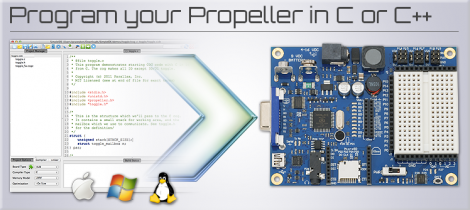
Parallax has done something that is unthinkable for most microcontroller manufacturing companies. They’ve decided to throw their support behind an open source toolchain based on GCC. That’s right, instead of fighting to get your code compiling on a platform whose example code uses crippleware, you can actually download, compile, and start using this toolchain without code size restrictions or other unfavorable limitations.

Why does this matter? One example that comes to mind is ChibiOS and the STM32F0-Discovery board. We’ve been playing around with that board recently and found out that the Atollic 8k code-size limitation prevents you from debugging ChibiOS. So you either pony up the registration fee, or go though at least a little pain (a lot depending on your skill level) to move to an open source solution. Here that’s not going to happen because you start with a GCC option from the word ‘Go’.

So join us in a round of applause for good decisions. Bravo Parallax! This Beta test targets the P8X32A Propeller chip but we hope it’s so popular that the rest of the line gets its own support.

[Thanks Devlin via Adafruit]

Hackaday Links: June 12, 2012

Amazing 3D rendering in real-time

Ah, the 90s. A much simpler time when the presenters on Bad Influence! were amazed by the 3D rendering capabilities of the SGI Onyx RealityEngine2. This giant machine cost £250,000 back in the day, an amazing sum but then again we’re getting nostalgic for old SGI hardware.

Well, Mega is taken… let’s call it Grande

[John Park] needed to put something together for last month’s Maker Faire. A comically large, fully functional Arduino was the obvious choice. If you didn’t catch the demo last month, you can grab all the files over on Thingiverse.

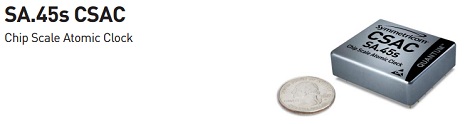
Is that an atomic clock in your pocket or… oh, I see.

Here’s the world’s smallest atomic clock. It’s made for military hardware, so don’t expect this thing to show up at Sparkfun anytime soon; we can’t even fathom how much this thing actually costs. Still, it’ll be awesome when this technology trickles down to consumers in 10 or 20 years.

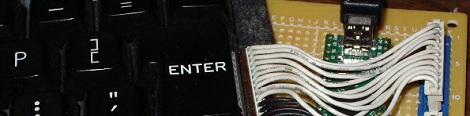
Converting a TRS-80 keyboard to USB

[Karl] is working on an awesome project – putting a Raspberry Pi inside an old TRS-80. The first part of the project – converting a TRS-80 keyboard to USB – is already complete. We can’t wait to see this build finished.

 A DIY Propeller dev board

Last week we complained about the dearth of builds using the Parallax Propeller. A few noble tinkerers answered our call and sent in a few awesome builds using this really unique micro. [Stefan]’s Propeller One is the latest, and looking at the schematics it should be possible to etch a single-sided board for this project. Awesome work and thanks for giving us a weekend project, [Stefan].

Talking Resistor Calculator Speaks Component Values

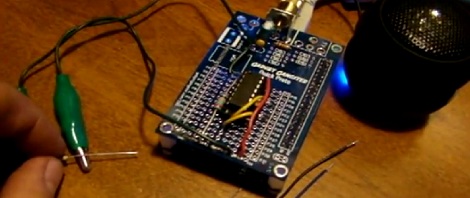
If there’s one thing that will surely blind us, its reading resistor color bands. It doesn’t help that red looks exactly like orange, brown and black are indistinguishable, and different component manufacturers – for some reason – don’t use identical paints for coding their resistors. [Jeff] over at Gadget Gangster has been having the same problem, so he built a talking resistor calculator to speak resistor values to him.

The electronics part of the build is extremely simple with just an MCP3208 ADC providing 12 bits of resolution. The software side is where this project really shines. [Jeff] used a Gadget Gangster QuickStart board housing a Parallax Propeller. With 8 cores running in parallel the Propeller is more than enough to run [Phil Pilgrim]’s software speech synthesizer. When a resistor is connected to the two alligator leads, the Propeller goes through a lookup table and finds a resistor value matching the number coming from the ADC. From there, it’s just sending a string of phonetic text to the speech synthesizer object.

Even though text-to-speech chips have been around for decades now, [Jeff] chose to build his speech synthesis tool with software. It may just be a testament to the power in the Propeller microcontroller, but anything that keeps us from squinting at resistor color bands is alright by us.

Building A 1980s Microcomputer With A Parallax Propeller

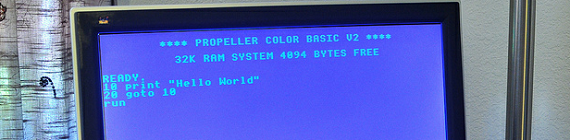
The folks over at Gadget Gangster put up an Instructable to build a retro 80s 8-bit microcomputer. Even though they’re using modern components, it still hearkens back to a time when 10 year olds learned 6502 assembly, PEEKing and POKEing was the best way to program, and using a mouse was a novelty.

The build uses a Parallax Propeller dev board to provide an amazing amount of horsepower for a simple microcontroller. After hooking the Propeller up to a TV via an RCA jack and adding an infrared keyboard, Gadget Gangster had a simple computer that can load programs off an SD card.

Because a microcomputer is useless if you can’t program it, Gadget Ganster ported BASIC  to the Propeller. With VGA and sound output, along with the ability to add a PS/2 keyboard and Wii controller, this modern take on a classic paradigm is more powerful than dozens of Commodore 64s.

As a small aside, we don’t see nearly enough builds using a Propeller. A parallel processing microcontroller having 10 times the computational ability of a low-end ARM processor is interesting to say the least; we’re honestly puzzled by the dearth of Propeller projects. If you’ve got a Propeller project, send it into the tip line.

Bananaphone Lets You Use Fruit And Other Things As Switches

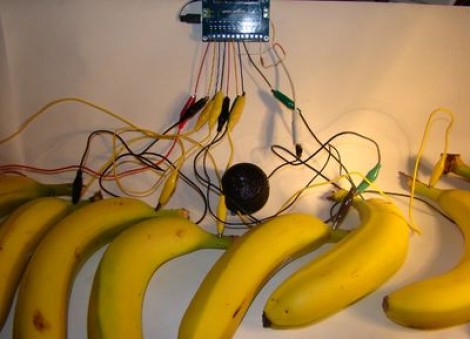
We’re used to [Sprite_TM] rolling out his own hacks hot on the heels of new concepts. Now we’re glad to see that [Jeff Ledger] is doing the same thing here. He was inspired by a Kickstarter project which vows to let you use fruit, clay, and a number of other common (but weird for this use) substances to interface with electronic projects. The mess you see above is the Bananaphone, a synthesizer played with touch sensitive bananas. Think of them as keys on a piano.

The interface works by measuring R/C decay. Each banana is connected to its own input pin on the Propeller board. The capacitance of the bananas rise when you touch them, and this results in a longer R/C decay measurement. Calibrate the target decay period, and you’ve got a reliable capacitive touch sensor which also happens to be delicious. Check out the results which [Jeff] achieves in the video after the break.

Continue reading “Bananaphone Lets You Use Fruit And Other Things As Switches”

Music Visualization Generator With A Propeller

The folks over at Gadget Gangster have been working on a music visualization system using a Parallax Propeller. The visualizations are awesome in their early-90s demoscene way, and of course we love anything using the oft under-appreciated Propeller.

The project is called Video Beats and it generates music visualizations in the style of a blocky but very complex Atari 2600 game. There’s really not much to the build – just two RCA jacks for the audio input and video output along with a couple of resistors – but we do appreciate how nicely this project would fit in at a chiptunes show.

The Gadget Gangster team says the input isn’t limited to just audio – a potentiometer, accelerometer, or even a light sensor can be added to the build for a more dynamic output. After the break, you can see the demo of Video Beats, and a [Family Sohn] music video that used an early version of this circuit.

Continue reading “Music Visualization Generator With A Propeller”

Controlling A Propeller Wirelessly With Bluetooth

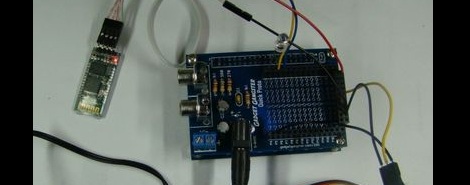
[Jeff] from Gadget Gangster sent in a great tutorial on connecting a cheap Bluetooth module to a Parallax microcontroller. In addition to getting a terminal to the Propeller up and running from his computer, [Jeff] was able to toggle IO pins and even control servos and Android devices – perfect for your next wireless robot.

Connecting the Bluetooth module to the Propeller dev board was easy enough – just two wires for power and two for transmitting and receiving. The computer side of the setup was easy as well; just entering a Bluetooth passcode. Once that was done, the Propeller could talk to the computer and vice versa.

Of course, without the ability to control pins on the microcontroller wirelessly the build was for naught. [Jeff] wrote a simple blinking LED demo. After that, a servo was connected and the build finished off by connecting to an Android terminal.

Although it’s a relatively simple build, we’ve noticed the Propeller doesn’t get much love around the Internet. While it may not have won the microcontroller holy war, it’s nice to see an underrated mcu getting some attention.