Robots Talking To Robots

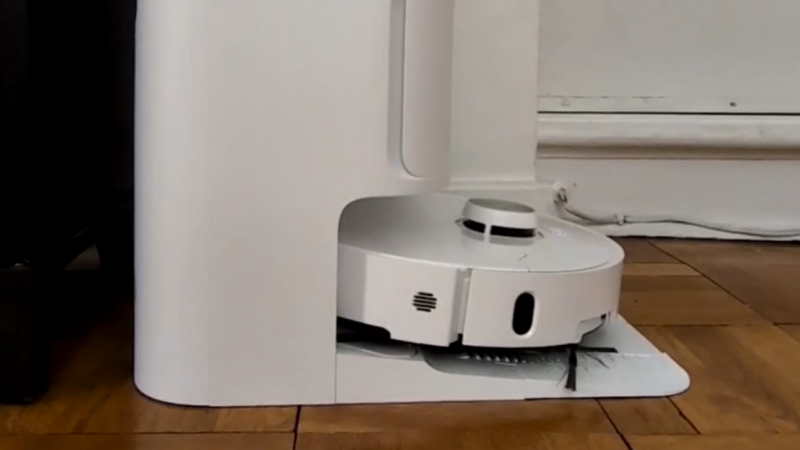
Although there are a few robots on the market that can make life a bit easier, plenty of them have closed-source software or smartphone apps required for control that may phone home and send any amount of data from the user’s LAN back to some unknown server. Many people will block off Internet access for these types of devices, if they buy them at all, but that can restrict the abilities of the robots in some situations. [Max]’s robot vacuum has this problem, but he was able to keep it offline while retaining its functionality by using an interesting approach.

Home Assistant, a popular open source home automation system, has a few options for voice commands, and can also be set up to transmit voice commands as well. This robotic vacuum can accept voice commands in lieu of commands from its proprietary smartphone app, so to bypass this [Max] set up a system of automations in Home Assistant that would command the robot over voice. His software is called jacadi and is built in Go, which uses text-to-speech to command the vacuum using a USB speaker, keeping it usable while still offline.

Integrating a voice-controlled appliance like this robotic vacuum cleaner allows things like scheduled cleanings and other commands to be sent to the vacuum even when [Max] isn’t home. There are still a few limitations though, largely that communication is only one way to the vacuum and the Home Assistant server can’t know when it’s finished or exactly when to send new commands to the device. But it’s still an excellent way to keep something like this offline without having to  rewrite its control software entirely.
Getting The VIC-20 To Speak Again

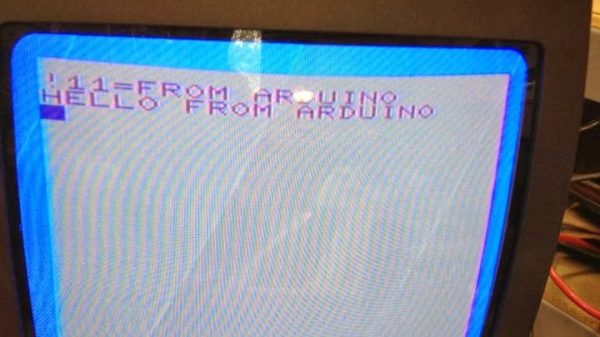
The Commodore Amiga was famous for its characteristic Say voice, with its robotic enunciation being somewhat emblematic of the 16-bit era. The Commodore VIC-20 had no such capability out of the box, but [Mike] was able to get one talking with a little bit of work.

The project centers around the Adventureland cartridge, created by Scott Adams (but not the one you’re thinking of). It was a simple game that was able to deliver speech with the aid of the Votrax Type and Talk speech synthesizer box. Those aren’t exactly easy to come by, so [Mike] set about creating a modern equivalent. The concept was simple enough. An Arduino would be used to act as a go between the VIC-20’s slow serial port operating at 300 bps and the Speakjet and TTS256 chips which both preferred to talk at 9600 bps. The audio output of the Speakjet is then passed to an LM386 op-amp, set up as an amplifier to drive a small speaker. The lashed-together TTS system basically just reads out the text from the Adventureland game in an incredibly robotic voice. It’s relatively hard to understand and has poor cadence, but it does work – in much the same way as the original Type and Talk setup would have back in the day!

Text to speech tools have come a long way since the 1980s, particularly when it comes to sounding more natural. Video after the break.

Continue reading “Getting The VIC-20 To Speak Again”

How To Train A New Voice For Piper With Only A Single Phrase

[Cal Bryant] hacked together a home automation system years ago, which more recently utilizes Piper TTS (text-to-speech) voices for various undisclosed purposes. Not satisfied with the robotic-sounding standard voices available, [Cal] set about an experiment to fine-tune the Piper TTS AI voice model using a clone of a single phrase created by a commercial TTS voice as a starting point.

Before the release of Piper TTS in 2023, existing free-to-use TTS systems such as espeak and Festival sounded robotic and flat. Piper delivered much more natural-sounding output, without requiring massive resources to run. To change the voice style, the Piper AI model can be either retrained from scratch or fine-tuned with less effort. In the latter case, the problem to be solved first was how to generate the necessary volume of training phrases to run the fine-tuning of Piper’s AI model. This was solved using a heavyweight AI model, ChatterBox, which is capable of so-called zero-shot training. Check out the Chatterbox demo here.

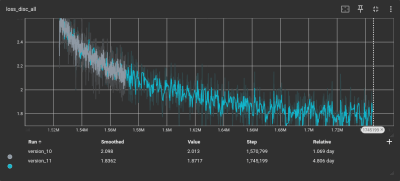
As the loss function gets smaller, the model’s accuracy gets better

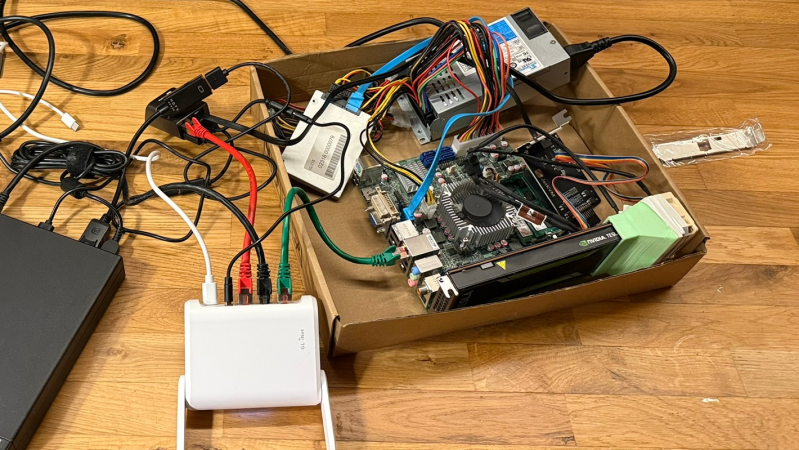
Training began with a corpus of test phrases in text format to ensure decent coverage of everyday English. [Cal] used ChatterBox to clone audio from a single test phrase generated by a ‘mystery TTS system’ and created 1,300 test phrases from this new voice. This audio set served as training data to fine-tune the Piper AI model on the lashed-up GPU rig.

To verify accuracy, [Cal] used OpenAI’s Whisper software to transcribe the audio back to text, in order to compare with the original text corpus. To overcome issues with punctuation and differences between US and UK English, the text was converted into phonemes using espeak-ng, resulting in a 98% phrase matching accuracy.

After down-sampling the training set using SoX, it was ready for the Piper TTS training system. Despite all the preparation, running the software felt anticlimactic. A few inconsistencies in the dataset necessitated the removal of some data points. After five days of training parked outside in the shade due to concerns about heat, TensorBoard indicated that the model’s loss function was converging. That’s AI-speak for: the model was tuned and ready for action! We think it sounds pretty slick.

If all this new-fangled AI speech synthesis is too complex and, well, a bit creepy for you, may we offer a more 1980s solution to making stuff talk? Finally, most people take the ability to speak for granted, until they can no longer do so. Here’s a team using cutting-edge AI to give people back that ability.

“Glasses” That Transcribe Text To Audio

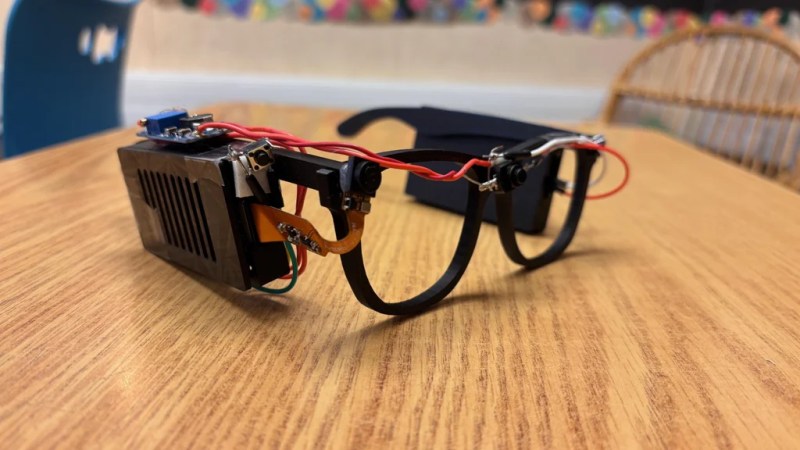
Glasses for the blind might sound like an odd idea, given the traditional purpose of glasses and the issue of vision impairment. However, eighth-grade student [Akhil Nagori] built these glasses with an alternate purpose in mind. They’re not really for seeing. Instead, they’re outfitted with hardware to capture text and read it aloud.

Yes, we’re talking about real-time text-to-audio transcription, built into a head-worn format. The hardware is pretty straightforward: a Raspberry Pi Zero 2W runs off a battery and is outfitted with the usual first-party camera. The camera is mounted on a set of eyeglass frames so that it points at whatever the wearer might be “looking” at. At the push of a button, the camera captures an image, and then passes it to an API which does the optical character recognition. The text can then be passed to a speech synthesizer so it can be read aloud to the wearer.

It’s funny to think about how advanced this project really is. Jump back to the dawn of the microcomputer era, and such a device would have been a total flight of fancy—something a researcher might make a PhD and career out of. Indeed, OCR and speech synthesis alone were challenge enough. Today, you can stand on the shoulders of giants and include such mighty capability in a homebrewed device that cost less than $50 to assemble. It’s a neat project, too, and one that we’re sure taught [Akhil] many valuable skills along the way.

Continue reading ““Glasses” That Transcribe Text To Audio”

A Robot Meant For Humans

Although humanity was hoping for a more optimistic robotic future in the post-war era, with media reflecting that sentiment like The Jetsons or Lost in Space, we seem to have shifted our collective consciousness (for good reasons) to a more Black Mirror/Terminator future as real-world companies like Boston Dynamics are actually building these styles of machines instead of helpful Rosies. But this future isn’t guaranteed, and a PhD researcher is hoping to claim back a more hopeful outlook with a robot called Blossom which is specifically built to investigate how humans interact with robots.

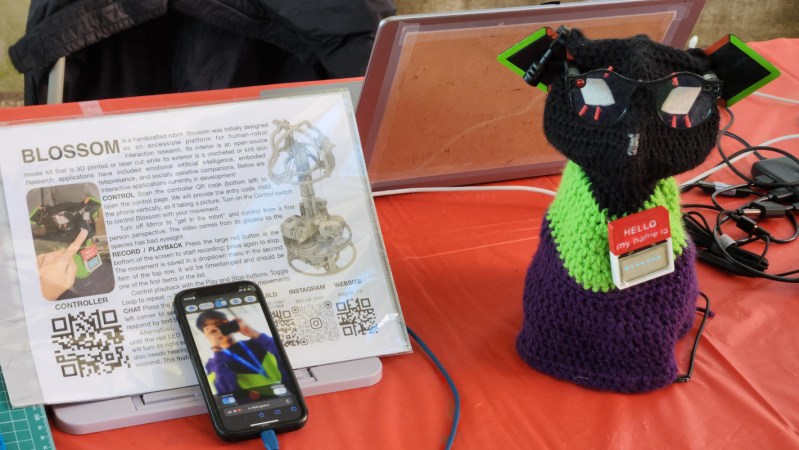
For a platform this robot is not too complex, consisting of an accessible frame that can be laser-cut from wood with only a few moving parts controlled by servos. The robot is not too large, either, and can be set on a desk to be used as a telepresence robot. But Blossom’s creator [Michael] wanted this to help understand how humans interact with robots so the latest version is outfitted not only with a large language model with text-to-speech capabilities, but also with a compelling backstory, lore, and a voice derived from Animal Crossing that’s neither human nor recognizable synthetic robot, all in an effort to make the device more approachable.

To that end, [Michael] set the robot up at a Maker Faire to see what sorts of interactions Blossom would have with passers by, and while most were interested in the web-based control system for the robot a few others came by and had conversations with it. It’s certainly an interesting project and reminds us a bit of this other piece of research from MIT that looked at how humans and robots can work productively alongside one another.

Text-to-Speech Model Can Do Music, Background Noises, And Sound Effects

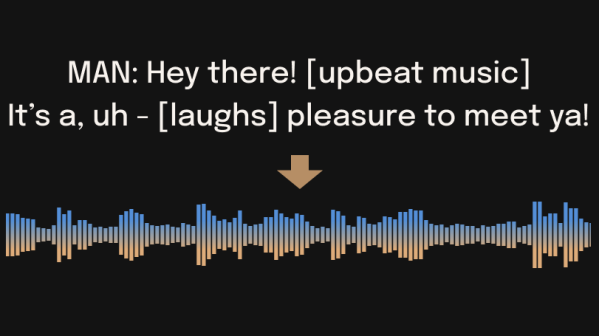
Bark is a universal text-to-audio model that can not only create realistic speech, it can incorporate music, background noises, and sound effects. It can even include non-speech sounds like laughter, sighs, throat clearings, and similar elements. But despite the fact that it can deliver such complex results, it’s important to understand some of the peculiarities.

The model takes a prompt and generates the resulting sound from scratch. Results might sometimes be unexpected.

Bark is not a conventional text-to-speech program, and how it works has a lot more in common with large language model AI chatbots. This means that results can deviate from expectations, and outputs aren’t necessarily going to be studio-quality speech. As the project’s README points out, “(generated outputs can) be anything from perfect speech to multiple people arguing at a baseball game recorded with bad microphones.” That being said, there is some support for voice presets as a way to help guide the model with some consistency.

Bark was designed by a company called Suno for research purposes and is available under the MIT License. It can be installed and run locally, and has some demos available as well as an online implementation.

The ability to install and run Bark locally is promising territory for incorporating it into projects. And should you be more interested in speech-to-text instead, don’t forget about this plain C/C++ implementaion of AI-powered speech recognition.

Hackaday Prize 2023: Wear-a-Chorder Lets Discreet Chording Keyboards Do The Talking

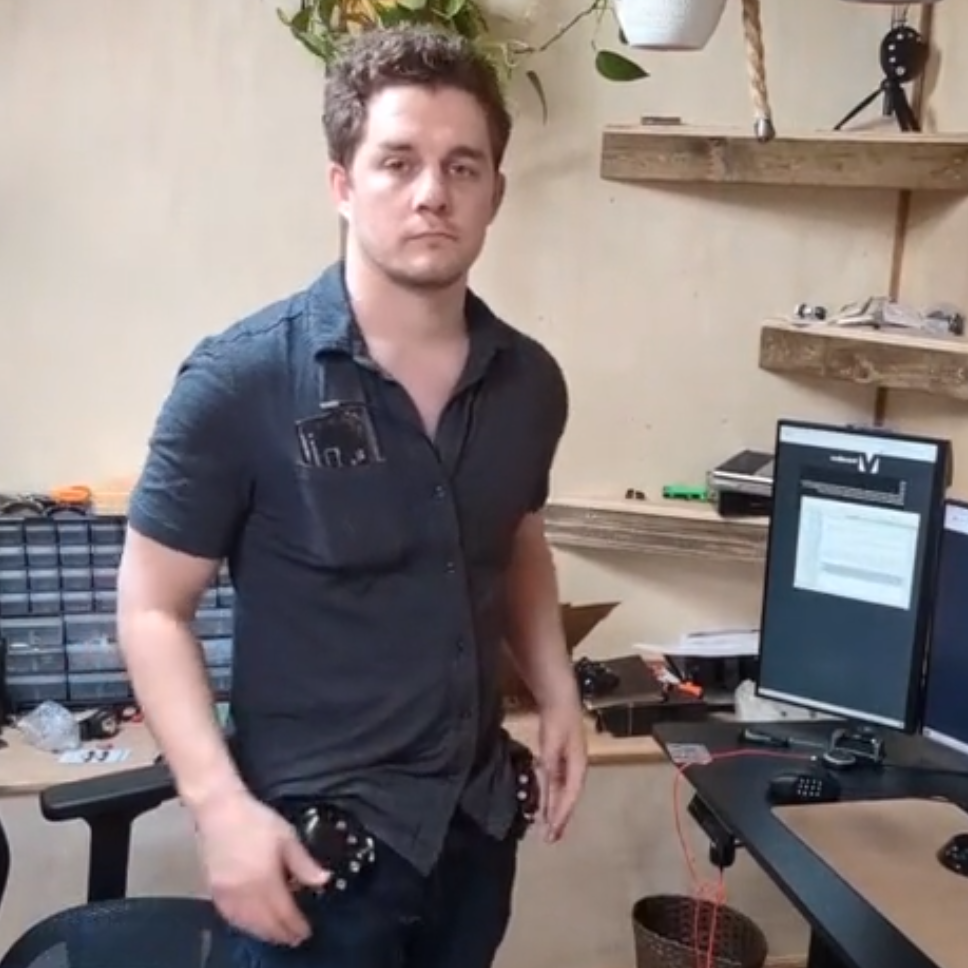
Being mute or speech-challenged can be a barrier, and [Raymond Li] has an interesting project to contribute to the 2023 Hackaday Prize: a pair of discreet chording keyboards that allow the user to emit live text-to-speech as quickly as one can manipulate them.

Rapid generation of input to high-quality speech helps normalize interactions.

The project leverages recent developments to deliver high-quality speech via an open-source web app called VoiceBox, while making sure the input devices themselves don’t get in the way of personal interaction. Keeping the chorders at waist level and ensuring high-quality speech is generated and delivered quickly goes a long way towards making interaction and communication flow more naturally.

The VoiceBox software is doing the heavy lifting, and there’s not yet much detail about the rest of the hardware used in the prototype. It’s currently up to the user to figure out a solution for a wearable computer or a suitable chording keyboard. Still, the prototype looks like the Charachorder with a 3D-printed mounting solution to locate them at one’s beltline. Of course, the beauty of the underlying system being so standard is that one can use whatever is most comfortable.