The D In DNS Stands For DOOM

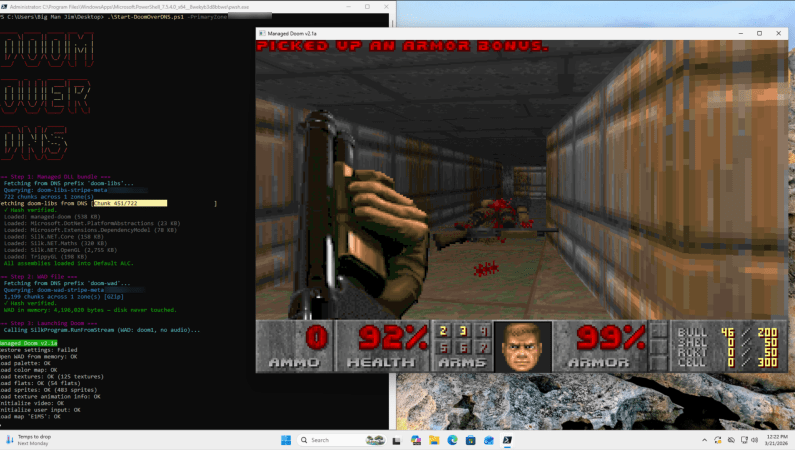
As literally everything ought to be able to play DOOM in some fashion, [Adam Rice] recently set out to make the venerable DNS finally play the game after far too many decades of being DOOM-less. You may be wondering how video games and a boring domain records database relate to each other. This is where DNS TXT records come into play, which are essentially fields for arbitrary data with no requirements or limitations on this payload, other than a 2,000 character limit.

Add to this the concept of DNS zones which can contain thousands of records and the inkling of a plan begins to form. Essentially the entire game (in C#) is fetched from TXT records, loaded into memory and run from there. This is in some ways a benign form of how DNS TXT records can be abused by people with less harmless intentions, though [Adam] admits to using the Claude chatbot to help with the code, so YMMV.

The engine and WAD file with the game’s resources are compressed to fit into 1.7 MB along with a 1.2 MB DLL bundle, requiring 1,966 TXT records in Base64 encoding on a Cloudflare Pro DNS zone. With a free Cloudflare account you’d need to split it across multiple zones. With the TXT records synced across the globe, every caching DNS server in the world now has a copy of DOOM on it, for better or worse.

You can find the project source on GitHub if you want to give this a shake yourself.

Thanks to [MrRTFM] for the tip.

 

Linux Fu: UPNP A Port Mapping Odyssey

If you’ve ever run a game server or used BitTorrent, you probably know that life is easier if your router supports UPnP (Universal Plug and Play). This is a fairly old tech — created by a standards group in 1999 — that allows a program to open an incoming port into your home network. Of course, most routers let you do this manually, but outside of the Hackaday universe, most people don’t know how to log into their routers, much less how to configure an open UDP port.

I recently found myself using a temporary setup where I could not access the router directly, but I needed some open ports. That got me thinking: if a program can open a port using UPnP, why can’t I? Turns out, of course, you can. Maybe.

Caveats

The first thing, of course, is that you need your firewall open, but that’s true no matter how you open up the router. If the firewall is in the router, then you are at the mercy of the router firmware to realize that if UPnP opens something up, it needs to open the firewall, too.

Continue reading “Linux Fu: UPNP A Port Mapping Odyssey”

The IPV4 We Didn’t Get

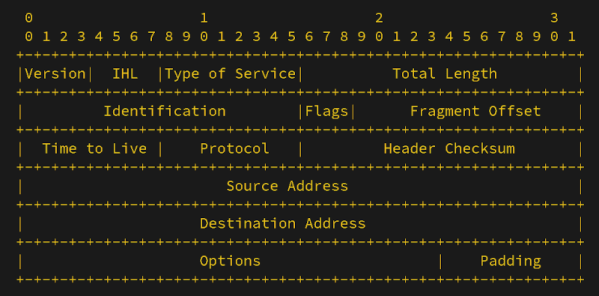
If you have ever read science fiction, you’ve probably seen “alternate history” stories. You know, where Europeans didn’t discover the New World until the 19th century, or the ancient Egyptians stumbled upon electricity. Maybe those things happened in an alternate universe. [BillPG] has an alternate history tale for us that imagines IPv6 was shot down and a protocol called IPv4x became prominent instead.

The key idea is that in 1993, the IP-Next-Generation working group could have decided that any solution that would break the existing network wouldn’t work. There is precedent. Stereo records play on mono players and vice versa. Color TV signals play on black and white sets just as well as black and white signals play on color TVs. It would have made perfect sense.

How could this be? The idea was to make everyone who “owns” an IPv4 address the stewards of a 96-bit sub-address block. IPv4x-aware equipment extracts the entire 128-bit address. IPv4-only equipment routes the packet to the controlling IPv4 address. Wasteful? Sure. Most people don’t need 79 octillion addresses. But if everyone has that many, then why not?

The fictional timeline has DNS and DHCP, along with dial-up stacks, changing to accommodate the new addresses. Again, you had to assume some parts of the network were still IPv4-only. DNS would return both addresses, and it was up to you to pick the IPv4x address if you understood it.

Your ISP would probably not offer you the entire extra space. A regional router could handle all traffic for your neighborhood and then direct it to your specific 128-bit address or your pool of addresses, if you have multiple devices. No need for NAT to hide your devices, nor strange router configurations to punch traffic through.

Of course, back in the real world, we have two incompatible systems: IPv4 and IPv6. IPv6 adoption has been slow and painful. We wondered why [BillPG] wrote about this future that never was. Turns out, he’s proposed a gateway that IPv6 hosts can provide to allow access from IPv4-only networks. Pretty sneaky, but we can admire it. If reading all this makes you wonder what happened to IPv5, we wondered that, too.

When Mains Networking Fails, Use Phone Wires

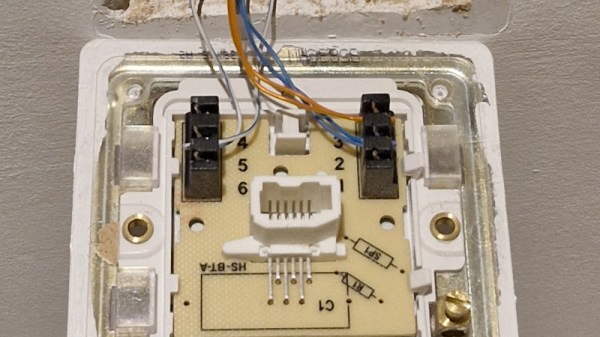
A quiet shift over the last couple of decades in many places has been the disappearance of the traditional copper phone line. First the corded landline phone was replaced by cordless, then the phone migrated to a mobile device, and finally DSL connections are being supplanted by fiber. This leaves copper-era infrastructure in houses, which [TheHFTguy] decided to use for Ethernet.

The hack here isn’t that he bought some specialized network boxes from Germany, though knowing they exist is useful. Instead it comes in his suggestion that they use the same technology as mains networking. Mains network plugs are a dime a dozen, but noisy power lines can make them of limited use. Our hacking curiosity is whetted by the question of whether a cheap mains networking plug can have its networking — in reality a set of RF subcarriers — separated from its mains power supply, and persuaded to do the same job at a fraction of the cost. Come on commenters – has anyone ever tried this?

Tolerating Delay With DTN

The Internet has spoiled us. You assume network packets either show up pretty quickly or they are never going to show up. Even if you are using WiFi in a crowded sports stadium or LTE on the side of a deserted highway, you probably either have no connection or a fairly robust, although perhaps intermittent, network. But it hasn’t always been that way. Radio networks, especially, used to be very hit or miss and, in some cases, still are.

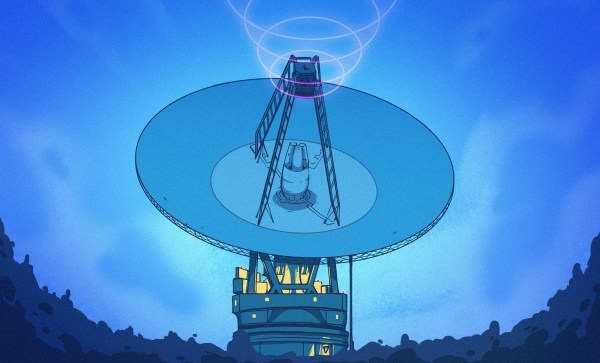
Perhaps the least reliable network today is one connecting things in deep space. That’s why NASA has a keen interest in Delay Tolerant Networking (DTN). Note that this is the name of a protocol, not just a wish for a certain quality in your network. DTN has been around a while, seen real use, and is available for you to use, too.

Think about it. On Earth, a long ping time might be 400 ms, and most of that is in equipment, not physical distance. Add a geostationary orbital relay, and you get 600 ms to 800 ms. The moon? The delay is 1.3 sec. Mars? Somewhere between 3 min and 22 min, depending on how far away it is at the moment. Voyager 1? Nearly a two-day round trip. That’s latency!

Continue reading “Tolerating Delay With DTN”

Off-Grid, Small-Scale Payment System

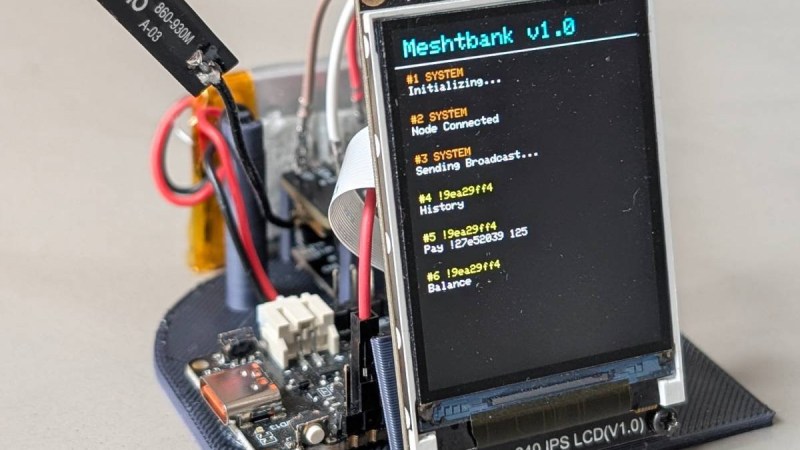
An effective currency needs to be widely accepted, easy to use, and stable in value. By now most of us have recognized that cryptocurrencies fail at all three things, despite lofty ideals revolving around decentralization, transparency, and trust. But that doesn’t mean that all digital currencies or payment systems are doomed to failure. [Roni] has been working on an off-grid digital payment node called Meshtbank, which works on a much smaller scale and could be a way to let a much smaller community set up a basic banking system.

The node uses Meshtastic as its backbone, letting the payment system use the same long-range low-power system that has gotten popular in recent years for enabling simple but reliable off-grid communications for a local area. With Meshtbank running on one of the nodes in the network, accounts can be created, balances reported, and digital currency exchanged using the Meshtastic messaging protocols. The ledger is also recorded, allowing transaction histories to be viewed as well.

A system like this could have great value anywhere barter-style systems exist, or could be used for community credits, festival credits, or any place that needs to track off-grid local transactions. As a thought experiment or proof of concept it shows that this is at least possible. It does have a few weaknesses though — Meshtastic isn’t as secure as modern banking might require, and the system also requires trust in an administrator. But it is one of the more unique uses we’ve seen for this communications protocol, right up there with a Meshtastic-enabled possum trap.

Build A Pocket-Sized Wi-Fi Analyzer

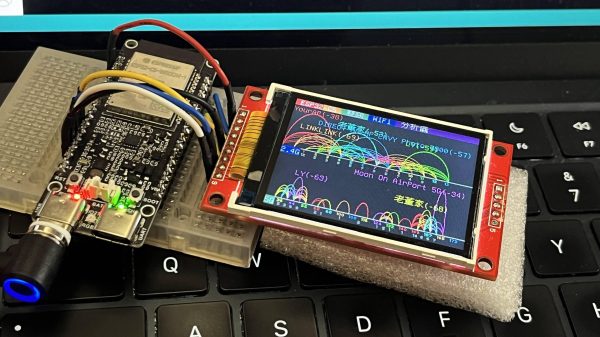
Wi-Fi! It’s everywhere, and yet you can’t really see it, by virtue of the technology relying on the transmission of electromagnetic waves outside the visual spectrum. Never mind, though, because you can always build yourself a Wi-Fi analyzer to get some insight into your radio surroundings, as demonstrated by [moononournation].

The core of the build is the ESP32-C5. The popular microcontroller is well-equipped for this task with its onboard dual-band Wi-Fi hardware, even if the stock antenna on most devboards is a little underwhelming. [moononournation] has paired this with a small rectangular LCD screen running the ILI9341 controller. The graphical interface is drawn with the aid of the Arduino_GFX library. It shows a graph of access points detected in the immediate area, as well as which channels they’re using and their apparent signal strength.

If you’re just trying to get a basic read on the Wi-Fi environment in a given locale, a tool like this can prove pretty useful. If your desires are more advanced, you might leap up to tinkering in the world of software defined radio. Video after the break.

Continue reading “Build A Pocket-Sized Wi-Fi Analyzer”