

As great and streamlined as the Windows desktop experience is, one area where it’s at best disappointing and at worst rage-inducing is when it comes to its command line interface (CLI) offerings. In Windows 9x/ME this could be excused by the fact that it was essentially just a dressed-up MS-DOS CLI experience, but on Windows NT-based OSes no such excuse exists.
Yet even after Microsoft finally acknowledged the shortcomings of the cmd.exe shell by 2006, they then proceeded to go their own way with PowerShell, industry standards be damned. Especially for those of us who have no beef with the UNIX/BSD/Linux CLI experience and the joys of shell scripting, this insistence was disappointing. Simultaneously, everyone from OS X/MacOS to Haiku were happily offering a familiar CLI environment alongside POSIX compatibility.
Although Windows NT OSes were POSIX compliant, they never offered a suitable shell along with it, nor any of the other things you’d expect in a modern-day BSD, Haiku or Linux CLI environment. In a recent article by my esteemed colleague Al Williams, these sore points were somewhat addressed as far as basic CLI tools go, but the issue goes obviously much deeper than just the basic userland tools. Which is where MSYS2 comes into the picture.
Defining The Problem
 When one says that they’d like a ‘Linux shell on Windows’, it can be hard to pin down exactly what this means. As Al noted in his article on CoreUtils last week, there are solutions like Cygwin that add a translation layer between Windows and Linux-ish code and offer a basic shell experience, but what if you really want to have a full Linux-like shell experience including support for common POSIX tools and libraries, as well as typical tooling like
 make and gcc?
Microsoft’s CoreUtils package gets you a GNU userland-like experience, but that’s arguably a small part of the whole issue. The reason why over the years I drifted away from Linux tools ported to Windows – as well as bailed on WSL, WSL2, Cygwin and full-fat VMs – is due the amount of friction these added when all that I wanted was to use a Bash-like shell for day-to-day tasks and general software development. For all intents and purposes I wanted to pretend that I was just on a modern Linux distro like Arch without having to fire up some special application with significant overhead or waddle over to one of my systems that have Linux installed.
This means a GNU-style userland, basic POSIX compatibility, being able to run shell scripts, having access to a package manager like on BSDs/Linuxes/Haiku/etc., ideally all in a way where it blends quite seamlessly into the overall Windows GUI experience. Essentially the laziest and most off-the-shelf experience possible, if you want.
This is where a full-fat VM is obviously too heavy and restricted, while WSL(2) also carries too many of the VM-related flaws with it, as it’s too much trying to be Linux instead of integrating with the Windows experience. The ideal solution here would probably feel more like the standard terminal on Haiku.
The MSYS2 Solution
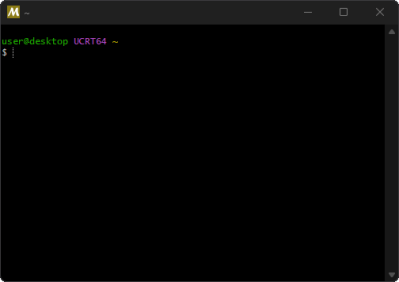 With MSYS2 you can use the same
 pacman package manager you’d use on Arch/Manjaro to fetch packages. You’re also using a regular Bash shell and the only major hurdles you’re likely to run into concern limitations with low-level tools like Valgrind and some Windows-related quirks that the MSYS2 developers can’t do too much about because Microsoft. Internally it’s still based on Cygwin, so you can count on a similar level of compatibility, but without fuss.
For day-to-day use it’s a very familiar Linux-like experience for especially software-development purposes and common shell-based shenanigans like automation tasks and running a range of tools such as ffmpeg and yt-dlp, both of which are of course readily available from the package repository. In this sense MSYS2 adds a terminal and CLI environment that blurs the lines between BSD/Haiku/Linux and Windows, just the way us cross-platform developers like things, as this way you can use the same scripts and same know-how and muscle-memory across terminals and TTYs.
Perhaps the only negative here is again due to MSYS2 being not fully integrated into Windows, resulting in e.g. binaries compiled within an MSYS2 environment relying on shared libraries that are not on the Windows system path. This can be worked around by copying all the DLLs into the binary folder, or doing system path things, but it’s one of the reasons why I do distribute binary builds for Windows of my OSS projects that are compiled using NMake and MSVC.
The MSYS2 Environments
When you first install MSYS2, the most important thing to learn are the distinctions between the various MSYS2 environments. This is the first thing you see after happily installing MSYS2, finding yourself staring at a list of various terminal options, as summarized below. Over the years a number of these environments have been retired, in particular the 32-bit environments, but also the MinGW64 environment that used to be the primary one until Windows 10 added the Universal C Runtime (UCRT).

The MSYS2 environments page provides a lot more detail, but the brief summary is that you should just use the UCRT terminal. It builds upon the MSYS environment just like the other options, essentially setting up a number of defaults, with some of these listed in the above table. Although you can use the Clang environments, these aren’t nearly as mature or full-featured, so your mileage may vary there.
Development Features
My basic software development workflow involves Notepad++ to write code and a Makefile, and the use of an MSYS2 UCRT terminal to run make, along with gdb, grep and utilities such as ldd for happy-fun debugging purposes. When I do embedded development that targets e.g. STM32, I can fetch the entire GCC-based toolchain for ARM Cortex-M via pacman and use that in exactly the same way as I would in a Linux-based terminal or TTY.
I have always found doing such development things the ‘Windows way’ to be rather tedious and cumbersome, having spent considerable time in the past using environments like Visual Studio and other IDEs such as Code::Blocks. While any approach can be made to work, just being able to use the same shell scripts, same gdb configurations, and the same Makefiles. across FreeBSD, Linux, Haiku, and Windows saves a lot of time and effort as you never have to duplicate effort.
MSYS2 Limitations
As alluded to earlier, MSYS2 doesn’t integrate perfectly in Windows as it is still just a third-party application. It also only covers userland, so kernel-level drivers and tools like Valgrind will require a full-blown Linux system. However, unless I’m doing some crazy involved profiling or debugging I’ll generally just use Dr. Memory on Windows, which works the same as Valgrind and also has packages for Linux and MacOS.
Whether it’s a limitation or not I’m not entirely sure, but stdout in MSYS2 Bash also sometimes does seem to have trouble outputting where Bash or similar on BSD/Haiku/Linux does not, which is an issue that I still need to diagnose in more depth one day to file a ticket for. That said, having created issue tickets for the MSYS2 (packages) project in the past has at least made it clear that its developers are quite responsive and fairly tame.
These minor niggles aside, I’m quite grateful to the MSYS2 project for allowing me to have both the solid Windows GUI experience and also have my heavily Arch-inspired CLI cake with pacman icing.











“As great and streamlined as the Windows desktop experience is”
It’s always great to start articles with a joke.
\begin{rant}
I have two computers at work.
One is a 7th gen i5, with 16GB of RAM and a SATA SSD. It runs Arch (btw) Linux with xorg and i3wm and it’s so fast, it’s so snappy. Everything just flys on that machine. It’s amazing. I installed Arch on it 10 years old and it still feels like a new machine.
The other one is a machine with an Ultra 7 165H, 64GB of RAM with an onboard SSD and an Intel Arc video card, running Windows 11. It’s so incredibly slow. It feels like I’m back in the early 90’s. If I want to grab a cup of coffe from the machine, I’ll just open Word and I have a good excuse to walk away for a few minutes, because defender thinks that opening a word document, a new tab in a browser, or explorer, are good reasons to use the CPU 100% for a few minutes. All my colleagues have the same problem.
The slow part isn’t even the worst thing although it’s frustrating and delays my work for several hours a week. Every Windows update, something changes in the interface. Things move around and it’s so frustrating. Every reboot makes me scared that the interface has changed again, and it usually has. For example, you can’t change network cards properly anymore. A few updates ago, the entire menu just dissapeared. Poof, gone. So I can’t do it through settings anymore so I have to open run, then type in ncpa.cpl, and get to it that way. With the last update, the start menu was totally “redone” in a way that’s just pure frustration. From an empty start menu with just my favorites to different blocks with productivity, other, utilities, developer tools. I didn’t do that, I don’t want that. Microsoft decided that that is the best thing. Every single time I reboot (only reason my machine reboots is for updates) things are different.
I’m glad I’m able to do most of my work on Linux, but lately I have to use some Windows applications and I wish I could find alternatives to that software.
\end{rant}
I’m glad I got WSL running on Windows and I can modify a ton of files that way. I can just browse to the internal disk and use vim to modify files. It makes my life a lot easier. I am going to try to see how this works over the next weeks. I hope this can make my life on Windows 11 easier.
Build Windows 11 install USB image (check everything except the account name):
https://github.com/pbatard/rufus
Run the default recommended desktop config, and then select the AI option disable page:
https://www.oo-software.com/en/shutup10
YMMV with this tool, and leave off the persistence option, as windows defender will flag it:
https://github.com/zoicware/RemoveWindowsAI
https://github.com/zoicware/RemoveWindowsAI/issues/209
Install CCleaner:
https://www.ccleaner.com/ccleaner/download/standard
Installing SSHFS + Manager and OpenSSH SSHD in PowerShell as Administrator (because SMB is lame)
Add-WindowsCapability -Online -Name OpenSSH.Client~~~~0.0.1.0
Add-WindowsCapability -Online -Name OpenSSH.Server~~~~0.0.1.0
Set-Service -Name sshd -StartupType Automatic
Start-Service -Name sshd
Stop-Service -Name sshd
New-NetFirewallRule -Name sshd -DisplayName ‘OpenSSH Server (sshd)’ -Enabled True -Direction Inbound -Protocol TCP -Action Allow -LocalPort 22 -RemoteAddress 192.168.1.0/24
winget install frequency403.OpenSSHGUI
winget install -h -e –id “WinFsp.WinFsp”
winget install -h -e –id “SSHFS-Win.SSHFS-Win”
winget install -h -e evsar3.sshfs-win-manager
As administrator in power shell run this to manage ssh keys:
OpenSSH-GUI-win-x64
Install Firefox with this user.js installed, disable AI features, and install uBlock Origin;
https://github.com/arkenfox/gui
https://github.com/arkenfox/user.js/
Only run Steam launcher on Windows 11 OS if your dual boot 2 SSD.
With this setup Windows is actually is fairly tolerable for games. =3
Not everyone can lobotomise their windows installs. If you use a company provided machine, most of the time, you will get in trouble if you try that (if is a company machine, most likely you won’t be running as admin).
I’m not responsible for internal IT. My laptop is provided by IT. I’m responsible for tons of computers, but none in the office.
This is a great idea but I’m not allowed to do any of that.
Other SSD is left out during install, and if Windows 11 network is left disconnected this will default to an offline account. Then dual boot by swapping priority order to avoid tripping prior TPM.
Also recommend manually adding this list to uBlock Origin settings:
https://github.com/alvi-se/ai-ublock-blacklist
Indeed, other peoples computers don’t belong to you… or Microsoft for that matter. lol =3
So many of us have this issue – the security theatre on corporate issue laptops. And what’s funny, with all the stuff they put on it, I suspect it makes Windows less secure (eg: I noted corporate IT added an anti-phishing plugin to our managed Chrome installs – does anyone really believe the vendor does a better job than Google at maintaining malicious site lists? Do they really trust that the plugin isn’t introducing issues?)
I really need 1 laptop to run the anti-malware, another to do my work.
“…I’ll just open Word and I have a good excuse to walk away for a few minutes…”
If that’s literally true, there’s something wrong with your setup. The fact that other people have the same problem just means they have the same problem. G’head and bash Windows if you feel the need, but “minutes” to load Word is a problem with your specific configuration. I encourage you (or one of your colleagues) to do some work to help out your group because “that ain’t right”. :-( :-)
Beat me to it. Opening a Word doc on my laptop (Ultra 9 185h, 32GB) takes about 2 seconds. No idea what’s going on with his machine.
Exactly. Sounds like he’s got an IT/Security department with excessive virus scanning/monitoring tools that’s operating off a remote server on a slow network that’s also overloaded. (insert Sandy Cheeks-esque rant about molasses running uphill in Boston on a cold winter’s day with as many extra qualifiers as you feel like adding).
This is probably the reason, but it doesn’t matter. This is what windows is like to use.
But there is nothing wrong. Between IT logging and multiple security products, that are needed for Windows, that is the speed you can expect.
every time i sit down to windows, i think i am wrong to expect it to be so slow. after all, i’ve barely used windows in 25 years. surely, my expectations are based in the 1990s, and in all the intervening years, windows is fast now.
but it isn’t. it never is. it has been 3 years since the last time i used windows, but 3 years ago it was still slow, specifically slow to load word.
i’m not saying anyone’s lying when they say they have seen word load in “only” 2 seconds. but i haven’t. i still haven’t. in windows, the true scotsman is unfortunately the fleet-deployed computer with institutional security policy and whatever age of hardware with whatever age of updates, and that’s just what windows is for most of us. and it’s dog slow. still.
I know this isn’t a lab-accurate measurement but in my head I just counted “one – one thousand – two”. That’s how far I got from clicking the Word icon to the screen asking if I wanted a new document, to load an existing one or to chose a template.
I’m no Windows fan but I really don’t know what you are talking about.
Even if I tried this in Linux (with Libre Office I guess) and only got to “one – one thou” So what? What task could I possibly be doing where that would make a difference? Am I going to use it to look up which wire to cut on a bomb?
There is the occasional boot where it’s applying some update and those seem to take forever. They are pretty rare. But.. if you only rarely have to boot Windows (lucky you) I guess that’s what you would see every time. Maybe that’s what you are experiencing?
i already said, i believe your experience. it’s just not normative. i don’t know what you did to your windows machine, but i know the windows machines i have met have been, as i said, fleet-deployed with institutional security and update policies. and that is the most common ‘pc’ configuration, by far. (the death of pcs, including laptops, means most people see them in institutional settings)
fwiw, i also checked that my expectations are reasonable. i use a very low-end laptop that is very very fast for me because i run the browser remotely. so the only piece of bloatware i ever run locally is gimp. and in my opinion, gimp is ‘fast enough’, though it is obviously bloatware. gimp takes 7 seconds to load on this slow laptop, and i think that is ‘fast enough’. i know when i used word last time, it was unbelievably slow. much more than 7 seconds. i didn’t use a timer but i suspect it was on the order of a minute just to load up.
You’re old enough to know what bloatware refers to. Gimp’s losing time is slow, but those are plugins and fonts it’s loading, not bloat. And you can speed it up by getting rid of things you don’t use.
That you don’t even run your browser locally is a fairly major piece of your environment you had left out though. I used to do that, but not for some years.
It’s probably corporate spyware. I have two work laptops, one running Windoze 11 larded up with all the corporate crap and one running Linux. If I press power on on both, enter bitlocker and luks passwords, respectively as prompted, the Linux machine will be booted, logged in, AND I’ll have finished booting another Linux under qemu and be logged into that before Windows has ever presented its desktop.
One observation about Office is that the dev teams for each product were/are separate with different mindsets. Excel often loads REALLY quick ‘cuz it’s a single monolithic EXE. Word is slow ‘cuz it’s a million DLL’s and bits and bobs.
Also I find that in practice, Word gets lots and lots of plugins installed, whether or not folks want them (don’t blame Microsoft these are third party things for your printer, labels, etc) and those slow Word down to a crawl. Removing the plugins you don’t use is likely to help tremendously.
(Source: me, coupla decades in IT/support/Office deployment.)
Oh, yah. If your corporate people are into installing a lot of crapware then all bets are off regarding both speed and reliability. If Mickeysoft went belly-up today though and all the corporate IT-droids switched all the Windows desktops in the company to Linux, Macs, FreeBSD or whatever your favorite is would they not still insist on the same productivity sapping garbage written by the same ‘nobody ever got fired for choosing them’ incompetents? Would it really be any different?
The problem isn’t running Linux scripts on Windows; the problem is that those needs are met by a very small minority.
The pure Linux user base doesn’t exceed 5%, and of that percentage, only a very small number of people need to use Windows as if it were Linux.
The average person doesn’t even know what a command line is, nor do they need to; that’s nerdy stuff. It’s all a problem of not wanting to learn to do things differently and stubbornly insisting on doing them the old-fashioned way in Linux.
1980s through mid 1990s…
Computers are mostly for the niche geeks and a few execs.
Yet… the market is still big enough for big corporations to form, many multi-millionaires are created.
Late 1990s through today…
Everyone uses some sort of computing device all the time.
The corporations are huge, many billionaires, the market size is I guess probably in the trillions.
Companies all fight over that big market, no one cares about the niche geek.
Ok, a lot of the niche geek needs are met by Free OSS anyway but still, that was big enough of a market to make a lot of people rich back then… why not at least try to accommodate it a bit today?
Just look at what happened to the Rat Shack when they decided to shift all their focus over to that much larger but also already saturated cellphone market…
This argument never made any sense, and still doesn’t. You don’t seem to understand that WSL only exists because Microsoft saw developers getting Linux machines in the office.
As usual just a bunch of windows hate in the comments by people that should know how to configure a computer and spend days and weeks happily doing so with linux lol.
After 30 years of experience I rarely spend more than 10-20 hours a week configuring Linux.
On a serious note, I hope the world remains free and everyone can run the software they want to run on their own computer.
This is how it is done, people :) Fun reply :) Thanks, Jon. Same here.
I got off that train ages ago. Life is too short for it. Also virtualization is the gift that keeps giving.
Both Windows and Linux shouldn’t be here anymore.
If history had turned out for the better, we’d be using BeOS now on the desktop PCs.
https://www.haiku-os.org/
I use Windows at work because that’s the sort of shop it is so I have to.
Why would I want to pay for BeOS at home when Linux does everything for free?
And I am giving Be the benefit of the doubt that it would have developed all that functionality and actually even could substitute for Linux.
I don’t want a server with a GUI.
I don’t want a desktop that can’t be remoted.
I definitely want a package manager! (Make that one, all-encompassing package manager please. !ll this pip, cargo, composer, etc… BS is really starting to p1ss me off! And don’t even get me started on things that are only supported for installation via docker!)
Installation via Docker is my worst enemy. Sure, make it the recommended, no-fuss option, but please don’t make it the ONLY option. I don’t want a separate Docker container, with all of its storage constraints, for just one app. It also integrates rather badly with systemd.
Word opens very slowly, even on an M4, and it’s not Windows 11.
I have an existential question: is it possible to automatically generate a GUI from the help/MAN pages using an LLM?
For example:
Command: cp [file] [destination]
and the help for switches or flags, with a graphical design.
“there are solutions like Cygwin… ….but what if you really want to have a full Linux-like shell experience including support for common POSIX tools”
I am curious, which common POSIX tools are not supported by Cygwin?
I’ve spent a fair amount of time porting UNIX software to Windows using Cygwin, and it certainly felt a lot more than “a basic shell experience”. With full support for autotools it delivers a fairly complete POSIX tool set.
As far as I can tell MSYS2 is a Cygwin folk that use Pacman as its package manager. It seems that most of MSYS2’s POSIX compatibility is coming from Cygwin. So I am wondering why the negging on Cygwin?
Disclaimer: I did work for Cygnus Solutions back in the day.
Specifically addressed:
https://www.msys2.org/wiki/How-does-MSYS2-differ-from-Cygwin/
I read that previously, and it doesn’t answer why shade is being thrown on Cygwin. Specifically, what common POSIX tools are not support by Cygwin (as the article claims)?
I wasn’t trying to suggest that Cygwin lacks POSIX tools, just that it doesn’t really provide much in terms of a coherent shell experience, including the package manager and other quality of life improvements.
I have used Cygwin quite a bit before MSYS2 came on my radar, but the former being its own little island on Windows made it less versatile. As explained in the article, MSYS2 takes that basic (POSIX) Cygwin experience and adds all the parts needed for a coherent shell experience in 2026.
What is this “Windows” I keep hearing about. I remember using something called Windows on PeeCee’s in the 90’s…even writing device drivers, WinMains and ActiveX controls for it, but I haven’t used it since ’97. Don’t know why I would…
I’ve been using msys2 for more than 10 years, almost never for develop, nowadays, scoop takes care of almost everything I want, I still keep it for mosh though.
In my experience with workflow automation tools, the key is choosing tools that integrate well with your existing stack. Compatibility often matters more than features.