Arduino Nano Floppy Emulator For When Your Disk Is Not Accessible

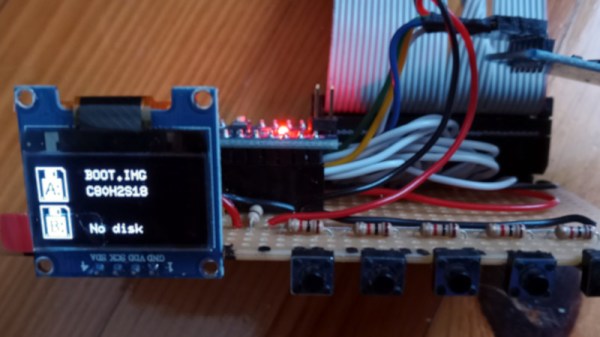
Among the plethora of obsolete removable media there are some which are lamented, but it can be difficult to find those who regret the passing of the floppy disk. These flexible magnetic disks in hard plastic covers were a staple of computing until some time in the early 2000s, and their drives could be found by the crateload in any spares box. But what about today, when there’s a need for a real floppy drive and none is to be found? Enter [Acemi Elektronikci], with an Arduino Nano based floppy emulator, that plugs into the floppy port of a PC old enough to have one, and allows the easy use of virtual floppy disks.

Aside from the Nano it has an SD card and associated level shifter, and an SSD1306 i2c screen. Most of the Arduino’s lines drive the floppy interface, so the five-button control comes to a single ADC pin via a resistor ladder. He freely admits that it’s not a perfect cycle-exact emulator of original hardware and there may be machines or even operating systems that complain when faced with it, but for all that it is a useful tool. One of the machines that may have issues is the Amiga, but fortunately there’s a fix for that with a Raspberry Pi.

A Redesigned ZX Spectrum Desktop Computer That Works Surprisingly Well

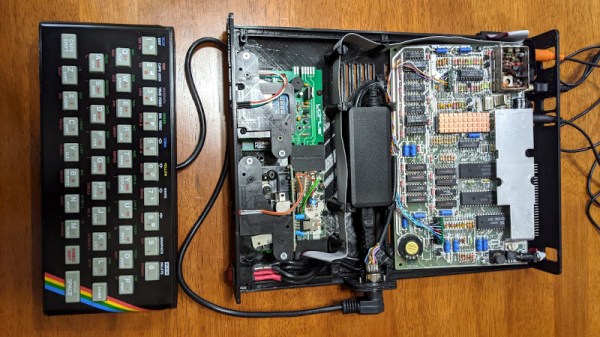
Retrocomputer enthusiasts will quite often be found pondering the great what ifs of their hobby. What if Commodore had had a half-way decent marketing division is a popular one, but the notoriously penny-pinching ways of Sinclair Research are also a plentiful source. What if Sinclair had won the competition for a computer in UK schools, not only the first time around when Acorn’s BBC Micro scooped the prize, but also what if they’d entered the fray once more in 1983 when there was another chance? [10p6] investigates this possibility, and comes up with a Spectrum desktop computer that you can see in the video below the break.

The first two-thirds of the video is devoted to renders which, while pretty to look at, offer nothing of substance. In the later part though we see a build, putting a Spectrum 48k board, Interface 1, and two Microdrives in a slimline case along with a power supply. Meanwhile a ZX rubber keyboard is mounted stand-alone on the end of a cable. It’s a computer that we know would have been an object of desire for many kids back in the day, and we agree with the video that it could have been integrated onto one board without the need for a separate Interface 1. We feel it’s inevitable though that Sinclair’s cost-cutting would have caused something to go astray and there would certainly have been only one Microdrive, even though we like that separate keyboard a lot.

They claim that the STLs will be available from a Facebook group, however unless you happen to have a set of Microdrives and an Interface 1 to go with your Spectrum that you’re prepared to butcher for the project we’re guessing that the chief interest lies in watching it unfold and that some of the ideas might translate to other platforms. Meanwhile if you’re interested in the Microdrive, we did a teardown on them last year.

Continue reading “A Redesigned ZX Spectrum Desktop Computer That Works Surprisingly Well”

The Simplest Way To Spot 2.4GHz RF

When the cool kids are showing off their SDRs it’s easy to forget that a radio receiver can be very simple indeed. The crystal set is one of the earliest forms of radio receiver, a tuned circuit and a diode that would pick up those AM broadcast stations no problem. But lest you imagine that these receivers can only pick up those low frequencies, here’s Hackaday alum [Ted Yapo] with a handy 2.4GHz receiver that picks up strong WiFi and microwave oven leakage.

It’s about as simple as it gets, an LED with a UHF diode in reverse across it. The clever part lies in the wire leads, which are cut to resonate as a dipole at 2.4 GHz. The resulting RF voltage is rectified by the UHF diode, leaving enough DC for the LED to flash. If you are wondering why the LED alone couldn’t do the job as a rectifier you would of course be on to something, however its much worse high frequency performance would make it not up to the job at this frequency.

The glory days of analogue broadcasting may now be in the past, but it’s still possible to have fun with a more conventional crystal radio. If you are adventurous, you can even make one that works for the FM, band too.

The Pi 400 As A PC Peripheral

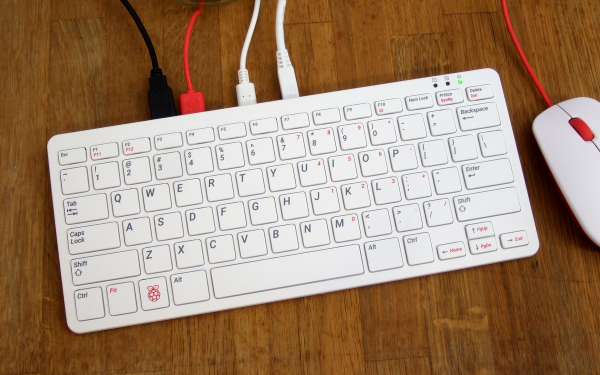
The Raspberry Pi 400 all-in-one computer is a neat little unit that is powerful enough to take on most humdrum computing tasks while doing an excellent job of freeing up valuable desktop space. But what about those moments when both the Pi and a PC are needed on the same desktop? How can the Pi and the bulky PC keyboard share the same space?

[Gadgetoid] may have the answer, with a clever bit of software that presents the Pi’s mouse and keyboard as peripherals on its USB-C power port. If your PC has a high-power USB socket that can run the Pi then it can use the small computer’s input devices just as well as the Pi itself can. It’s fair to say that the Pi 400’s keyboard is not it’s strongest point, but we can see some utility in the idea.

Running it is simply a case of running an executable from the Pi. Control can be wrested back to Raspberry Pi OS with a simple keystroke. Perhaps it’s not the ultimate desktop experience, but if you’re a die-hard Pi-head there’s plenty of appeal.

Within a few weeks, it’s a year since the launch of the Pi 400. We’ve not seen as many of them as the other Pi models, but you might find our original review to be of interest.

Thanks [Itay] for the tip.

Why Wait For Apple? Upgrade Your IPhone With USB-C Today!

Apple iPhones ship with the company’s Lightning cable, a capable and robust connector, but one that’s not cheap and is only useful for the company’s products. When the competition had only micro-USB it might have made sense, but now that basically all new non-fruity phones ship with USB-C, that’s probably the right way to go.

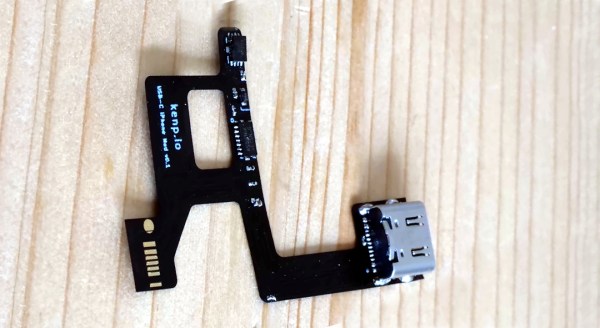
[Ken Pilonell] has addressed this by modifying his iPhone to sport a USB connector. The blog post and the first video below the break show us the proof of concept, but an update in the works and a teaser video show that he made it.

We’re a bit hazy on the individual iPhone model involves, but the essence of the work involves taking the internals of a Lightning-to-USB-C cable and hooking it up to the phone’s internal Lightning port. The proof-of-concept does it by putting the Apple flexible PCB outside the phone and plugging the cable part in directly, but it seems his final work involves a custom flexible board on which the reverse-engineered USB-C converter parts are mounted along with the USB-C socket itself. We see a glimpse of machining the slot in the phone’s case to USB-C dimensions, and we can’t wait for the full second installment.

It’s purely coincidental, but this comes against a backdrop of the European Union preparing to mandate USB-C on all applicable devices.

Continue reading “Why Wait For Apple? Upgrade Your IPhone With USB-C Today!”

Thingiverse Data Leaked — Check Your Passwords

Every week seems to bring another set of high-profile data leaks, and this time it’s the turn of a service that should be of concern to many in our community. A database backup from the popular 3D model sharing website Thingiverse has leaked online, containing 228,000 email addresses, full names, addresses, and passwords stored as unsalted SHA-1 or bcrypt hashes. If you have an account with Thingiverse it is probably worth your while to head over to Have I Been Pwned to search on your email address, and just to be sure you should also change your password on the site. Our informal testing suggests that not all accounts appear to be contained in the leak, which appears to relate to comments left on the site.

Aside from the seriousness of a leak in itself, the choice of encryption should raise a few eyebrows. Both SHA-1 and bcrypt can be considered broken or at best vulnerable to attack here in 2021, so much so that for any website to have avoided migration to a stronger algorithm indicates a very poor attention to website security on the part of Thingiverse. We’d like to think that it would serve as a salutary warning to other website operators in our field, to review and upgrade their encryption, but we suspect readers will agree that this won’t be the last time we report on such a leak and nervously check our own login details.

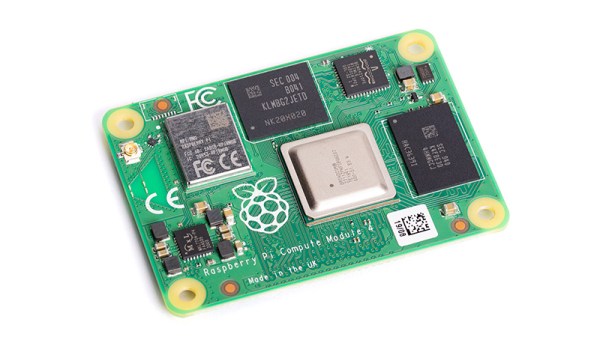
The Compute Module Comes Of Age: Say Hello To The Real Cutting Edge Of Raspberry Pi

If we wanted to point to an epoch-making moment for our community, we’d take you back to February 29th, 2012. It was that day on which a small outfit in Cambridge put on the market the first batch of their new product. That outfit was what would become the Raspberry Pi Foundation, and the product was a run of 10,000 Chinese made versions of their very first single board computer, the Raspberry Pi Model B. With its BCM2835 SoC and 512 megabytes of memory it might not have been the first board that could run a Linux distribution from an SD card, but it was certainly the first that did so for pocket money prices. On that morning back in 2012 the unforseen demand for the new board brought down the websites of both the electronics distributors putting it on sale, and a now-legendary product was born. We’re now on version 4 of the Model B with specs upgraded in almost every sense, and something closer to the original can still be bought in the form of its svelte stablemate, the Pi Zero.

How Do You Evolve Without Casualties?

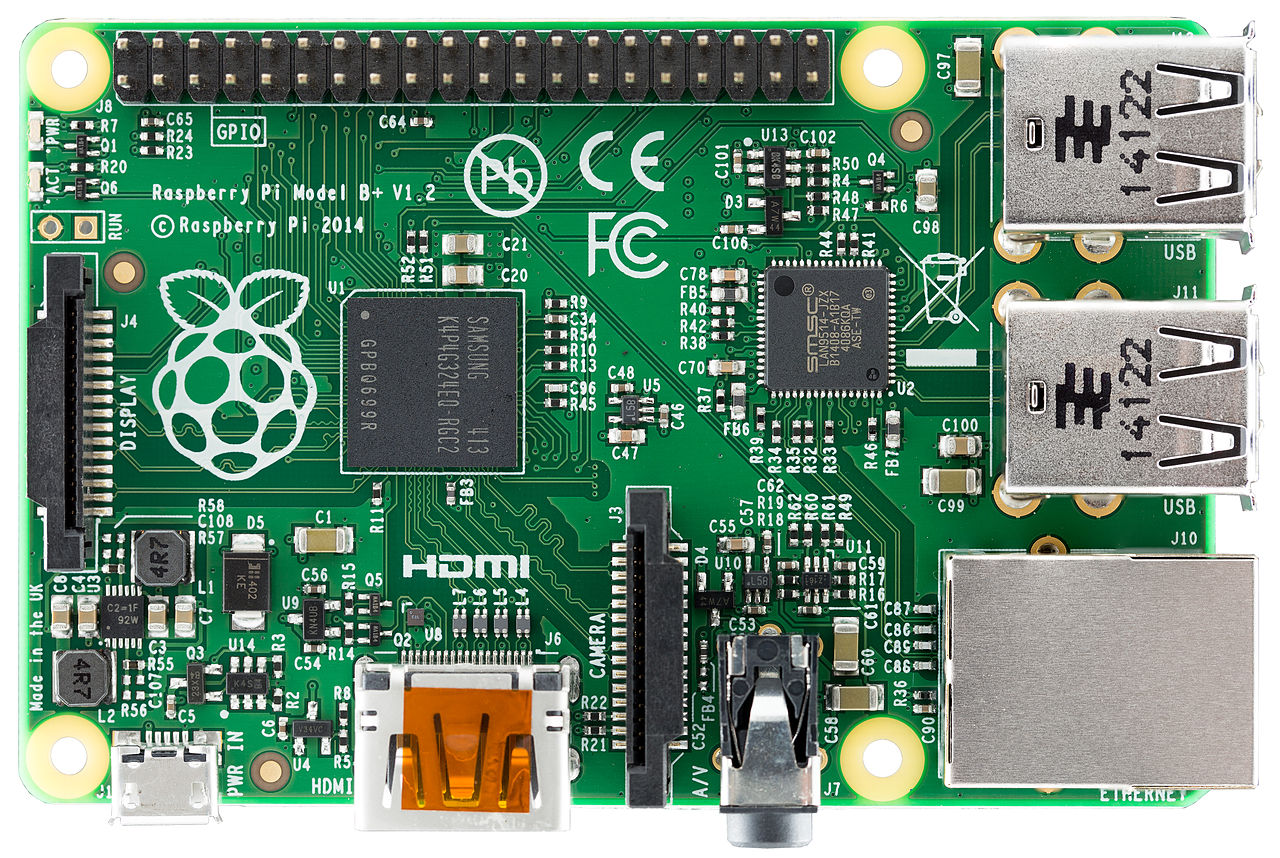
The original Pi Model B+ from 2014.
The original Pi Model B+ from 2014. The form factor has had a few minor changes, but hardware-wise the Pi 4 follows this pretty closely. Lucasbosch, CC BY-SA 3.0.

The problem with having spawned such a successful product line is this: with so many competitors and copies snapping at your heels, how do you improve upon it? It’s fair to say that sometimes its competitors have produced more capable hardware than the Pi of the moment, but they do so without the board from Cambridge’s ace in the hole: its uniquely well-supported Linux distribution, Raspberry Pi OS. It’s that combination of a powerful board and an operating system with the minimum of shocks and surprises that still makes the Pi the one to go for after all these years.

Continue reading “The Compute Module Comes Of Age: Say Hello To The Real Cutting Edge Of Raspberry Pi”