Building A Panel Mount OLED Display

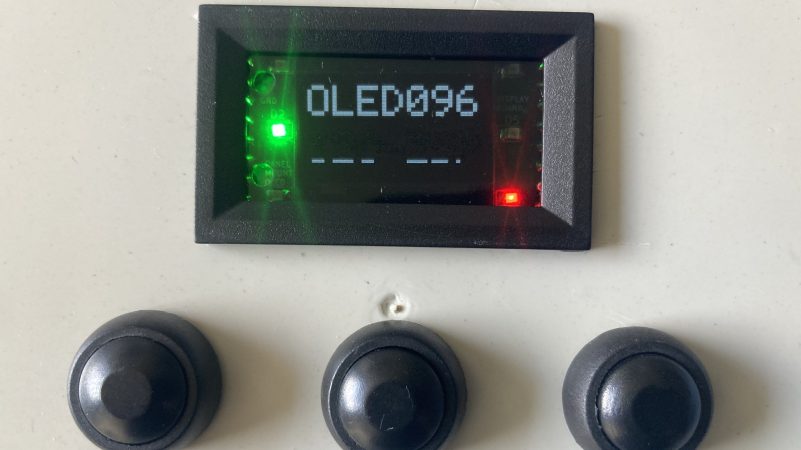
There are a million and one cheap OLED display modules out there. The only problem is, they’re all assembled on bare PCBs with slight differences, and that frustrates efforts to mount them in a clean and tidy manner. [Galopago] decided to build a small OLED module that solved this frustrating problem.

The idea to pursue this came from off-the-shelf panel displays commonly used for power supply builds and other such equipment. These come in relatively standard sizes and are designed from the outset to slot neatly into a panel with a bezel that covers any ugly edges or awkward gaps.

The build began with a 48 x 29 mm enclosure grabbed from an off-the-shelf power panel meter. There are two PCBs—one holding the regulator and other equipment to run the display, the other carrying a set of screw terminals that make it easy to wire up the display to a piece of equipment. The SSD1306-compatible OLED screen itself connects to the first board with a flat flex cable, as is the norm.

If you find yourself often wanting to pop a small display into a piece of custom test equipment, this might be relevant to your interests. Files are on GitHub for the curious.

We’ve featured some other fun OLED hacks over the years, like this interesting effort to whip up displays from scratch in a home lab. If you’ve got nifty usability hacks of your own in the works, don’t hesitate to let us know.

Building A 2-Way Holographic Display

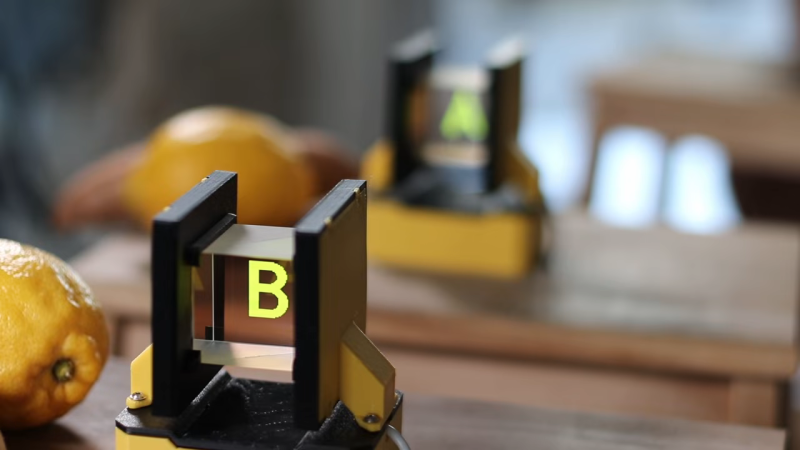
Holographic displays sound very fancy but you can build various simple types yourself at home. [Julius Makes] whipped up a neat design that shows a different image depending on the position from which you view it. 

Running the show is a Wemos D1 devboard equipped with the ESP8266 microcontroller. It’s hooked up to a pair of OLED displays over I2C. The displays are placed in a 3D printed assembly that aims each one at a beam-splitter cube. This bounces light projected into one face through 90 degrees, and out another face. By leveraging this, it’s possible to aim each display at one face and bounce it out another, such that looking at either side of the beamsplitter cube shows a different image. Since the beamsplitter cube also allows some light to be transmitted directly through as well, the image from each display appears to float in space.

[Julius] notes that this setup is being used in a puzzle box game, while wondering whether there’s any other fun ways to leverage this technique. We’ve seen some other neat holographic displays before, too, like this neat Holochess build.

Continue reading “Building A 2-Way Holographic Display”

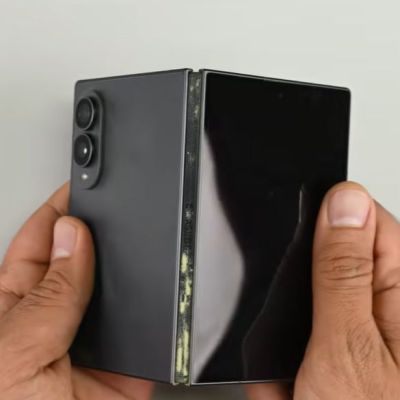
Jacket Turned Cyberpunk Wearable OLED Display

If you’ve played Cyberpunk 2077, you might have seen the rad jacket that has a screen in the collar. Once upon a time, such a thing would be solely the preserve of science fiction—you certainly wouldn’t be achieving that look with cathode ray tubes, that much is for sure. However, technology has advanced to the point where [Zibartas] was able to produce just such a jacket in real life.

The key to the build is the advent of the flexible OLED screen. [Zibartas] was able to source four such panels in a smartphone-like aspect ratio, which came in at the hefty price of $300 each. Two Raspberry Pi 4s were enlisted to drive two screens each. The older model Pi was chosen as it was capable of achieving a neat hack to better play smooth video across two displays. A rudimentary sync system was whipped up using GPIO pins to keep video from both Pis playing together. From there, it was simply a matter of figuring out how to create a structure to hold the screens within the large collar of the scratch built cyberpunk-styled jacket. As it turns out they don’t actually flex much in the final install, as they’re held in a 3D printed structure to keep them safe from damage.

The final result is quite something, very accurately recreating the jacket from the game itself. While technically a simple build, actually pulling it off required some delicate work and smart design decisions to make it practical to wear. We’ve featured some other fun jackets over the years, too.

Continue reading “Jacket Turned Cyberpunk Wearable OLED Display”

Real LED TVs Are Finally Becoming A Thing

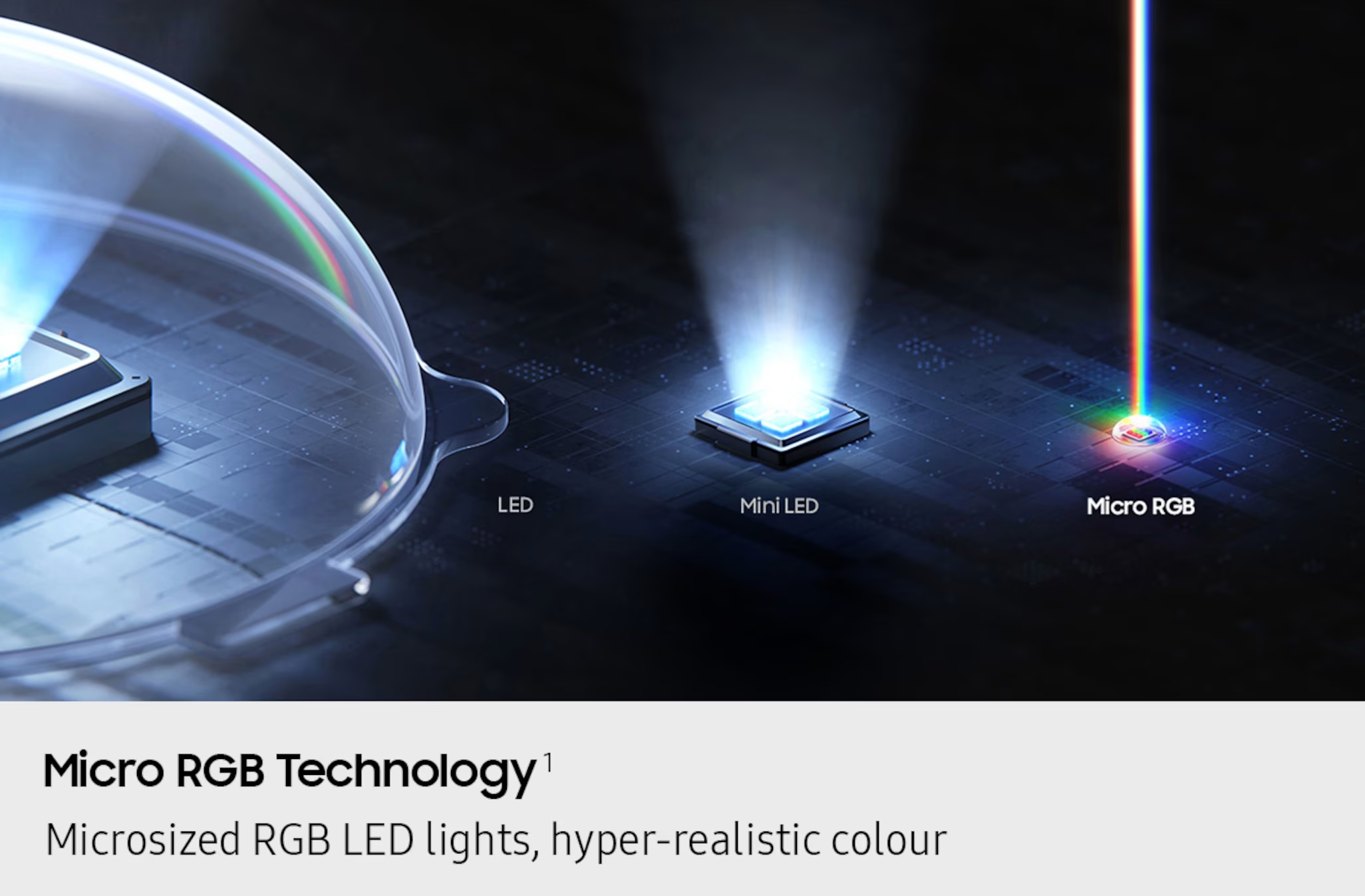
Once upon a time, the cathode ray tube was pretty much the only type of display you’d find in a consumer television. As the analog broadcast world shifted to digital, we saw the rise of plasma displays and LCDs, which offered greater resolution and much slimmer packaging. Then there was the so-called LED TV, confusingly named—for it was merely an LCD display with an LED backlight. The LEDs were merely lamps, with the liquid crystal doing all the work of displaying an image.

Today, however, we are seeing the rise of true LED displays. Sadly, decades of confusing marketing messages have polluted the terminology, making it a confusing space for the modern television enthusiast. Today, we’ll explore how these displays work and disambiguate what they’re being called in the marketplace.

Continue reading “Real LED TVs Are Finally Becoming A Thing”

These Ultra-Cute, Handsfree Walkie-Talkies Are Built For Cycling

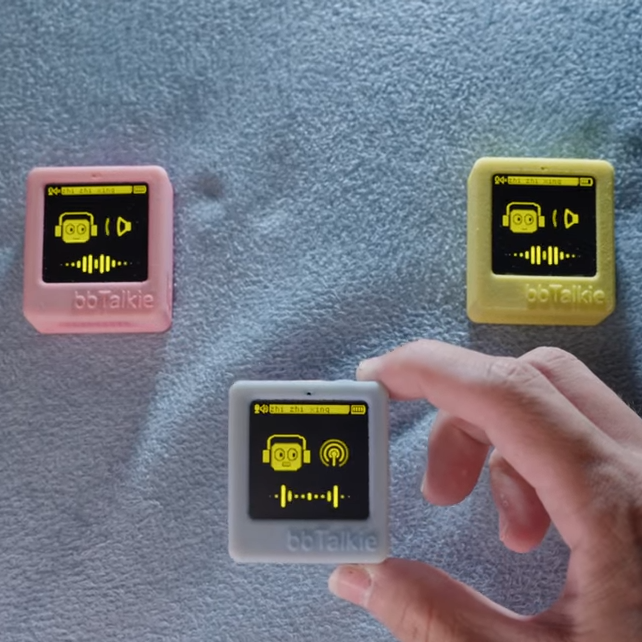
Walkie-talkies are great fun, and [RealCorebb]’s bbTalkie project takes the concept a step further by adding some extremely cool features to make a highly refined, self-contained ESP32-based communicator. bbTalkie completely does away with a push-to-talk button by implementing robust voice detection that works reliably even in noisy environments. It was all designed with cycling in mind, so hands-free operation that stands up to noise is a big plus.

Hands-free, wireless, self-contained digital walkie-talkies that can connect in a group. What’s not to like?

The core of communication is done over ESP-NOW, which is Espressif’s own protocol for direct device-to-device broadcasting. This removes the need to involve any sort of external service like SIM cards or internet access to transmit voice. Performance is best with an external antenna, naturally, but ESP-NOW doesn’t actually require anything other than the existing on-board hardware.

We’ve seen ESP-NOW used to make digital walkie-talkies before, but bbTalkie is a really evolved take on the concept, not least of which due to its hands-free operation.

Because volume-based automatic triggers are highly susceptible to noise, voice detection is done with the help of VADNet, a neural network-based model implemented locally on the device. This system can reliably detect human speech, even in noisy environments. This lets bbTalkie switch between transmit and listen modes automatically and hands-free, without false triggers.

Even when doing all that, there’s still spare capability to play with. Further to the goal of making bbTalkie useful for cyclists in a group, [RealCorebb] added a system that can recognize specific voice commands (like “turn left” for example, or “wait for me!”) which trigger synchronized animations to play on the displays of all connected units. There’s even some experimental support for controlling a camera over Bluetooth, though currently it only supports hardware from Sony.

Watch a tour of it in the video below (Chinese language, English captions available). The OLED screens and animations are adorable, and are great visual feedback of what the unit is doing at any given moment.

Continue reading “These Ultra-Cute, Handsfree Walkie-Talkies Are Built For Cycling”

Live Train Departure Screens Keep You Abreast Of Transit Developments

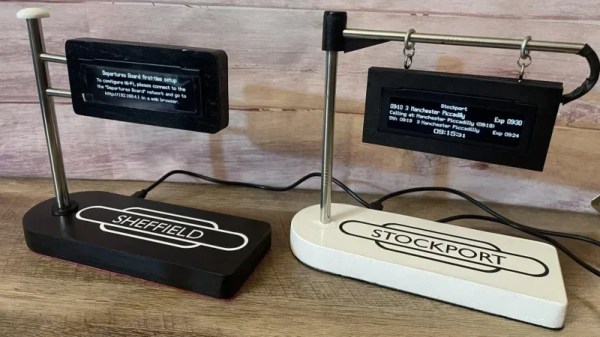
If you want to know when the train is coming, you could pull up a webpage on your phone, or walk all the way to the station to look at the displays there. Or, like [eastfamilyreddish], you could build a neat little train info display to decorate your desktop instead.

The build is based on the work of [gadec-uk]—who developed a train information display some time ago. It’s based around an ESP32 D1 Mini, paired with a 256 x 64 OLED screen to display relevant train information. It accesses a National Rail API for train status information—known as the Darwin LDBWS (Live Departure Board Webservice). Configuration is via a web GUI hosted by the ESP32 itself.

[eastfamilyreddish] took the concept further by adapting this hardware into a more pleasing form. The ESP32 and OLED screen are built into a neat little hanging sign setup that apes one you might expect to see at a real railway station. You might expect that 3D printing was involved, but instead, this was achieved with lasercut parts and resin casting to create something with a beautiful finish. They even went so far as to include a wireless phone charging module in the base, making the device extra useful to really earn its place on the desktop.

The fact is, around these parts we love both trains and the displays you find around them. If you’ve got a railway-adjacent project, or you’ve just built your own awesome railway, don’t hesitate to let us know on the tipsline!

Wear This RISC V, RPN Calculator Watch For Maximum Nerd Cred

Once upon a time, owning a calculator watch was the epitome of cool. Well, for a very specific subset of the population with our own definition of “cool” anyway. The only thing cooler than wearing a calculator watch? Making a calculator watch, of course! If you do it as part of developing your own SDK for a popular RISC V microcontroller, all the better. That’s what [Miroslav Nemecek] did with his Antcalc watch, which is one of the demo projects for the CH32Lib SDK, which is currently under development at version 0.35 as this is written.

It appears as though the solid core wire on the back of the homemade PCB is used to hold the watch band, a nice little hack.

As you might guess, CH32LibSDK is targeting the super-cheap CH32 series of RISC V microcontrollers. Perhaps because the SDK is so early in development, there’s not much documentation outside of the example projects. The examples are all worth looking at, but our tipster wanted us to cover the Antcalc calculator watch specifically.

The Antcalc watch uses the SOP16-packaged CH32V002A4M6 to drive a small OLED display while taking input in Reverse Polish Notation from a dozen small buttons. We’re not sure how the cool kids feel about RPN these days, but that’s got to be worth extra nerd cred. Using a RISC V chip doesn’t hurt in that department, either.

For something so small– 30 mm x 55 mm–it’s looks like a decent little calculator, with 10 registers holding a mantissa of 21 digits and exponents up-to +/-99 in binary coded decimal. Seven layers on the dozen-key input pad mean most of the scientific functions you could ask for are available, along with the ability to record and replay upto 10 macros. There are also ten memory slots, all of which go into the chip’s onboard flash so are non-volatile during a battery swap. (Of which many will be necessary, since this appears to run on a single coin cell.)

If you get bored of wrist-mounted calculating, you could always repurpose this microcontroller to play MOD files on your wrist. Some people couldn’t imagine ever getting bored by a wrist-mounted calculator, and just for them we have this teardown of a beautiful 1975 model and a this article on the history of the calculator watch.

Thanks to [James Bowman] for the tip.