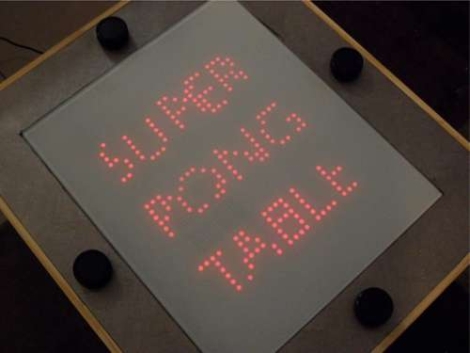
Super Pong Table Doubles The Fun

super_pong

While Pong has traditionally been a game played between two individuals, Instructables user [Brad] has put together a variation that doubles the fun.  His Pong coffee table has the ability to support up to four users at once, and makes for quite the living room centerpiece.

The table is made from sheets of MDF and incorporates a grid of 900 LEDs, all controlled by a PIC18 micro controller. The MCU is installed on a control board he designed, along with the other additional bits required to drive the LED array. A set of old Atari paddle controllers were disassembled and installed around the table, making this a true retro Pong experience.

As you can see in the video, the action is pretty frantic. It’s hard to tell who is winning until the game is over, but [Brad] says that a scoreboard will come in a future revision.

4-way Pong is a really cool idea! , but it looks like there are no open source schematics or code for the control board. We’re hoping someone sees this project and puts together a version for all to use, free of charge.

We were mistaken about the status of this project in relation to whether or not it was open source. [Brad] wrote to us letting us know that his code was not originally included with the Instructable as a result of a late night omission. As always, his projects are open source, and you can now download all of the source code and schematics at the page linked above (and in the first step of the Instructable, no less). Mea culpas all around, thanks for the update, [Brad]!
Continue reading “Super Pong Table Doubles The Fun”

Keeping Beer Chilled From Keg To Tap

beer_chiller

[Stan] was putting together his nano-brewery, and while waiting for his beer to finish fermenting, he decided to work on the storage portion of his project. He built a kegerator to store his forthcoming brews but realized that since it was about 10 feet away from his tap tower, the beer was becoming unacceptably warm and frothy in transit.

In commercial tap systems, a separate line of chilled propylene glycol is bundled with the beer lines, keeping it cool as it travels from keg to tap. [Stan] decided to replicate this setup, and after three different iterations, he nailed it.

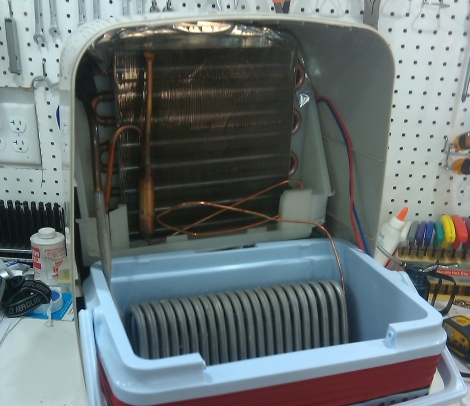
His first two attempts involved keeping the cooling solution inside of the kegerator, but he found that either the pumps added too much heat to the solution, or that the kegerator was running at nearly a 100% duty cycle. Scrapping any sort of kegerator-based cooling, he decided to build a separate cooling unit with a dehumidifier he had sitting around. After fitting the unit into a cooler and filling it with solution, he found it to cool so well it turned the propylene glycol solution to slush!

Check out his site for more details on his cooling setup – if you are in the business of homebrew, you will be glad you did.

Nano Sumo Robot Takes On All Comers

nano_sumo_bot

While most Sumo-style robots are fairly sizable, there is a subsection of the Sumo robot movement that focuses on making small robots. Really small robots.

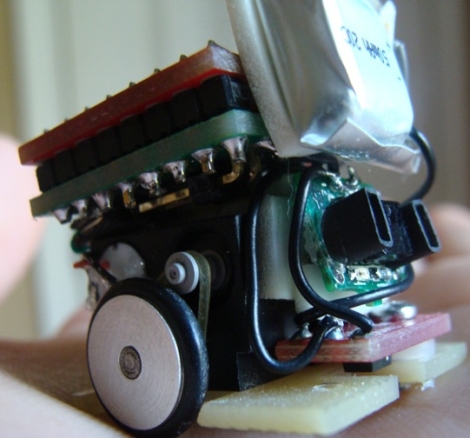
[Patrick] wrote in to share his latest creation, a Nano Sumo robot measuring a scant 1 in. x 1 in. The Nano Sumo is operated by an ATMega 328 micro controller housed on a custom-built PCB. The board was designed to interface directly with the 1A Dual Motor Driver from SparkFun, which provides all of the PWM signaling to the motors for speed control and braking. A small 50mAh Li-poly battery is attached to the robot, which can be charged using 4 AA batteries via a custom charging circuit. The mechanical components of the bot were handled by his friend [Gary], which you can read about here.

As you can see in the video below, the bot does its job pretty well. It does seem like the object detection gets confused every once in awhile, but that can likely be remedied with a few software tweaks.

Check out his page for additional build videos, including the PCB construction and programming processes.

If you’re interested in learning more about Sumo bots, check out this slightly larger robot we covered a short while back.

Continue reading “Nano Sumo Robot Takes On All Comers”

Nintendo Hacked To Fit Inside An NES Cartridge

nintendo_meta_console

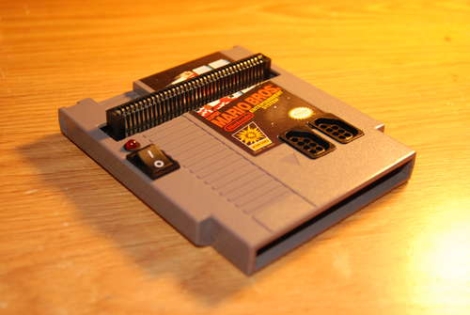
Instructables user [dany32412] recently built what is arguably one of the smallest NES consoles we have seen to date. Using a Nintendo on a Chip (NOAC) board, he has fabricated an NES system that fits inside a hollowed out NES cartridge.

He purchased a NOAC system at a local resale shop and got to work disassembling it. As most of these devices typically consist of a game system built into the controller with a Famicom game slot added for good measure, he knew he had a lot of work ahead of him if he was going to convert it to work properly with actual NES games and controllers.

He hacked apart most of the NOAC’s board, leaving just the CPU and the controller interface chip. He then built a custom controller interface board in order to properly map his NES controller’s buttons to the pads on the NOAC. He wired in a 72-pin NES cartridge slot, then added a pair of controller ports and a power switch. Once he had everything connected and tested, it was all secured in a Super Mario Brothers NES cartridge.

Check out the video below of his mini NES in action.

If you can’t get enough Nintendo hacks, be sure to take a look at this portable NES as well as this emulator-based NES in a cartridge.

Continue reading “Nintendo Hacked To Fit Inside An NES Cartridge”

Breathing New Life Into A Broken IPod

ipad_nano_button_fix

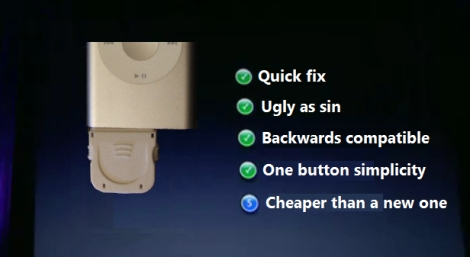
[Craig] had a busted 2nd Gen iPod Nano that was well out of warranty. The play/pause button no longer worked, leaving him unable to play or pause music, nor power off the device. He didn’t want to scrap the iPod, so he figured out a way to add an external play/pause button instead.

He ordered an iPod dock connector from SparkFun and found that it had just enough space inside for the electronic components he would be adding. He consulted some online references for pinout information, then got busy cramming an ATiny13 and a pushbutton into the dock connector.

To minimize the drain on the iPod’s battery, he puts the ATiny into sleep mode when it is not being used. When the button is pressed, it wakes up the microcontroller and sends the proper signal to the iPod. Based on his estimations, it would take nearly 250 years for the ATiny to drain the iPod’s battery completely, so he’s pretty comfortable leaving the dongle attached at all times.

If you have an iPod with similar issues, he has made his source code available so you can save yours from the trash heap as well.

LED Floor Lamp Really Ties The Room Together

led_floor_lamp

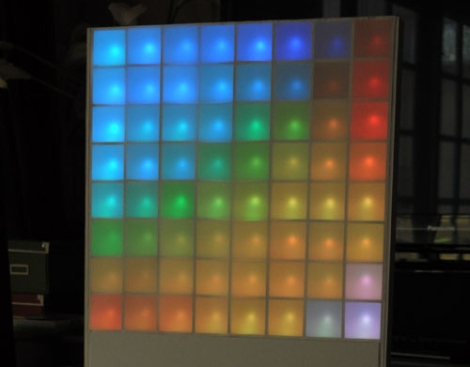
Instructables user [lincomatic] was doing some home decorating and was trying to find something that would really tie the room together. He decided against adding a nice rug, a light fixture is what he was after. Rather than settle on a simple lamp for the corner of the room, he constructed an 8×8 RGB LED fixture he calls the Lampduino.

He constructed the 8×8 grid using some leftover cardboard packaging, then got to work wiring up the LED strands. In a rather unorthodox move, he decided to wire wrap the LED leads instead of soldering them. Once the LEDs were in place, he wired everything up to his Colorduino, an Arduino derivative specially made for driving large quantities of LEDs. A thin sheet of drafting film was placed on both sides of the board, then it was mounted on a stand for display.

His Daft Punk-esque lamp can be programmed to display just about anything from color patterns to video game sprites, and it can also be timed to music if desired. We think it looks great, and could make for a nice wall hanging if he ever got sick of the stand. While the wire wrap technique sounds like it sped up the development of this project significantly, we would be interested in hearing how it holds up after a few months of use.

Check out the trio of videos embedded below to see the Lampduino in action.

Continue reading “LED Floor Lamp Really Ties The Room Together”

Wireless Animatronic Hand Control

animatronic_hand

[Easton] was looking to enter his local science fair and needed a project that would wow the judges. After considering it for a bit, he decided that an animatronic hand would be a sure winner. Many animatronic projects we have seen are connected to a computer for control purposes, but his is a bit different.

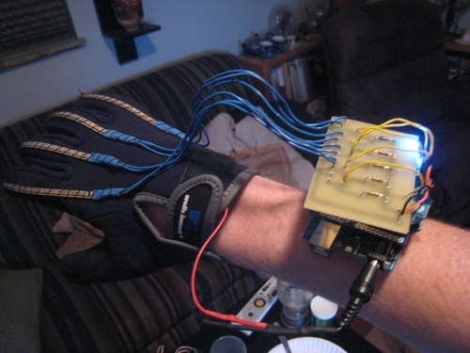
[Easton] wanted to be able to control the hand in real time with his own movements, so he sewed some flex sensors onto a glove and wired them up to a custom Arduino shield he built. The Arduino is also connected to an XBee radio, allowing it to interface with his animatronic hand wirelessly.

He built the hand after studying anatomical drawings to better understand where finger joints were located and how they moved. He cut up pieces of flexible wire tubing to build the fingers, reinforcing them with Lego bricks. He ran fishing wire from the finger tips to five independent servos to provide the hand’s motion. Another Arduino with an XBee shield was used to control the hand and receive wireless signals from the glove.

Check out the video below to see why this project won [Easton] first place in the science fair.

Continue reading “Wireless Animatronic Hand Control”