Voice Control For A Vintage Heathkit Radio

Most modern ham rigs have a voice activated transmission (VOX) mode, although we don’t know many people who use it often. When a transmitter is in VOX mode, it starts transmitting when you talk, and then, when you pause for a second or two, the transmitter turns off. Many old ham transmitters, though, didn’t support VOX, so Heathkit sold the VX-1 “electronic voice control” to add VOX to older transmitters. [Jeff Tranter] shows us inside a clean-looking unit.

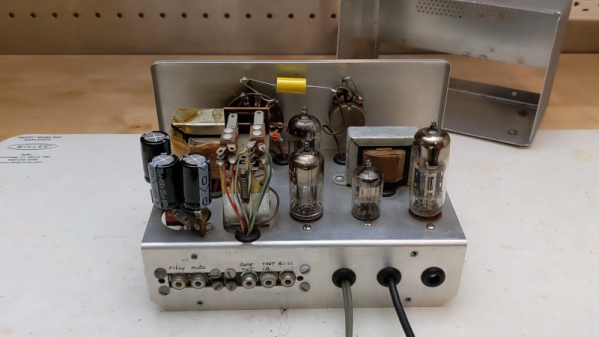
These devices were sold from 1958 to 1960 and used tubes and a selenium rectifier. The device is connected between the microphone and the transmitter. It also sat between the receiver and the speaker to mute audio while transmitting. The original unit had a screw terminal to connect to the outside world, and some of the screws had live line voltage on them. The unit [Jeff] examines is modified to have phono jacks along with a few other repairs.

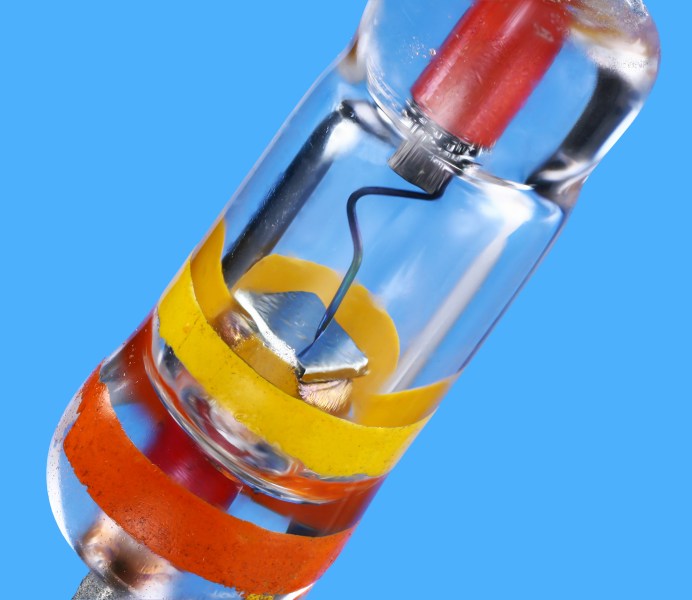
The wiring looks like a tube radio. Tubes are above the chassis, and point-to-point wiring is underneath. There is also an unusual sealed selenium rectifier. [Jeff] shows how the device works using just a receiver. A few minor repairs were needed.

If you are interested in getting your ham license, most modern radios support VOX out of the box — no rhyme intended. We do, however, love that old Heathkit gear.

Continue reading “Voice Control For A Vintage Heathkit Radio” →
Danish Vintage LRC Meter Reveals Inside

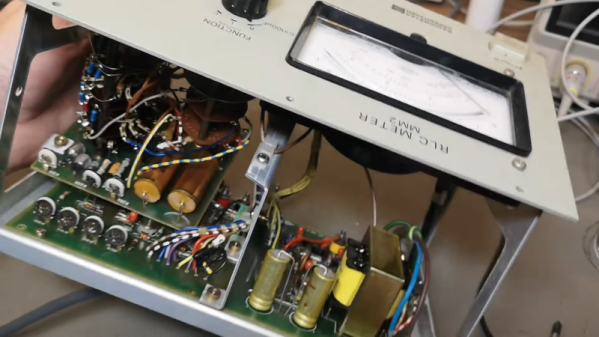
Modern test equipment is great, but there’s something about a big meter with a swinging needle and a mirror for parallax correction that makes a device look like real gear. [Thomas] shows us a Danish LCR meter (or, as it says on the front, an RLC meter). The device passes AC through the component and uses that to determine the value based on the setting of a range switch. It looks to be in great shape and passed some quick tests. Have a look at it in the video below.

An outward inspection shows few surprises, although there is an odd set of terminals on the back labeled DC bias. This allows you to provide a DC voltage in case you have a capacitor that behaves differently when the capacitor has a DC voltage across it. Continue reading “Danish Vintage LRC Meter Reveals Inside” →

A Slew Of AI Courses To Get Yourself Up To Speed

When there’s a new technology, there’s always a slew of people who want to educate you about it. Some want to teach you to use their tools, some want you to pay for training, and others will use free training to entice you to buy further training. Since AI is the new hot buzzword, there are plenty of free classes from reputable sources. The nice thing about a free class is that if you find it isn’t doing it for you, there’s no penalty to just quit.

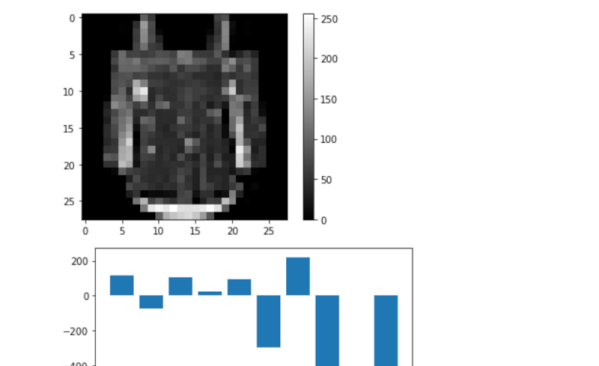
We noticed NVIDIA — one of the companies that has most profited from the AI boom — has some courses (not all free, though). Generative AI Explained, and Augment your LLM Using Retrieval Augmented Generation caught our eye. There’s also Building a Brain in 10 Minutes, and Introduction to Physics-informed Machine Learning with Modulus. These are all quite short, though.

Continue reading “A Slew Of AI Courses To Get Yourself Up To Speed” →

Delays And Timers In LTSpice (no 555)

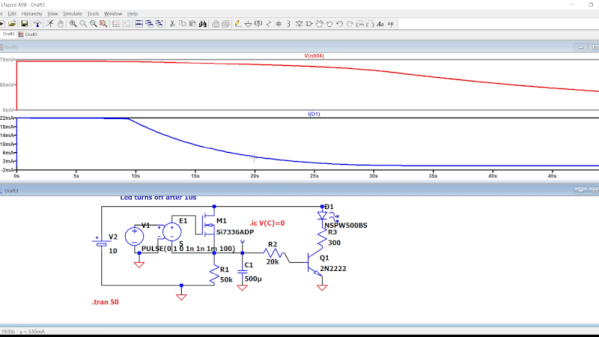
If you need a precise time, you could use a microcontroller. Of course, then all your friends will say “Could have done that with a 555!” But the 555 isn’t magic — it uses a capacitor and a comparator in different configurations to work. Want to understand what’s going on inside? [Mano Arrostita] has a video about simulating delay and timer circuits in LTSpice.

The video isn’t specifically about the 555, but it does show how the basic circuits inside a timer chip work. The idea is simple: a capacitor will charge through a resistor with an exponential curve. If you prefer, you can charge with a constant current source and get a nice linear charge.

You can watch the voltage as the capacitor charges and when it reaches a certain point, you know a certain amount of time has passed. The discharge works the same way, of course.

We like examining circuits for learning with a simulator, either LTSpice or something like Falstad. It is easier than breadboarding and encourages making changes that would be more difficult on a real breadboard. If you want a refresher on LTSpice or current sources, you can kill two birds with one stone.

Continue reading “Delays And Timers In LTSpice (no 555)” →

No Lathe? Build Your Own

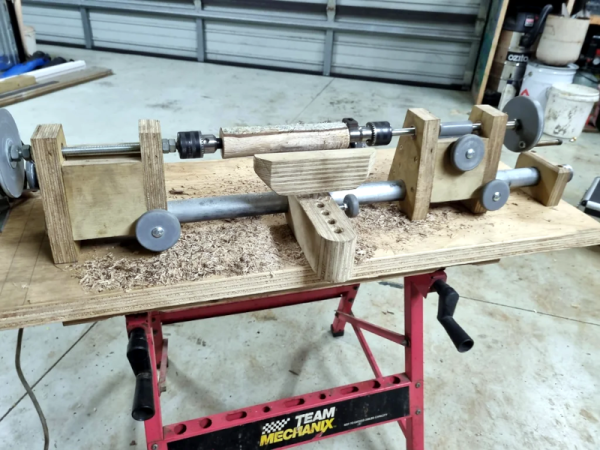
If you need to make round things, you probably need a lathe. Can you build one as nice as one you can buy? Probably not. But can you build one that will work and allow you to do more things than having no lathe at all? [Mikeandmertle] say absolutely! You can see the contraption in operation in the video below.

The build is decidedly functional-looking and only requires a few parts. Most of the components are unremarkable, save for a threaded bar, a metal pipe, some bearings, and a few threaded inserts. Well, there’s also a drill chuck and two lathe centers. Those don’t have to be very expensive, but they may well be the bulk of what you have to spend to make this project.

Continue reading “No Lathe? Build Your Own” →

Linux Fu: Getting Started With Systemd

I will confess. I started writing this post about some stupid systemd tricks. However, I wanted to explain a little about systemd first, and that wound up being longer than the tricks. So this Linux Fu will be some very fundamental systemd information. The next one will have some examples, including how to automount a Raspberry Pi Pico. Of course, by the end of this post, you’ll have only scratched the surface of systemd, but I did want to give you some context for reading through the rest of it.

Like many long-time Unix users, I’m not a big fan of systemd. Then again, I’m also waiting for the whole “windows, icon, mouse, pointer” fad to die down. Like it or not, systemd is here and probably here to stay for the foreseeable future. I don’t want to get into a flame war over systemd. Love it or hate it, it is a fact of life. I will say that it does have some interesting features. I will also say that the documentation has gotten better over time. But I will also say that it made many changes that perhaps didn’t need to be made and made some simple things more complicated than they needed to be.

In the old days, we used “init scripts,” and you can still do so if you are really motivated. They weren’t well documented either, but it was pretty easy to puzzle out the shell scripts that would run, and we all know how to write shell scripts. The systemd way is to use services that are not defined by shell scripts. However, systemd tries to do lots of other things, too. It can replace cron and run things periodically. It can replace inetd, syslog, and many other traditional services. This is a benefit or a drawback, depending on your point of view.

(Editor’s note: And this logging functionality was exactly what was abused in last week’s insane liblzma / ssh backdoor.)

Configuring systemd requires you to create files in one of several locations. In systemd lingo, they are “units.” For the purpose of this Linux Fu, we’ll look at only a few kinds of units: services, mounts, and timers. Services let you run programs in response to something like system start-up. You can require that certain other services are already running or are not running and many other options. If the service dies, you can ask systemd to automatically restart it, or not. Timers can trigger a service at a particular time, much like cron does. Another unit you’ll run into are sockets that represent — you guessed it — a network socket.

Continue reading “Linux Fu: Getting Started With Systemd” →

Homebrew Network Card With No CPU

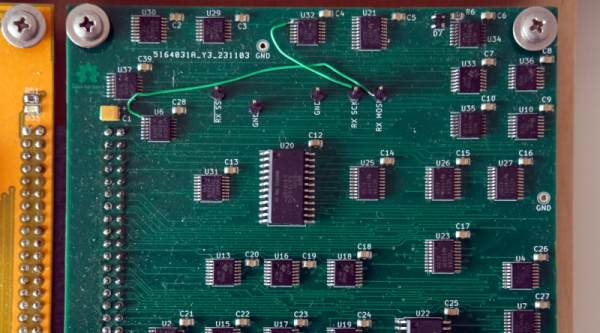
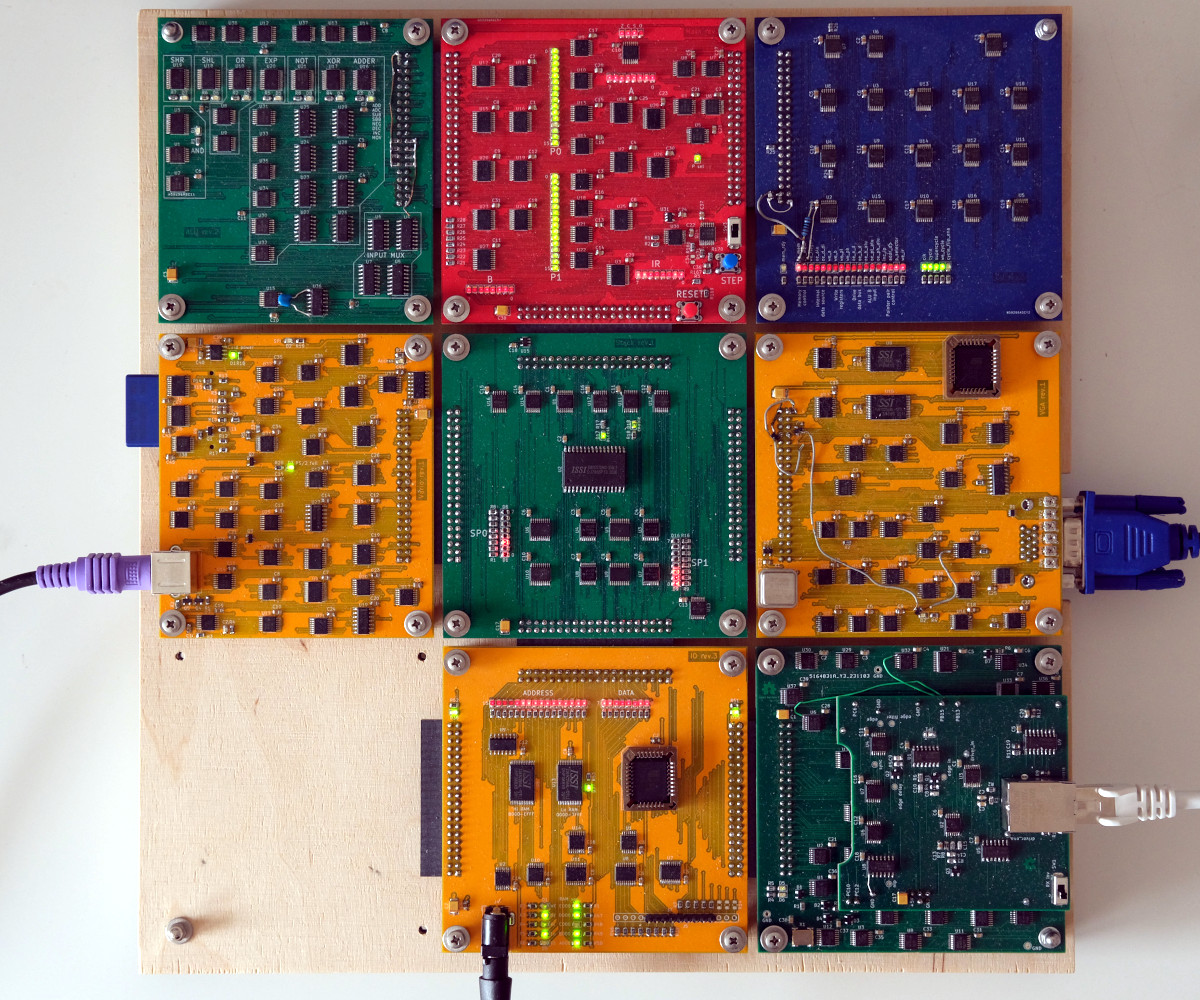
A modern normal network card will have onboard an Ethernet controller which, of course, is a pre-programmed microcontroller. Not only does it do the things required to keep a computer on the network, it can even save the primary CPU from having to do certain common tasks required for communicating. But not [Ivan’s]. His homebrew computer — comprised of 7 colorful PCBs — now has an eighth card. You guessed it. That card connects to 10BASE-T Ethernet.

There’s not a microcontroller in sight, although there are RAM chips. Everything else is logic gates, flip flops, and counters. There are a few other function chips, but nothing too large. Does it work? Yes. Is it fast? Um…well, no.

The complete computer.

He can ping others on the network with an 85 ms round trip and serve web pages from his homebrew computer at about 2.6 kB/s. But speed wasn’t the goal here and the end result is quite impressive. He even ported a C compiler to his CPU so he could compile uIP, a networking stack, avoiding the problems of writing his own from scratch.

Some compromises had to be made. The host computer has to do things you normally expect a network card to do. The MTU is 1024 bytes (instead of the more common 1500 bytes, but TCP/IP is made to expect different MTU sizes, which used to be more common when more network interfaces looked like this one).

Even on an FPGA, these days, you are more likely to grab some “IP” to do your Ethernet controller. Rolling your own from general logic is amazing, and — honestly — the design is simpler than we would have guessed. If you check out [Ivan]’s blog, you can find articles on the CPU design, its ALU, and even a VGA video card all from discrete logic. The whole design, including the network card is up on GitHub.

We love the idea of building a whole computer system soup to nuts. We wish we had the time. If you need a refresher on what’s really happening with Ethernet, our [Arya Voronova] can help.