Race Car POV LED Displays

race_car_pov

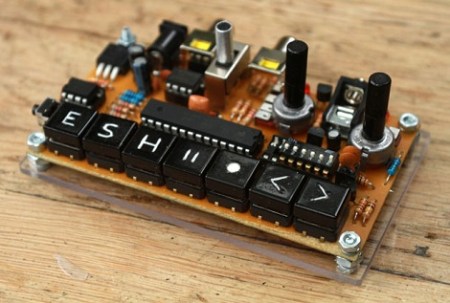
Last year, when [Alex] was asked by his friend [Martin] to help him out with building some LED POV modules for a race car, his response was a enthusiastic “YES!”

[Martin’s] goal was to involve fans more deeply in the race, so he decided that the POV modules would carry messages from fans on-board, printing them in the night as the race cars screamed around the track. The pair started prototyping and testing a design, wrapping things up shortly before this year’s 24 hours of Nürburgring.

The modules consist of an Arduino-compatible AVR, a GPS module, a 16-LED light bar, and the circuitry for driving the LEDs. While most of the components are pretty standard fare, the we don’t often see a GPS sensor built into a POV display. [Alex] says that the sensor is used to calculate the speed of the cars, ensuring a uniform font size.

They took their LED displays to the 24 hours of Nürburgring, where they were invited by Audi to install the modules on a pair of R8 Le Mans race cars. As you can see by the pictures on his blog and Flickr set, the POV units worked out nicely without having to stretch the camera exposure times too far.

If you’ re interested to hear a bit more about how the displays were built, check out this entry in[Alex’s] blog, where he goes through some additional details.

Update:[Alex] pointed us to the videos!
Cheap Voice-controlled Lighting

voice_controlled_home_automation_board

Voice-controlled home automation doesn’t have to be wildly expensive if you have a little bit of time and some know-how to do the job yourself. [jjshortcut] wanted to control the lighting in his room without using physical switches. On his blog, he describes how he did it without spending a ton of money.

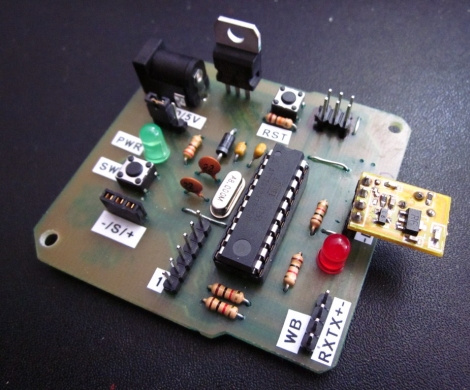
He picked up a VRBot speech recognition module on eBay, which is an easy way to get your feet wet with voice control. The device has a bunch of built-in speaker independent commands, as well as the ability to record up to 32 custom triggers. Rather than mess with mains voltage and build his own light relays, he purchased a simple set of wireless light switches and began hacking.

He spent some time sniffing the wireless communications protocol to figure out how the lights were triggered, then he replicated that functionality using an AVR and a cheap 433 MHz module.

The system seems to work quite well despite how cheaply he was able to put it together. Stick around to see a quick video of his voice recognition system in action.

Continue reading “Cheap Voice-controlled Lighting”

Arduino Video Sampler

[gijs] sent in an Arduino video sampler he’s been working on. The sampler is able to capture, pause and play a short video forwards and backwards.

The video capture circuit is based on the Nootropic Design video experimenter. We’ve seen a few project use this video experimenter board, but never with such smooth video. The sampler samples frames at a resolution of 128×96 and stores everything in a 256Kbit SRAM. A back-of-the-envelope calculation tells us that the sampler can hold a little under a second of video, more than enough to do something cool.

[gijs] says there is a 1 bit version and a 1.5 bit version of his video sampler. While we’re busy wrapping our minds around what half a bit is, he’ll be upgrading the 1.5 bit version to 2 bits. He’s also ordered some PCBs and expects to have a kit out by October. Check out a demo after the break.

Continue reading “Arduino Video Sampler”

Surplus Bazooka Converted To Shoot Firework Artillery Shells

bazooka_fireworks_mortar_launche

[Mark] and his friends love fireworks, but got tired of the traditional ground-launched mortar rounds, so they decided to spice things up a bit.

A while back he purchased an Army-issue bazooka at a gun show but didn’t use it for much, so it sat unused for about 10 years. He dug it out of storage, then hit up his local hardware store for a few lengths of PVC piping. He cut the pipes to size and then used his 3D printer to build a couple of parts to securely mount the PVC pipe into the bazooka’s shell. With his standard tube, he can shoot 2” mortars from the bazooka, but says he can add a second nested length of PVC to allow for smaller rounds.

Obviously this sort of setup can be quite dangerous if it is mistaken for actual weaponry, or if your fireworks were purchased from some guy’s trunk at a highway rest stop. [Mark] and his friends have taken some precautions when they use the launcher, but this is still clearly a risky enterprise.

That said, we think its awesome, and if anyone has a spare bazooka sitting around, feel free to send it our way!

Continue reading to see the bazooka fireworks launcher in action.

[Correction]
Not a bazooka, it’s an AT-4. Thanks to those who pointed it out.

Continue reading “Surplus Bazooka Converted To Shoot Firework Artillery Shells”

ExtMEDIA: An XBMC Disc Changer Interface

extmedia_dvd_bluray_changer_integration

A while back, [Ben Gilstad] built his first HTPC, loading XBMC on it to manage all of his digital media. He loved XBMC’s features and flexibility, but he needed a way to enjoy his DVD and Blu Ray collection on the device without too much hassle. Far before [Ben Heck] considered fitting his Xbox 360 DVD drive into a CD carousel, this [Ben] was busy hacking a Blu Ray player into his.

He bought a broken disc changer at a garage sale, and tore apart a standard SATA Blu Ray player in preparation for the optical drive transplant. An ATMega168 controls the changer’s mechanics, monitoring the carousel’s position and triggering the proper motors when discs need to be swapped out. The AVR currently takes its direction from the HTPC over its serial port via a UDP proxy as XBMC did not support a serial interface at the time he was building the changer.

The second half of [Ben’s] project is an XBMC add-on that he uses to manage his huge collection of optical discs. In order to get XBMC to recognize each disc as a valid ‘file’, he created a clever workaround involving blank WMV clips. This enables him to view his DVDs as if they were digital files on his hard drive, complete with cover art.

It’s a fantastic project, and [Ben] says that his system should be able to support any number of physical disc changers simultaneously, without much issue. Unfortunately the project went on hiatus when he lost his job, so it’s packed away in storage for the time being. Once he gets back on his feet however, he has a whole list of planned changes and improvements to work on – we can’t wait to see it once complete!

Keep reading to check out a video demonstration of his XBMC add-on in action.

Continue reading “ExtMEDIA: An XBMC Disc Changer Interface”

Did Microsoft Steal The Kinect?

In 2009, while Microsoft was busy designing and marketing what would become the Kinect, [Carlos Anzola], an inventor, tinkerer, and self-ascribed geek from Bogotá, Colombia, had been working for years on a nearly identical gesture interface for the PC. His creation, the Human interface Electronic Device, or HiE-D – pronounced ‘Heidi’ – was capable of gesture recognition years before Microsoft would release the Kinect.

After developing his gesture recognition device in 2007, Microsoft showed interest in [Carlos]’ device – going so far as to request a prototype. Microsoft suggested that he should apply for a patent on his technology. [Carlos] did just that, sending in patent applications to both the United States Patent and Trademark Office and the World Intellectual Property Organization a mere two days before the announcement of Project Natal and a full seven months before Microsoft applied for their Kinect patent.

Since the release of the Kinect, [Carlos] has been showing the HiE-D around Bogotá and has put a few videos of his technology up on Youtube, one of which can be seen below. You can also check out his Youtube channel for some great demos.

[youtube=http://www.youtube.com/watch?v=f5jfOJ3TwyI&w=470]

Continue reading “Did Microsoft Steal The Kinect?”

Adding Extra Buttons To A Cintiq Drawing Pad

wacom_cintiq_game_pad_addon

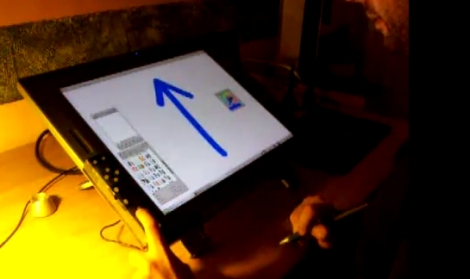
[David Revoy] recently picked up a brand new Cintiq 21UX, and while he liked the drawing pad overall, he was less than impressed with the tablet’s buttons. He says that most 2D linux apps require a good bit of keyboard interaction, and the built-in buttons just were not cutting it.

After seeing a fellow artist use a joypad to augment his tablet, [David] thought that he might be able to do something similar, but he wanted to add a lot more buttons. He dug out an old Logitech game pad that was collecting dust, and disassembled it, rearranging some buttons in the process. Once he was happy with the layout, he built a cardboard enclosure for the PCB and hooked it up to the Wacom via USB.

He spent a few minutes mapping buttons to key presses using Qjoypad, and was up and running with an additional 14 buttons in short order. He says that the extra buttons make his job a ton easier, and add a little bit of comfort to his long drawing sessions. We like the fact that it is a non-permanent fixture, and that he was able to repurpose an old game pad in the process.

Check out the video below for a quick demonstration of his drawing pad hack.

[via Adafruit blog]

Continue reading “Adding Extra Buttons To A Cintiq Drawing Pad”