NBA Hangtime Pinball Display

[Ed Zarick] continues work on his NBA Hangtime pinball machine with the completion of the scoreboard and backglass. You should remember this project as we already covered the layer audio he developed for the system. Now he’s proving to be a protoboard master, using point-to-point techniques to build a pair of two and a half digit LED displays for team scores, as well as a shot clock timer and other status indicators.

The lighting board that controls it all is commanded via the i2c protocol, just like the three audio modules. It uses shift registers along with MOSFETs and [Ed] has taken the time to add pin headers and sockets for board interconnects. As is true with the audio system, one Arduino Mega acts as the master on the i2c bus and you’ll notice in the video after the break that the display works in perfect harmony with the sound effects.

We can’t wait to see what he comes up with for the play field!

Continue reading “NBA Hangtime Pinball Display”

These Apple-inspired Speakers Would Make Steve Jobs Envious

isound_speakers

Reader [Brett] sent in the build log of his beautiful set of Apple-inspired computer speakers for us to look over. Having seen our recent post on DIY speakers, he thought he would throw his hat into the ring as well, and we’re glad he did.

He wanted a nice set of speakers to complement his iMac, but couldn’t find anything he liked that would provide the sound quality he was looking for while closely matching the design of the computer. The speakers are constructed out of MDF with CNC milled acrylic front and back panels. Hand-built crossovers reside inside the speaker boxes, which provides for a clean, polished look. He originally planned on building a pair of subwoofers into his desk, but ultimately settled on building a single subwoofer to sit on the floor.

The finished product is simply stunning, and we would have a hard time believing they were a DIY project if we didn’t see them come together piece by piece. Do you think you can match [Brett’s] handiwork?  If so, feel free to share your speaker builds in the comments.

TV Oscilloscope

Need an oscilloscope? Want to see the music? Don’t have money, but do have a old TV? Then this TV to oscilloscope mod may be right up your alley. Now don’t go running off just yet, when you’re working inside of a CRT device you are exposed to mains current, high voltage, and high frequency, so extra care needs to be observed .

If you have your rubber welding gloves, and have discharged all your fat capacitors (including the CRT) its pretty much the same magic trick as couple we have previously featured. Patch an amplified input signal into the vertical deflection coil and let her go, but this instructable features much more detailed instruction, and photos so you have a much better chance of replicating this (not quite lab grade) potentially useful device.

Join us after the break for a short video.

Continue reading “TV Oscilloscope”

Audio Two-fer – Sneaker Speakers And DIY Mid-Fi Woofers

speakers

Nike Air Force 1 shoes are probably some of the most well-recognized sneakers around the world, aside from the always timeless Chuck Taylor All Stars. So when [Alex Nash] was asked to create some art using something ordinary with a goal of turning it into something special,  he immediately grabbed a pair and got to work.

His vision was to build a set of PC speakers by embedding a small amplifier and speakers into a pair of Air Force 1s. As you can see from the pictures on his site, they look awesome. He doesn’t say how good they sound, but we’re betting they perform better than that old pair that came with your last computer.

When [Stacy] was in college, she didn’t have a ton of room or money for a nice audio setup, so she decided to build a pair of speakers rather than buying them. She admits that these “Mid-Fi” woofers won’t be the centerpiece of your Hi-Fi setup, but they still sound pretty darn good for $50 DIY speakers. She compares them to units you would find in the store for $300+, and they sound so good she continues to use them as a compliment to the rest of her Hi-Fi setup now that she has a place of her own.

Arduino Based Ambient Lighting Improvements

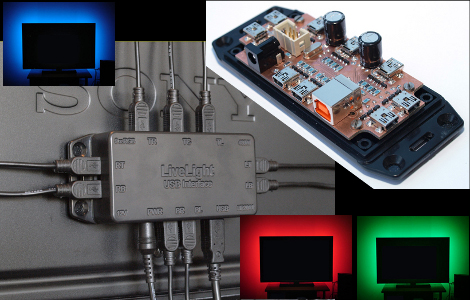
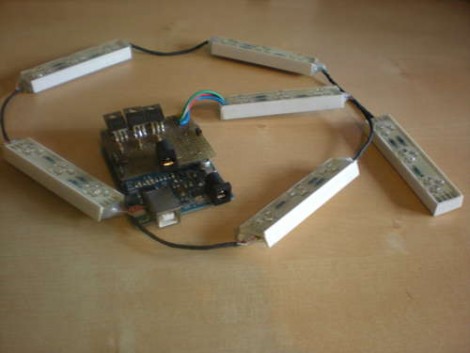
[Simon] improved upon an existing hack by making this Arduino ambient lighting system that has four different color regions. He was inspired by [Roy’s] processing-based setup which we saw a few weeks ago. That system used processing to determine the average color of the currently displayed image, then it displayed the color on a single RGB LED strip. [Simon] was thinking a little bit bigger.

He purchased a lighting strip that could be cut into different sections and then set out to develop his own software for multiple color regions. He had little or no experience with Processing so he went one abstraction layer lower and used Java to code his interface. It’s got a lot of nice settings where you can tweak how, when, and why colors are displayed. In the end he has four independently addressable color strip on the left, right, top-left, and top-right of the screen. The best part is that the Java suite he developed can be used on different platforms, having been already tested on Windows and Linux.

Shiny Acrylic MAME Box

This nice table-top MAME arcade features a two-toned acrylic case. [Fabricio] spent about 50-60 hours designing the 29 parts that make up the enclosure. Originally the sides were meant to be orange but one design flaw meant he had to have them recut and only had enough black stock for the job. But we like it this way. The screen is just over ten inches and inside you’ll find a mini-ITX motherboard with a gig of ram and a solid state drive. The seven page build log features some bending, glue, screwing, and wiring that really show off the depth of the project.

This results a very modern look but if you like your retro gaming to appear vintage we recommend this cocktail cabinet.

Our Beloved XBMC Hits IOS Devices

For those who have been longing to unlock the power of the Apple TV 2 the wait is over. XBMC is now available for iOS devices. This isn’t limited to the tiny ARM-based set-top box, but extends to the entire family including iPad and iPhone 4. Included is the ability to play high def video up to 1080p without transcoding. But we think the best feature might be XBMC’s ability to easily stream media over the network from just about any operating system. Goodbye iTunes tethering.

If you’re comfortably using SSH to work with a Jailbroken device, ATV2 installation will be a snap as there’s already a source repository to install from. iPad and iPhone 4 are even easier, just add the repository in Cydia and install. Wow, when we first looked in on the new generation of ATV we really thought it would take longer than it has to see a port of our favorite open source media client. Thanks Team XBMC!