Mixing Colors On The Reprap

3d printing has come huge strides in ability to construct detailed objects. Unfortunately, color is still a considerable limitation. Here, some people at the Reprap blog are having fun coming up with an extruder head that actually mixes two colors as it deposits them. Don’t confuse this with the dual head that Makerbot is touting that allows you to switch colors on the fly, this is a single head that actually has a cavity where the material is melted, then stirred to create a combination of the two. It is an interesting method of overcoming a limited supply of colors.

Having this extra stirring chamber means that there would be a small amount of material wasted any time that you wanted to make a change to the color, as it would have to be purged. There are some interesting thoughts in their comments on how to use this extra material most efficiently.

Building A Ranque-Hilsch Vortex Cooling Tube

The Ranque-Hilsch vortex tube is an interesting piece of equipment. It can, without any moving parts or chemicals, separate hot and cold compressed gasses that are passed through it. Interestingly enough, you can cobble one together with very few parts for fairly cheap. [Otto Belden] tossed one together in a weekend back in 2009 just to see if he could do it. His results were fairly good and he shared some video tutorials on its construction.

His latest version, which you can see in the video below, takes compressed air at about 78degrees and spits out about 112degrees on the hot side and  8degrees on the cold side. Not too bad!

Continue reading “Building A Ranque-Hilsch Vortex Cooling Tube”

Making A Miniature X-Ray Tube From Scratch

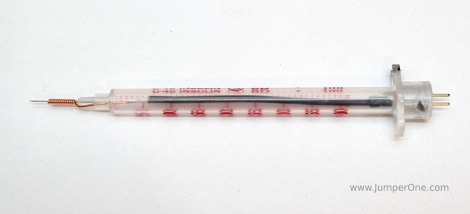
We know that most of you will have no reason to ever make a miniature X-ray tube. However, we also know that many of you will find this video mesmerizing like we did. [Glasslinger] does a fantastic job of explaining the entire process of creating the mini x-ray tube from, procuring the uranium glass and tungsten stem, creating the filament from scratch, all the glass work, and the testing.

Admittedly, most of us here at hackaday won’t go any further than admiring the craftsmanship, though we’re curious to see what [Adam Munich] has to say when he sees this story.

If you enjoyed the tube construction in the video, be sure to check out [Glasslinger’s] other videos. He makes all kinds of tubes in his shop and usually shares so much information along the process that each one has useful information beyond that particular project. Another crazy part is that he has made most of his own tools, including his glass lathe.

We really shouldn’t have to point out that X-Rays are dangerous. Don’t mess with them unless you have researched how to do it safely.

Turning An Oscilloscope Into A Logic Analyzer

Sooner or later, you’re going to need a logic analyzer. If you don’t have a Bus Pirate or Logic Sniffer lying around, [Joonas] has a great MacGyverism that turns an oscilloscope into the simplest logic analyzer ever.

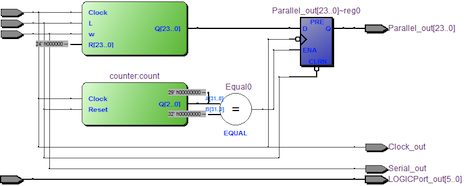
The basic premise of the build is tying four digital lines to the analog input of an oscope. This is done with a 74HC126 buffer that provides a high impedance input for the logic probes and outputs the four-bit status of each logic channel. With a few resistors in an R-2R network, the state of four digital lines can be easily read.

[Joonas] included the source code to turn his Picoscope 2000 into a logic analyzer, but there’s no reason why this couldn’t be done with any digital scope that has a serial output. Not bad for a very, very simple logic analyzer – just one chip and a handful of resistors – that costs less than $5.

Designing A Self-replicating Milling Machine

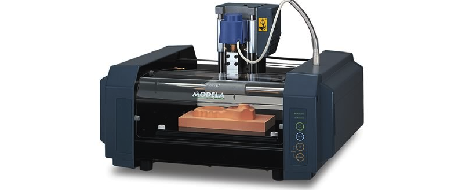
For his senior design project at Swarthmore College, [Julian] decided to build a metalworking equivalent to the RepRap. [Julian]’s final project is a self-replicating milling machine, and hopefully giving some serious metalworking power to all the makers with CNC routers and RepRaps out there.

At first glance, [Julian]’s mill doesn’t look like something you would find in a machine shop. The machine is built around a tetrahedral machine tool frame, giving the machine an amazing amount of stiffness with the added bonus of a degree of self-alignment. The spindle and motor are off-the-shelf units, but the entire bed assembly is made by [Julian] himself.

Right now, [Julian] still considers his project a very early prototype; there’s still a bit of chatter issues he’s working out, and the cost of the finished machine – about $1200, not including many hours of fine tuning – means it isn’t as competitive as other options. Still, [Julian] made a mill from scratch, and that’s nothing to scoff at.

USB Connectivity That Is So Very Very Small

Using FTDI chips as a USB to Serial solution is nothing new, but this MicroFTX board takes the footprint to a new low. If you’re space limited this should have no problem fitting into your project. But if you plan to use it for prototyping we predict it’ll be lost in the parts bin forever as soon as you take your eyes off of it.

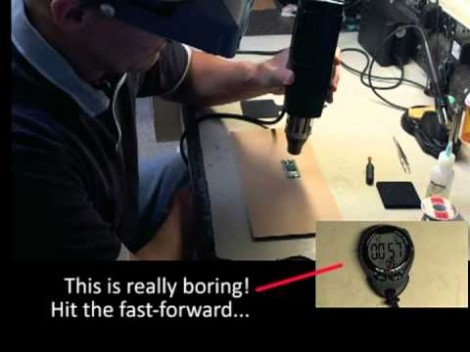
The USB Mini-B connector is becoming quite popular with hobby electronics these days. But here [Jim Paris] chose to use its little brother, the USB micro connector. Want to put this together by hand? How are you with 0402 footprints and QFN chips? In fact, there’s a ground pad on the bottom of that IC which means you really need to use a reflow oven to do the job right.

Aside from the diy-unfriendly fabrication size, we do like the design. There are four output pins (voltage, ground, TX, and RX) with a set of four solder jumpers to configure them. It can be powered from the USB port or an external connection, with the option for 5V or 3.3V output.

[Thanks John]

Going From Idea To Schematic To Printed PCB

Building a circuit on a bread board makes life much easier, but eventually you’re going to want a PCB for one of your circuits. Luckily, [Will] from Revolt Lab put up a trio of posts that will take you idea and turn it into a schematic and PCB.

First up is an awesome tutorial on the circuit design program Fritzing. While you won’t find Fritzing on the computer of anyone making a living doing circuit design work – those people usually go for Eagle or KiCad – Fritzing is very easy to use but still has a ton of features. Using Fritzing isn’t very hard, either. [Will]’s tutorial goes over copying your breadboarded circuit into Fritzing, creating a schematic from the bread board layout, and finally converting that to PCB artwork.

Once you have board artwork for your circuit, you’re probably going to want a real-life PCB. [Will]’s board etching tutorial goes over the toner transfer method of PCB creation. Basically, print your circuit onto glossy photo paper with a laser printer, put it face down on a copper board, then take a clothes iron to it. If you’re lucky, the laser printer toner will have transferred to the copper making a nice etch resist. To get rid of all that superfluous copper, [Will] used ferric chloride but a Hydrochloric Acid/Hydrogen Peroxide mix will work just as well.

Before you etch your boards, you might want to thing about building an etch tank that keeps all your slightly dangerous chemicals in one container. [Will]’s etch tank uses a large water container and a few pieces of LEGO to suspend the board in the etch solution. It etches boards a lot faster than laying them face down in a tray, allowing you to go from idea to finished piece a lot quicker.