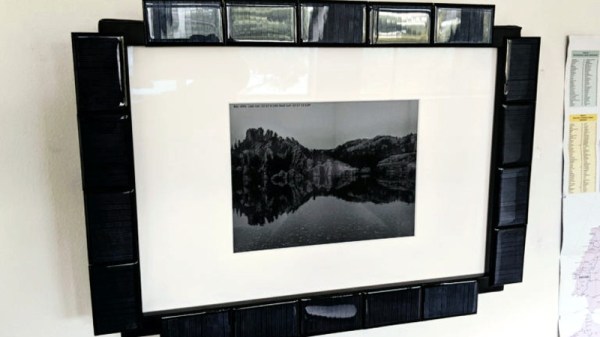
A Free Software OS For The ReMarkable E-Paper Tablet

If you’re looking to rid your day to day life of dead trees, there’s a good chance you’ve already heard of the reMarkable tablet. The sleek device aims to replace the traditional notebook. To that end, remarkable was designed to mimic the feeling of writing on actual paper as closely as possible. But like so many modern gadgets, it’s unfortunately encumbered by proprietary code with a dash of vendor lock-in. Or at least, it was.

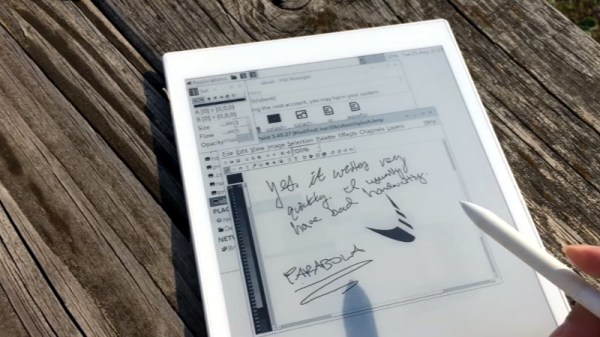
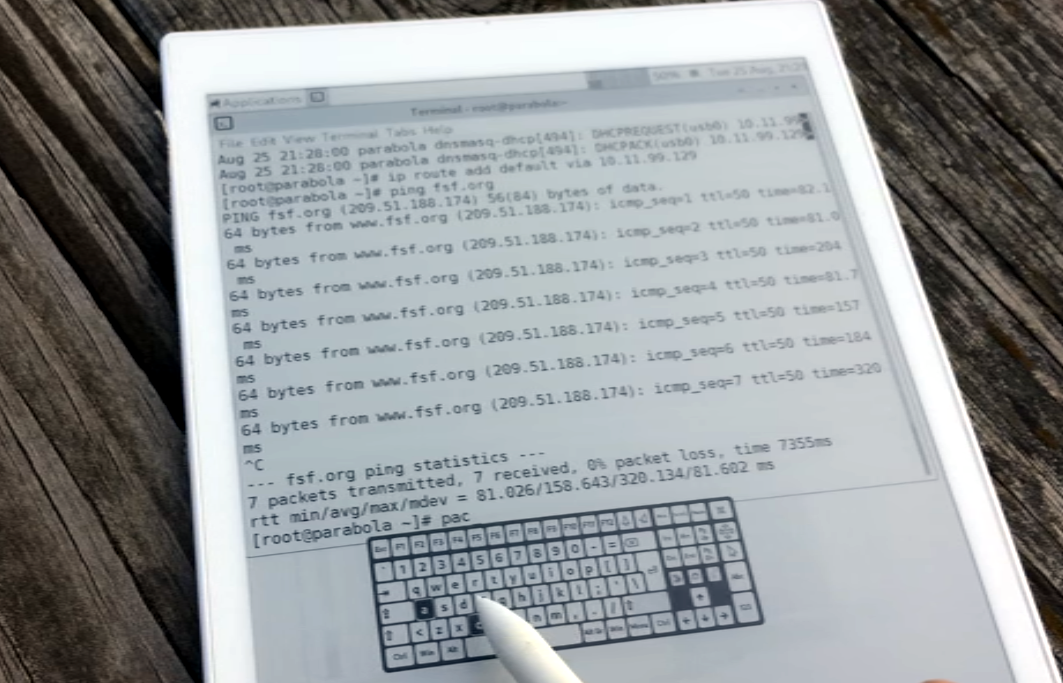
[Davis Remmel] has been hard at work porting Parabola, a completely free and open source GNU/Linux distribution, to the reMarkable. Developers will appreciate the opportunity to audit and modify the OS, but even from an end-user perspective, Parabola greatly opens up what you can do on the device. Before you were limited to a tablet UI and a select number of applications, but with this replacement OS installed, you’ll have a full-blown Linux desktop to play with.

You still won’t be watching videos or gaming on the reMarkable (though technically, you would be able to), but you could certainly use it to read and edit documents the original OS didn’t support. You could even use it for light software development. Since USB serial adapters are supported, microcontroller work isn’t out of the question either. All while reaping the considerable benefits of electronic paper.

The only downside is that the WiFi hardware is not currently supported as it requires proprietary firmware to operate. No word on whether or not [Davis] is willing to make some concession there for users who aren’t quite so strict about their software freedoms.

We’ve been waiting patiently for the electronic paper revolution to do more than replace paperbacks with Kindles, and devices like the reMarkable seem to be finally moving us in the right direction. Thankfully, projects that aim to bring free and open source software to these devices mean we won’t necessarily have to let Big Brother snoop through our files in the process.

Hackaday Podcast 073: Betrayal By Clipboard, Scratching 4K, Flaming Solder Joints, And Electric Paper

Hackaday editors Mike Szczys and Elliot Williams review a great week in the hacking world. There’s an incredible 4k projector build that started from a broken cellphone, a hand-cranked player (MIDI) piano, and a woeful story of clipboard vulnerabilities found in numerous browsers and browser-based apps. Plus you’ll love the field-ready solder splice that works like a strike-on box match (reminiscent of using thermite to weld railroad rail) and we spend some time marveling at the problem of finding power cuts on massive grid systems.

Take a look at the links below if you want to follow along, and as always, tell us what you think about this episode in the comments!

Take a look at the links below if you want to follow along, and as always, tell us what you think about this episode in the comments!

Direct download (60 MB or so.)

Continue reading “Hackaday Podcast 073: Betrayal By Clipboard, Scratching 4K, Flaming Solder Joints, And Electric Paper”

EPaper Tablet Gets Desktop Linux Install

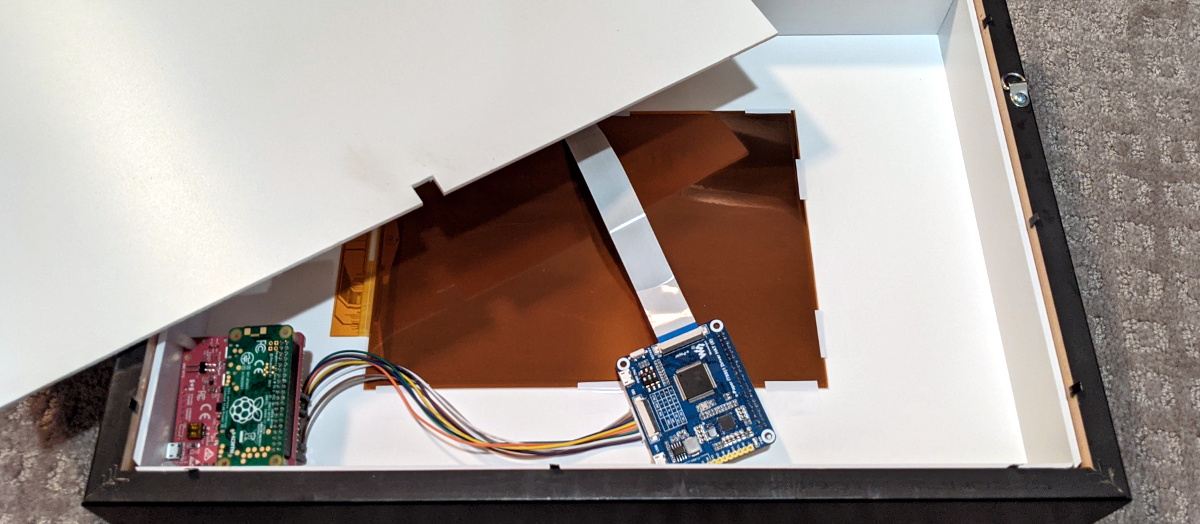
ePaper is an interesting thing, providing a non-backlit viewing experience that is much more akin to reading a book than staring at a screen. The reMarkable tablet is a device designed around just such a display, and [Davis Remmel] has been hacking away at the platform. His latest work brings full-fat Linux to the fore.

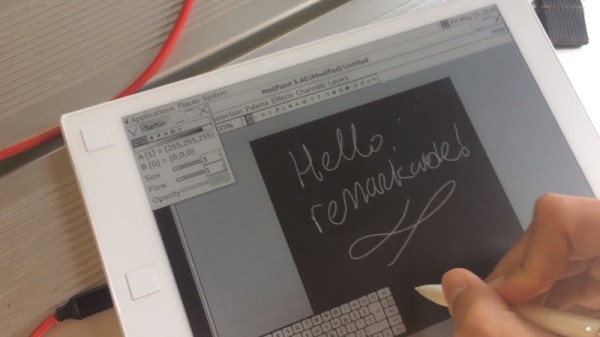
The work builds upon [Davis]’s earlier work, installing a microSD slot in the tablet to make development easier. Getting Linux running required a custom kernel, but once sorted, working with the reMarkable is easy. apt is available for easy software installs, and the tablet is demonstrated using several different pieces of software, like mtPaint and Xournal.

The golden part of all this has been getting automated partial screen refreshes working. ePaper displays take a long time to refresh the whole screen. Being able to do faster partial writes makes for a much faster interface, which is evident when some of the drawing software is demonstrated. Even Doom runs, but remains largely unplayable, sadly – the ePaper is still a long way off hitting 25 fps.

We look forward to seeing where [Davis] takes this project, and how display performance improves with newer reMarkable tablets. With the reMarkable 2 out for pre-order, there could be a step change in display speed on the horizon. We’re betting that there’s big things to come yet for ePaper – 2020 may finally be its year.

Will 2020 (Finally) Be The Year Of Electronic Paper?

These days paper is being phased out whenever possible, and while we’re still far from being a completely digital society, the last decade or two has seen a huge reduction in the amount of paper the average person deals with on a daily basis. At the very least, we seem a lot closer to a future without the printed page than we are flying cars or any of the other concepts we generally associate with the far-flung future.

That said, there’s still something undeniably appealing about reading on paper. The idea of squirting ink on a piece of thin wood might seem increasingly archaic to us, but it sure does look nice when you hold it in your hand. Which is exactly why so much effort has been put into recreating the look of printed paper in electronic form; we all love the experience of paper, but the traditional execution doesn’t align itself particularly well with modern sensibilities.

Of course electronic “eReaders”, most notably the Kindle line from Amazon, have gone a long way towards making this a reality. At least for reading books, anyway. But what about magazines, newspapers, or even the lowly notebook we keep by the bench to jot down measurements or ideas? A PDF datasheet, with graphics where the grey tones matter? Being able to carry a whole bookshelf worth of novels in your bag is incredible, but despite what science fiction has promised us since 2001: A Space Odyssey, we’re still consuming plenty of media off of dead trees.

But that might be changing soon. This year will see the release of two tablets that promise to deliver an experience much closer to reading and writing on traditional paper than anything we’ve seen previously. They certainly aren’t cheap, and it’s too early to tell how much is just hype, but these devices could end up being an important step towards the paperless future we’ve been dreaming of.

Continue reading “Will 2020 (Finally) Be The Year Of Electronic Paper?”

Ben Krasnow hacks E-paper

[Ben Krasnow] Hacks E-Paper For Fastest Refresh Rate

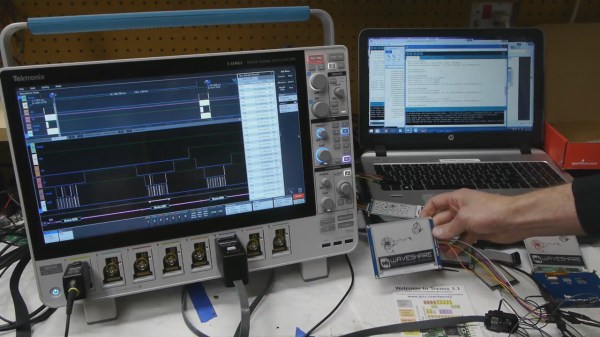
[Ben Krasnow] is known for his clear explanations alongside awesome hardware, being one of only a few hackers who owns an electron microscope. This time he’s explaining how E-paper works while modifying the firmware of a 4.2 inch E-paper module to get a higher refresh rate. As for the awesome hardware, he also analyses the signals going to the E-paper using an ultra-fancy loaner oscilloscope.

E-paper explanation diagram

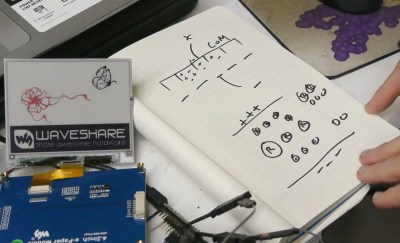
After starting out with a demo of the firmware in action before and after his modification, he explains how the E-paper works. The display is made up of many isolated chambers, each containing charged particles in a liquid. For example, the positive particles might be black and the negative might be white. By putting an electric field across each chamber, the white particles would be attracted to one end while the black would be attracted to the other, which could be the end you’re looking at. He also explains how it’s possible to get a third color by using different sized particles along with some extra manipulation of the electric field. And he talks about the issue of burn-in and how to avoid it.

Having given us that background, he then walks us through some of the firmware and shows how he modified it to make it faster, namely by researching various datasheets and subsequently modifying some look-up-tables.

Turning back to the hardware, he shows how he scratches out some traces so that he can attach scope probes. This alone seems like a notable achievement, though he points out that the conductive layer holds up well to his scratching. At that point he analyses the signals while running some demos.

The result is the very informative, interesting and entertaining video which you can watch below.

Continue reading “[Ben Krasnow] Hacks E-Paper For Fastest Refresh Rate”

Paperback: ePaper desktop monitor playing Doom

Hackaday Prize Entry: PaperBack Desktop EPaper Monitor

When we announced the Hackaday Prize with its Best Product category, [PK] polled his wife and co-workers about the idea of making a desktop monitor using 6″ 800×600 ePaper, which he has since built and calls the PaperBack. One such requirement for a monitor is to be able to connect to it using one of the usual desktop methods: VGA, DVI or HDMI. Given his previous experience making his own VGA card for the 2015 prize, he went with that. HDMI is in the works.

But it ended up being more than a desktop monitor. He first made a power and breakout board that a VGA input board would eventually connect to. To test it, he included a socket for plugging in an ESP32. With only one bodge he had the Hackaday logo displayed on the ePaper. He also now had the option of using it as a wireless internet connected display.

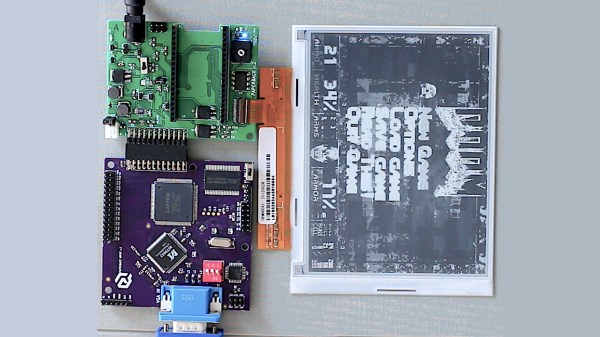
Moving on to VGA support, [PK] made a VGA input board using the MST9883 chip, which does the A/D conversion of the VGA RGB graphics signal and also recovers a pixel sampling clock from the HSYNC. His new VGA ePaper monitor has to identify itself to the VGA source, telling it dimensions, resolution and so on. This is called the EDID and was handled by the addition of an Atmel ATmega328 to the board. To finish it off, an LCMXO1200C FPGA does the high-speed conversions with the help of a 4 MBit SRAM framebuffer.

His very first test involved simply displaying the Hackaday logo using the ESP32, but now with the VGA input board he has it displaying Doom. Since it’s using ePaper it has only a 1-second refresh rate but it’s hard to come up with a more awesome way to proved that it works. He can also unplug it at any time and walk away with the latest screenshot intact. See it for yourself in the video below.

Continue reading “Hackaday Prize Entry: PaperBack Desktop EPaper Monitor”

Breadboarding With E-Paper

[David Watts] picked up an inexpensive Waveshare e-Paper display. He made a video about using it with a breadboard, and you can see it below.

The E-Paper or E-Ink displays have several advantages. They are low power, they retain their display even without power, and they are very visible in direct light. The downside is they don’t update as fast as some other display technologies.

Continue reading “Breadboarding With E-Paper”