
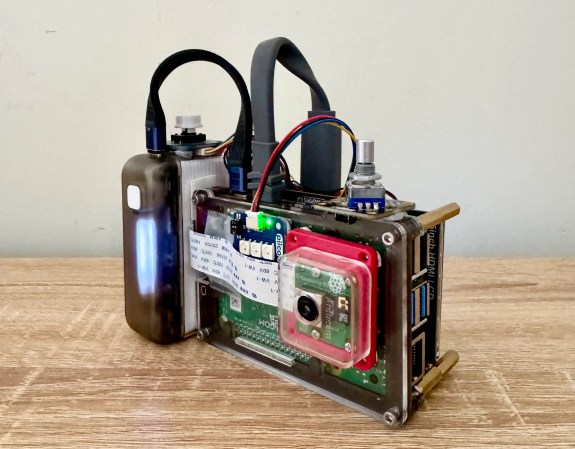
A Raspberry Pi-powered glitch camera, with adjustable glitch.

Easy-ish Glitch Camera? There’s A Pi 4 That

Usually, when you want to make glitchy images with lots of colors and things, you have to poke around inside a camera and successfully circuit-bend the thing without bricking it. But [sharkbiscuit101] proves that this isn’t necessary, provided you have a Raspberry Pi 4 and a few other components.

Now we don’t have a lot of detail here, but [sharkbiscuit101] is being heavily encouraged to share the relevant files and a component list. What we do know is that the there’s a screen for previewing images, a portable battery, a shutter button, a rotary encoder to dial in the weirdness, and a game pad for controls. Using the script and a slider, you can tweak different aspects of the image to basically break it down in real time. If you find a nifty combination, you can use the rotary encoder to save and then recall presets.

If you’re wondering about the grip, that’s a Sharge battery from the Bezos Barn. Per [sharkbiscuit101], it is a good size, and since Pi 4 doesn’t have a power button, it can be turned on and off at the battery.

Of course, you can always mess with JPGs on a raw, textual level instead, or produce standard photographs with a pinhole camera.

Messing With JPEGs In A Text Editor Is Fun And Glitchy

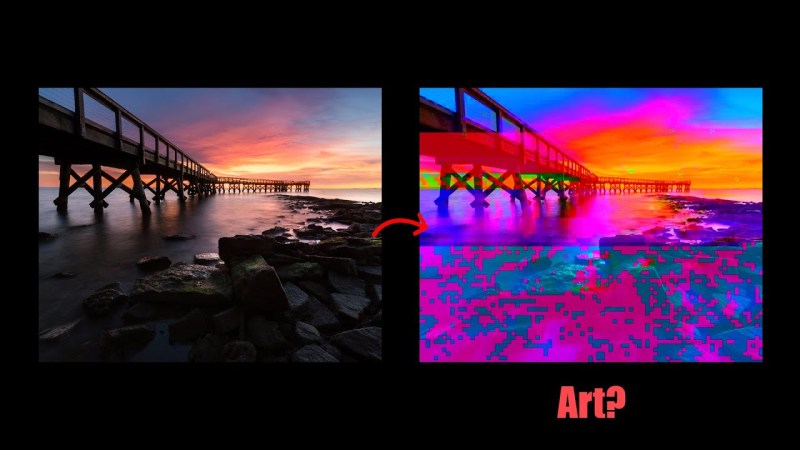
If you’re looking to edit an image, you might open it in Photoshop, GIMP, or even Paint Shop Pro if you’re stuck in 2005. But who needs it — [Patrick Gillespie] explores what can be done when editing a JPEG on a raw, textual level instead.

As the video explains, you generally can’t simply throw a JPEG into Notepad and start making changes all willy nilly. That’s because it’s very easy to wreck key pieces of the image format that are required to render it as an image. Particularly because Notepad likes to sanitize things like line endings which completely mess up the structure of the file. Instead, you’re best off using a binary editor that will only change specific bytes in the image when you tell it to. Do this, and you can glitch out an image in all kinds of fun digital ways… or ruin it completely. Your choice!

If you’d like to tinker around with this practice, [Patrick] has made a tool for just that purpose. Jump over to the website, load the image of your choice, and play with it to your heart’s content.

This practice is often referred to as “datamoshing,” which is a very cool word, or “databending,” which isn’t nearly as good. We’ve explored other file-format hacks before, too, like a single file that can be opened six different ways. Video after the break.

Continue reading “Messing With JPEGs In A Text Editor Is Fun And Glitchy”








