The EMac: Using Apple’s Forgotten Educational Mac In 2026

Beauty truly is in the eye of the beholder. (Credit: MattKC, YouTube)

What’s it like to use a 2002-era Apple eMac all-in-one in 2025? That’s what [MattKC] asked himself after obtaining one of these systems from a seller who ominously mentioned that it had been ‘left outside for years’.

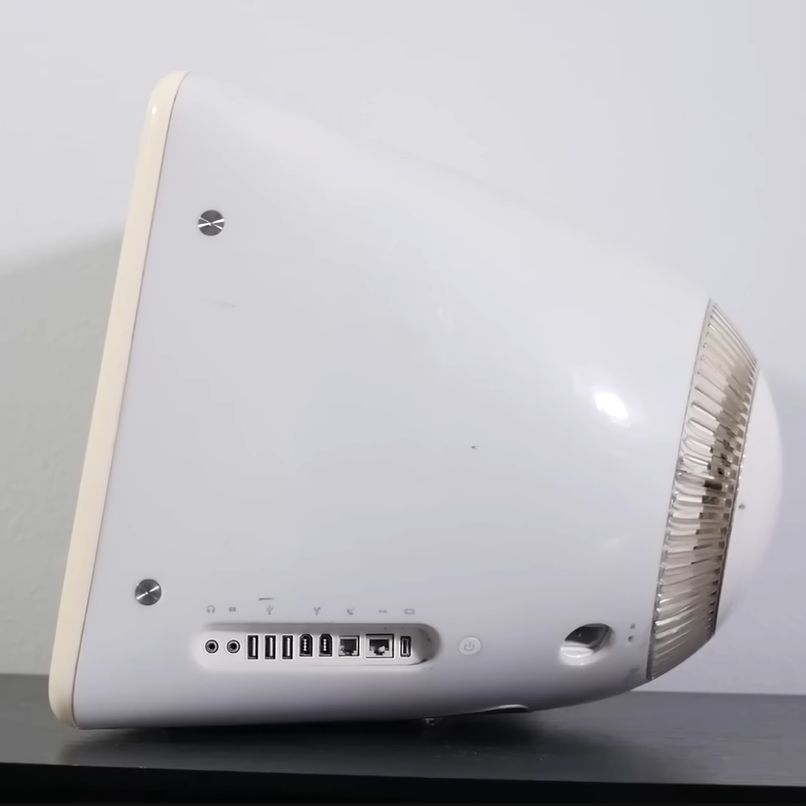
The Apple iMac is a bit of a cult symbol, whether you’re talking about the iconic fruity iMac G3 or the desk lamp-like iMac G4, but few reminisce or actively collect the Apple eMac. Manufactured from 2002 to 2006, it featured the PowerPC 7450 (G4e) CPU with clock speeds ranging from 700 MHz to 1.42 GHz, as well as a 17″ CRT. In terms of design it was basically a bland iMac G3 that was firmly targeting the education markets to try and regain market share after Windows PCs had begun to eat its lunch there.

As for the model that [MattKC] purchased, it was this earliest model, featuring a 700 MHz PowerPC G4 CPU in addition to 640 MB SDRAM. Despite the seller’s description it seems to be in good nick with it firing right up, and even a glance inside after beating the challenge of 2.5 mm hex screws showed it to be in relatively good condition.

Unlike the iMac G3, you can play the Mac port of Halo on it, but the Minecraft port is very much not performant. With generally multimedia and gaming working well, it does show why the eMac was released, as it’s quite capable relative to an iMac G3 which would have struggled with the educational software of the era. We definitely hope that [MattKC] restores it to its full glory instead of ripping out its innards, as the neglected status of the eMac makes it much more likely to go extinct than PowerPC-based iMacs.

Continue reading “The EMac: Using Apple’s Forgotten Educational Mac In 2026”
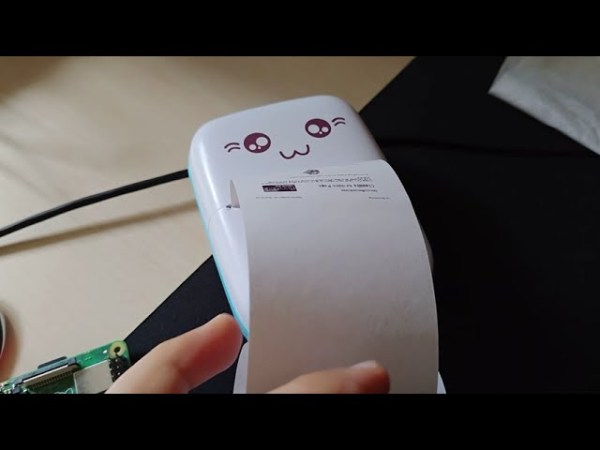
A small, white thermal printer with a cartoon cat face above the paper outlet. It is sitting on a black mat on top of a pale wooden table. A Raspberry Pi sits nearby.

Bluetooth Printer Works With AppleTalk

For retrocomputing enthusiasts, getting old computers to work with newer peripherals can be an exciting challenge or horrible headache. If you need to print out receipts from an old Mac, you might just be in luck now that [Hamin Mousavi] has gotten AppleTalk to work with cat printers.

[Mousavi] uses a Raspberry Pi 4 here in his version of the hack, but any Bluetooth capable computer running Linux should work. His command line screenshots are from a Debian-based system, but you should be able to translate to other systems as needed.

Thanks to previous work on these thermal printers, drivers are available for them on many other systems, so the tricky part comes down to getting the web connection to the printer working through the Linux box and then getting the Mac (in this case an iMac G3) to recognize the printer as something to install.

We’ve seen people do some really interesting things with thermal printers like making them D&D tools, breaking their paper DRM, and even black and white “Polaroids.

Continue reading “Bluetooth Printer Works With AppleTalk”

Hackaday Links: August 11, 2013

While we’re not much for fashion hacks, we’re reasonably impressed with [Karolina]’s faux Chanel bag made of chips. Apparently a grid of black squares is one of Chanel’s trademark looks, and a thousand or so QFP chips makes for a reasonable substitution.

News of the death of our retro edition has been greatly exaggerated. [Brandon] got an old Apple IIe up on the Internet and loaded up our retro edition, so we’re sort of obliged to mention him. He’s using a Super Serial Card connected to an OS X box running lynx. With getty running, he can shoot the output of lynx over to the Apple. Awesome.

Take an old Yamaha organ, convert the keyboard to MIDI, throw in a few Arduinos, thousands of LEDs, and a handful of bubble machines. What you end up with is the bubble organ, as seen at the Bass Coast Festival last weekend. If you want a hands on, you can also check it out at the Rifflandia festival in BC, Canada this September.

Some guy over on reddit created the smallest Arduino in the world. We’re looking at a rank amateur here, though. I’ve been working on this little guy for the last 18 months and have even created an open source cloud based github design for the production model. It’s less than half the size of a Digispark, and also Internet of Things 3D interactive education buzzword buzzword.

[Moogle] found an old Super 8 camera at an estate sale. No big deal right? Well, this one is clear, and it uses light-sensitive film. Your guess is as good as ours on this one, but if you know what’s up, drop a note in the comments.

One day [John] decided he would put a PC inside an old G3 iMac. After a year, it’s finally done. He took out the CRT and replaced it with a 15″ Dell monitor. The G3 was discarded for an AMD, and the internal speakers and slot-load CD drive still work. It’s a really, really cool piece of work.

The Transistor Takes On The Machine

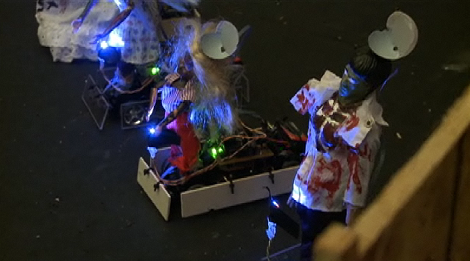
It only took 4 hackerspaces, but we finally get to see a zombie movie inspired project; hackerspace The Transistor Takes on the Machine with a Dawn/Shawn of the Dead movie theme. Race cars disguised as zombies swarm toward the players, who then use laser tag like guns to “shoot” down the approaching undead. The whole thing is a mess of Arduinos communicating with xBees to a central iMac G3, but it all comes together rather well and is promised to be released open source.

Now all that’s left is deciding which hackerspace wins the competition. Who do you have your money on?

[Thanks Deven]

Slot Loading Xbox 360

slot360

File this one under: “Wow, that’s even possible?” xbox-scene hacker [RDC] has been hard at work converting his Xbox 360 to slot loading. To start, He removed the slot loading drive from a blueberry iMac G3. The loading mechanism is the top half of the drive. He split this off and married it to the reading mechanism in the Xbox’s Hitachi drive. The difficult part came with getting the drive to properly signal when it had a disc. He put together a custom circuit to do the detection and has a thorough description of how he solved the problem.

[Thanks, bic]